Drone pilots generate enormous files in very short flights. A single afternoon of 4K or 5.4K aerial video can fill a memory card, and the best cloud storage for drone pilots in 2027 has to move those files fast, keep the originals safe, and make it easy to share finished footage with clients. A lost card or a crashed drive should never mean a lost shoot.
What matters most for drone work is not the cheapest gigabyte but the right mix of speed, capacity, and sharing: fast uploads for multi-gigabyte video files, support for large single files, simple client delivery links, and a cheap place to archive finished projects. Storage limits matter too, because a plan that caps file sizes will fail on the very footage a pilot was hired to capture.
We compared the cloud storage services drone pilots actually use, weighing upload speed for large video files, file-size limits, client sharing tools, archive pricing, and reliability.
Key takeaways
- Dropbox is the best overall cloud storage for drone pilots, with fast large-file uploads and the best client sharing controls.
- Backblaze B2 is the best for a cheap bulk archive, holding finished aerial projects for a few dollars per terabyte.
- Google One is the best for pilots who also shoot photos, with strong search and plans up to 30 TB.
- Check the maximum file size on a plan, since a single long 4K clip can exceed the limit on basic tiers.
- Cloud storage is a backup, not a replacement for local drives: keep a copy on a portable SSD too.
At a glance: the shortlist
| Product | Best for | Starting price | Standout limit |
|---|---|---|---|
| Dropbox | Best overall | From about $10/month for 2 TB | Smart Sync needs the desktop app |
| Google One | Photo and video mix | From about $2/month for 100 GB | 2 TB plan is the sweet spot |
| Backblaze B2 | Cheap bulk archive | From about $0.006/GB/month | Download fees apply |
| Wasabi | Flat-rate hot storage | From about $7/month for 1 TB | Minimum 90-day storage billing |
| pCloud | One-time payment | From about $50/year for 500 GB | Lifetime plans cost more upfront |
| Sync.com | Private client delivery | From about $8/month for 2 TB | Smaller app ecosystem |
| iCloud+ | Apple users | From about $1/month for 50 GB | Windows support is basic |
Dropbox — Best overall
Dropbox is the best all-round cloud storage for drone pilots. It handles very large video files without fuss, uploads quickly and resumes cleanly after a dropped connection, and its sharing controls are the best in this group: passwords, expiry dates, and download permissions can be set per link. A client can preview a 4K clip in the browser without downloading the whole file.
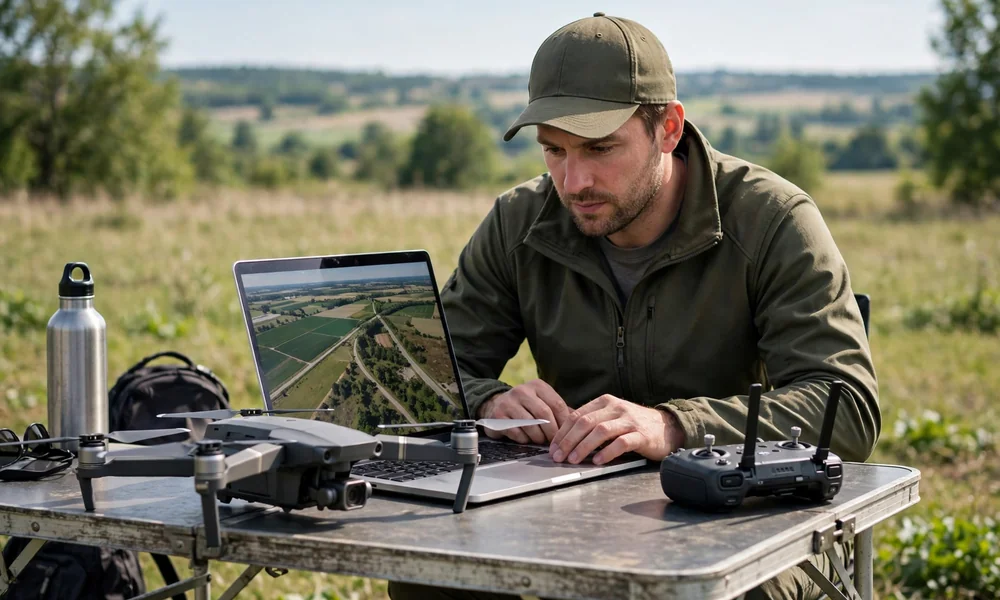
File requests let a second operator or a client upload material into a folder without seeing anything else, which helps on multi-pilot shoots. Selective sync keeps a laptop drive from filling up with an entire archive. Pilots who deliver aerial stills as well as video will find the same sharing strengths in our guide to the best cloud storage for photographers.
Pros: Fast large-file uploads, best client sharing controls, in-browser video preview.
Cons: Pricier than rivals at 2 TB, and no low-cost starter plan.
Google One — Best for a photo and video mix
Google One is the best choice for pilots who shoot both aerial video and stills. It handles raw photos and 4K video, uploads quickly, and scales from 100 GB to 30 TB. The 2 TB plan is the sweet spot for most pilots, and Google Photos adds smart search that makes finding a shot from a particular site a matter of seconds.
Automatic backup from a phone keeps ground photos safe, and files are easy to reach from any device. Sharing is simple, with links that can be revoked later. The limits are thinner sharing controls than Dropbox and a free tier of only 15 GB, which a single drone flight can fill.
Pros: Fast uploads, excellent photo search, plans up to 30 TB, strong mobile apps.
Cons: Weaker sharing controls than Dropbox, and the free tier is small.
Backblaze B2 — Best for a cheap bulk archive
Backblaze B2 is the cheapest way to park a large archive of finished aerial projects. At roughly $0.006 per GB per month, a 5 TB library of old flights costs a few dollars a month instead of fifty or more on a consumer plan. It is a straightforward object store, so it works best as a second copy of organised projects rather than as a daily working drive.
The catch is that downloads cost extra, and the interface is built for technical users. Pair it with a friendlier service for daily work, and use B2 as the deep archive for everything a pilot never wants to lose. Our guide to the best cloud backup services explains how this kind of two-layer setup works in practice.
Pros: Very low storage cost, scales to any size, reliable infrastructure.
Cons: Download fees apply, and the interface is not beginner friendly.
Wasabi — Best for flat-rate hot storage
Wasabi suits pilots who need archive pricing without download fees. Its flat rate of about $7 per month per terabyte includes unlimited downloads. That makes it a good home for footage that clients request again months later, such as survey, inspection, and real estate material.
There is a minimum 90-day billing period per object, so files deleted quickly still cost three months, and there is no free tier for testing. The tools around it are more technical than Dropbox or Google One, but for pilots with a growing library of deliverable footage, the flat rate is easy to budget.
Pros: No download fees, flat predictable pricing, fast retrieval.
Cons: 90-day minimum billing per object, and no free tier.
pCloud — Best for a one-time payment
pCloud suits pilots who hate another monthly subscription. Its lifetime plans charge once for 500 GB, 2 TB, or 10 TB, which pays for itself in a few years for anyone flying regularly. Files can be uploaded from a phone, a laptop, or a web browser, and the service keeps deleted files and earlier versions for 30 days on paid plans.
A built-in media player helps when a pilot wants to preview footage without downloading it first. Upload speeds are solid, though not quite as fast as Dropbox on weak connections. The upfront cost suits established pilots more than beginners.
Pros: Lifetime plans with no monthly bill, file versioning, built-in media player.
Cons: Higher upfront cost, and upload speeds trail the leaders slightly.
Sync.com — Best for private client delivery
Sync.com is the pick when client privacy matters most. Files are encrypted before they leave the device, so neither the provider nor anyone else can read them in transit or at rest. Sharing links can carry passwords and expiry dates, and the 2 TB plan is priced below Dropbox, which makes it good value for pilots delivering sensitive survey, inspection, or property footage.
The trade-offs are a smaller app ecosystem and slower uploads for very large files compared with Dropbox. There is no in-browser video preview as polished as the leaders. For pilots whose clients ask how their footage is protected, however, the privacy story is a genuine selling point.
Pros: End-to-end encryption, password-protected links, good value at 2 TB.
Cons: Slower large-file uploads, and a smaller app ecosystem.
iCloud+ — Best for Apple users
iCloud+ is the natural choice for pilots who fly with an iPhone and edit on a Mac. Photos and videos back up automatically, edits sync between devices, and Shared Albums make it easy to send a set of aerial stills to a client. The whole system is quiet and automatic, which is exactly what a pilot wants after a long day in the field.
The limits are real, though. Storage tops out at 12 TB, the Windows experience is basic, and large video uploads are slower than on Dropbox. For an all-Apple workflow, however, nothing else is as seamless, and the same backup habits apply to any creative library, as covered in our guide to the best cloud storage for designers.
Pros: Seamless iPhone and Mac backup, Shared Albums, simple pricing.
Cons: Weak on Windows, and large video uploads are slower.
How to choose
Start with how much you actually shoot. A pilot flying a few hours a week can live on a 2 TB plan, while anyone shooting 5.4K daily should look at 5 TB or more, or a cheap archive like Backblaze B2 for finished projects. Check the maximum file size on the plan, since a single long 4K clip can exceed the limit on basic tiers.
Next, think about who sees your files. If clients regularly need footage, Dropbox’s link controls and in-browser preview are worth paying for. If privacy is the priority, Sync.com’s encryption is the better story.
Finally, test uploads on the connections you really use. A service that is fast on home fibre but slow on a rural mobile connection will waste hours after a shoot. A free trial is a cheap way to find out before committing a whole season of footage to one provider.
Checklist: before you pay
- Check the maximum single-file size and whether 4K or 5.4K clips fit within it.
- Test a multi-gigabyte upload on a slow connection, including a resume after a dropout.
- Confirm sharing links support passwords or expiry dates if you deliver to clients.
- Read the renewal price, not just the first-year offer, and check how cancellation works.
- Make sure files can be exported in bulk, so you are never locked into one provider.
- Check support hours and response times, since a delivery deadline cannot wait a week.
Frequently asked questions
How much cloud storage does a drone pilot need?
Most drone pilots need at least 2 TB, and many need 5 TB or more. A single hour of 4K footage can use tens of gigabytes, so a pilot flying several times a week should plan for a large working plan plus a cheap archive.
Can I upload large drone video files to the cloud?
Yes, but check the maximum file size first. Dropbox, Google One, and Wasabi all accept very large files on paid plans, while basic tiers on some services cap single files. Splitting long flights into shorter clips also makes uploads and resumes easier.
Is Dropbox or Google One better for drone pilots?
Dropbox is better for most pilots because its large-file uploads are faster and its client sharing controls are stronger. Google One is better when the work mixes aerial video with stills.
Do I still need a portable SSD?
Yes. Cloud storage protects against loss and theft, but uploads in the field are slow and sometimes impossible. A portable SSD holds the day’s flights until they are safely in the cloud.
What is the cheapest way to archive finished drone projects?
A cheap object store such as Backblaze B2 is the lowest-cost option for finished projects you rarely open, at a few dollars a month per terabyte, though downloading the files again carries a fee.
Can clients preview my footage without downloading it?
Yes. Dropbox and Google One both offer in-browser video previews, so a client can watch a clip before downloading it. Send a link with an expiry date rather than the files themselves, and revoke the link once the job is done.
The bottom line
For most drone pilots, Dropbox on the 2 TB plan is the best starting point: fast large-file uploads, strong client sharing, and reliable sync. Pilots with a large back catalogue should add Backblaze B2 as a cheap archive, and pilots who also shoot stills should look at Google One instead.
Whatever you choose, build the habit first and the plan second. Copy every flight to a portable SSD in the field, upload each night, and move finished projects into a cheap archive.