
Business-to-business sales run on long cycles, multiple decision-makers, and deals that can take months to close. A good CRM for B2B keeps every conversation, quote, and follow-up in one place, so no promising account goes quiet because someone forgot to call back. The best CRM software for B2B in 2027 does more than store contacts: it shows where each deal stands, what needs to happen next, and which accounts deserve attention this week.
We compared the leading B2B CRMs on pipeline management, account and contact handling, automation, integrations, reporting, and price. The tools below were judged on how well they fit real B2B selling: multi-stakeholder deals, lead scoring, quotes and contracts, and reporting that a sales manager can actually use. Salesforce Sales Cloud leads overall, HubSpot Sales Hub is the easiest starting point, and Pipedrive is the best value for small sales teams.
The shortlist covers eight tools, from enterprise platforms to focused pipeline tools. Prices are approximate starting prices and change often, so check current pricing before you buy. Every tool here offers a free trial or a free tier, and all of them work for teams that sell to other businesses rather than to individual consumers.
Key takeaways
- Best overall: Salesforce Sales Cloud — the deepest B2B features, built for complex deals and large teams.
- Best for ease of use: HubSpot Sales Hub — a clean interface and a generous free CRM that small teams can start on today.
- Best value: Pipedrive — visual pipelines and strong automation from about $14 per user a month.
- Watch out: enterprise plans can cost far more than the headline price once add-ons, extra seats, and implementation are counted.
- What to avoid: a CRM built for consumer sales will struggle with B2B account hierarchies, long cycles, and multi-contact deals.
At a glance: the shortlist
| Product | Best for | Starting price | Standout limit |
|---|---|---|---|
| Salesforce Sales Cloud | Large B2B teams | About $25 per user a month | Costs climb fast with add-ons |
| HubSpot Sales Hub | Ease of use | Free CRM; paid from about $20 per user a month | Advanced reporting needs higher tiers |
| Zoho CRM | Value and flexibility | About $14 per user a month | Interface takes time to learn |
| Pipedrive | Visual pipelines | About $14 per user a month | Marketing tools are limited |
| Microsoft Dynamics 365 Sales | Microsoft shops | About $65 per user a month | Setup can be heavy |
| Close | Outbound sales teams | About $29 per user a month | Fewer native integrations |
| Freshsales | Small B2B teams | About $9 per user a month | Advanced AI sits on higher plans |
| Monday Sales CRM | Visual teams | About $12 per user a month | Deep sales analytics cost more |
Salesforce Sales Cloud — Best overall
Salesforce Sales Cloud is the most complete B2B CRM on this list. It handles account hierarchies, opportunity stages, quotes, contracts, and forecasting in one system, and it scales from a ten-person sales team to a global organisation with thousands of users. For B2B teams that sell complex products to committees, its depth is hard to match.
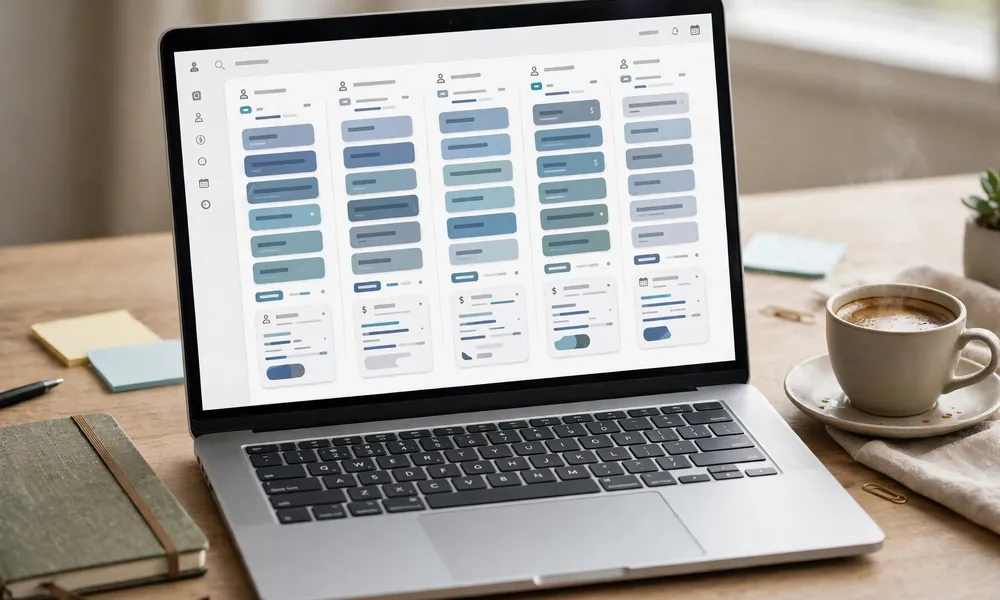
Lead scoring, Einstein AI insights, and detailed forecasting help managers spot stalled deals before the quarter ends. The AppExchange marketplace adds thousands of integrations, from document signing to quoting tools. The trade-off is complexity: Salesforce needs proper setup, training, and usually an admin to keep it tidy. Small teams may find it heavier than they need, but for serious B2B selling it remains the benchmark. Teams comparing options for a dedicated sales floor should also read our guide to the best CRM software for sales teams for a closer look at team-focused features.
Pros: Deepest B2B feature set; excellent forecasting and reporting; huge integration marketplace; scales to enterprise size.
Cons: Expensive at higher tiers; setup and admin take real effort; interface can feel dense for new users.
HubSpot Sales Hub — Best for ease of use
HubSpot Sales Hub is the easiest B2B CRM to start with. The free CRM covers contacts, deals, pipelines, and email tracking, and the paid Sales Hub adds sequences, meeting scheduling, and better reporting. The interface is clean, the learning curve is gentle, and most teams can be up and running in a day rather than a month.
Pros: Free CRM is genuinely useful; clean, friendly interface; strong email and meeting tools; good marketing integration.
Cons: Advanced features get expensive quickly; custom reporting needs higher tiers; per-seat costs add up as teams grow.
Zoho CRM — Best for value and flexibility
Zoho CRM gives B2B teams a remarkable amount of power for the price. From about $14 per user a month, it covers leads, accounts, deals, workflows, and analytics, and it can be customised heavily with custom fields, modules, and layouts. For companies that want a CRM shaped around their own sales process rather than the other way round, Zoho is a strong pick.
Pros: Low starting price; highly customisable; strong automation and AI tools; wide product suite.
Cons: Interface feels dated in places; learning curve for advanced setup; support quality varies by plan.
Pipedrive — Best for visual pipelines
Pipedrive is built around one idea: a sales pipeline should be visible at a glance. Deals move across stages on a clear board, and reps always know what to do next. For B2B teams that live in their pipeline, that simplicity is a genuine advantage, because adoption stays high and data stays clean.
Pros: Clear visual pipeline; easy to learn; good mobile app; solid automation at a fair price.
Cons: Marketing features are thin; account hierarchies are basic; some useful features are paid add-ons.
Microsoft Dynamics 365 Sales — Best for Microsoft shops
Microsoft Dynamics 365 Sales is the natural choice for companies already running Microsoft 365, Teams, and Outlook. It brings CRM data into the tools salespeople already use, with Outlook integration that logs emails and meetings automatically, and Teams integration that puts deal context into daily conversations.
Pros: Deep Microsoft 365 and Teams integration; strong forecasting; good fit for large organisations; AI assistance built in.
Cons: Expensive starting price; implementation takes time; can feel complex for small teams.
Close — Best for outbound sales teams
Close is designed for B2B teams that sell by phone and email. It combines a CRM with built-in calling, SMS, and email, so reps can work a list of prospects without switching tools. Power dialling, call recording, and automatic logging mean every touch is captured, which matters when a deal involves dozens of calls across several months.
Pros: Built-in calling, SMS, and email; fast pipeline and list building; automatic activity logging; great for outbound teams.
Cons: Fewer native integrations; limited marketing automation; less suited to very large enterprises.
Freshsales — Best for small B2B teams
Freshsales, from Freshworks, is a friendly, affordable CRM for small B2B teams. Starting from about $9 per user a month, it covers contacts, deals, email, phone, and chat, with a clean interface that new users pick up quickly. Its Freddy AI assistant scores leads and suggests next actions, which helps small teams prioritise without a dedicated analyst.
Pros: Low starting price; clean and easy interface; useful AI lead scoring; good Freshworks integrations.
Cons: Less depth in forecasting; advanced AI needs higher tiers; smaller integration marketplace.
Monday Sales CRM — Best for visual teams
Monday Sales CRM turns the sales pipeline into a colourful, customisable board that the whole team can read at a glance. Teams that already like Monday for project work will feel at home, and the CRM shares the same flexible boards, automations, and dashboards. It is a good fit for B2B teams that want a CRM shaped around their own process without hiring a developer.
Lead capture, deal tracking, email integration, and activity management are all covered, and the automation builder can handle follow-up reminders, status changes, and notifications with no code. Reporting is visual and easy to share, though the deepest sales analytics require higher tiers. Monday is less of a pure sales platform than Salesforce or Pipedrive, so teams with very complex B2B processes may outgrow it, but for visual, collaborative teams it works well. Startups weighing a lighter CRM should also compare our roundup of the best CRM software for startups before deciding.
Pros: Highly visual and customisable; easy automations; familiar to Monday users; good collaboration features.
Cons: Deep sales analytics cost more; less specialised than pure sales CRMs; pricing rises with team size.
How to choose
Start with your sales process, not the feature list. Map your deal stages, the number of people involved in a typical sale, and the reports your manager needs each week. A CRM that matches that process will be adopted quickly; one that fights it will be abandoned, however powerful it looks in a demo. Ask each vendor for a trial with your real data, and have two or three reps test it on live deals before you commit.
Checklist: before you pay
- Run a free trial with real deals and real reps, not just a demo account.
- Confirm the total monthly cost, including seats, add-ons, and renewal pricing.
- Check that account hierarchies and multi-contact deals fit your B2B sales process.
- Test the integrations you rely on, especially email, calendar, and quoting tools.
- Confirm you can export all contacts, deals, and activity data at any time.
- Ask about onboarding, training, and support response times on your chosen plan.
Frequently asked questions
What is the best CRM software for B2B in 2027?
Salesforce Sales Cloud is the best overall for B2B, thanks to its depth in account management, forecasting, and integrations. HubSpot Sales Hub is the best choice for ease of use, and Pipedrive is the best value for small and mid-sized sales teams.
How much does B2B CRM software cost?
Is HubSpot free CRM enough for B2B?
For small B2B teams, yes. The free CRM covers contacts, deals, and pipelines well. Larger teams usually need a paid tier for sequences, custom reporting, and advanced automation, so plan for that growth.
What features matter most in a B2B CRM?
Account and contact hierarchies, visual pipelines, lead scoring, automation, forecasting, and reporting matter most. AI tools that help with sales forecasting are also worth comparing, and our guide to the best AI tools for sales teams covers the leading options in detail.
Can a small B2B team use Salesforce?
Yes, but it may be more than a small team needs. Salesforce is powerful and scalable, yet it takes setup and admin effort. Small teams often do better starting with HubSpot, Pipedrive, or Freshsales and moving up later.
How long does it take to switch CRMs?
A small team can switch in a few days to two weeks, including data import and basic training. Larger teams with custom fields, integrations, and historical data should allow four to eight weeks for a careful migration.
The bottom line
For most B2B teams, the right choice is clear. Pick Salesforce Sales Cloud if you run complex, high-value deals and need the deepest features and forecasting. Pick HubSpot Sales Hub if you want the easiest start and the best sales and marketing combination. Pick Pipedrive if you want a visual pipeline and strong value, or Zoho CRM if you want maximum flexibility for the price.
Whichever tool you choose, the CRM only works if the team uses it every day. Run a real trial, check the total cost, and pick the tool your reps will actually open each morning. That habit, more than any single feature, is what turns a CRM into revenue — and a pipeline your whole team can trust.