The best customer feedback software for restaurants turns a quick comment card into a fix you can act on before the next service. A diner who waits too long, gets the wrong dish, or loves a new special should be able to tell you in under a minute, and your team should see that feedback the same day, not in a monthly report.
What matters most for a restaurant is speed, simplicity, and reach. Guests will not fill in a 20-question survey after dinner, so the winning tools use short QR-code surveys, SMS follow-ups, and review-site monitoring to catch praise and problems while the visit is still fresh. Price, ease of setup, and how well the tool handles multiple locations separate the good options from the ones that sit unused.
Our shortlist below covers seven tools, from enterprise platforms for chains to affordable options for a single independent restaurant. For a broader comparison across every industry, see our guide to the best customer feedback software overall.
Key takeaways
- Qualtrics is the best overall choice for restaurant groups that need deep survey design and strong analytics.
- Podium is the best option for turning happy diners into public Google reviews.
- Birdeye is the strongest pick for multi-location groups that need review monitoring in one dashboard.
- Zonka Feedback is the best value for independent restaurants, with plans from about $49 per month.
- Keep surveys to three questions or fewer, or completion rates fall sharply.
At a glance: the shortlist
| Product | Best for | Starting price | Standout limit |
|---|---|---|---|
| Qualtrics | Restaurant groups and chains | Custom pricing | Enterprise setup time |
| Podium | Review growth and SMS surveys | From about $399 per month | Higher cost for small venues |
| Birdeye | Multi-location groups | From about $299 per month | Add-ons raise the price |
| Medallia | Large chains and franchises | Custom pricing | Needs a dedicated team |
| Trustpilot | Public review trust | From about $259 per month | Limited survey depth |
| Zonka Feedback | Independent restaurants | From about $49 per month | Fewer review-site integrations |
| GetFeedback | Salesforce users | From about $50 per month | Best value needs Salesforce |
Prices below are approximate starting prices. Check current pricing on each product before buying, since plans and rates change.
Qualtrics — Best overall
Qualtrics is the most powerful survey platform on this list, and it suits restaurant groups that want to measure every part of the guest experience, from booking to dessert. Its survey builder handles branching logic, so a guest who rates food poorly gets a different follow-up question from one who praises the service. Results feed into dashboards that compare locations, shifts, and menu items side by side.

The platform also supports text analytics, which reads open-ended comments and groups them into themes such as wait times, portion size, or staff friendliness. That saves a manager from reading hundreds of replies one by one. Integrations cover the usual point-of-sale and reservation systems, and alerts can ping a manager the moment a low score arrives.
Pros: Deep survey logic, strong text analytics, and location-by-location dashboards.
Cons: Custom pricing only, and setup takes longer than simpler tools.
Podium — Best for review growth
Podium is built around a simple idea: ask guests for feedback by text message right after their meal, then invite the happy ones to leave a public review. For restaurants, that timing matters, because a diner is far more likely to respond while the meal is fresh in mind than after an email arrives the next day. The tool also gathers Google, TripAdvisor, and Facebook reviews into one inbox.
Staff can reply to reviews and messages from the same dashboard, which keeps response times short. Podium also offers payment links and basic messaging, so it can double as a light customer-communication tool for a small restaurant that does not want three separate apps.
Pros: High SMS response rates, strong review generation, and one inbox for messages and reviews.
Cons: Starting price is high for a single small restaurant, and survey design is basic.
Birdeye — Best for multi-location groups
Birdeye suits restaurant groups with several sites, because it pulls reviews, surveys, and social mentions into one dashboard per location. A regional manager can see which branch has the lowest food scores this week and which one is winning the most five-star reviews, then drill into the comments behind the numbers.
The platform includes AI-written review replies, survey templates for dining, and listing management so opening hours and menus stay correct across Google and other directories. Its survey tool is simpler than Qualtrics, but for most restaurant groups it covers the questions that matter.
Pros: Excellent multi-location view, AI review replies, and listing management included.
Cons: Useful add-ons cost extra, and the interface takes a day to learn.
Medallia — Best for large chains and franchises
Medallia is the enterprise option for large restaurant chains and franchise groups that need feedback from every channel at once: in-store surveys, apps, call centres, and review sites. It is built to handle very high volumes and to push alerts to the right franchisee or area manager automatically when scores dip.
Its strength is closing the loop at scale. A complaint about a specific branch can trigger a case, assign an owner, and track whether the guest received a reply. That discipline is hard to maintain with spreadsheets once a chain passes a few dozen locations.
Pros: Handles huge volumes, strong case management, and automatic routing to the right team.
Cons: Custom enterprise pricing, and it needs a dedicated team to run well.
Trustpilot — Best for public review trust
Trustpilot is the best-known review platform in this list, and its value for restaurants is trust. Diners recognise the brand, and a strong Trustpilot profile can reassure first-time visitors who are choosing between two similar restaurants. The platform sends review invitations after a booking or delivery and displays verified reviews on your site.
Trustpilot is less of a survey tool than the others here. It does not offer deep branching questionnaires or detailed food-and-service breakdowns, so most restaurants pair it with a short in-house survey and use Trustpilot mainly for public reputation.
Pros: Highly recognised review brand, verified reviews, and easy invitation flow.
Cons: Limited survey depth, and the best features sit on higher-priced plans.
Zonka Feedback — Best value for independents
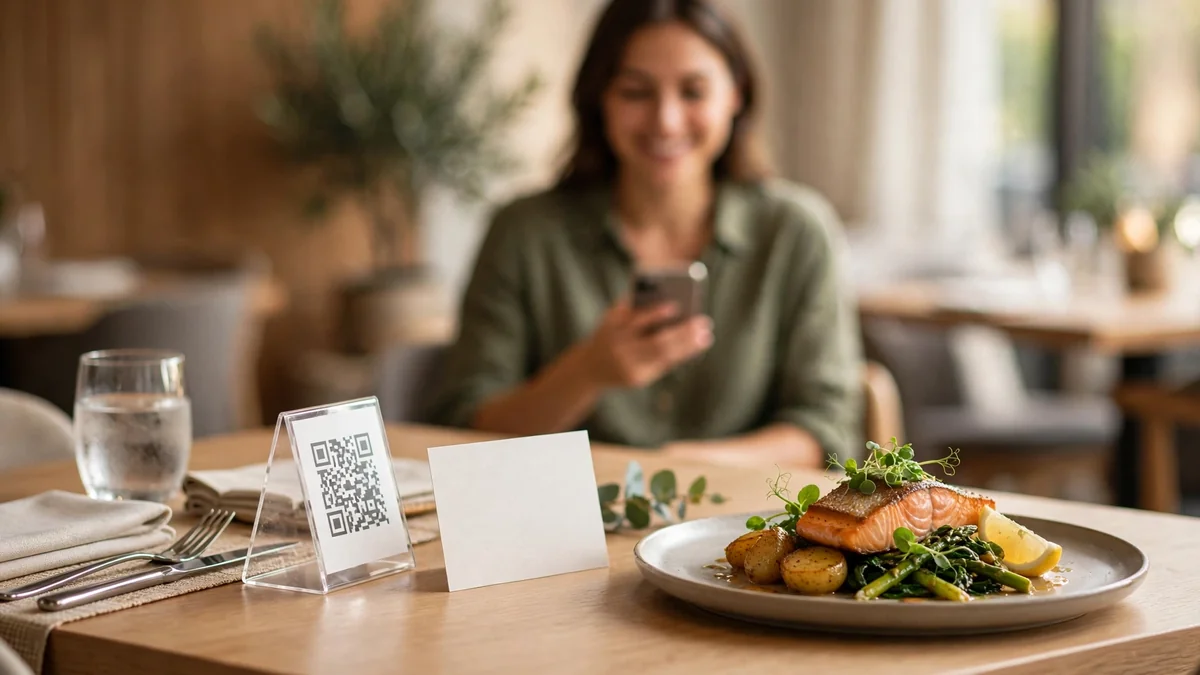
Zonka Feedback is the most affordable serious option here, and it fits independent restaurants that want proper surveys without enterprise pricing. It offers QR-code surveys for tables, kiosk mode for a tablet near the exit, and email or SMS follow-ups after a booking. Responses arrive in real time, and managers get alerts for low scores.
The tool includes basic text analysis and simple reports that show scores by day, dish, or server. It will not match Qualtrics for depth, but a single restaurant rarely needs that depth, and the price leaves room in the budget for the fixes the feedback reveals.
Pros: Low starting price, QR and kiosk surveys, and real-time low-score alerts.
Cons: Fewer review-site integrations, and reporting is simpler than enterprise tools.
GetFeedback — Best for Salesforce users
GetFeedback, from the SurveyMonkey group, is a solid survey tool that shines for restaurants already running Salesforce. Feedback flows straight into customer records, so a regular guest who complains twice in a month is easy to spot, and staff can see the full history before responding.
Surveys are short and mobile-friendly, which suits diners, and the builder is quick to learn. Without Salesforce the tool is still usable, but much of its value comes from that connection, so restaurants on other systems may get more from Podium or Zonka.
Pros: Clean Salesforce integration, quick survey builder, and mobile-friendly forms.
Cons: Best value depends on Salesforce, and review monitoring is limited.
How to choose
Start with how guests will answer. A QR code on the table or receipt works for dine-in guests, SMS works after delivery, and email works for booked tables. Pick a tool that covers your main channel well rather than one that does all three badly.
Then check the alerting. Feedback only helps if a manager sees a bad score within hours, so look for real-time alerts, a simple mobile view, and a clear owner for each complaint. Our guide to the best restaurant management software covers the wider systems these tools often sit alongside.
Finally, count the real cost. Add review monitoring, extra locations, and SMS credits to the base price, and confirm whether there is a setup fee. A free trial with your actual menu and locations is the fastest way to find out whether staff will use it.
Checklist: before you pay
- Run the survey on a real phone and a real table QR code before launch.
- Confirm low-score alerts reach the duty manager, not just an inbox nobody reads.
- Check the price with your location count, SMS volume, and any add-ons.
- Confirm you can export all feedback data if you cancel.
- Test the review-reply flow for Google and TripAdvisor.
- Ask who on your team owns replies, and give them a response-time target.
Frequently asked questions
How many questions should a restaurant feedback survey ask?
Three or fewer. A star rating, one question about food or service, and an optional comment is enough. Longer surveys get abandoned, and the extra questions rarely change the decision you make.
Should I ask for feedback by QR code or by text message?
Use both. QR codes catch dine-in guests before they leave, while SMS works well after delivery or a booked table. The best tools in this list support both, so you do not have to choose one channel.
How fast should a restaurant reply to negative feedback?
Within a few hours, and the same day at the latest. A quick, specific reply shows the guest was heard, and it often stops a one-star review from appearing. Set up alerts so bad scores reach a manager immediately.
Do I need review monitoring as well as surveys?
Yes, because most diners complain on Google or TripAdvisor instead of answering your survey. Tools such as Birdeye and Podium watch those sites for you, so you can reply in one place instead of checking five sites a day.
Can small restaurants afford customer feedback software?
Yes. Zonka Feedback starts at about $49 per month, and GetFeedback starts at about $50 per month, which is less than the cost of one lost table a week. Start small, measure the response rate, and upgrade only if the data is being used.
How does feedback software connect to my other restaurant tools?
Most tools integrate with point-of-sale and reservation systems, or accept a simple guest list upload. If you run a wider platform, our guide to the best customer experience software explains how feedback fits into the full guest journey.
The bottom line
For most restaurants, Podium is the safest first buy because it combines short SMS surveys with review growth, which is where the return is easiest to see. Restaurant groups that need deeper analysis should choose Qualtrics, and multi-location operators should look closely at Birdeye. Independent venues on a tight budget will get the most from Zonka Feedback.
Whatever you choose, the tool is only half the job. Assign one person to read feedback daily, reply fast to complaints, and fix the top issue each week. A restaurant that acts on three comments a week will improve faster than one that collects a thousand replies nobody reads.