Playing a favorite classic on a computer or phone is easy when the software fits your device and setup tolerance. You might want simple play, advanced options, or support for arcade titles. A handheld adds another choice: controls and screen size can change how a game feels. An operating system also limits which builds you can install.
A save state is a saved snapshot of an emulator session that lets you resume from that exact point. Some options focus on quick play, while others suit people who like to adjust settings or test accuracy. The best starting point is the option that matches both your hardware and the games you want to run.
Key Takeaways
- Flycast covers console games and several Sega arcade systems.
- Redream keeps standard console play simple to set up.
- iFly is made for iPhone, iPad, and Apple TV users who can sideload apps.
- Deecy suits curious users who are comfortable with experimental software.
- Check your operating system and target game before choosing.
Best Dreamcast Emulator: Quick Picks by Device
Flycast is the best first choice for most people, while Redream suits anyone who values quick setup over broader system coverage. Your device matters, but the games you want to run matter just as much.
These four options cover the main needs, from standard console play to arcade titles and accuracy experiments. Pick the one that fits your library and comfort with setup.
- Flycast: Choose it for broad Dreamcast support and arcade systems such as Naomi and Atomiswave.
- Redream: Choose it for simple standard Dreamcast play with little setup.
- iFly: Choose it for Apple devices if you are comfortable installing an app outside the App Store.
- Deecy: Try it if emulator accuracy work interests you and you can handle an experimental build.
Choose the emulator that supports the games you want, not the one with the longest feature list.
For a typical PC user, Flycast is the best Dreamcast emulator for PC because it offers broad coverage. Redream is the easier alternative if you mainly want standard console games. Both are useful options, but their strengths differ.
When you compare emulators, think about how much setup you want to do and whether arcade support matters. A short test with one game can help you decide before you move a full collection. Match the recommendation to the games you plan to play, not just the device you own.
Is Flycast the Best All-Around Option?
Flycast stands out when your library includes both Dreamcast console games and Sega arcade titles. It plays Dreamcast games and supports Naomi, Naomi 2, Atomiswave, and System SP on Android. Its broad system support makes Flycast the strongest all-around option when arcade games matter.
Naomi uses parts similar to the Dreamcast, which helps explain the close link between the systems. Naomi 2 adds an SH-4 CPU and a PowerVR2 GPU, and 13 titles were released for it. Atomiswave is also based on Dreamcast and Naomi hardware.
The Android build is free with no ads and includes 10 save-state slots. Its listed update date is October 8, 2026. For mobile play, Flycast also offers several features that can help you tune a game or connect with other tools:
- OpenGL and Vulkan support for graphics output.
- Custom HD texture packs for changed game art.
- RetroAchievements support for compatible games.
- Modem and LAN adapter emulation for network features.
Flycast can be a good fit when an arcade board is part of your game library. Naomi and Atomiswave arcade games extend its reach beyond standard console releases. The software’s range may appeal to experienced users, though a broader feature set can mean more settings to learn.
Choose Flycast when Naomi or Atomiswave coverage matters as much as standard Dreamcast play.
What Makes Redream the Easiest Setup?
Redream is a strong choice when you want to add games and start playing without configuring BIOS or flash files. For standard Dreamcast play, its low setup burden is the main draw. The software package is less than 4 megabytes, so it takes little space to download.
Redream supports 1080p and 4K rendering, along with widescreen codes, automatic cover art, save states, and cheats. It can produce 60 Hz gameplay on decade-old desktop computers and mobile phones. Those details make it a practical choice if you want sharp graphics without a long setup session.
The free experience includes core play features, and Redream does not set a free-game limit in the details listed here. Premium is a one-time $6 purchase that adds high-definition rendering and multiple save-state slots per game. The free and paid versions can suit different needs without making you subscribe.
If you use cheats, test one code at a time and back up your saves first. A separate emulator cheat setup guide explains why cheat formats vary between games and systems. Redream’s cheat support is useful, but a code made for another console will not automatically work.
Consider Premium if high-definition rendering or extra save-state slots matter to your play style.
Is iFly the Right Choice for iPhone and Apple TV?
iFly is the Apple-focused option for people willing to sideload an emulator rather than install one from the App Store. Sideloading means installing an app through another method, outside Apple’s regular store. You need to be comfortable with that extra step before choosing iFly.
iFly is free and open source for iOS and tvOS. It advertises JIT-free emulation at native frame rates on iPhone, and recent Apple devices can upscale games to 1440p or 4K. JIT means just-in-time processing, a method some emulators use to speed up code.
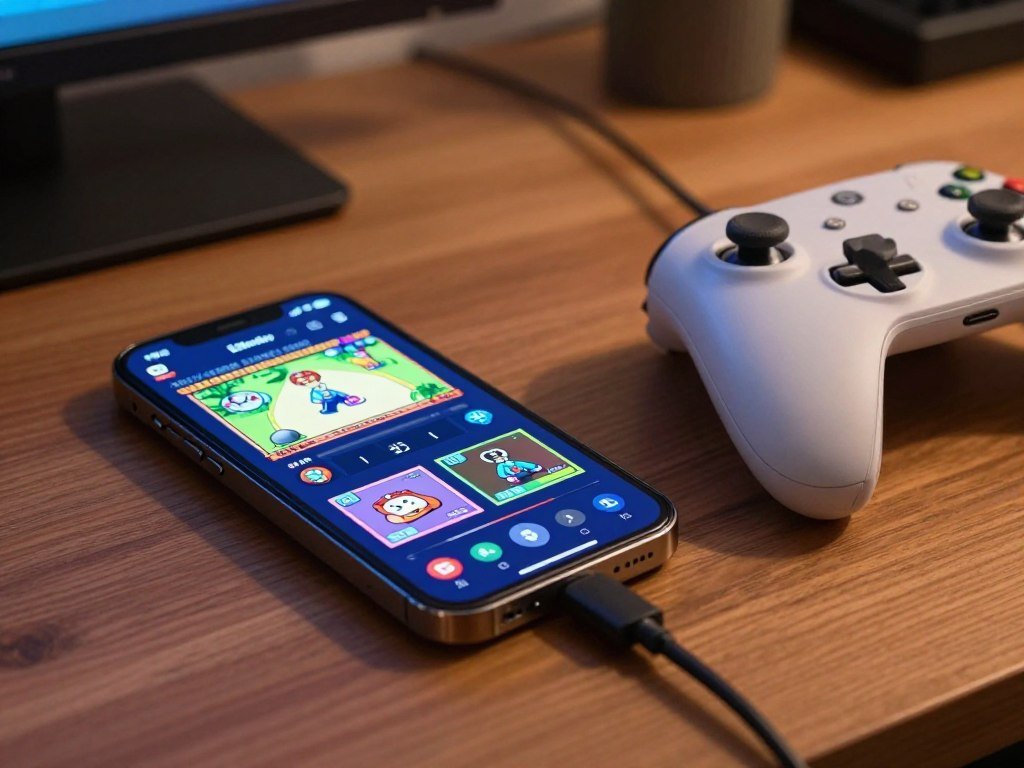
The app includes more than 1,000 Metal shaders, which change how graphics appear. It supports DualShock, DualSense, Xbox, Switch, and MFi controllers, with haptics on supported controllers. That gives you several ways to play, including familiar console pads.
iFly syncs saves, VMUs, and BIOS files through iCloud, while game images stay on your device. Its listed iOS and tvOS builds are version 1.0.0. An iFly hands-on report tested Sonic Adventure at full speed on an Apple TV 4K at 1080p; Dead or Alive 2 struggled but remained playable.
Check that sideloading fits your comfort level before building an Apple-device setup around iFly.
Where Does Deecy Fit?
Deecy is worth considering if you are curious about emulator development and can tolerate an experimental build. It takes an accuracy-focused approach to Dreamcast emulation, rather than aiming to be the safest first choice. Its experimental status makes it a poor default for a first-time player who wants a reliable session.
Deecy is written in Zig, a programming language used to build the emulator. Its listed version is 0.6.3, and it targets Windows and Linux. That narrower operating system focus makes it less useful if you want one setup to move among desktop and mobile devices.
Deecy does not emulate Naomi or Atomiswave. Its purpose is narrower than an emulator built for both console games and arcade boards. Users interested in how a core handles game timing and accuracy may still find it worth testing.
An experimental release can change as developers fix bugs and add features. That makes Deecy more appealing to people who enjoy testing builds than to players who want a quick, steady session. Keep expectations modest if you install it.
Choose a more mature option for a low-friction session with a game you want to play tonight.
Which Other Dreamcast Emulators Are Worth Trying?
Beyond the four leading picks, several forks and older projects suit narrower needs or emulation enthusiasts. These are not six equally beginner-friendly alternatives; each has a specific use and a limit.
DEmul for Windows CE Games
DEmul may suit you if you need a Windows-only emulator for Windows CE games. Windows CE titles use a different software environment from most standard Dreamcast releases, so support for them can matter more than a general feature list. DEmul also has a role with arcade-board games, which makes it relevant to users exploring hardware related to the console.
The project was revived in December 2025, so its return is recent. That does not make it the easiest option for a new player. A Windows-only build narrows its reach, and older software can require more hands-on setup than a current mainstream emulator. Look for instructions that match the specific title and board you plan to use. DEmul fits a specialized Windows setup better than a general choice for every device.
Flycast Dojo for Netplay and Replay
Flycast Dojo is a fork of Flycast designed around netplay and replay. A fork is a modified version of an existing project, shaped for a particular purpose. Here, online play and the ability to record or review matches are the focus, rather than broad everyday use.
You can get Flycast Dojo through Fightcade, a platform used for online arcade play. That connection can make it appealing for players who want to meet opponents and review sessions. It is less direct if you only want to start a single-player console game. The fork’s netplay tools and replay features give competitive play a different path, but they add choices a casual player may not need. If you already use Fightcade, this version may fit your routine better than a general-purpose build.
The Flycast Core in RetroArch
The Flycast libretro core is a sensible option if you already use RetroArch. A core is a system-specific module that RetroArch loads to run games. This approach lets you keep multiple systems in one interface instead of switching between separate apps for each console.
Using a core may also suit people who already know RetroArch’s menus and controller setup. The trade-off is that you must work through RetroArch’s own settings as well as the emulator’s options. That can feel less direct than opening a standalone program, especially if this is your first emulator. Choose the core when a shared library and familiar front end matter more than a separate, simple app. It is a practical path for an existing RetroArch setup, not a required step for everyone.
Reicast as a Legacy Option
Reicast is a predecessor to Flycast, so it has historical value for people who want to see how the emulator line developed. It can interest users who remember older builds or want to compare the history of Dreamcast emulators. For most new setups, though, its legacy status makes it a less direct choice than a current project.
Older software can be harder to match with current operating systems, controllers, and game images. That does not mean every old build will fail, but it can mean more troubleshooting. Reicast makes the most sense when you have a specific reason to use it, such as testing an older release. If your goal is simply to play a game, its relationship to Flycast is useful context, but not a reason to pick it first.
nullDC for Historical Interest
nullDC is listed as version 2.0.0-pre and was revived in 2025. The “pre” label signals a pre-release build, so treat it as a project for testing rather than a settled choice for everyday play. Its renewed activity may interest people who follow emulator work and want to see what has changed.
A revived release does not erase the risks of pre-release software. You may face rough edges, limited help, or changes between builds. That can be acceptable if you enjoy testing and can switch to another emulator when a game does not work. It is a weaker fit if you want predictable controls and a clear path from download to play. Consider nullDC for its history and development, not as a guaranteed easy replacement.
Hollycast for DreamPotato Integration
Hollycast is a GPLv2 Flycast fork with DreamPotato integration, listed at version 1.0. GPLv2 is an open-source software license. The fork is aimed at people who need that particular integration, so it is not simply another general option with a different name.
Its close relationship to Flycast may help users who already understand the original project. Still, a fork can have its own updates, setup steps, and support needs. DreamPotato integration gives Hollycast a clear reason to exist, but it may not help you if you do not use that service. Check that the integration meets your actual need before choosing it over a standalone app. For a first install, prefer an option with current documentation and a setup path that matches your device.
How Do Compatibility Claims Compare?
Compatibility percentages are useful for comparing coverage, but a result for a tested subset is not the same as a library-wide claim. Read each percentage alongside its scope, because the number alone can mislead. A broad claim and a count of titles with reported results do not measure the same thing.
| Emulator | Reported compatibility | Scope | How to read the figure |
|---|---|---|---|
| Flycast | 99% | Dreamcast game library | Broad listed compatibility claim |
| Redream | Over 96% | Dreamcast library, playable start to finish | Library-wide play claim |
| Deecy | 28.71% of 958 titles; 97.86% of 281 | All listed titles; titles with a reported result | Smaller tested subset scores higher |
Deecy’s two figures show why the size of a tested group matters. The 97.86% figure applies to 281 titles with a reported result, not all 958 titles. The Hitachi SH-4 CPU can be handled differently across emulators, so one broad score cannot predict every game.
Use this checklist when you have one title in mind:
- Confirm the exact title and region.
- Look for known audio or graphics issues.
- Test controller input during play.
- Make a save state before a long session.
Broad compatibility does not guarantee that every title behaves the same. A game can boot yet still show an audio fault, a graphics glitch, or a control problem. Check the status of the exact game you want to play instead of relying on a single percentage.
Which Emulator Works on Each Platform?
Windows and Linux offer the broadest choice, while the right app narrows quickly on phones and small boards. Redream and Flycast cover the widest range among the main picks. Your operating system determines which builds you can use.
Windows, Linux, Mac and Android
Windows and Linux users can choose among Flycast, Redream, and Deecy, though Deecy focuses on those two desktop systems. For Mac, Redream and Flycast are the main choices. Deecy has no Mac build, so do not plan around it on an Apple computer.
For the best Dreamcast emulator for Android, compare Flycast and Redream on your actual device. Flycast suits you when feature breadth matters, while Redream suits you when you want simple console play. A newer phone and an older handheld may respond differently, so a brief test can show which feels better.
iPhone, iPad, Apple TV and Raspberry Pi
iFly fits iPhone, iPad, and Apple TV users who are willing to sideload. Redream supports Raspberry Pi 4 and is free to use there. A Nintendo Switch or another handheld needs a build made for its own operating system; a desktop app will not install as a portable version.
| Platform | Suitable options | Practical note |
|---|---|---|
| Windows/Linux | Flycast, Redream, Deecy | Deecy focuses on Windows and Linux |
| Mac | Flycast, Redream | Deecy has no Mac build |
| Android | Flycast, Redream | Compare both on your device |
| iPhone/iPad/Apple TV | iFly | Installation requires sideloading |
| Raspberry Pi 4 | Redream | Free to use on this platform |
Confirm the exact device and operating-system version before downloading a build.
What Do You Need to Set Up a Dreamcast Emulator?
Start by identifying whether you are loading a Dreamcast game or an arcade-system game, because that changes the BIOS requirement. Flycast can run Dreamcast games without a BIOS, but Naomi and Atomiswave games require BIOS files.
BIOS Requirements Depend on the System
A BIOS is system software that helps an emulator start and run certain games. For Flycast, you can play Dreamcast games without one. Naomi and Atomiswave titles need the right BIOS files, so keep those files tied to the matching arcade system.
Do not assume every emulator or game has the same file needs. A handheld setup may use its own folder rules, and files placed in the wrong directory may not appear. The ArkOS emulator reference gives platform-specific details for BIOS locations and game-image folders.
Supported Game Images and a Simple Setup Check
Flycast supports CHD, CDI, GDI, and CUE game images. It also supports compressed ZIP, 7Z, and DAT files. Use game files you are entitled to use; emulator software and game images raise separate legal questions.
Take these steps before adding a large collection:
- Organize your game images in a clear folder.
- Keep required arcade BIOS files separate and labeled.
- Point the emulator to the correct folder.
- Test one game before importing a full library.
Use one title to confirm that the game image loads and the controls respond. Once the basic path works, you can add more files without guessing which setting caused a problem. Test one title and its controls before moving a large collection into the emulator.
Is Dreamcast Emulation Demanding on Modern Hardware?
The Dreamcast’s 200 MHz CPU and compact memory configuration help explain why its games are generally manageable to emulate on current hardware. Its original parts were modest by modern standards, though each game can still behave differently. The console launched in Japan on November 27, 1998, and in North America on September 9, 1999.
| Component | Dreamcast specification | Relevance to emulation |
|---|---|---|
| CPU | Hitachi SH-4, 200 MHz | Runs game instructions |
| GPU | PowerVR2, 100 MHz | Draws game graphics |
| System memory | 16 MB RAM | Holds game data during play |
| Video memory | 8 MB RAM | Stores graphics data |
| Sound system | 2 MB audio RAM; 67 MHz Yamaha AICA | Handles sound and music |
The Hitachi SH-4 CPU, PowerVR2 GPU, and small memory pools make the hardware profile easy to compare with current devices. Emulation still asks a computer to reproduce the behavior of original hardware. That work can add load, especially when you raise video output or use extra graphics effects.
There is no objective answer to which Dreamcast game has the best graphics. Shenmue, Jet Set Radio, Soulcalibur, and Crazy Taxi are visually distinctive examples, not a ranked list. Their art styles differ, so your favorite may depend on whether you value detail, color, or motion.
A game’s visual style is personal, but its reported audio or graphics faults are useful clues when troubleshooting.
If a game has a specific slowdown or audio issue, check that title’s compatibility notes before blaming the device.
Conclusion
For most people, Flycast is the strongest all-around starting point, while Redream is the easiest route to standard Dreamcast play. Flycast brings broader system coverage, and Redream keeps the setup simple.
Your best Dreamcast emulator depends on the games you want and the device you own. iFly is a clear Apple-device choice if sideloading suits you, while Deecy is for people who want to test an experimental project.
Install the option that fits your device, test one game, and adjust your choice only if a feature or compatibility issue gets in the way.
FAQ
Are there any good Dreamcast emulators?
Yes, Flycast, Redream, and iFly are good choices for different needs. Flycast covers Dreamcast games and arcade systems, while Redream makes standard console play simple. iFly is aimed at Apple devices and needs to be installed outside the App Store. Choose based on your device and game library, then test one title before adding more.
What emulators work well on Mac?
Redream and Flycast are the main Mac options among these picks. Redream suits standard console games and a simpler setup, while Flycast offers broader system support. Deecy does not have a Mac build, so it is not a fit for that computer. Check that the version you download matches your Mac’s operating system before setting up game files.
Which is better, Redream or Flycast?
Flycast is better when you want arcade coverage and broader system support, while Redream is better for a simple standard Dreamcast setup. Both can run Dreamcast games, but their strengths differ. Redream avoids BIOS and flash file setup for console games. Flycast is the stronger choice when Naomi or Atomiswave titles are part of your library.
Is Redream safe?
Redream is a known emulator project, and you should use its official download rather than a repackaged installer. Repackaged files can include changes you did not ask for, so avoid unofficial bundles. Redream does not need BIOS or flash files for its standard Dreamcast setup. Keep your operating system and security tools current when installing any software.
Does Flycast need Dreamcast BIOS?
No, Flycast can run Dreamcast games without a BIOS. Naomi and Atomiswave games do need their matching BIOS files, so the requirement changes with the system being emulated. Keep arcade BIOS files organized by system to avoid mixing them with game images. The game image and BIOS serve different roles in the setup.
Can Flycast play Dreamcast games?
Yes, Flycast supports Dreamcast games and several common image formats. It can read CHD, CDI, GDI, and CUE images, so you can use different forms of a game image. The best choice may depend on the files you already have and the device you use. Check the exact title’s status if it shows a sound or graphics problem.
Is Dreamcast difficult to emulate?
Usually not on modern devices, since the Dreamcast’s SH-4 CPU and PowerVR2 hardware are modest by current standards. Most of the work is choosing a compatible emulator and preparing the right game image. Individual games can still have audio, graphics, or control issues. A short test with one game can reveal whether your setup needs changes.
Can Raspberry Pi run Dreamcast?
Yes, Redream supports Raspberry Pi 4 and is free to use on that platform. The Pi needs a compatible build and game images in a folder the emulator can read. A controller can make games easier to play than keyboard input. Test a single title first, since performance and controls can vary by game and setup.



