The amount you pay depends on the level of access you choose and how long you pay for at a time. If you play online, want new games to try, or just need a few extra features, the right choice depends on your habits. PlayStation Plus has three membership options, each with its own features and billing terms.
This guide compares the three levels, explains what each one adds, and covers how renewal works. A prorated fee is a charge adjusted to cover the remaining time in a paid membership period. You can use that detail when deciding whether to change plans before your current term ends.
Key Takeaways
- Choose from Essential, Extra, and Premium.
- The price depends on your tier and billing term.
- Monthly Games differ from the rotating Game Catalog.
- Most paid games need a membership for online play.
- Auto-renewal continues until you cancel.
- Use the annual amount to compare plans only if you are comfortable paying for a full year upfront.
How Much Does PlayStation Plus Cost in the United States?
Essential starts at $10.99 for one month in the United States, while the annual option costs $80. Essential, Extra, and Premium each offer one-, three-, and 12-month terms. Those choices set the cost of a PlayStation Plus membership, whether you play on PS5 or PS4.
In 2026, the 12-month price is the lowest monthly-plan commitment cost. It is not a promotional deal, and it means paying for a full year at once. The 2026 United States membership prices are shown below.
| Plan | 1 month | 3 months | 12 months |
|---|---|---|---|
| Essential | $10.99 | $27.99 | $80 |
| Extra | $17 | $44 | $135 |
| Premium | $20 | $55 | $160 |
A PS5 does not have a separate membership price; the plan and billing term determine the cost.

For a PS5 owner, the membership plan costs the same as it does for other supported PlayStation consoles. A PlayStation Plus Premium 1-month subscription costs $20, before any applicable tax. That answers how much the service costs per month or for a year, but tax can change the total shown at checkout.
Applicable sales tax depends on the buyer’s jurisdiction. A PlayStation Plus 12-month deal is simply the listed annual option, not an extra discount beyond its stated price. See the membership plan and terms details in the PlayStation Store before buying. Check the final checkout total, including any applicable tax, before confirming payment.
Is PlayStation Plus Worth Paying For?
PlayStation Plus is worth paying for when you will use its benefits often enough to justify the recurring commitment. Start with your habits, not the largest list of included games. Essential suits you if you consistently use its core PlayStation Plus benefits.
Extra is worth considering when its Game Catalog has titles you expect to play. Premium fits people who will actively use its classics, game trials, or streaming features. A bigger catalog does not create savings if you would not play those games anyway.

Compare your chosen tier with the games and services you would otherwise use. For a household weighing a console purchase and its ongoing costs, this family gaming console guide can help frame the choice. The subscription is a separate recurring cost, so include it in your budget.
Think about how often you play, whether you want online access, and which games interest you. If your favorite title is not included, you may still need to buy it. Hundreds of games sound appealing, but a long catalog only matters when it fits your play style.
That same test helps with other game offers. The comparison of PC game deals and subscriptions shows why the games you plan to use matter more than headline value. Choose the lowest tier that consistently covers the features you actually use.
What Does Each PlayStation Plus Membership Include?
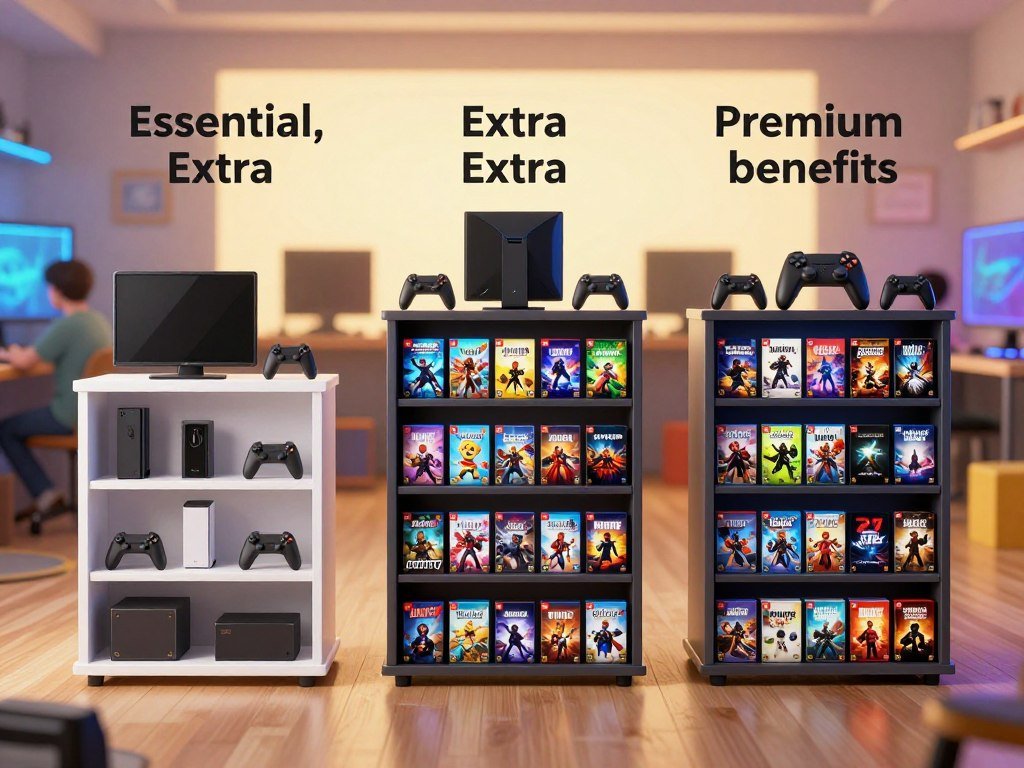
Every tier includes Essential-level features, while Extra and Premium add larger game libraries and other access. Monthly Games are separate from the Game Catalog, which is a downloadable rotating library. The table shows which tiers include each benefit.
Extra adds access to up to 400 PS4 and PS5 games, while Premium adds more than 700 games overall. Premium also includes classics and time-limited trials.
| Tier | Online multiplayer | Monthly Games | Game Catalog | Extra tier features |
|---|---|---|---|---|
| Essential | Yes | Yes | No | None |
| Extra | Yes | Yes | Yes | Up to 400 PS4 and PS5 games |
| Premium | Yes | Yes | Yes | More than 700 games; 300+ PS1, PS2, and PS3 classics; trials |
What Essential Covers
Essential includes online multiplayer, Monthly Games, cloud storage, and PlayStation Store discounts. These included PlayStation Plus features make the tier a useful baseline if you play online and want to claim games each month.
Monthly Games are added to your library, while Store discounts apply to eligible purchases. Cloud storage helps keep supported game saves online. The precise options can depend on the game and account.
What Extra and Premium Add
Extra keeps Essential benefits and adds its PS4 and PS5 Game Catalog. Premium includes those features, a library of more than 700 games, more than 300 classic games from the PS1, PS2, and PS3 eras, and time-limited game trials.
The counts describe different collections, not a promise that every title stays available. Compare the benefits you will use regularly, not just the total number of games listed.
Do You Need PlayStation Plus for Online Multiplayer?
For most paid games, you need a membership to access online multiplayer on PS5. Most free-to-play games are exceptions, including Fortnite, Apex Legends, and Call of Duty: Warzone. Check a title’s rules, since multiplayer access can differ between games and modes.
Most purchased disc games and downloaded games require PlayStation Plus for online play. That rule covers many popular paid games, but not every online feature works the same way. A free-to-play label also does not guarantee that every game or mode has the same access rules.

A free online-multiplayer weekend ran July 3-5, 2026, without a membership requirement. It was a limited-time event, not an ongoing free benefit. If you play with friends, look at each game’s multiplayer modes and platform rules first.
- Paid disc games with online modes.
- Purchased or downloaded games with online modes.
- Free-to-play examples: Fortnite, Apex Legends, and Call of Duty: Warzone.
- The July 3-5, 2026, no-membership weekend.
Crossplay and online access can also depend on a game’s edition and mode. This multiplayer games guide covers choices for different groups and setups. Check the individual game’s online requirements, since free-to-play exceptions do not apply to every title.
What Games Are Included, and How Do Monthly Games Work?
Monthly Games are the titles members claim for their library, while catalog games are available only as long as they remain in the service. Claiming is the key difference: members can play claimed Monthly Games while their membership stays active. Catalog access ends when a title leaves the catalog.
Monthly Games update every month across all three tiers. Their lineups can differ by region, and the dates set when you can add each game. February 2026 offered one set of games, followed by a different selection.
Claiming Monthly Games
The February 2026 Monthly Games were Undisputed, Subnautica: Below Zero, Ultros, and Ace Combat 7: Skies Unknown. Members could add them from Tuesday, February 3, through Monday, March 2, 2026. The February 2026 game window applied to that lineup.
Need for Speed Unbound, Disney Epic Mickey: Rebrushed, and Core Keeper could be added to members’ libraries through February 2, 2026. Once added, a Monthly Game remains tied to your library, but you need an active membership to play it.
Using the Rotating Catalogs
The Game Catalog and Classics Catalog work differently from claimed Monthly Games. Their downloadable titles are available while they remain in the service and may be removed. Games added intermittently can leave, so a title’s presence today does not promise continued access.
Some PS4 games are added to catalog offerings, but the selection can change by region. Check the PlayStation Store for your location and the current game listing. Check the current regional listing before assuming a particular game is still available.
What Does Premium Add for Streaming and Classics?
Premium is the tier to consider if you want game streaming, classic titles, and time-limited trials in one membership. Streaming lets you play eligible games without downloading them first. You can stream games from the Game Catalog and Classics Catalog on PS4 or PS5.
Cloud streaming requires an internet connection of at least 5 Mbps. Select PS5 games can stream to a PS5 or PlayStation Portal, and select titles can reach up to 4K resolution, HDR, and 60Hz. Not every game supports every feature.
Streaming on Consoles and PlayStation Portal
On PS4 or PS5, Premium members can stream eligible Game Catalog and Classics Catalog titles. Select streamed PS5 titles also work on PlayStation Portal. This can save download time, though stream quality depends on the connection and game.
The Portal is a remote player for supported PS5 games, and it does not make every game streamable. Check whether the specific title supports cloud play before planning a session around it. A connection that meets the minimum may still feel different from a faster one.
Classics and Game Trials
Premium includes more than 300 classic games from the PS1, PS2, and PS3 eras. Its game trials let you try selected titles for a limited time before deciding whether to buy or keep playing.
Some PS3 Classics Catalog games are streaming-only, so you cannot download those titles to play locally. Trial access also applies only to selected games, not every release. Check a game’s streaming eligibility and your connection before relying on cloud play.
Can You Get PlayStation Plus for Free or Try It First?
A free trial may be available, but it becomes a paid recurring membership automatically unless you cancel in time. There is no standing free tier, and trial availability is not guaranteed for every account. The July 2026 multiplayer weekend was a separate, limited event.
A trial requires a registered credit or debit card, or PayPal account. Each person can receive one trial unless PlayStation communicates otherwise. If you start one, plan for its end date as carefully as its first day.
Before starting a trial, take these steps:
- Confirm that a trial is available to your account.
- Register a credit or debit card, or a PayPal account.
- Cancel before the trial ends to avoid conversion to a recurring paid subscription.
Trial terms can apply to the account even if you used a different payment method for other purchases. The trial is not a permanent way to use Monthly Games or catalog titles without membership. Set a reminder for the trial’s final day as soon as you activate it.
How Do You Change, Upgrade, or Stack a Membership?
A new membership waits until your current plan ends, but an upgrade to Extra or Premium begins immediately. The timing depends on the change, so check whether you are adding a new plan or changing the active tier. A prorated fee covers the remaining time in a paid membership period.
An upgrade takes effect at once and requires a prorated charge for the rest of your paid period. A downgrade waits until the current prepaid term ends. The table shows when each change applies.
| Change | When it takes effect | Payment or benefit effect |
|---|---|---|
| Buy a new membership | After current plan ends | New plan starts then |
| Upgrade to Extra or Premium | Immediately | Prorated charge for remaining term |
| Downgrade to a lower tier | At prepaid period end | Former tier benefits end then |
Starting or Upgrading a Plan
If you buy another membership before the current plan ends, the new plan starts after the existing one ends. This lets you choose a new term ahead of time without cutting short the active membership.
When you upgrade to Extra or Premium, the higher tier starts right away. The prorated fee adjusts the charge to cover the remainder of the paid membership period, rather than charging for that time twice.
Downgrading to a Lower Tier
A downgrade takes effect when your current prepaid subscription period ends. Until then, you keep the former tier’s benefits. Benefits exclusive to that tier end when the lower plan begins.
Review the remaining paid period before confirming an upgrade, since the prorated charge covers that time.
How Do You Cancel PlayStation Plus?
You can cancel PlayStation Plus in the subscription settings on either PS5 or PS4. Canceling stops future payments, but it does not refund payments already made. Your benefits continue until the paid or trial period ends.
Use the settings path for your console, then check that the subscription status changed. Cancellation does not end access at once, so you can keep using eligible features for the rest of the current term.
Follow the matching route and confirm the account shows the right status:
- PS5: Settings > Users and Accounts > Account > Payment and Subscriptions > Subscriptions.
- PS4: Settings > Account Management > Account Information > PlayStation Subscriptions.
- After canceling, check the subscription status in the account.
The steps end auto-renewal, but the current subscription remains active through its paid or trial period. A cancellation is not the same as a refund, and money already paid is not returned. Cancel before the next renewal date if you want to prevent another automatic payment.
Who Can Join, and What Do You Need to Use It?
US residents need a PlayStation account, and members must be at least 7 years old. Age and account rules apply before you join PlayStation Plus. Users below the age of majority need consent from a parent or legal guardian.
Online play requires internet access, and you are responsible for related internet fees. The service is available to legal US residents with a PlayStation account. Features and included games can vary across accounts and devices.
Check these requirements before choosing a membership plan:
- Legal US residency and a PlayStation account.
- Minimum age of 7.
- Parent or legal guardian consent for users below the age of majority.
- Internet access and responsibility for associated fees.
Benefits and included games can vary by tier, country or region, platform, device, age, and account type. Those differences can affect a PS4, PS5, or PlayStation Portal user in different ways. Review the account’s age and parental-control settings before choosing a plan.
What Can Change When Your Membership Renews?
PlayStation Plus renews automatically at the current store price for the billing frequency you selected. Auto-renewal continues until canceled, and the price is the then-current PlayStation Store amount when renewal occurs. Your selected billing frequency sets how often the recurring subscription fee is charged.
Included games and features can change over time. They can also vary by tier, country or region, platform, device, age, and account type. A benefit available on one account may not appear on another.
Review the renewal amount and plan details in account settings before the next charge.
The price shown when you first join does not set every future payment. Renewal uses the current store price and the billing term selected at purchase. That can change the amount due if the listed price changes before your next billing date.
Game access can shift as titles enter or leave a rotating catalog. Features may also depend on your platform or account type, so an older view of the service may not match the current one. Review the renewal amount and plan details in account settings before the next charge.
Conclusion
The best fit is the tier whose benefits you will use often enough to justify its billing term. Choose the least expensive option that covers how you play, rather than paying for extras you may ignore.
Before subscribing, think about the games you plan to play and whether you need online access. An annual term means paying for a full year upfront, while a shorter term gives you less time between billing decisions.
Open your PlayStation account settings and check the preferred plan and billing term before you subscribe or renew. Check the current plan and renewal settings in your PlayStation account before you commit.
FAQ
Can I keep DLC I bought for a Game Catalog game if it leaves?
Yes, the DLC purchase stays tied to your account, but using it depends on access to the base game. If the game leaves the Game Catalog, you need to own it or regain access by resubscribing while it remains available. DLC cannot run by itself. Check that the game is available to your account before planning to use its add-ons.
Can I download PS5 games from PlayStation Plus to a PS4?
No, PS5 games can only be downloaded to a PS5 console. A PS4 cannot run a PS5 game download, even when both consoles use the same PlayStation account. Check the game’s platform listing before adding it to your library. A PS4 version may exist separately, but it is not the same download as the PS5 version.
Can I use purchased DLC while streaming a Game Catalog game?
No, purchased DLC and add-on content are not supported while streaming a title. Streaming gives you access to the game itself, but it does not support those extra items during play. If you want to use DLC, download or otherwise access the game through a supported method. The game must also remain available to your account.
How fast does my internet need to be for PlayStation Plus cloud streaming?
PlayStation Plus cloud streaming needs a high-speed internet connection of at least 5 Mbps. Some games may have additional requirements, and a faster connection can help avoid interruptions. Your connection also needs to stay steady while the game streams. Check the requirements for a specific title if it lists extra limits.
Can I access Game Catalog games after my membership expires?
No, access to Game Catalog games pauses when your membership expires. You may regain access if you resume membership while the game remains in the catalog. A game can leave during the time your membership is inactive, so resubscribing does not guarantee access to every former title. Owning a separate copy is another way to keep playing it.



