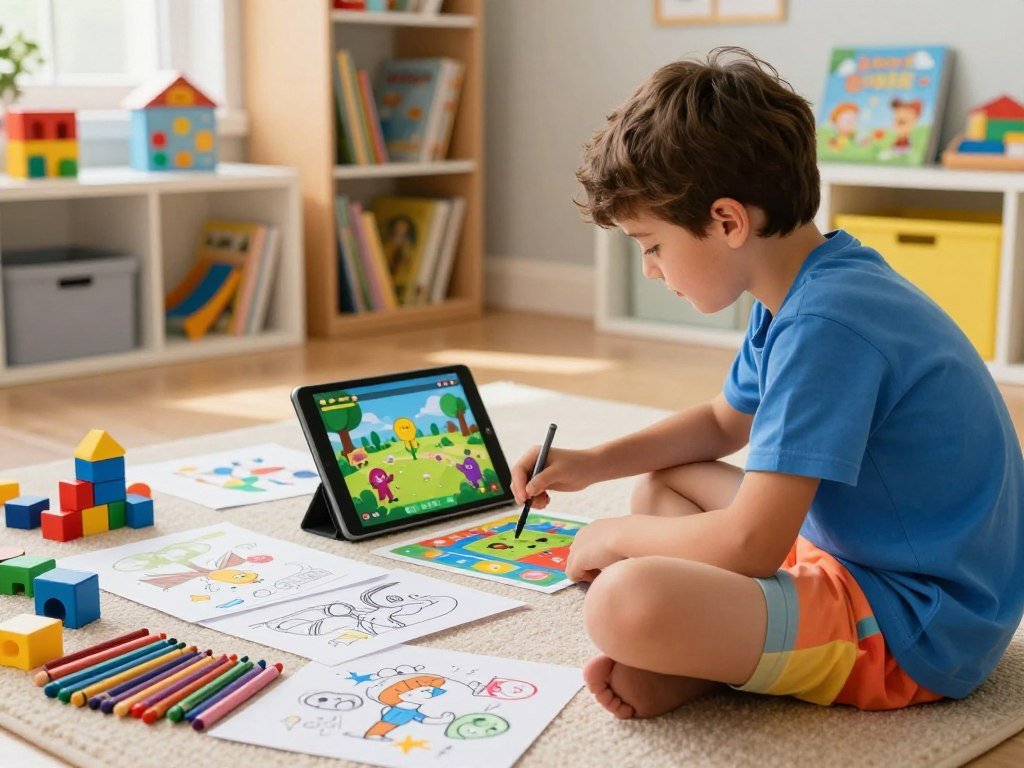
A good learning pick gives a child a reason to keep playing while practicing a useful idea or skill. At home or on the go, the right game can make learning feel like play, build confidence, and leave room for creativity. This list includes digital apps, computer games, and tabletop choices for different ages and interests.
Intrinsic integration means learning content is part of the actions that advance play, rather than a quiz added after a level. That kind of design can make practice feel like a natural part of the game. You can choose a quick activity for a quiet moment or a shared challenge for family time.
The right starting point is a game that matches the child’s interests and current abilities.
Key Takeaways
- Match the game’s reading and rule demands to your child’s current skills.
- Choose a clear learning goal, such as early reading, math, or planning.
- Digital games and tabletop play offer different ways to practice.
- Free apps include Khan Academy Kids, Duolingo ABC, and Moose Math.
- Play together first, then see whether your child can explain a choice.
How should you choose a learning game for your child?
A useful first filter is whether the child can understand the game’s basic choices without an adult doing the thinking for them. Age labels can help, but they are starting points, not guarantees. Look for a challenge the child can begin with light support, then handle with growing independence.
Ages 2-5 tend to suit short activities with simple choices. Children ages 6-8 can often manage early reading, arithmetic, and clearer rules. Children 9 and up can often take on longer rules and multi-step strategy. A child who wants a short solo activity may prefer a simple puzzle, while another may enjoy group play that calls for teamwork and planning.

Match the challenge to the child’s age
Notice how your child responds to directions, reading, and waiting for a turn. These clues matter as much as a printed age range. A game can support critical thinking, collaboration, planning, problem-solving, and creativity, but it should not make every move feel like a test.
A child who enjoys coding puzzles may also like a small project that connects to a first programming language. Choose a game that leaves room for questions and lets the child learn through trying a move.
Choose a skill before a theme
Pick one skill first, then see which theme might hold your child’s attention. A familiar story can help, but the activity still needs to practice a useful idea. A design review of children’s educational games highlights age fit, clear feedback, accessibility, and children’s preferences as key parts of game design.
Use this four-part checklist before choosing:
- Skill: Name the idea your child will practice, such as reading or addition.
- Reading and rules: Check whether directions match your child’s current level.
- Play style: Decide whether the activity should be solo or shared.
- Theme: Ask whether your child likes the setting, characters, or task.
If a child cannot explain the goal after a short demonstration, choose a simpler version or play together.
That quick check also shows whether the game’s instructions make sense to your child. It can help you decide whether to join in or let them try alone.
Best Educational Games for Kids for Early Learning
Khan Academy Kids is the strongest all-around starting point here for families who want several early-learning subjects without a subscription. It covers reading, math, language, and social-emotional learning for ages 2-8. It is free, ad-free, and subscription-free on iOS, Android, and Amazon as of October 2026.
For a free, broad early-learning app, start with Khan Academy Kids. Families asking for the best educational games for kids that are free can also consider Duolingo ABC. Both apps have iOS versions for iPad, as well as versions for other supported devices.

Khan Academy Kids for a broad, free starting point
Khan Academy Kids brings several subjects into one app, which can suit a child whose interests shift from books to numbers. Its range gives you room to try short activities without switching to a different subject app. The app is free, with no ads or subscription as of October 2026.
It can be a practical first stop for kids who are still building basic skills. You can sit nearby and notice which activities hold your child’s interest, then let them repeat the ones they enjoy.
Duolingo ABC for early reading practice
Duolingo ABC focuses on phonics, sight words, and early reading for ages 3-8. It is free and ad-free on iOS and Android. Its iOS version was last updated in August 2023, a useful detail for families choosing an app for a newer device.
The focused reading practice makes it a more direct fit than an open-ended play app. It can help early readers spend time with letter sounds and familiar words. A child who needs broader early-learning activities may prefer a wider subject mix.
Pok Pok for child-led digital play
Pok Pok is a Montessori-inspired digital playroom built for open-ended, child-led play. It is not a structured alphabet or math course. Children explore the playroom and make choices, rather than following a planned lesson sequence.
That difference matters when you want your child to invent, explore, or follow an interest. For families comparing child-focused language apps, a Spanish-learning app for children may offer a more direct path into words in another language.
For an early reader, try a short phonics activity together before leaving the app for independent use.
Which digital games make math and STEM practice engaging?
For a seven-year-old who wants responsive arithmetic practice, Prodigy Math is the most direct fit among these options. It adapts math content to each student’s level in real time, with free math content for students and teachers. Optional paid parent memberships are available as of October 2026.
Prodigy suits adaptive practice, DragonBox suits algebra ideas, and Minecraft Education suits building and engineering. These choices give kids different ways to work with math and STEM skills, from puzzles to virtual construction.

| Game | Learning approach | Platforms | Access or price |
|---|---|---|---|
| Prodigy Math | Adaptive math practice | Browser, iOS, Android | Free student and teacher content; optional paid parent memberships |
| DragonBox | Algebra through puzzles | iOS, Android | Included with Kahoot!+ or Kahoot! Kids subscription |
| Minecraft Education | Building, resource management, engineering | Windows, Mac, Chromebook, iPad, Android | $5.04 per user yearly for school license; $36 for camps and clubs |
Prodigy Math works in a browser, on iOS, and on Android as of October 2026. It is a clear fit when a child benefits from math practice that adjusts to their level. The story-based setting can help keep arithmetic from feeling like a page of drills.
DragonBox introduces algebra through puzzles before naming the subject. Its approach can help a child notice how numbers and symbols work together. As of October 2026, it is included with a Kahoot!+ or Kahoot! Kids subscription on iOS and Android.
Minecraft Education teaches spatial reasoning, resource management, and basic engineering through building. Players can create historical landmarks, molecular structures, and sustainable cities. As of October 2026, it runs on Windows, Mac, Chromebook, iPad, and Android.
A free option for younger math learners is Moose Math, an app by Duck Duck Moose. For browser-based play, Prodigy Math is the clearest choice in this group. Choose the game whose challenge is closest to the skill the child is working on now, not the one with the biggest world.
Which tabletop games turn math into a hands-on challenge?
Balance Beans makes an equation visible by asking players to keep a seesaw balanced. Physical pieces can make a math idea easier to picture than numbers on a page. A child moves beans and watches how each choice affects the balance.
Pick a tabletop math game that practices the exact operation or concept your child is ready to try. Some games suit early counting, while others ask players to work with fractions, factors, probability, or square roots.

Number sense and operations
Tiny Polka Dot practices counting, arithmetic, and logic, so it can suit children who are building number sense. Prime Climb moves into multiplication, division, factorization, and prime-number concepts. These choices give players different levels of challenge as they grow more comfortable with numbers.
Fractions, equations, and risk
Blobby’s Pizza uses a familiar food theme to introduce fractions, decimals, and percentages. A child who is still learning fractions may get more from it than from a game built around abstract operations. Proof asks players to practice mental math with several operations and square roots.
Farkle brings probability and risk assessment into a choice about points. Players decide whether to bank points or risk them for a higher score. A turn can lead to a quick conversation about chance and whether a risky move feels worthwhile.
Here is a quick match between six games and the math they practice:
- Prime Climb: multiplication, division, factorization, and prime numbers.
- Blobby’s Pizza: fractions, decimals, and percentages.
- Balance Beans: pre-algebra through balancing beans on a seesaw.
- Tiny Polka Dot: counting, arithmetic, and logic.
- Farkle: probability and risk assessment through scoring choices.
- Proof: mental math with addition, subtraction, multiplication, division, and square roots.
You can ask your child to explain why a move works, instead of telling them the answer. That gives them a chance to put the math into their own words. Pick a game that practices the exact operation or concept the child is ready to try, then let the player explain the move.
What games help children build reading and language skills?
A child curious about learning another language can connect vocabulary to objects and spoken audio in Noun Town. Concrete objects give new words a visual place to land. The game teaches vocabulary in 12 languages through a 3D world, native-speaker audio, and spaced-repetition reviews.
Noun Town fits vocabulary practice better than beginning phonics. It is listed at $19.99 for PC and Mac, with a free Steam demo, in 2026. Its format may appeal to a child who likes exploring virtual spaces and hearing words aloud.
In Noun Town, players connect an object with its spoken name. Review cycles bring words back over time, giving children another chance to recall them. The 3D setting can make the practice feel like exploring, rather than studying a word list.
The game’s 12 languages and PC/Mac format make it a different choice from an app for a beginning reader. A child learning letter sounds may need direct phonics practice first. A child who already reads and wants new vocabulary may enjoy the world and audio.
For a child still mastering letter sounds, choose phonics practice before a vocabulary-first world.
Which family board games suit different ages and play styles?
For a younger child who wants to solve a mystery with the family, Outfoxed offers cooperative clue-finding from age 4. Shared decisions can help younger players take part without needing to read every rule alone. Zingo also suits ages 4 and up, using word-and-image matching to build language skills.
Choose a family game by reading needs, cooperation level, and the age range of the youngest player. Some games invite everyone to solve a problem together, while others ask players to plan moves and manage resources.
Cooperative and matching games for younger players
Outfoxed asks players to work together to find clues and solve a mystery. Zingo gives younger children a clear matching task with words and images. Qwirkle practices matching, spatial recognition, planning, and problem-solving through tile play.
Longer strategy and reading-dependent play
These six picks offer different levels of play and reading:
- Outfoxed and Zingo: cooperative deduction or word-and-image matching for ages 4 and up.
- Qwirkle: spatial matching, planning, and problem-solving.
- Sanibel, Frosted Blooms, Got Five, Market Fresh, and Las Vegas: listed for ages 8 and up.
- Wingspan Pocket: a standalone card game for ages 9 and up, with a shorter, lighter feel.
- Carnuta: resource management for ages 10 and up, with play lasting about 25 minutes.
- Cozy Stickerville: a village-building campaign with over 800 stickers and 10 games.
Cozy Stickerville depends on reading, so about age 10 and up is suggested for independent play. Younger children may still join in with an adult’s help. For a 10-year-old who can read the rules and likes resource management, Carnuta is the short-play option, while Cozy Stickerville offers a longer campaign.
Reading demands can affect whether a child can begin a game without help. Check reading demands as carefully as the age label when a child will be playing without adult help.
What computer games teach science, systems, and coding?
Kerbal Space Program is the clearest choice for a young player fascinated by rockets and orbital mechanics. Players build rockets and launch them while working with physics ideas. Trial and error is part of the fun, since each design gives a new chance to test an idea.
Choose a computer game by the system the child wants to explore. Kerbal focuses on rocketry, Cities: Skylines on urban systems, Universe Sandbox on physics, Democracy 4 on policy choices, and TIS-100 on processor logic.
| Game | Main concept | Platform | Listed price |
|---|---|---|---|
| Kerbal Space Program | Orbital mechanics and physics | PC and Mac | $39.99 |
| Cities: Skylines | Urban planning and economics | PC and Mac | $29.99 |
| Universe Sandbox | Gravity and physics simulation | PC and Mac | $29.99 |
| Democracy 4 | Policy, voters, and economics | PC and Mac | $29.99 |
| TIS-100 | Processor logic and programming | PC and Mac | $6.99 |
In Cities: Skylines, players work with traffic, budgets, zoning, and public services. Universe Sandbox lets them explore gravity and physics in real time. Democracy 4 focuses on policy, voter approval, the economy, and unintended effects.
TIS-100 is an assembly-style programming puzzle game that teaches processor logic. Its puzzles may suit a child who enjoys careful problem-solving and precise rules. If that interest grows, you can compare programming languages for different projects.
A 12-year-old may enjoy these subjects, but an adult should check each game’s reading and systems complexity first. Match the game’s complexity to the player’s patience for experimentation, not just their interest in its subject.
Is ABCmouse or IXL a better fit for home learning?
ABCmouse is the closer fit for a young child who wants a structured early-learning path, while IXL serves a much wider grade range. ABCmouse focuses on ages 2-8, with 10 levels and more than 13,000 activities. IXL offers self-paced practice and assessment from Pre-K through grade 12.
Choose ABCmouse for a guided early-childhood sequence and IXL for subject-based practice across school years. Their age ranges and subject plans make them suited to different home learning needs.
| Platform or plan | Age or grade span | Subject coverage | Price or trial |
|---|---|---|---|
| ABCmouse | Ages 2-8 | Reading, math, science, art, music | $14.99 monthly after 30-day trial; $45 yearly |
| IXL one subject | Pre-K through grade 12 | One subject | $9.95 per month |
| IXL math and ELA | Pre-K through grade 12 | Math and language arts | $15.95 per month |
| IXL all core subjects | Pre-K through grade 12 | Core subjects | $19.95 per month |
ABCmouse covers reading, math, science, art, and music across its activities. As of October 2026, it costs $14.99 a month after a 30-day free trial, or $45 a year. Its many levels can give a young child a planned path through early concepts.
IXL covers math, language arts, science, social studies, and Spanish. Families can choose one subject, math and ELA, or all core subjects. Its self-paced format may suit a child who wants extra practice in a specific area.
Choose based on the learner’s age and whether the priority is a guided early-childhood sequence or targeted practice by subject.
Do educational games help children learn more?
Games can support learning, especially when the skill being practiced is part of the action that moves play forward. Intrinsic integration means learning content helps advance play, rather than appearing as a quiz after a level. A math game can make division part of the move a player needs to make.
Learning content embedded in play can work better than questions added after a level. In a 2011 study, children ages 7-11 learned more when division was integrated into math-game play than when division questions came afterward.
Learning works best when it drives the play
When a math skill shapes the next move, players use that skill to make progress. A quiz after a level may check recall, but it does not make the content part of the action. This difference can affect whether children choose to keep playing.
In a voluntary-play comparison reported in 2011, 16 children played the intrinsically integrated math game for 75.7 minutes. Children played the quiz-based version for about 10 minutes. The comparison suggests that the design of the activity can affect how long children choose to engage.
What learning research suggests
A 2016 meta-analysis found digital games improved learning for K-16 students compared with non-game instruction. The average effect was g = 0.33. A separate 2023 review of 86 STEM studies found a medium-to-large effect, g = 0.624, for digital game-based learning compared with conventional STEM instruction.
The same review found a small-to-medium effect, g = 0.301, when game-design elements were added to base games. Elements built to support content learning worked better than elements focused on the gaming experience. The 2023 STEM meta-analysis focuses on science, technology, engineering, and math learning.
Games can supplement instruction, but they cannot replace adult guidance or broader learning. A child may enjoy play and still need help connecting a game idea to schoolwork or daily life. Ask the child to explain a decision after play to check whether the game’s ideas are sticking.
How can you check an educational game before handing it to a child?
A child-friendly look and a learning label do not tell you what information an app collects or whether purchases appear during play. Check the app safety settings and its privacy details before a child uses it alone. Review data use, ads, purchases, age fit, and the learning goal before allowing independent play.
COPPA generally applies to online services directed to children under 13 or knowingly collecting personal information from children under 13. A child-directed label does not guarantee privacy, encryption, or safe purchasing. You still need to read the app’s disclosures and controls.
Review privacy, ads, and purchases
Look for details on data collection and sharing, encryption, and whether you can ask for data deletion. Check if ads or in-app purchases appear during play. A preschool app called Kids Preschool and Kindergarten Learning Games lists 250+ mini-games for ages 2-7 on Android and Windows.
Its disclosures include possible sharing of app information and performance data, as well as device or other IDs. They also state that data may be unencrypted and cannot be deleted. This example shows why a bright design and an education label cannot replace a close look at data practices.
Try the game and check its learning fit
Before a child plays alone, you can use this five-part checklist:
- Privacy policy: Read what information the app collects and shares.
- Data controls: Check encryption, deletion choices, and account controls.
- Ads and purchases: Look for ads, paid features, and purchase limits.
- Age and reading fit: Check the directions and content for your child.
- Adult preview: Play a sample or watch a child use the app first.
Clear learning goals help you tell whether an app offers useful practice or mostly entertainment. Family console settings can also help manage playtime, purchases, and online communication. Family gaming console settings can give you more ways to manage play at home.
If the privacy disclosures or purchase controls are unclear, choose a different app or supervise every session.
A short preview can reveal confusing directions or a purchase prompt that does not appear in the app description. If your child cannot use the game safely without help, keep the first sessions shared.
Conclusion
A small, well-matched challenge is a better first choice than a crowded shelf of games. Pick one that connects with what your child already enjoys and offers a manageable next step. That balance can make practice feel inviting while building useful skills.
Try the game together and notice whether your child can explain what they are practicing. Their answer can show whether the game makes sense to them or needs more adult support. Pick one option, play the first round together, and let the child’s curiosity guide what comes next.
FAQ
What are the top 10 educational games for kids?
Ten varied choices are Khan Academy Kids, Duolingo ABC, Prodigy Math, Moose Math, DragonBox, Minecraft Education, Balance Beans, Outfoxed, Qwirkle, and Kerbal Space Program. The best fit depends on your child’s age and learning goal. For instance, an early reader may prefer phonics, while a child curious about space may enjoy building rockets.
What are some of the best free educational games for kids?
Khan Academy Kids and Duolingo ABC are free apps, and Moose Math is another free math app. Prodigy Math offers free math content for students and teachers, with optional paid parent memberships. Check that a free game suits your child’s reading level and interests, then try a short activity together before making it part of the routine.
Which is better, IXL or ABCmouse?
ABCmouse better fits children ages 2-8 who need a structured early-learning path. IXL serves Pre-K through grade 12 and offers subject-specific plans. ABCmouse brings several early-childhood subjects into one sequence, while IXL lets families choose focused practice. The stronger option is the one that matches the learner’s age and the skills they need to work on.
What are the top 10 games for kids?
Ten varied picks are Outfoxed, Zingo, Qwirkle, Wingspan Pocket, Carnuta, Cozy Stickerville, Prodigy Math, Minecraft Education, DragonBox, and Kerbal Space Program. This is a mix, not a popularity ranking. Consider whether your child likes cooperative play, strategy, math, or science, and check the game’s rules and reading demands before choosing.
Can educational games replace regular instruction?
No, educational games should support practice and engagement alongside adult guidance and broader instruction. A game may give a child a useful way to try a skill, but it does not cover every topic or answer every question. Talk about a move or idea after play, and connect it to books, schoolwork, or everyday activities when it fits.
How do I know whether an educational app is safe for my child?
Review the app’s data collection, sharing, encryption, and deletion details before allowing independent use. Check for ads, in-app purchases, age fit, reading demands, and a clear learning purpose. Try the app yourself or watch a sample session. If its disclosures or purchase controls are unclear, choose another app or stay with your child during play.



