
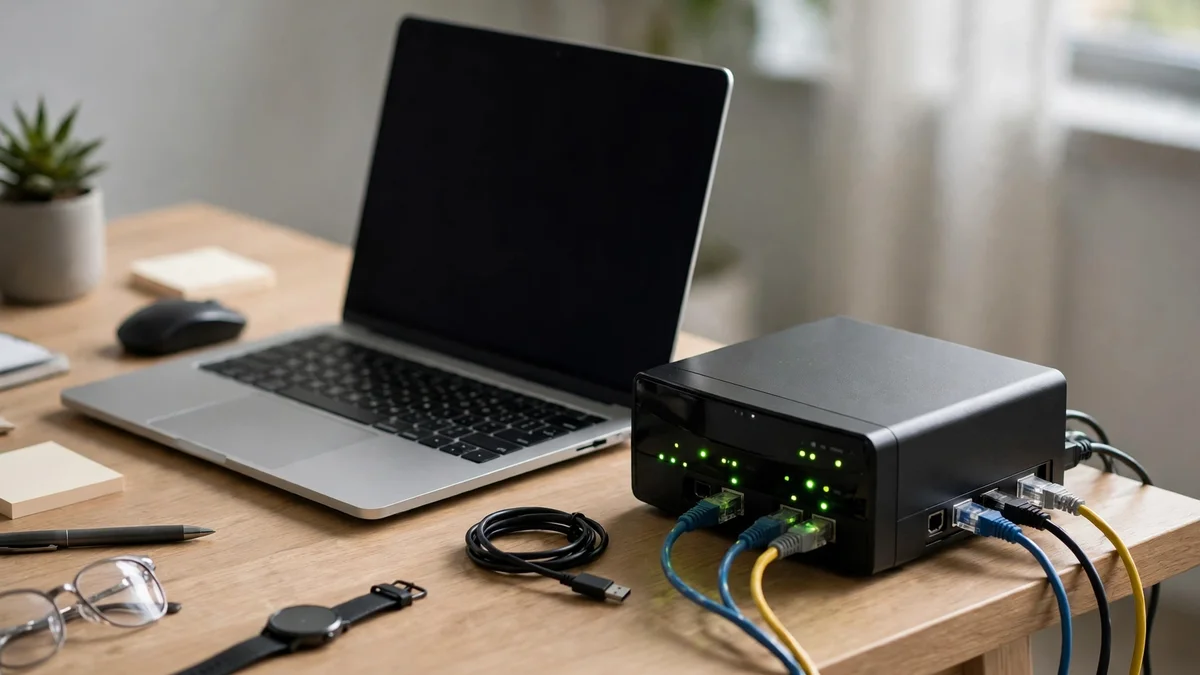
A firewall is the front door of a small business network. It decides which traffic gets in, which stays out, and which devices can talk to each other. For a business with five to fifty people, the right firewall stops ransomware at the gate, blocks malicious websites, and keeps guest Wi-Fi away from company files.
The best firewall for small business in 2027 is not the most powerful box on the market. It is the one a small team can actually run: simple setup, clear alerts, automatic updates, and a subscription without a surprise renewal bill. Hardware firewalls still beat software-only options because they protect every device on the network, including printers, cameras, and phones.
We compared eight current options on throughput, ease of setup, security features, and first-year cost. Prices below are approximate starting prices, so check current pricing before buying. Fortinet leads for all-round protection, Sophos is the easiest to manage day to day, and pfSense is the cheapest route to serious capability for teams with some technical confidence.
Key takeaways
- Fortinet FortiGate 40F is the best firewall for small business overall, with strong threat protection in a compact box.
- Sophos XGS 116 is the best choice for teams without an IT specialist, thanks to clear setup and reporting.
- pfSense Plus on a Netgate 1100 is the best budget option, with no per-user licence fees.
- Expect a yearly security subscription on most hardware firewalls; the box price is only part of the cost.
- A firewall alone is not enough: pair it with antivirus on every device and a VPN for remote staff.
At a glance: the shortlist
| Product | Best for | Starting price | Standout limit |
|---|---|---|---|
| Fortinet FortiGate 40F | Best overall | From about $450 plus subscription | Subscription needed for full protection |
| Sophos Firewall XGS 116 | Easiest to manage | From about $500 plus subscription | Best features need the higher licence tier |
| pfSense Plus (Netgate 1100) | Budget and flexibility | From about $249 | Needs technical confidence to configure |
| Cisco Meraki MX67 | Multiple sites | From about $450 plus licence | Stops working well without a paid licence |
| SonicWall TZ270 | Small offices | From about $400 plus subscription | Interface feels dated next to rivals |
| WatchGuard Firebox T25 | Managed security | From about $500 plus subscription | Smaller community than bigger brands |
| Ubiquiti UniFi Dream Machine Pro | Growing offices | From about $379 | No built-in subscription threat feed |
Fortinet FortiGate 40F — Best overall
The FortiGate 40F is the firewall most small businesses should start with. It is a small desktop box built around Fortinet’s own security processor, which inspects traffic for malware and intrusions without dragging office internet speeds down. With the subscription active, it includes intrusion prevention, web filtering, antivirus scanning, and application control.

Setup uses a guided wizard, and the interface is clear enough for a non-specialist. It also supports SSL VPN for staff working from home.
Pros: Fast threat inspection with little speed loss; strong subscription with regular updates; reliable SSL VPN.
Cons: Full protection needs a yearly subscription; advanced policies take time to learn.
Sophos Firewall XGS 116 — Best for ease of use
Sophos built the XGS 116 for businesses that need enterprise-grade protection but have no dedicated IT staff. Its standout feature is Synchronized Security: paired with Sophos endpoint software, the firewall and the computers share threat information automatically, so an infected laptop can be isolated from the network in seconds. Alerts are explained in plain language.
It includes web filtering, intrusion prevention, and application control, and setup is one of the smoothest here, with templates for common small business layouts. It also pairs well with antivirus protection for every device in the office, the other half of a small business security setup.
Pros: Clear dashboard and plain-language alerts; automatic isolation of infected devices; smooth guided setup.
Cons: Best features sit on the higher-priced licence tier; throughput drops with every inspection feature on.
pfSense Plus (Netgate 1100) — Best for budget
pfSense Plus is open-source firewall software, and the Netgate 1100 is the small appliance that runs it out of the box. There are no per-user licence fees, which makes it the cheapest serious option here over three years. It supports VPNs, traffic shaping, intrusion detection add-ons, and rules that separate office, guest, and device networks.
The trade-off is complexity. pfSense gives you more control than any other firewall in this list, but it expects you to know what you are doing. A confident owner or a part-time IT contractor can set it up well.
Pros: No per-user fees and low long-term cost; very flexible rules and VPN options; large community and guides.
Cons: Setup needs technical confidence; no vendor support line included by default.
Cisco Meraki MX67 — Best for multiple sites
The Meraki MX67 is the pick for a small business with two or more locations, or one office plus staff who work from home. Everything is managed from a cloud dashboard, so you can see every site and push a policy change from one screen. Adding a second office mostly means plugging in another MX box.
It includes content filtering, intrusion prevention, and malware protection with the Advanced Security licence, plus built-in VPN between sites. The catch is the licence model: cloud management stops working properly if the licence lapses, so the yearly cost is not optional.
Pros: One cloud dashboard for every site; fast to deploy a second office; reliable site-to-site VPN.
Cons: Cloud licence is effectively mandatory; higher ongoing cost than most rivals.
SonicWall TZ270 — Best for small offices
SonicWall has sold firewalls to small businesses for decades, and the TZ270 is its current compact model. It offers intrusion prevention, gateway antivirus, content filtering, and SSL VPN at a price that undercuts Fortinet and Sophos. Throughput is ample for offices of up to about 25 people, and the device is small enough to sit on a desk or a shelf.
The TZ270 is a practical, no-nonsense choice. Its interface is less polished than the newest rivals and setup takes a little longer, but once running it is stable and quiet.
Pros: Good protection for the price; stable and proven platform; compact and quiet in an office.
Cons: Management interface feels dated; setup is slower than the easiest rivals.
WatchGuard Firebox T25 — Best for managed security
The Firebox T25 suits small businesses that would rather have a security partner manage the firewall than learn it themselves. WatchGuard’s partner channel is strong, so many IT providers sell and manage these boxes, and the Total Security Suite bundles intrusion prevention, web filtering, antivirus, spam blocking, and DNS protection in one subscription.
On its own the T25 is a capable desktop firewall for offices of up to about 20 people, with VPN support for remote workers. Its main weakness is a smaller user community than Fortinet or pfSense, so independent guides are thinner.
Pros: Strong managed-service partner network; all-in-one security subscription; clear cloud reporting.
Cons: Smaller independent user community; needs the full suite for the best protection.
Ubiquiti UniFi Dream Machine Pro — Best for growing offices
The UniFi Dream Machine Pro combines a firewall, a network controller, and a gateway in one rack-mount box, and it manages UniFi access points and cameras from the same dashboard. There is no yearly security subscription: you pay once for the hardware, and the UniFi software is included. For an office that already uses UniFi Wi-Fi, it is a natural centrepiece.
The catch is that its threat protection is lighter than the dedicated security brands here. It blocks unwanted traffic and offers intrusion detection, but it lacks the deep subscription threat feeds of Fortinet or Sophos. Pair it with strong antivirus for Android and other devices, and it works well.
Pros: No yearly subscription; manages Wi-Fi and cameras in one place; good value as the office grows.
Cons: Lighter built-in threat protection; needs separate endpoint security to match rivals.
How to choose
Start with the size of your office and the speed of your internet connection. A firewall rated well above your internet speed will not slow the office down when inspection features are switched on, so check the threat-protection throughput figure, not just the headline number.
Next, be honest about who will manage it. If nobody on the team is technical, pick Sophos or Meraki and budget for the subscription, because an unconfigured firewall protects nothing. If you have technical help, pfSense or the Dream Machine Pro can save money over three years. Remote staff need protection too: a VPN on staff phones and laptops extends the office firewall to wherever people work, so check that any firewall you buy includes easy VPN setup for your remote workers.
Finally, add up the three-year cost, not just the box price. Hardware plus three years of security subscription is the true price of a firewall, and on some models the subscription costs more than the box. Check current pricing and confirm the renewal price before the first year ends.
Checklist: before you pay
- Check threat-protection throughput against your internet speed, not just headline firewall throughput.
- Confirm the yearly subscription price and what it covers, including renewal pricing after year one.
- Make sure the firewall supports VPN connections for every remote worker you have.
- Plan separate networks for staff, guests, and smart devices before installation day.
- Check the vendor still supports the model with firmware and security updates.
- Arrange who will manage updates and alerts, whether in-house or through an IT provider.
Frequently asked questions
Do small businesses really need a hardware firewall?
Yes. A hardware firewall protects every device on the network, including printers, cameras, and phones. The router supplied by an internet provider is not a substitute: it routes traffic but does not inspect it.
How much should a small business spend on a firewall?
Expect roughly $400 to $600 for the hardware plus $200 to $400 per year for the subscription. Over three years the subscription is usually the larger cost, so compare three-year totals, not box prices.
Can I use a firewall without an IT specialist?
Yes, if you choose a model built for it. Sophos and Meraki are the easiest to manage in this roundup, and many small businesses hire an IT provider for the initial setup. pfSense is the exception: it rewards technical skill and frustrates beginners.
Does a firewall replace antivirus software?
No. A firewall blocks threats at the network edge, while antivirus catches threats that reach a device, for example through a USB stick or a file a member of staff opens. The two work together, and a small business should have both.
What is the difference between a firewall and a VPN?
A firewall controls which traffic can enter or leave your network. A VPN encrypts the connection between a device and the network so staff can work safely from home or on public Wi-Fi. Many business firewalls include a VPN, so remote workers use the same protected gateway as the office.
How often should firewall firmware be updated?
Apply security firmware updates as soon as the vendor releases them, and check for updates at least once a month. Most modern firewalls can update automatically or alert you when an update is available; switch that setting on first.
The bottom line
For most small businesses, the Fortinet FortiGate 40F is the best firewall in 2027: strong protection, sensible price, and a VPN for remote staff in a box that does not need a specialist to run. If nobody on your team is technical, buy the Sophos XGS 116 instead and let its clear dashboard do the heavy lifting. If budget matters most and you have technical help, pfSense Plus on a Netgate 1100 gives you serious capability for the lowest long-term cost.
Whichever you choose, treat the subscription as part of the price, set up separate guest and staff networks, and pair the firewall with antivirus on every device. A firewall is a foundation, not a finish line: keep it updated and watch its alerts.



