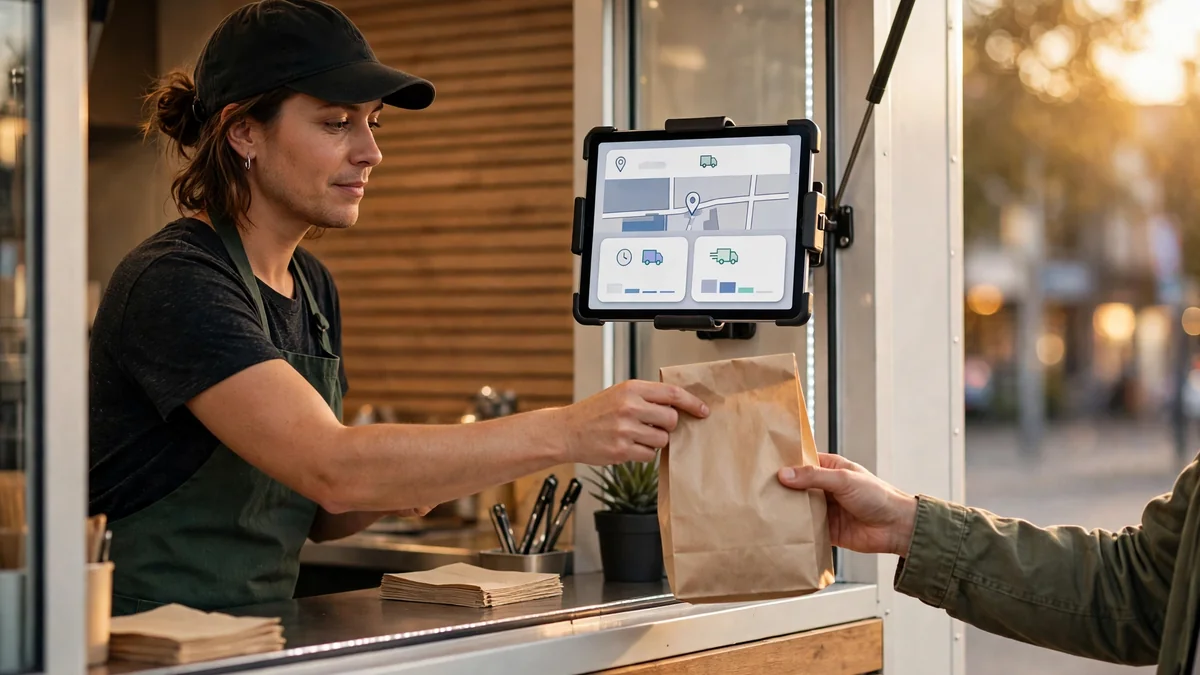
Best food truck management software in 2027 does more than ring up orders. The right system takes payments at the window, tracks the truck in real time, updates the menu when an ingredient runs out, and tells you which stop made money and which one did not. A food truck is a restaurant, a delivery van, and a pop-up shop in one small space, so the software has to handle all three jobs without slowing down the line.
The market has settled into two camps. Full restaurant point-of-sale platforms such as Square, Toast, and Lightspeed now ship mobile modes built for trucks, while smaller tools focus on the problems only trucks have: live location tracking, route planning, event bookings, and letting customers find you. The best choice depends on how many trucks you run, how often your menu changes, and whether you take most orders at the window or through pre-orders.
We compared eight platforms on offline reliability, menu and inventory tools, location and scheduling features, hardware, and total cost. The shortlist below covers single-truck owners, growing fleets, and trucks that work festivals and private events. Prices change often in this market, so treat every starting price here as a guide and check current pricing before you sign up.
Key takeaways
- Square is the best overall pick for a first truck: free to start, reliable offline, and strong on inventory and reporting.
- Toast is the best choice for high-volume service, with kitchen display screens and order flows built for speed at the window.
- Lightspeed Restaurant suits owners running two or more trucks, with multi-location inventory and detailed reporting.
- Location and pre-order tools matter as much as payments — customers need to find your truck before they can buy from it.
- Always test offline mode before a busy event, since festival Wi-Fi and mobile signal are the first things to fail.
At a glance: the shortlist
| Product | Best for | Starting price | Standout limit |
|---|---|---|---|
| Square | First trucks and single-truck owners | Free plan; paid from around $69 a month | Advanced reporting needs paid plans |
| Toast | High-volume service and festivals | From around $69 a month per location | Hardware is Toast-specific |
| Lightspeed Restaurant | Multi-truck fleets | From around $139 a month | Higher cost for small operators |
| TouchBistro | Menus that change often | From around $69 a month | Some add-ons cost extra |
| Clover | Hardware choice and flexibility | From around $14.95 a month plus processing | App costs add up |
| Revel Systems | Franchises and large operations | Custom pricing — check current pricing | Overkill for one truck |
| Epos Now | Simple, fast setup | From around $49 a month | Fewer food-truck-specific tools |
| SpotOn | Marketing and repeat customers | From $0 a month plus processing — check current pricing | Setup varies by plan |
Square — Best overall
Square is the most common starting point for food truck owners, and for good reason. The free point-of-sale plan covers card payments, item and modifier management, and basic sales reporting, and you can run it on a phone or tablet with a small card reader. That low barrier matters when a truck is still testing locations and menus, because you are not paying a monthly fee while you learn where the customers are.
The features that make Square work for trucks are the quiet ones. Offline mode keeps taking payments when the signal drops, and the queue syncs once you are back online. Item-level inventory tracks ingredients across menu items, so selling out of pulled pork can automatically mark every dish that uses it as unavailable. Square Online lets you add pre-orders and pickup windows, which is useful for office lunch stops where customers order ahead and collect on arrival.
Square also handles the business side without extra tools. Payroll, team permissions, and customer directory tools are built in or available as add-ons, and the reports break sales down by hour, item, and location, which helps you decide whether a Tuesday lunch spot is worth the fuel. For owners comparing point-of-sale options more broadly, our guide to the best restaurant POS software in 2027 covers how these platforms compare for full-service restaurants too.
Pros: Free plan to start, reliable offline mode, strong inventory and reporting, easy pre-order setup.
Cons: Payment processing fees add up at high volume, advanced reporting and loyalty tools sit behind paid plans, hardware is best bought from Square.
Toast — Best for high-volume service
Toast is built for speed, and that is exactly what a food truck needs at a festival or a lunch rush. Orders move from the point-of-sale screen to a kitchen display in seconds, modifiers and combos are quick to tap, and the system handles long queues without the screen lag that slows cheaper setups. If your truck regularly serves hundreds of covers in a few hours, Toast earns its keep in the line alone.
The platform is a full restaurant system adapted to mobile service. You get handheld devices for taking orders down the queue, kitchen display screens that replace paper tickets, and online ordering that feeds into the same kitchen flow. Toast also covers payroll, tip pooling, and team management, which matters once you have more than two people in the truck. Its reporting shows your best sellers by time of day, so you can prep the right quantities before a big event.
The trade-off is commitment. Toast runs on its own hardware, plans start from around $69 a month per location, and payment processing is bundled, so you cannot shop around for a cheaper processor. Small single-truck operators may find the monthly cost hard to justify in a slow season. For trucks doing steady volume, though, the speed and reliability are hard to beat.
Pros: Very fast order flow, kitchen display screens, handheld ordering, strong reporting and payroll tools.
Cons: Toast-only hardware, monthly cost from around $69, bundled processing limits flexibility, more system than a part-time truck needs.
Lightspeed Restaurant — Best for multi-truck operations
Lightspeed Restaurant makes sense once you run two or more trucks, or a truck plus a brick-and-mortar spot. Its multi-location tools track inventory across every unit, so a commissary kitchen can see what each truck needs before the day starts. Central menu management pushes a price change or a new special to every truck at once, instead of updating each tablet by hand.
The platform is strong on the details that matter at scale. You can build complex modifiers, manage recipes and ingredient costs, and set different tax rules per location. The analytics go deeper than most rivals, with reports on food cost, labour cost, and menu performance that help an owner decide whether a second truck is paying for itself.
Pricing starts from around $139 a month, which is steep for a single truck in its first season. The interface also takes longer to learn than Square or Clover, so budget a day or two of setup and training. For a growing fleet, the central control and reporting are worth it.
Pros: Excellent multi-location and inventory tools, central menu control, deep analytics, wide integration options.
Cons: Higher starting price, steeper learning curve, overkill for a single truck.
TouchBistro — Best for menus that change often
TouchBistro is an iPad-based point-of-sale system that suits trucks with rotating menus. Changing a menu is quick: add a special, set a quantity limit, and it appears on every screen and on the online ordering page. When an item sells out, staff can mark it unavailable in one tap, which stops customers ordering food you no longer have. That matters on a truck where the day’s stock is finite and the menu can change by the hour.
The system covers the essentials well. Table and order management translate neatly to truck service, with order firing, course timing, and split payments. TouchBistro also includes floor-plan-style tools that some owners adapt for event layouts, and its loyalty and gift-card features help turn one-time festival visitors into repeat customers. Reporting covers sales, labour, and menu performance, and the customer database makes it easy to run a simple email campaign before a weekend event.
Pricing starts from around $69 a month, with some features sold as add-ons, so the final bill depends on what you enable. TouchBistro runs on iPads, so owners who prefer Android will need to buy Apple hardware. For trucks built around seasonal menus and daily specials, it is a strong fit.
Pros: Fast menu changes and sell-out controls, good loyalty and gift-card tools, solid reporting, simple iPad setup.
Cons: Some features cost extra, iPad-only hardware, fewer fleet-wide tools than Lightspeed.
Clover — Best for hardware choice
Clover stands out because it lets you pick the hardware that fits your truck. The range runs from a small handheld device to a full countertop station, and all of them run the same software. That flexibility helps in a truck, where counter space is measured in inches and a bulky terminal can block the service window. A handheld Clover device also lets staff take orders and payments while customers wait in line, which shortens the queue.
The software covers payments, inventory, and employee management, and the Clover app market adds specialist tools for loyalty, gift cards, online ordering, and accounting.
Software plans start from around $14.95 a month plus processing, which makes Clover one of the cheapest ways into a proper point-of-sale system. The downside is that the app market can feel fragmented, and the best experience usually means buying Clover hardware rather than running the software on your own device.
Pros: Wide hardware choice, low starting price, large app market, line-busting handheld ordering.
Cons: Add-on costs add up, best with Clover hardware, app quality varies.
Revel Systems — Best for franchises and large operations
Revel Systems is an iPad-based platform aimed at larger food businesses, including franchises and multi-unit operators. For a food truck group planning to franchise or run a dozen units, Revel offers the central control that smaller tools lack: one dashboard for menus, pricing, inventory, and staff permissions across every truck, with detailed reporting at group and unit level.
The system handles complex operations well. It supports multiple brands from one back office, manages commissary inventory, and integrates with enterprise accounting and loyalty platforms.
For a single independent truck, Revel is too much system at too high a price — pricing is custom, so check current pricing before considering it. Implementation takes longer than the simpler tools on this list, and support is geared toward larger accounts. But if your plan is to grow from one truck into a fleet or a franchise, Revel is built for that road.
Pros: Central control for fleets and franchises, strong inventory and reporting, open API, enterprise-grade loyalty tools.
Cons: Custom pricing, long setup, far more than a single truck needs.
Epos Now — Best for simple, fast setup
Epos Now is a cloud-based point-of-sale system that appeals to owners who want to be trading quickly. Setup is straightforward: create your menu, connect a card reader and a receipt printer, and you can take your first order the same day. The interface is clean and easy to teach to seasonal staff, which matters when you hire extra hands for summer events.
The feature set covers the daily essentials. You get product and modifier management, stock alerts, staff permissions, and sales reporting, plus integrations with accounting software and online ordering tools. Pricing starts from around $49 a month, with hardware available as a bundle or bought separately.
What Epos Now lacks is food-truck-specific depth. There is no built-in location tracking or route planning, and the reporting is simpler than Lightspeed or Toast. Owners who need those tools will pair Epos Now with a separate tracking app. For a straightforward truck that mainly needs reliable payments and stock control, it is a solid, affordable choice.
Pros: Fast setup, easy to learn, affordable starting price, good accounting integrations.
Cons: No built-in location or route tools, simpler reporting, fewer truck-specific features.
SpotOn — Best for marketing and repeat customers
SpotOn combines point-of-sale software with marketing tools, and that combination suits trucks that live or die by repeat visits. The loyalty programme, email campaigns, and online review tools are built into the same dashboard as your sales data, so you can see which customers come back and what brings them back. For a truck that visits the same office park every week, that is genuinely useful.
The point-of-sale side covers orders, modifiers, inventory, and reporting, and it runs on handheld devices as well as countertop hardware. SpotOn also offers online ordering and a branded ordering page, which lets regulars order ahead and skip the queue.
Pricing is plan-dependent, with software from $0 a month plus processing on some plans — check current pricing for the latest details. The trade-off is that SpotOn is less well known in the food truck world than Square or Toast, so finding other owners to ask about it takes more effort. If marketing and loyalty are your priority, it deserves a look.
Pros: Built-in loyalty and marketing tools, online ordering, handheld devices, useful location reporting.
Cons: Smaller food-truck user base, pricing varies by plan, setup experience depends on the package.
How to choose
Start with how you actually trade. A truck that works one lunch spot a day needs reliable payments, offline mode, and simple stock tracking, which points to Square, Clover, or Epos Now. A truck that works festivals and serves hundreds of people in a few hours needs speed and kitchen display screens, which points to Toast. A fleet of two or more trucks needs central menu and inventory control, which points to Lightspeed or Revel. Match the software to your busiest day, not your quietest one.
Next, check the practical details. Test offline mode in a dead zone before you rely on it at an event. Confirm the card reader works with your phone or tablet, and that the battery lasts a full shift — a dead tablet at 1 p.m. is a closed truck. Ask how long menu changes take to appear on every device, and whether selling out of one ingredient can hide every dish that uses it automatically.
Then look at the total cost, not just the monthly fee. Payment processing is usually the biggest expense, so compare the effective rate on your average ticket size, including any monthly minimums. Add the cost of hardware, receipt paper, add-ons, and any loyalty or online ordering fees.
Finally, think about the parts of the job that are not payments. Location tracking, pre-orders, and event bookings are where trucks differ from restaurants, and some platforms handle them better than others. If your point-of-sale system does not cover location sharing, pair it with a dedicated truck-tracking app and make sure the two do not confuse customers with different menus or hours. Staffing matters too: our guide to the best scheduling software for restaurants in 2027 covers tools for planning shifts around busy service days.
Checklist: before you pay
- Run a free trial at a real service, not just in the kitchen — test the full lunch rush.
- Test offline mode with the Wi-Fi off and the phone in airplane mode before a big event.
- Confirm the total monthly cost, including processing, hardware, and add-ons, at your real volume.
- Check that menu changes and sell-outs sync to every device and to online ordering instantly.
- Ask how to export your menu, customer list, and sales history if you switch systems later.
- Confirm support hours and response times, and save the support number where staff can find it.
Frequently asked questions
What is the best food truck management software for a first truck?
Square is the safest starting point for most first-time owners. The free plan covers payments, inventory, and basic reporting, offline mode works well, and you can add pre-orders later without changing systems. Move to Toast or Lightspeed when volume or fleet size makes their speed and central control worth the monthly cost.
Do I need special software, or will any restaurant POS work?
Any good restaurant point-of-sale system will take payments on a truck, but food trucks have extra needs: offline reliability, location sharing, pre-orders, and menu changes on the move. The platforms on this list handle those well, while a generic till designed for a fixed counter often does not. Pairing your POS with a truck-tracking app covers the gap if your chosen system lacks location tools.
How much does food truck management software cost?
Expect to pay from free to around $139 a month for the software itself, plus payment processing of roughly 2.6 percent plus a small fixed fee per transaction. Hardware costs extra, from a small card reader to a full countertop setup. The real cost depends on your sales volume, so compare the effective processing rate on your average order, not just the headline monthly fee.
Can food truck software work without internet?
Yes, most of the systems on this list offer an offline mode that keeps taking card payments when the connection drops, then syncs the sales once you are back online. Test it before an event, because offline mode usually has limits — refunds, new menu items, and online orders may not work until the connection returns.
How do customers find my truck?
Most owners combine a live location page with social media posts and a regular weekly schedule. Some point-of-sale systems include online ordering pages that show your current location, and dedicated truck-tracking apps let customers follow your truck on a map. Whatever you use, keep the location and hours accurate — a customer who drives to a spot you left an hour ago rarely comes back. Keeping regulars informed is part of the job, and our guide to the best CRM software for restaurants in 2027 covers tools for managing repeat customers and loyalty.
Should I use one system or separate tools for payments, location, and bookings?
One system is simpler and cheaper to run, and it keeps your menu, stock, and sales in one place. Separate tools make sense when your point-of-sale system lacks a feature you need, such as detailed route planning or event booking. If you split the job, make sure the tools do not show customers different menus or hours, and keep one of them as the single source of truth for what is on sale today.
The bottom line
For most food truck owners, Square is the best place to start: it is free to begin, reliable when the signal fails, and strong on the inventory and reporting that keep a small truck profitable. Trucks doing high volume at festivals should look at Toast for its speed and kitchen display flow, while owners running two or more trucks will get more from Lightspeed and its central menu and stock control. TouchBistro suits menus that change daily, Clover suits owners who want hardware choice, and SpotOn suits trucks built on repeat customers.
Whatever you choose, test it at a real service before you commit. Run the trial through a full rush, kill the Wi-Fi, sell out of your best seller, and see how the system behaves. The software that handles your worst day without slowing the line is the one worth paying for, and the right choice now saves a painful switch in the middle of your busiest season.