The best gaming keyboards 2027 register your inputs faster and more reliably than the board they replace, without forcing you to relearn how to type. The short answer: for most players, the SteelSeries Apex Pro TKL is the strongest all-round choice, because its adjustable Hall effect switches let you tune actuation to your game. The Wooting 60HE is the pick for competitive players who want the fastest possible response.
A keyboard will not make you a better player, but the wrong one can hold you back. This guide ranks the leading boards and explains the switch and layout choices that affect your game.
Key takeaways
- Hall effect switches are the biggest advance in gaming keyboards: actuation is adjustable, and rapid trigger resets a key the moment you lift it.
- A tenkeyless (TKL) layout suits most players: it frees mouse space without losing the keys games use.
- Hot-swappable boards let you change switches without soldering, which is the cheapest way to fix a board that feels wrong.
- Wireless is now fast enough for competitive play, but check polling rate and battery life first.
- Sound and feel are personal: try a switch type in a shop first if you can.
What actually matters in a gaming keyboard
Four things decide how a gaming keyboard feels in play: switches, layout, polling rate and build. Everything else, including lighting, is secondary.
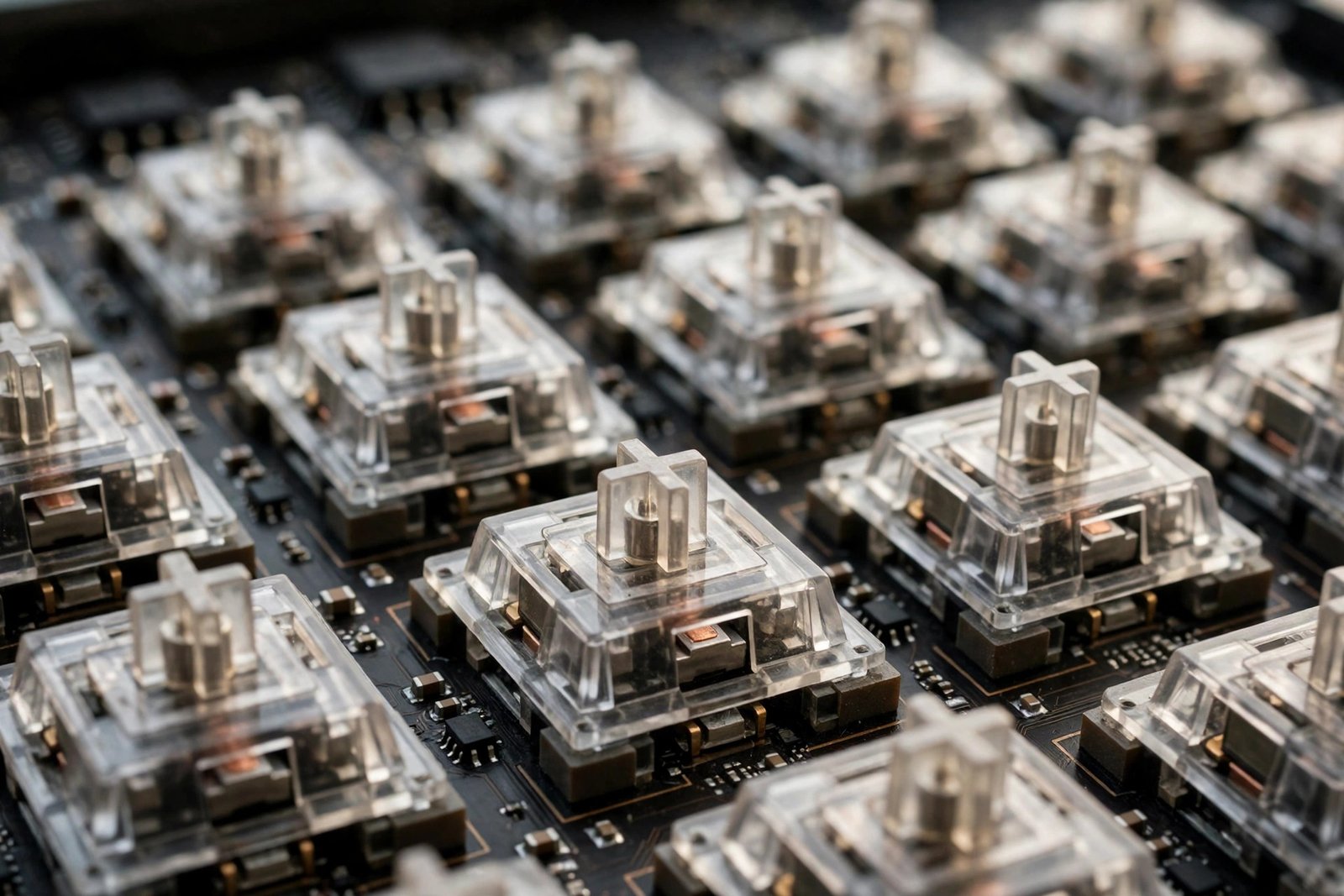
Switches sit under each keycap. Traditional mechanical switches use a metal contact and actuate at a fixed point, usually around 2mm of travel. Linear switches travel smoothly, tactile switches give a small bump, and clicky switches add an audible click. Linear suits fast games, tactile suits players who want feedback, and clicky suits almost nobody in a shared room.
Hall effect switches use magnets and sensors instead of metal contacts, so the board can measure exactly how far a key is pressed. That allows adjustable actuation — set a key to trigger at 0.1mm for a fast game or 3mm for typing — and rapid trigger, which resets the key the instant you start lifting it. In fast games, that makes repeated presses and counter-strafing noticeably more responsive.
Layout is the next decision. A full-size board keeps the number pad; a TKL board drops it and gives your mouse more room; a 60% or 65% board drops the function row and arrow keys as well. Most competitive players use TKL or smaller, because extra mouse travel is worth more than a number pad. If you need the pad for work, buy a separate one.
Polling rate is how often the keyboard reports to your PC: 1,000Hz is standard, and some gaming boards offer 8,000Hz. The difference is real but small, and matters most to competitive players. The best 2.4GHz wireless connections now match wired performance, while Bluetooth adds latency and suits typing, not competitive play.
Build quality shows in the details. A solid aluminium frame or a gasket-mounted plastic case feels firmer and sounds better than a hollow board. Double-shot keycaps resist shine and keep their legends legible, while cheaper ABS caps go smooth and shiny within months. Lubricated stabilisers stop the spacebar rattling, the most common annoyance on a cheap board.
The best gaming keyboards 2027
SteelSeries Apex Pro TKL
Best for: most players who want one board that adapts to every game.
The Apex Pro TKL is the most versatile gaming keyboard you can buy. Its OmniPoint 2.0 Hall effect switches let you set actuation anywhere from 0.1mm to 3.4mm per key, so the same board feels hair-trigger in a shooter and deliberate when typing. Rapid trigger is included, and one key press can trigger two actions.
The build is solid, the OLED display adjusts settings without software, and the wrist rest suits long sessions. It costs more than a standard mechanical board, but replaces the need for two keyboards. Check the current price first.
Razer BlackWidow V4 Pro
Best for: players who want a full-size board with the strongest lighting and a complete feature set.
The BlackWidow V4 Pro is the most fully featured board in this guide. It uses Razer’s mechanical switches in clicky, tactile and linear versions, and offers 8,000Hz polling over a wired connection. Chroma RGB lighting is the most customisable in its class, with per-key lighting that reacts to supported games, plus a command dial, dedicated media controls and a magnetic wrist rest.
It is large, so it suits players with space for a full-size layout and a wide mouse area. The software is powerful but takes time to learn. If desk space is tight, choose the TKL version.
Wooting 60HE
Best for: competitive players who want the fastest, most responsive keyboard available.
The Wooting 60HE is the board competitive players talk about most, and the reason is rapid trigger. Its Hall effect switches, with adjustable actuation from 0.1mm to 4.0mm, make counter-strafing and repeated key presses feel immediate in a way fixed switches cannot match. The 60% layout leaves maximum room for low-sensitivity mouse movement.
The trade-off is the layout: no function row or dedicated arrow keys, so the board relies on layers for keys you use outside games. If competitive performance is your priority, this is the board.
Logitech G Pro X TKL Lightspeed
Best for: players who want wireless freedom without giving up competitive performance.
The G Pro X TKL Lightspeed is the wireless pick. Logitech’s Lightspeed 2.4GHz connection is fast enough for competitive play, and the board also supports Bluetooth and wired USB, so it works with a laptop, a console or a second machine without fuss. The GX switches are hot-swappable, so you can change the feel without buying a new board.
Battery life is strong, and the board is light enough to carry to a tournament. The lighting is more restrained than Razer’s, which some players will prefer. To cut the cable without cutting performance, start here.
Keychron Q1 Max
Best for: players who also type all day and want a board that sounds and feels premium.
The Keychron Q1 Max is the best of both worlds: a fully customisable, gasket-mounted board with a solid aluminium case, hot-swappable switches, and 2.4GHz wireless, Bluetooth and wired connections. It runs QMK and VIA firmware, so you can remap any key and build layers without heavy software.
Out of the box it sounds and feels better than most gaming boards, with a deep, muted keystroke rather than a hollow rattle. It is heavier than the boards above, with no rapid trigger. But if you spend as much time typing as gaming, it is the board you will enjoy most.
HyperX Alloy Origins 65
Best for: players on a budget who still want a proper mechanical board.
The Alloy Origins 65 is the value pick: a compact 65% board with HyperX’s own linear or tactile switches, an aluminium body and solid build quality at a price well below the boards above. It keeps the arrow keys, which the 60% boards lose, and feels far more substantial than its price suggests.
What you give up is the advanced features: no Hall effect switches, no rapid trigger and no hot-swapping on the standard model. The lighting is good but basic. For a first mechanical board, or a second board for a smaller desk, it is hard to beat.
Gaming keyboards compared
| Keyboard | Switches | Layout | Standout feature | Main compromise |
|---|---|---|---|---|
| SteelSeries Apex Pro TKL | Hall effect | TKL | Adjustable actuation, rapid trigger | Expensive |
| Razer BlackWidow V4 Pro | Mechanical | Full-size | 8,000Hz polling, Chroma RGB | Large |
| Wooting 60HE | Hall effect | 60% | Fastest rapid trigger | No function row or arrows |
| Logitech G Pro X TKL Lightspeed | Mechanical | TKL | Wireless performance | Restrained lighting |
| Keychron Q1 Max | Mechanical | 75% | Premium sound and feel | No rapid trigger |
| HyperX Alloy Origins 65 | Mechanical | 65% | Aluminium build, budget price | No Hall effect |
Caption: The best gaming keyboards 2027 at a glance — Hall effect boards lead on speed, mechanical boards on feel and price.
How to choose your gaming keyboard
Use this checklist before you buy to avoid the most common mistake: paying for features that do not match the games you play.
- List the games you play most. Competitive shooters reward Hall effect switches and rapid trigger. Slower strategy and story games reward comfort and sound instead.
- Measure your desk. A full-size board needs a wide desk and a large mouse area. If space is tight, choose TKL or 65%.
- Pick your switch feel. Linear for speed, tactile for feedback, clicky only if nobody else can hear you.
- Decide wired or wireless. Wired is cheapest and simplest. Wireless is worth it if you move the board between machines, but check the polling rate and battery life.
- Check hot-swapping. On a hot-swappable board, a wrong switch choice costs a few pounds to fix. If it is soldered, it costs a new board.
- Try before you buy. A switch tester or a display model in a shop tells you more in thirty seconds than any review can.
If your board is dusty or the keys feel gritty, read our guide on how to clean a mechanical keyboard before you consider replacing it.
FAQs
What is the best gaming keyboard in 2027?
For most players, the SteelSeries Apex Pro TKL: its adjustable Hall effect switches suit every genre, and rapid trigger gives it an edge in fast games. Competitive players should look at the Wooting 60HE, and heavy typists at the Keychron Q1 Max.
Are Hall effect keyboards worth the extra money?
Yes, if you play fast-paced competitive games: rapid trigger and adjustable actuation make a real difference to repeated presses and movement. If you mainly play slower games or type more than you game, a good mechanical board serves you just as well for less money.
Do I need a wireless gaming keyboard?
No. Wired boards are cheaper, never need charging and cannot run out of battery mid-game. Wireless is worth it if you move your board between machines or travel to tournaments — the best wireless boards now match wired performance.
What is the difference between TKL and 60% keyboards?
A TKL board drops the number pad but keeps the function row, arrow keys and navigation keys. A 60% board drops those too, leaving more mouse space but putting some keys on layers. TKL is the safer choice for most players.
Is 8,000Hz polling worth paying for?
For most players, no. The difference is a fraction of a millisecond, smaller than the variation in your own reaction time. A good switch feel and a comfortable layout matter far more.
The bottom line
The best gaming keyboard matches the games you play and the desk you play on. For most people, the SteelSeries Apex Pro TKL is the right answer: adjustable Hall effect switches, rapid trigger and a TKL layout cover almost every game. Competitive players should buy the Wooting 60HE, wireless players the Logitech G Pro X TKL Lightspeed, and typists the Keychron Q1 Max.
Start by deciding your layout and whether you want Hall effect switches, then shortlist two boards and check the current price on each. If you can, try the switches in a shop first. Then complete the setup: our round-up of the best gaming headsets for PS5 covers audio, and the best gaming laptops under 800 is worth reading if your PC needs an upgrade too.