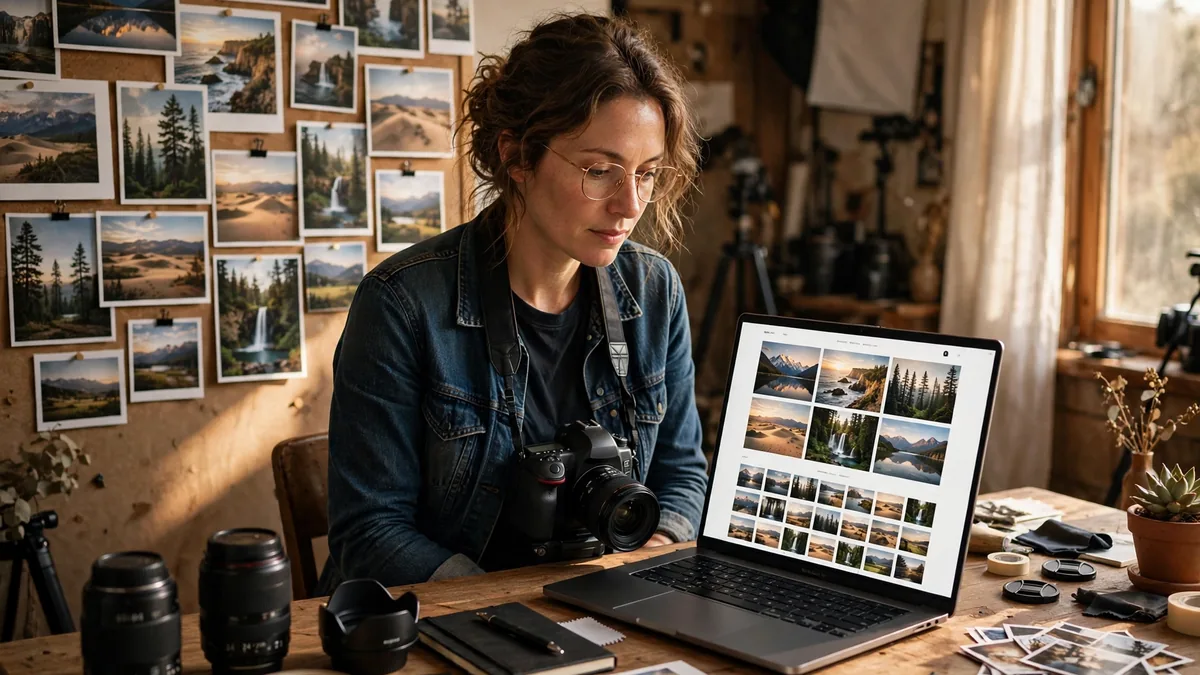
Best hosting for photographers in 2027 is the hosting that shows large images quickly, protects full-resolution files, and makes it easy for clients to view, choose, and buy your work.
Photographers need more than a generic host. You need generous storage for high-resolution files, a content delivery network to speed up galleries around the world, and tools for client proofing, print sales, or simple booking.
This guide compares eight strong options for 2027, from about $2.95 a month to about $30 a month at the entry level. SiteGround leads for managed WordPress photography sites, SmugMug is the best all-in-one choice for selling prints, and Squarespace is the simplest way to build a beautiful portfolio and client gallery. Prices below are approximate starting prices, so check current pricing before you buy.
Key takeaways
- SiteGround is the best overall choice for a fast, managed WordPress photography site with strong support.
- SmugMug is the best all-in-one option for photographers who want galleries, client proofing, and print sales together.
- Squarespace is the easiest way to build a polished photography site with no technical setup.
- High-resolution galleries need generous storage, a content delivery network, and automatic image optimisation.
- Always compare the renewal price, and confirm that backups, SSL, and client gallery tools are included.
At a glance: the shortlist
| Provider | Best for | Starting price | Standout limit |
|---|---|---|---|
| SiteGround | Managed WordPress photo sites | About $3.99 a month | Storage limits vary by plan |
| SmugMug | Galleries, proofing, print sales | About $13 a month | Less design freedom than WordPress |
| Squarespace | Beautiful all-in-one sites | About $16 a month | Print sales need extra setup |
| Hostinger | Budget photo sites | About $2.99 a month | Entry plan has limited resources |
| Bluehost | First WordPress photo site | About $2.95 a month | Renewal price rises sharply |
| Wix | Beginners who want a builder | About $17 a month | Templates cannot be switched freely |
| Format | Portfolio and client proofing | About $12 a month | Smaller app and plugin range |
| Kinsta | High-traffic professional sites | About $30 a month | Premium price for premium speed |
SiteGround — Best overall
SiteGround is the best hosting for photographers in 2027 for most WordPress sites. Its managed plans include fast caching, a free content delivery network, daily backups, and free SSL, which together keep large galleries loading quickly and protect the files you have already published.

Speed matters more for photographers than for most site owners, because every page is full of large images. SiteGround handles caching at server level, so galleries feel fast even on mobile connections.
Pros: Fast managed WordPress hosting, free CDN and SSL, daily backups, helpful support.
Cons: Storage caps are tighter than some rivals, and renewal prices are higher than the first term.
SmugMug — Best for galleries and print sales
SmugMug is the best all-in-one hosting for photographers who want to share, proof, and sell their work in one place. Plans start at about $13 a month and include unlimited photo storage, password-protected client galleries, and print ordering through professional labs. You can set prices, offer downloads, and let clients order prints without building a shop yourself.
The trade-off is design freedom. SmugMug is built for photography, not for a general website, so you have less control over layout and features than with WordPress.
Pros: Unlimited photo storage, client proofing and print sales built in, password-protected galleries.
Cons: Less design freedom than WordPress, and not ideal for a general business website.
Squarespace — Best all-in-one design
Squarespace is the best all-in-one choice for photographers who want a beautiful site with almost no setup. Its templates are made for visual work, with full-screen galleries, clean typography, and mobile layouts that look good without extra work. Hosting, SSL, security, and updates are all handled for you, starting at about $16 a month.
The cost is higher than shared hosting, and you give up some control over plugins and custom features. Print sales are possible, but they need more setup than on SmugMug. For many photographers, that trade is worth it, because the result looks polished from day one and the editor is fast to learn.
Pros: Beautiful templates, hosting and security included, excellent mobile galleries, simple editor.
Cons: Higher price than shared hosting, and print sales need extra setup.
Hostinger — Best for budget
Hostinger is the best budget hosting for photographers, with shared plans starting at about $2.99 a month. It includes a free SSL certificate, a website builder, and a clean control panel that is easy to learn.
The cheapest plan is shared hosting, so a very large gallery or a sudden spike in traffic can slow the site, and support is chat based rather than by phone.
Pros: Very low starting price, easy control panel, free SSL, good speed for the price.
Cons: Entry plan has limited resources, and chat-only support can be slower for complex problems.
Bluehost — Best first WordPress photo site
Bluehost is a popular first host for a WordPress photography site, with plans starting at about $2.95 a month and a free domain for the first year on many plans. It includes a free SSL certificate, a one-click WordPress install, and a straightforward dashboard, which makes it easy to add a gallery plugin, a contact form, or a booking page.
Performance is solid for a small site, though it is shared hosting, so speed can vary under load. The renewal price is the main thing to watch, because it rises well above the introductory rate. Bluehost is a good starting point if you want a low-cost WordPress site and are willing to optimise images and review the renewal price before the first term ends.
Pros: Low starting price, free domain for a year on many plans, easy WordPress install.
Cons: Renewal prices rise sharply, and shared hosting can slow under heavy traffic.
Wix — Best for beginners
Wix is a strong beginner choice for a photography site, with a drag-and-drop editor and many templates for wedding, portrait, travel, and event photographers. You can build a site in an afternoon, add a gallery, a contact form, and a booking page, and publish without writing code. Plans start at about $17 a month for an ad-free site with a custom domain.
The main drawback is flexibility. Once you choose a template, you cannot switch to a different one without rebuilding, and Wix sites are harder to move to another platform than WordPress sites.
Pros: Very easy drag-and-drop builder, many photography templates, no coding needed.
Cons: Templates cannot be switched later, and the platform is less portable than WordPress.
Format — Best for portfolio and proofing
Format is a photography-focused platform that combines a portfolio site with client proofing and a simple online shop. Plans start at about $12 a month and include templates made for photographers, password-protected galleries, and tools for delivering finished work to clients. It is a calm, focused alternative to a general website builder.
Format has a smaller range of apps and integrations than WordPress or Squarespace, so it is less suited to a complex business site with many extra features.
Pros: Photography-focused templates, client proofing built in, simple shop for prints and downloads.
Cons: Smaller app range than WordPress, and less suited to complex business sites.
Kinsta — Best for high-traffic professionals
Kinsta is the premium choice for a professional photography site that must stay fast under traffic, for example after a feature, an award, or a viral image. Built on Google Cloud, its managed WordPress plans start at about $30 a month and include automatic scaling, a global content delivery network, daily backups, and staging sites for testing changes.
The price is the obvious barrier, and Kinsta is more than most new photographers need. For an established studio whose site is a core sales tool, the speed and reliability justify the cost. Support is knowledgeable, the dashboard is clear, and the platform handles caching and security without extra plugins. Choose Kinsta when slow galleries or downtime would cost you real bookings.
Pros: Excellent speed and reliability, Google Cloud infrastructure, staging and daily backups.
Cons: Premium price, and more power than a small photography site needs.
How to choose
Start with how you sell and deliver work. If print sales and client proofing are central, choose SmugMug or Format. If you want a beautiful portfolio with the least technical work, choose Squarespace. If you want WordPress and full control over galleries and plugins, choose SiteGround, Hostinger, or Bluehost.
Then check storage, image handling, and delivery. Look for generous storage, a content delivery network, and support for modern image formats, and confirm that client galleries can be password protected. If you also sell prints or products online, our guide to cloud hosting for ecommerce explains when a commerce-ready plan is worth the step up.
Finally, read the renewal price and the backup policy before you pay.
Checklist: before you pay
- Confirm the renewal price, not just the introductory price, and note when it changes.
- Check storage and bandwidth limits against the size of your photo library.
- Confirm that free SSL, a content delivery network, and daily backups are included.
- Test a gallery page on mobile and on a slow connection before you commit.
- Check that client galleries can be password protected and that you can export your files.
- Read the refund and cancellation terms, and try support with a real question first.
Frequently asked questions
What is the best hosting for photographers?
SiteGround is the best overall choice for most WordPress photography sites, because it combines speed, managed security, and helpful support. SmugMug is the best all-in-one choice for galleries, proofing, and print sales, and Squarespace is the easiest way to build a polished site. The right pick depends on how you deliver and sell your work.
How much storage do photographers need?
It depends on the number and size of your images.
Do I need WordPress for a photography site?
No. For larger WordPress builds, our guide to VPS hosting for WordPress explains when a virtual private server becomes worth considering.
Can clients buy prints from my website?
Yes. SmugMug and Format include print ordering, and Squarespace and WordPress can sell prints with a shop or a print partner.
How do I protect client galleries?
Use password-protected galleries, disable right-click downloads where the platform allows it, and share links only with the client.
Does hosting affect how fast my photos load?
Yes. Server speed, caching, and a content delivery network all affect load time, and image-heavy pages show the difference quickly. If your photography business grows into a wider small business site, our guide to cloud hosting for small business covers the next step up.
The bottom line
For most photographers in 2027, SiteGround is the best balance of speed, ease, and support, especially if you use WordPress. SmugMug is the best choice if galleries, proofing, and print sales are central to your work, and Squarespace is the best choice if you want a polished site with the least technical work. Pick the platform that fits how you deliver work, and check the renewal price.
A fast, reliable site lets your photographs speak first, and that is exactly what a client should see when they open your gallery. Choose the host that matches your workflow, keep your galleries fast, and let the images do the selling.