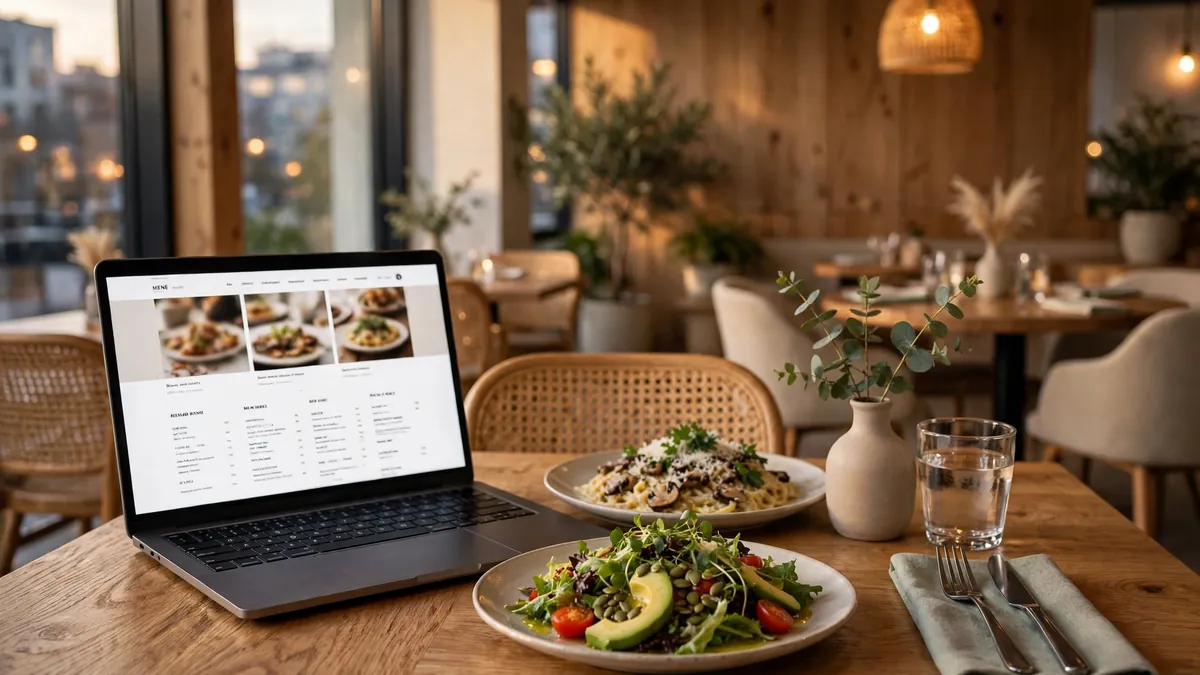
Best hosting for restaurants in 2027 starts with one simple test: can a hungry customer find your menu, see your photos, and book a table in seconds, on a phone, on a Friday night? A restaurant website is not a brochure. It is a reservation desk, a takeaway counter, and a first impression rolled into one, and the hosting underneath it decides whether that impression is fast and reliable or slow and frustrating.
The best hosting for restaurants pairs fast loading with an easy WordPress setup, free SSL, daily backups, and room for high-resolution food photography. Prices below are approximate starting prices, and they change often, so check current pricing on the plan page before you buy. What matters more than the headline price is the renewal price, the speed of the server, and whether support answers when your booking page goes down at dinner service.
This shortlist covers eight hosts that suit different kinds of restaurants, from a single neighbourhood cafe to a multi-location group with online ordering. SiteGround leads for most restaurants, Hostinger wins on budget, and WP Engine and Kinsta suit busier sites that cannot afford downtime.
Key takeaways
- SiteGround is the best overall choice for most restaurants, with fast managed WordPress hosting and strong support.
- Hostinger is the best budget option, with low starting prices and a simple setup for small cafes and new restaurants.
- WP Engine and Kinsta are the best picks for busy restaurants with heavy traffic, online ordering, and large photo galleries.
- Look for free SSL, daily backups, a content delivery network, and a renewal price you can live with, not just a cheap first term.
- Avoid hosts without reliable uptime and real human support, because a dead booking page during dinner service costs real money.
At a glance: the shortlist
| Host | Best for | Starting price | Standout limit |
|---|---|---|---|
| SiteGround | Most restaurants | About $2.99 per month | Renewal price rises sharply |
| Bluehost | WordPress beginners | About $2.95 per month | Speed varies on basic plans |
| Hostinger | Budget and small cafes | About $2.99 per month | Support is chat only |
| WP Engine | Busy, high-traffic sites | About $20 per month | Higher starting price |
| Kinsta | Premium performance | About $30 per month | One site on the entry plan |
| Cloudways | Flexible cloud hosting | About $11 per month | Needs more setup |
| A2 Hosting | Speed on a budget | About $2.99 per month | Renewal price climbs |
| InMotion Hosting | US-based support | About $2.29 per month | Intro price is short term |
Prices are approximate starting prices for the cheapest plan, usually with a longer billing term. Always check current pricing and the renewal rate before checkout.
SiteGround — Best overall
SiteGround is the strongest all-round choice for a restaurant website. Its managed WordPress plans load quickly, include free SSL and daily backups, and come with a content delivery network that keeps food photos fast for visitors in different areas. The dashboard is clear, WordPress installs in a few clicks, and the support team answers fast by chat and phone, which matters when a menu page breaks before service.

SiteGround also handles caching and security updates for you, so a small team without a web developer can still run a safe, fast site. It works well with reservation and online ordering plugins, and staging lets you test a new menu layout before it goes live. The main drawback is price: the renewal rate is much higher than the intro offer, so budget for the second year from the start.
Pros: Fast managed WordPress hosting, free SSL and daily backups, helpful support. Cons: Renewal prices rise sharply, storage limits are modest on the entry plan.
Bluehost — Best for WordPress beginners
Bluehost is a friendly first host for a restaurant owner building a first website. WordPress comes pre-installed on many plans, the setup wizard walks you through the basics, and a free domain for the first year keeps the first bill simple. It handles the essentials: free SSL, a content delivery network on higher plans, and one-click installs for restaurant themes and booking plugins.
Pros: Simple WordPress setup, free domain for a year, low starting price. Cons: Speed is average on the cheapest plan, renewal prices increase.
Hostinger — Best for budget and small cafes
Hostinger is the cheapest sensible option for a small cafe or a new restaurant watching every cost. Its shared plans start low, include free SSL and weekly backups, and the custom control panel is cleaner than most budget dashboards. WordPress installs quickly, and the built-in caching helps food photos load well on mobile, where most customers will find you.
Pros: Very low starting price, clean control panel, good speed for the price. Cons: Support is chat only, weekly rather than daily backups on the cheapest plan.
WP Engine — Best for busy, high-traffic restaurants
WP Engine is built for WordPress sites that cannot go slow or go down. Its managed platform includes fast server-level caching, a global content delivery network, daily backups, staging, and security monitoring as standard. For a restaurant with strong weekend traffic, online ordering, and a large photo library, that reliability is worth the higher price. If your booking page must stay up during a Friday dinner rush, a managed platform like this is the safest bet, and the same logic applies to the best cloud hosting for ecommerce when a restaurant sells vouchers or merchandise online.
The trade-off is cost and a few limits: there are no email accounts included, and some plugins are restricted for performance reasons. Most restaurants will never notice the restrictions, and the support team is genuinely expert with WordPress. Choose WP Engine when traffic and uptime matter more than saving a few dollars a month.
Pros: Excellent speed and uptime, staging and daily backups included, expert WordPress support. Cons: Higher price, no built-in email hosting, some plugin limits.
Kinsta — Best for premium performance
Kinsta runs WordPress on Google Cloud infrastructure, and the speed shows. Pages load fast, high-resolution food photography is served through a content delivery network, and the dashboard gives clear data on traffic and performance. It is a premium managed host aimed at businesses that treat their website as a revenue tool, which fits a popular restaurant with online reservations and ordering.
Every plan includes daily backups, staging, free SSL, and strong security, and support is available by chat around the clock from people who know WordPress well. The entry plan covers one site with a set monthly visit limit, so a restaurant group with several locations will need a higher plan. For a single flagship restaurant site, though, Kinsta is hard to beat on pure performance.
Pros: Outstanding speed, Google Cloud infrastructure, daily backups and staging. Cons: Entry plan allows one site only, monthly visit limits apply.
Cloudways — Best for flexible cloud hosting
Cloudways sits between shared hosting and a fully managed platform. You pick a cloud provider, such as DigitalOcean or Google Cloud, choose the server size, and Cloudways manages the setup, backups, and security patches. That flexibility suits a restaurant group or a developer managing several restaurant sites, because you can scale the server up for a holiday season and down again afterwards.
Pros: Flexible scaling, choice of cloud provider, pay-as-you-go pricing. Cons: More technical to manage, no free domain or email included.
A2 Hosting — Best for speed on a budget
A2 Hosting has built its name on speed, and its Turbo plans use faster server software and caching to cut loading times. For a restaurant site full of food photography, that speed helps visitors stay on the menu page instead of leaving for a competitor. Plans include free SSL, free site migration, and a choice of data centre, which helps if most of your customers are in one region.
Pros: Fast Turbo plans, free migration, choice of data centre. Cons: Turbo speed costs extra, renewal prices rise.
InMotion Hosting — Best for US-based support
InMotion Hosting is a solid choice for a restaurant that wants dependable US-based support and a straightforward shared or WordPress plan. Its plans include free SSL, free domain, and a good set of business features, with WordPress pre-installed and automatic updates available. Speed is reliable for a typical restaurant site, and the support team is reachable by phone and chat, which some owners prefer over chat-only help.
Pros: US-based phone support, free domain and SSL, clear upgrade path. Cons: Intro prices last a short term, dashboard feels dated.
How to choose
Start with your traffic and your ordering setup. A small cafe with a simple menu site does well on Hostinger or Bluehost, while a busy restaurant with online reservations and ordering should look at SiteGround, WP Engine, or Kinsta. If you take orders directly through your site, speed and uptime matter more than saving a few dollars, because a slow checkout loses orders. The best cloud hosting for small business is a useful comparison if your restaurant site is growing beyond a simple brochure page.
Next, check three practical points: the renewal price after the first term, the backup frequency, and whether the host includes a content delivery network. Food photos are large files, and a delivery network keeps them fast for customers on mobile data.
Checklist: before you pay
- Check the renewal price, not just the intro price, and note when it starts.
- Confirm free SSL, daily backups, and a content delivery network are included.
- Make sure your reservation or ordering plugin works on the plan you choose.
- Check the storage limit against your photo library, and plan for growth.
- Test support response time with a real question before checkout.
- Confirm the refund period and how easy it is to cancel or move your site.
Frequently asked questions
What is the best hosting for a small restaurant?
SiteGround is the best all-round pick for most small restaurants, because it combines speed, daily backups, and strong support. Hostinger is the best budget alternative if cost is the main concern and traffic is light.
Do I need managed WordPress hosting for a restaurant site?
Managed WordPress hosting is worth it when traffic is heavy, you take orders online, or you have no one to handle updates and security.
How much should a restaurant pay for hosting?
Most small restaurants pay about $3 to $10 per month on a shared or entry managed plan. Busy restaurants with ordering and heavy traffic should expect $20 to $30 per month for managed hosting, and more for a multi-location group.
Does hosting affect my restaurant showing up in search?
Speed matters most on mobile, where most diners search.
Can I move my restaurant website to a new host later?
Yes. Most hosts on this list offer free migration, and WordPress sites move cleanly with a backup plugin. If you later need more power, the best VPS hosting for small business guide explains the next step up.
What features matter most for a restaurant website?
Fast loading for food photos, free SSL for bookings and payments, daily backups, and a content delivery network. Add reliable support and a staging area to test menu changes, and you have the essentials covered.
The bottom line
For most restaurants, SiteGround is the best hosting choice in 2027, because it balances speed, backups, and support at a fair price. Hostinger is the best budget pick for a small cafe, while WP Engine and Kinsta are the right call for busy restaurants where uptime and speed directly affect bookings and orders.
Whichever host you choose, check the renewal price, confirm daily backups and free SSL, and test support before you pay. A restaurant website earns its keep every night it stays fast and online, and the right host is the cheapest way to make sure it does.