
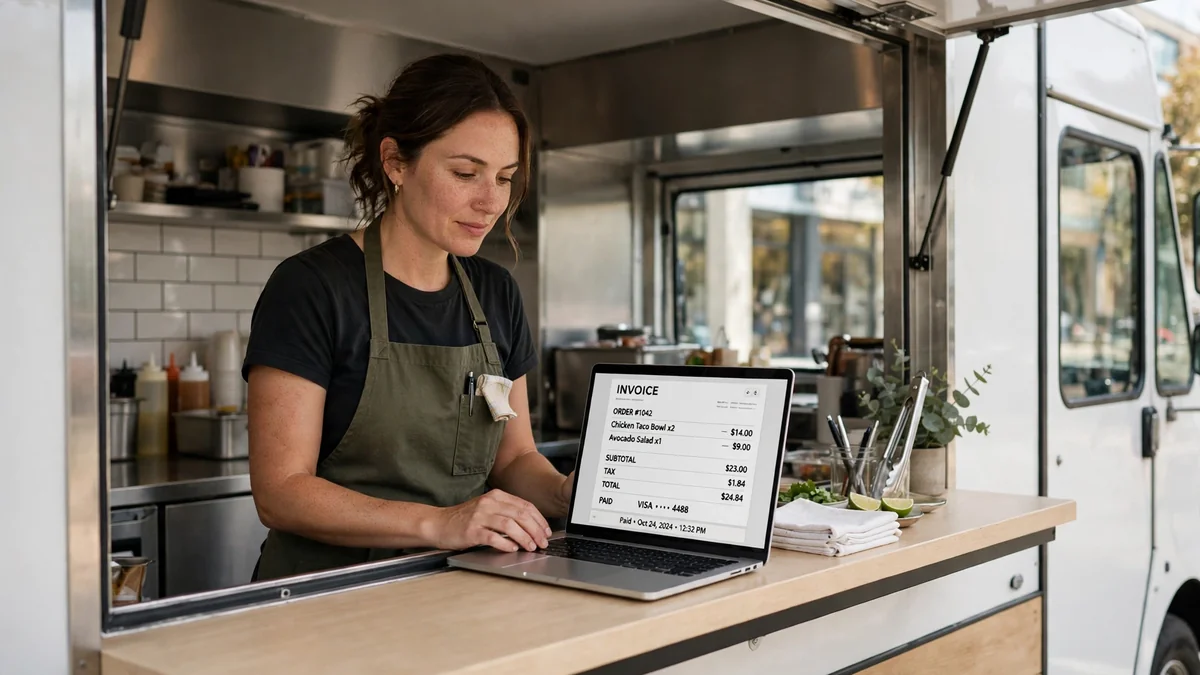
The best invoicing software for food trucks in 2027 covers two very different jobs: taking quick card payments at the serving window, and sending proper invoices for catering jobs, festivals, and corporate lunches. A food truck owner needs a tool that works fast during a lunch rush and still produces a clean, itemised bill for a client who booked the truck for a whole event.
What matters most is mobile invoicing, card payments with no monthly fee to start, and a clear record of catering deposits and final balances. A tool that lets you send an invoice from your phone in the truck park beats a desktop accounting system you only open at home, because catering clients expect the bill the same day as the event.
Our shortlist covers eight tools, from payment-first apps to full accounting platforms. Square Invoices leads for most food trucks, FreshBooks is the best choice for catering-heavy businesses, and Wave is the best free starting point. Prices below are approximate starting prices, so check current pricing before you buy.
Key takeaways
- Square Invoices is the best invoicing software for food trucks, with free invoices and fast in-person card payments.
- FreshBooks is the best choice for catering invoices, with deposits, estimates, and automatic reminders.
- Wave is the best free option, with unlimited invoices and no monthly fee for a single truck.
- Expect to pay nothing to about $35 a month, plus card processing fees on the payments you take.
- Pick a tool with a strong mobile app, because most food truck invoicing happens on a phone, not at a desk.
At a glance: the shortlist
| Product | Best for | Starting price | Standout limit |
|---|---|---|---|
| Square Invoices | Most food trucks | Free to send invoices | Card processing fees apply |
| FreshBooks | Catering invoices | From $19 a month | Cheaper plans limit billable clients |
| Wave | Free invoicing | Free | No catering or event features |
| QuickBooks Online | Growing food truck businesses | From $35 a month | Setup takes longer than simpler tools |
| Zoho Invoice | Best value | Free plan available | Payment options vary by country |
| HoneyBook | Event bookings | From $19 a month | More than a single truck needs |
| Xero | Working with an accountant | From $15 a month | No food-truck-specific features |
| Invoice2go | Mobile invoicing | From $10 a month | Limited accounting features |
Square Invoices — Best overall for food trucks
Square Invoices is the natural fit for a food truck because it starts with payments, not paperwork. You can send an invoice by email or text, and the client can pay with a card, Apple Pay, or Google Pay from their phone.
For catering jobs, Square handles deposits and final balances well: send an estimate, take a deposit online, then send the final invoice after the event. Automatic reminders chase late payments, and recurring invoices cover regular weekly pitches. The main cost is the card processing fee on each payment, so compare that with a monthly subscription if you bill a lot of catering work.
Pros: No monthly fee, excellent for in-person card payments, great mobile app.
Cons: Processing fees on every card payment, limited accounting features.
FreshBooks — Best for catering invoices
FreshBooks is the best choice when catering makes up a large share of your income. You can send a polished estimate for a wedding or corporate lunch, take a deposit, and then turn the estimate into a final invoice with the actual guest count and menu changes.
The dashboard shows who has paid, who is overdue, and how much each event earned, so you can see which bookings are actually profitable. FreshBooks also tracks expenses, so fuel, ingredients, and pitch fees sit next to your income. Keep your client records tidy with a good CRM software for small business routine alongside it.
Pros: Excellent estimates and deposits, automatic reminders, clean client portal.
Cons: Entry plan limits the number of billable clients.
Wave — Best free option
Wave is the best free invoicing software for food trucks, with unlimited invoices and estimates and no monthly subscription. That makes it ideal for a new truck or a seasonal business that only trades for part of the year.
Wave also includes simple accounting and receipt uploads, so your income and spending stay in one place. The trade-off is that Wave has no food-truck features: no menu costing, no event scheduling, and no automated late fees.
Pros: Free unlimited invoicing, simple accounting included, no monthly fee.
Cons: No event or catering features, support is limited on the free plan.
QuickBooks Online — Best for growing food truck businesses
QuickBooks Online is the right choice when a food truck becomes a real business with staff, regular pitches, and serious expenses. It handles invoicing, expenses, mileage, and tax reports in one place, and it connects to your bank so payments and spending reconcile automatically.
The invoicing itself is straightforward: recurring invoices for regular weekly pitches, automatic reminders, and online payment links. The learning curve is steeper than Square or Wave, and the price is higher, but the reporting is far stronger.
Pros: Strong reporting and bank connections, good for running more than one truck.
Cons: Higher price, steeper learning curve than simpler tools.
Zoho Invoice — Best value
Zoho Invoice offers a genuinely useful free plan for small businesses, including food trucks, with professional invoice templates, time tracking, and client management included. You can set up recurring invoices for regular pitches, record expenses such as fuel and ingredients, and accept online payments through several gateways.
Because Zoho Invoice is part of the wider Zoho family, it is easy to add a CRM or a booking tool later if your food truck business grows. The interface is less polished than FreshBooks, and some payment options depend on your country, so check that your preferred payment method is supported before committing. A simple AI tools for receipt scanning habit keeps your expense records tidy too.
Pros: Free plan covers most truck needs, recurring invoices, good templates.
Cons: Interface feels dated, payment options vary by country.
HoneyBook — Best for event bookings
HoneyBook combines invoices, contracts, proposals, scheduling, and client messages in one system, which suits food trucks that take a lot of private event bookings. You can send a proposal for a wedding or a company party, get the booking agreement signed online, and then invoice for the deposit and the final balance, all without switching apps.
HoneyBook also automates follow-ups, so a client who asked for a quote but never booked gets a gentle nudge. That matters in catering, where a slow reply can lose a weekend booking.
Pros: Contracts, scheduling, and invoicing in one place, polished client portal.
Cons: Pricier than simple invoicing apps, more setup time.
Xero — Best for working with an accountant
Xero is a full accounting platform with solid invoicing, and it is the best pick for food truck owners whose accountant already works in Xero. Invoices are easy to create and customise, recurring billing covers regular pitches, and online payment links let catering clients pay quickly.
Xero is stronger on accounting than on food-truck features: there is no built-in event scheduler and no menu costing. That is fine if you already manage bookings separately and mainly need clean books and reliable invoicing. The entry plan is affordable, and the reporting is excellent for tracking which pitches and events earn you the most.
Pros: Excellent accounting and bank feeds, widely used by accountants.
Cons: No event scheduling or menu costing, overkill for a single truck.
Invoice2go — Best for mobile invoicing
Invoice2go is built around invoicing from a phone, which is exactly how most food truck owners work. You can create a professional invoice at the event, add photos of the setup if you like, and send it before you drive away.
The app also handles estimates, so you can quote a catering job on the spot and turn the accepted quote into an invoice later. It is simpler than a full accounting platform, and the reporting is basic, but for a truck owner who wants fast mobile billing and nothing else, that simplicity is the point.
Pros: Fast mobile invoicing, estimates on the spot, low monthly price.
Cons: Limited accounting features, basic reporting.
How to choose
Start with how you actually get paid. If most of your money comes from card payments at the window, you need a payment-first tool like Square more than a full accounting system. If catering and private events are your main income, look for estimates, deposits, and contracts. A tool that matches your income pattern will save more time than a long feature list ever will.
Check three practical details before you pay: whether clients can pay by card from the invoice, whether the tool sends reminders on its own, and whether the mobile app is good enough to use in the truck. Also confirm you can export your data if you leave. Finally, try the free plan or trial during a real trading week, because a tool that feels easy during a lunch rush is the one you will still use in six months.
Checklist: before you pay
- Send a test invoice to yourself and pay it, to check the client experience end to end.
- Confirm card payments work in your country and note the processing fee per payment.
- Turn on automatic late-payment reminders and set the reminder schedule.
- Check the free or entry plan covers your number of catering clients, not just your invoice count.
- Make sure deposits and final balances are tracked as separate invoices.
- Compare the renewal price with the trial price before the trial ends.
Frequently asked questions
What is the best invoicing software for food trucks?
Square Invoices is the best overall choice for most food trucks because it combines free invoices with fast in-person card payments.
Is there free invoicing software for food trucks?
Yes. Wave and Zoho Invoice both offer free plans that cover unlimited invoicing for a single truck. Square Invoices is also free to send, with fees only when a client pays by card.
How do food trucks invoice catering clients?
Most trucks send an estimate first, take a deposit to secure the date, and then send a final invoice after the event with the actual guest count.
Should food trucks charge a deposit for catering?
Yes, a deposit of around a third to a half of the quote is standard for catering, and it protects you if a client cancels.
Can invoicing software track food truck expenses?
Yes, most tools on this list include expense tracking. You can record fuel, ingredients, pitch fees, and supplies next to your income, which makes tax time far simpler.
Do I need a contract for food truck catering?
Tools like HoneyBook combine contracts and invoicing, and a good calendar software for small businesses setup keeps bookings, events, and bills in step.
The bottom line
For most food trucks, Square Invoices is the right pick: it is free to send invoices, takes card payments at the window, and handles catering deposits well. If catering is your main income, choose FreshBooks for its estimates and reminders. If your budget is zero, start with Wave and upgrade only when you need event bookings or contracts.
Whichever tool you choose, send the invoice the day the event ends, turn on automatic reminders, and track deposits against every booking. Good invoicing does more than collect money: it shows clients exactly what they paid for, and it gives you a clear record of the business you are building.



