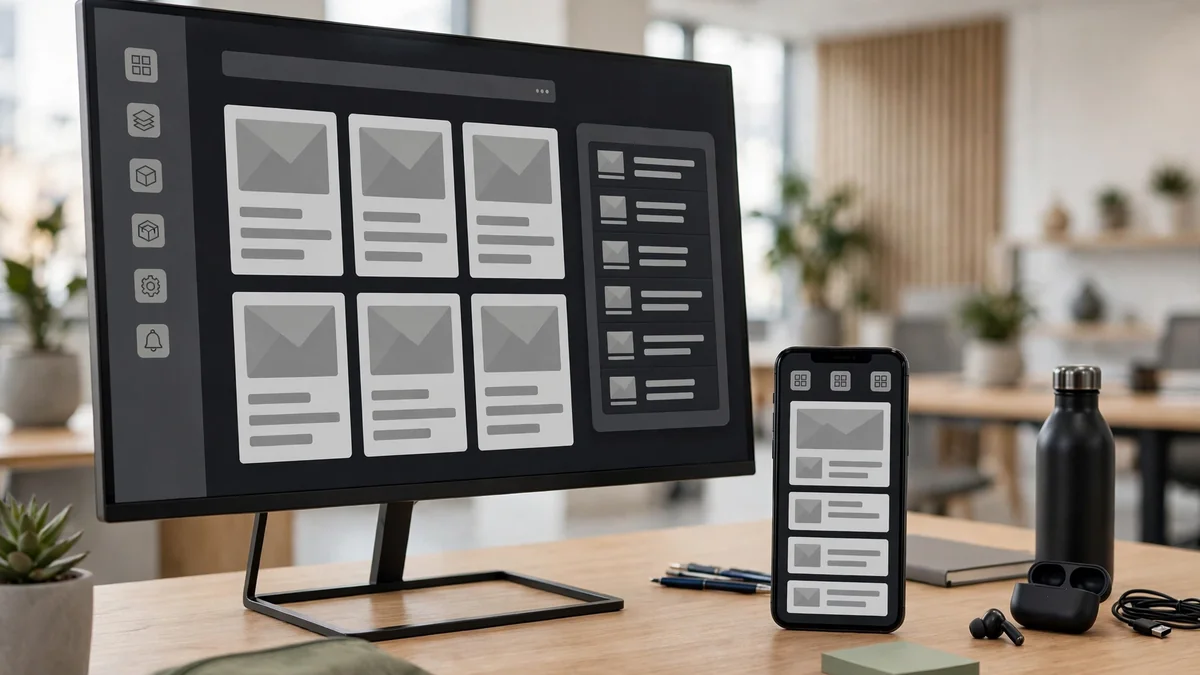
Best web hosting for headless CMS in 2027 is a different question from ordinary web hosting, because the content and the presentation live apart. A headless CMS stores content and delivers it through an API, while a separate frontend — built with a framework such as Next.js, Nuxt, or Astro — turns that content into pages. The best web hosting for headless CMS setups therefore has to serve two things well: a fast frontend on a global edge network, and a reliable home for the CMS itself.
That split is the point of going headless. Editors work in a clean content dashboard, developers build the frontend with modern tools, and the same content can feed a website, a mobile app, and a digital display at once.
Our shortlist covers eight hosts that handle the full picture, from edge deployment of the frontend to managed hosting for self-hosted systems such as Strapi, Ghost, and headless WordPress. Vercel leads for frontend hosting, Render is the best all-rounder for running the CMS as well, and DigitalOcean suits teams that want full control.
Key takeaways
- Vercel is the best overall host for headless CMS frontends, with fast edge delivery and framework-native deploys.
- Render is the best all-rounder, because it can host the frontend, the CMS, and the database in one place.
- Netlify suits content-heavy sites, with strong Git deploys, previews, and edge functions.
- Self-hosted systems such as Strapi and headless WordPress need a host with a database and persistent storage.
- Check API response times and build limits, because slow content delivery cancels out a fast frontend.
At a glance: the shortlist
| Host | Best for | Starting price | Standout limit |
|---|---|---|---|
| Vercel | Best overall frontend | Free; Pro from $20 per month | 100 GB bandwidth on the free plan |
| Render | Frontend plus CMS | Free; paid from $19 per month | Free tier sleeps after inactivity |
| Netlify | Content-heavy sites | Free; Pro from $19 per month | 100 GB bandwidth on the free plan |
| Cloudflare Pages | Low cost and scale | Free; paid Workers from $5 per month | Unlimited bandwidth on the free plan |
| DigitalOcean App Platform | Developers who want control | From $5 per month | Bandwidth included per app tier |
| AWS Amplify Hosting | Large and growing sites | Free tier, then pay as you go | Usage-based billing can vary |
| Platform.sh | Managed enterprise hosting | From $50 per month | Higher entry price |
| Hostinger | Budget VPS for self-hosted CMS | VPS from $4.99 per month | Self-managed, needs setup |
Prices below are approximate starting prices. Check current pricing before you buy, because plans and limits change.
Vercel — Best overall frontend
Vercel is the strongest frontend host for a headless CMS stack in 2027. The frontend deploys from Git with automatic previews, and frameworks such as Next.js fetch content from the CMS API at build time or on demand, with caching handled at the edge. That combination keeps pages fast even when the content comes from a separate system.

Vercel pairs well with hosted CMS platforms such as Sanity and Contentful, and with self-hosted options such as Strapi running elsewhere. Teams weighing hosting built for developers will find Vercel the most polished of the frontend-first options.
Pros: Fast edge delivery, automatic previews, excellent framework support, simple Git deploys.
Cons: Costs rise with traffic, and the CMS itself must be hosted elsewhere.
Render — Best for frontend plus CMS
Render is the best all-rounder for headless CMS hosting because it can run every part of the stack. The frontend deploys as a static site, the CMS runs as a web service, and the database runs as a managed PostgreSQL instance, all from one dashboard. That matters for self-hosted systems such as Strapi, which need a server and a database rather than just file hosting.
Free tiers cover experiments, though free web services sleep after inactivity, so a production CMS needs a paid plan from $19 per month.
Pros: Hosts frontend, CMS, and database together, clear pricing, Git deploys and previews.
Cons: Free tier sleeps, and the ecosystem is smaller than the big names.
Netlify — Best for content-heavy sites
Netlify suits content-heavy headless sites, especially those with large editorial teams. Git deploys and deploy previews let editors check every change before it goes live, and edge functions can personalise pages or handle forms without a separate server. Its visual editor and content tools also bridge the gap for teams that want a gentler editing experience.
The free tier covers small sites, with Pro from $19 per month adding more bandwidth, team seats, and analytics.
Pros: Great previews and editorial workflow, generous free tier, built-in forms and functions.
Cons: CMS must be hosted separately, and bandwidth overages can add up.
Cloudflare Pages — Best for low cost and scale
Cloudflare Pages offers the cheapest path to a fast headless frontend, with unlimited bandwidth on its free plan and a global network that keeps pages quick everywhere. Workers can sit between the CMS and the visitor, caching API responses and adding dynamic behaviour at the edge without a separate server.
The trade-off is more hands-on setup than Vercel or Netlify, particularly for preview workflows and complex build settings. For a high-traffic content site where bandwidth bills are the main worry, that trade is easy to accept.
Pros: Unlimited free bandwidth, huge global network, Workers for edge logic, free HTTPS and security.
Cons: More manual setup, and fewer built-in editorial features.
DigitalOcean App Platform — Best for developers who want control
DigitalOcean App Platform deploys frontends from Git from $5 per month and can also run a self-hosted CMS as an app, with a managed database attached. Developers who already use DigitalOcean droplets can keep the whole stack in one account, with predictable pricing per app component rather than surprise usage bills.
Build settings and environment variables are straightforward, and the platform scales by raising the app tier. It offers less hand-holding than the frontend-first hosts, so it suits teams comfortable with a little configuration. Our best cloud hosting options guide covers the wider cloud market for teams comparing platforms.
Pros: Low starting price, hosts CMS and frontend together, predictable pricing, reliable infrastructure.
Cons: Less guidance for beginners, and fewer built-in extras.
AWS Amplify Hosting — Best for large and growing sites
AWS Amplify Hosting deploys headless frontends from Git onto the AWS global network, with a free tier covering 1,000 build minutes and 15 GB of served data per month. It connects with other AWS services, so a team can add authentication, storage, and a database-backed CMS without leaving the platform.
Usage-based billing keeps small sites cheap but is harder to predict than flat monthly plans. Amplify is the strongest pick for organisations already invested in AWS, and for content platforms expecting serious growth in traffic or editors.
Pros: Generous free tier, deep AWS integration, global network, scales well.
Cons: Usage-based billing is harder to predict, and setup is more involved.
Platform.sh — Best for managed enterprise hosting
Platform.sh is a managed platform-as-a-service built for content applications, and it handles headless CMS stacks with unusual care. Each environment is a full copy of the site, including the database, so editors and developers can test changes safely. Strapi, headless WordPress, and other CMS platforms have ready-made templates.
Pricing starts from around $50 per month, which puts it above the other hosts here, but that price includes managed infrastructure, backups, and support.
Pros: Full preview environments, managed backups, CMS templates, strong support.
Cons: Higher entry price, and overkill for small personal sites.
Hostinger — Best budget VPS for a self-hosted CMS
Hostinger VPS plans from around $4.99 per month give a self-hosted CMS a cheap home with full control. A virtual server can run Strapi, Ghost, or headless WordPress with a database, while the frontend lives on a free edge host such as Cloudflare Pages. That split keeps hosting costs low and performance high.
The catch is management: updates, backups, and security fall to the site owner, unless a managed plan is chosen. For developers comfortable with a server, it is the cheapest way to run a serious self-hosted CMS. Teams that would rather avoid server work should compare best VPS hosting plans with managed options before deciding.
Pros: Very low price, full control, good for self-hosted CMS platforms.
Cons: Self-managed, and the frontend needs a separate host.
How to choose
Start by deciding where the CMS will live. If you use a hosted CMS such as Sanity or Contentful, you only need a frontend host, and Vercel, Netlify, or Cloudflare Pages will do the job well. If you self-host Strapi, Ghost, or headless WordPress, you also need a server and a database, which points to Render, DigitalOcean, Platform.sh, or a VPS.
Next, check how content reaches the frontend. Build-time fetching suits sites that update a few times a day, while on-demand revalidation or server-side rendering suits news and e-commerce sites that change often. The host must support the approach your framework uses, or editors will wait for slow rebuilds.
Finally, weigh the editorial experience. Preview links, draft previews, and a simple publishing flow matter more than a small price difference when a team publishes every day. Test the full loop — edit, preview, publish — before moving a live site.
Checklist: before you pay
- Confirm where the CMS will be hosted, and whether a database is included.
- Check build minutes and bandwidth limits against your publishing volume.
- Test draft previews so editors can check content before it goes live.
- Make sure the host supports your framework’s rendering approach.
- Confirm backups exist for the CMS content and database.
- Check the renewal price and how you can export content if you leave.
Frequently asked questions
What is a headless CMS?
A headless CMS stores content and delivers it through an API, without controlling how the content looks. A separate frontend, built with a modern framework, fetches that content and renders it as a website, an app, or any other channel.
Do I need two hosts for a headless CMS?
Often, yes. The frontend needs an edge host, while a self-hosted CMS needs a server and a database. Hosted CMS platforms remove the second need, and all-in-one platforms such as Render can run both parts.
Is headless CMS hosting more expensive?
It can be, because you pay for two parts instead of one.
Can WordPress work as a headless CMS?
Yes. WordPress exposes content through its REST API, and a JavaScript frontend can fetch and display it. It needs a host with PHP and a database, plus a frontend host for the new site.
How do editors preview content before publishing?
Good headless setups offer draft previews: the CMS sends unpublished content to a preview link on the frontend host. Check that your CMS and host support this before committing, because it varies widely.
Which host is best for Strapi?
Render and DigitalOcean are the simplest managed options for Strapi, because they provide a server and a database without manual server setup. A Hostinger VPS is cheaper for developers who are happy to manage a server themselves.
The bottom line
Vercel is the best web hosting for headless CMS frontends for most teams in 2027, thanks to fast edge delivery and framework-native deploys. Render is the best pick when the CMS also needs a home, because it hosts the frontend, the CMS, and the database together. Cloudflare Pages is the low-cost option, and Platform.sh is the managed enterprise choice.
Whatever stack you choose, test the editorial loop before you commit: an editor should be able to write, preview, and publish without developer help. If that loop is smooth and pages load fast, the hosting is doing its job.