
Choosing the best invoicing software for subscription businesses is one of the highest-leverage decisions a recurring-revenue company can make. When customers pay every month or year, invoicing is not a one-off admin task — it is the system that bills, retries failed payments, handles upgrades and cancellations, and applies tax. Get it wrong and you get failed charges, confused customers, and hours of manual fixes every billing cycle.
The right tool depends on how you sell. A small creator business with fifty subscribers needs something simple and cheap, while a software company with thousands of customers and usage-based add-ons needs dunning, proration, and revenue reporting built in. The tools here cover that whole range, from free invoicing to enterprise-grade billing.
This guide compares seven options on recurring billing, payment retries, plan changes, tax handling, integrations, and price. Every pick can send recurring invoices automatically, and each suits a different stage of business, so you can match the tool to where you are now rather than paying for power you will not use.
Key takeaways
- Subscription invoicing is a billing system, not just a way to send PDFs — retries, proration, and plan changes matter more than design.
- Stripe Billing is the strongest all-rounder for online businesses that already take card payments, with deep automation and developer tools.
- Chargebee and Recurly are the best dedicated subscription platforms for growing software and membership businesses with complex pricing.
- Zoho Billing and FreshBooks suit small teams that want simple recurring invoices plus accounting in one affordable package.
- Always test dunning, tax settings, and cancellation before you migrate — those three areas cause most billing complaints.
Best invoicing software for subscription businesses at a glance
| Software | Best for | Standout feature | Starting price |
|---|---|---|---|
| Stripe Billing | Online businesses of any size | Deep automation and smart retries | Pay-as-you-go billing fees |
| Chargebee | Growing software companies | Flexible pricing and revenue recovery | Free starter plan available |
| Recurly | Scaling subscription brands | Churn analytics and dunning | Custom pricing |
| Zoho Billing | Small teams on a budget | Affordable plans with strong automation | Low monthly plans |
| FreshBooks | Freelancers and small services | Simple, friendly recurring invoices | Low monthly plans |
| QuickBooks Online | Businesses that need accounting too | Full bookkeeping alongside billing | Monthly plans |
| Wave Invoicing | Tiny businesses and side projects | Free invoicing with card payments | Free for invoicing |
1. Stripe Billing
Stripe Billing is the billing layer built on top of Stripe payments, and the default choice for a huge share of online subscription businesses. It handles recurring charges, trials, coupons, metered billing, and proration when a customer upgrades mid-cycle, and its smart retry system learns the best time to retry a failed card.
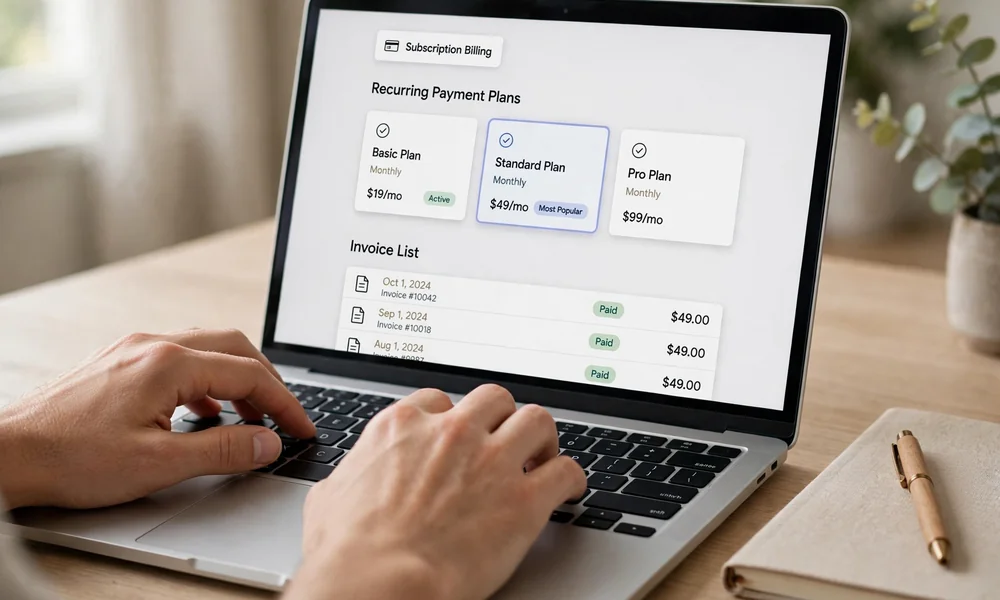
The customer portal is another strength: subscribers can update their card, change plan, or cancel without emailing you, which cuts support tickets sharply.
Pros: excellent automation and smart retries; strong customer portal; metered billing; huge integration ecosystem; reliable revenue and churn reporting.
Cons: costs grow with revenue as a percentage of transactions; the interface can feel technical; tax features cost extra in some regions.
2. Chargebee
Chargebee is a dedicated subscription billing platform built for software, membership, and digital service companies. It shines when pricing gets complicated: multiple plans, add-ons, usage charges, and discounts can all live in one catalogue, and customers can move between them with automatic proration. Its revenue recovery tools send well-timed reminders and retries to win back failed payments.
Chargebee also handles the finance side well, with revenue recognition and tax calculation for many countries. Integrations with accounting tools, support platforms, and payment gateways mean it fits into an existing stack rather than forcing you to rebuild one.
Pros: very flexible pricing and plan management; strong dunning and revenue recovery; good revenue recognition and tax tools; clean accounting and support integrations.
Cons: higher tiers get expensive as you scale; setup takes longer than simpler tools; advanced features sit behind pricier plans.
3. Recurly
Recurly focuses on subscription businesses that are scaling and need to understand why customers leave. Its analytics break down churn by plan, cohort, and reason, and its dunning engine tests different retry schedules to recover more failed payments automatically.
The platform supports tiered, volume, and usage-based billing, and works with multiple payment gateways so you are not locked into one processor. Fraud tools, tax handling, and promotional campaigns are included, making it a solid pick for consumer brands as well as software companies.
Pros: best-in-class churn analytics; smart dunning that improves recovery; flexible pricing models; works with several payment gateways.
Cons: custom pricing makes budgeting hard before a sales call; the interface has a learning curve; smaller businesses may find it more than they need.
4. Zoho Billing
Zoho Billing is the affordable subscription option for small teams, especially those already using other Zoho apps. It covers recurring invoices, trials, coupons, customer portals, and automated reminders at a fraction of the price of the enterprise platforms, and its plans scale gently as subscriber numbers grow.
The customer portal lets subscribers manage their own plans and payment details, and the metrics dashboard tracks monthly recurring revenue, churn, and trial conversions. Because it connects natively with Zoho Books and Zoho CRM, a small team can run billing, accounting, and customer records in one system.
Pros: very affordable for small businesses; solid automation for the price; native links to Zoho accounting and CRM; clear revenue metrics dashboard.
Cons: fewer advanced pricing options than Chargebee or Recurly; simpler reporting; thinner integrations outside the Zoho ecosystem.
5. FreshBooks
FreshBooks is the friendliest option in this roundup, and the best fit for freelancers, coaches, and small service businesses that bill clients on a recurring basis. Setting up a repeating invoice takes minutes, clients can pay online by card or bank transfer, and automatic late-payment reminders chase overdue invoices for you.
Where FreshBooks differs from the dedicated platforms is depth: it is built for service billing rather than complex software pricing, so there is no metered billing or advanced proration. But if your subscriptions are simple — a monthly retainer or membership fee — that simplicity is a feature, not a flaw.
Pros: very easy to set up and use; automatic payment reminders; good client portal and online payments; time tracking included.
Cons: not built for complex or usage-based pricing; limited dunning versus dedicated platforms; costs add up on higher tiers.
6. QuickBooks Online
QuickBooks Online is the pick for businesses that want invoicing and full accounting in one place. Recurring invoices, automatic payment reminders, and online payments are built in, and every invoice flows straight into your books, bank reconciliation, and tax reports.
It handles recurring billing for services and memberships well, though it is not a specialist subscription platform: there is no advanced dunning engine and plan changes are more manual than in Stripe Billing or Chargebee. For many small businesses, though, the accounting depth more than makes up for that.
Pros: full accounting alongside invoicing; strong reporting and tax tools; widely supported by accountants; good mobile app.
Cons: subscription features are basic versus dedicated billing tools; the interface can feel busy; pricing rises with each tier.
7. Wave Invoicing
Wave Invoicing is the free option, genuinely useful for tiny businesses and anyone testing a subscription idea before spending money on billing software. You can create professional recurring invoices, accept card and bank payments, and send automatic reminders without a monthly fee.
The trade-off is scope: there is no advanced dunning, no metered billing, and no revenue recognition, so a growing business will outgrow it. But as a starting point it is hard to beat, and it lets you prove people will pay before you commit to a paid platform.
Pros: free invoicing with no monthly fee; quick to set up; professional templates; basic accounting included.
Cons: no advanced dunning or churn tools; limited pricing options; thinner support than paid plans.
How to choose invoicing software for a subscription business
Start by writing down how you actually charge. If every customer pays the same flat monthly fee, almost any tool on this list will work — pick the cheapest one with a good customer portal. If you have tiers, add-ons, or usage charges, you need a dedicated billing platform, which is exactly what Stripe Billing, Chargebee, and Recurly are built for.
Next, check the three moments that cause most billing pain: failed payments, plan changes, and cancellations. Ask how the tool retries a declined card, whether an upgrade mid-cycle is prorated automatically, and whether a cancelling customer gets a clear off-ramp. A tool that handles those three flows well will save you more support time than any invoice template. Our guide to the best invoicing software covers the general-purpose options as well.
Finally, think about the rest of your stack. Billing software should connect cleanly to your accounting tool, support inbox, and payment gateway, because manual exports are where errors creep in. Also compare dedicated tools in our roundup of the best subscription management software, and keep customer records in sync by pairing billing with the best CRM software for small business.
Subscription invoicing checklist
- Confirm the tool supports your exact pricing model: flat, tiered, usage-based, or a mix.
- Test the dunning flow with a failed test card and read every reminder email before you go live.
- Check that plan upgrades and downgrades are prorated automatically, with no manual credit notes needed.
- Make sure tax is calculated correctly for every country and state where your customers live.
- Give subscribers a self-service portal for card updates and cancellations.
- Connect billing to your accounting tool and reconcile the first month by hand to catch setup errors.
Frequently asked questions
What is the best invoicing software for subscription businesses?
Stripe Billing is the best all-rounder for most online subscription businesses because of its automation, smart retries, and customer portal. Chargebee and Recurly are better when pricing is complex or churn analysis matters most, while Zoho Billing and FreshBooks suit smaller teams.
Do I need dedicated subscription billing software, or is normal invoicing enough?
Normal invoicing is enough if every customer pays the same flat fee on the same schedule. Once you add trials, upgrades, or usage charges, dedicated subscription billing saves enough manual work to pay for itself.
How much does invoicing software for subscriptions cost?
Costs range from free with Wave Invoicing to a percentage of each transaction with Stripe Billing, and from low monthly plans with Zoho Billing and FreshBooks to custom pricing with Recurly. Always model the total cost at your current subscriber count.
What is dunning, and why does it matter?
Dunning is the automated process of retrying failed payments and reminding customers to update their card. It matters because much subscription churn is involuntary — cards expire or decline — and good dunning recovers a meaningful share of that revenue automatically.
Can I switch invoicing software without losing subscribers?
Yes, in most cases. The main work is migrating customer records and payment details, usually through your payment gateway or a secure card-token transfer. Test with a small group first, and keep the old system running until the first billing cycle completes cleanly.
Should subscription invoices include tax automatically?
Yes — your billing tool should calculate and add the right tax for each customer’s location automatically and show it clearly on the invoice. Verify the settings for your main customer countries before you send your first invoice.
Bottom line
For most subscription businesses, the safest starting point is Stripe Billing if you sell online, or Zoho Billing if you want the lowest monthly cost. Both handle the core job — charging customers on time, every time. Move to Chargebee or Recurly when your pricing gets complicated or recovering failed payments becomes a meaningful revenue line.
Whichever tool you choose, spend an afternoon testing the flows your customers will actually experience: sign up, get charged, upgrade, fail a payment, and cancel. The software that makes those five moments smooth is the right one for your business.