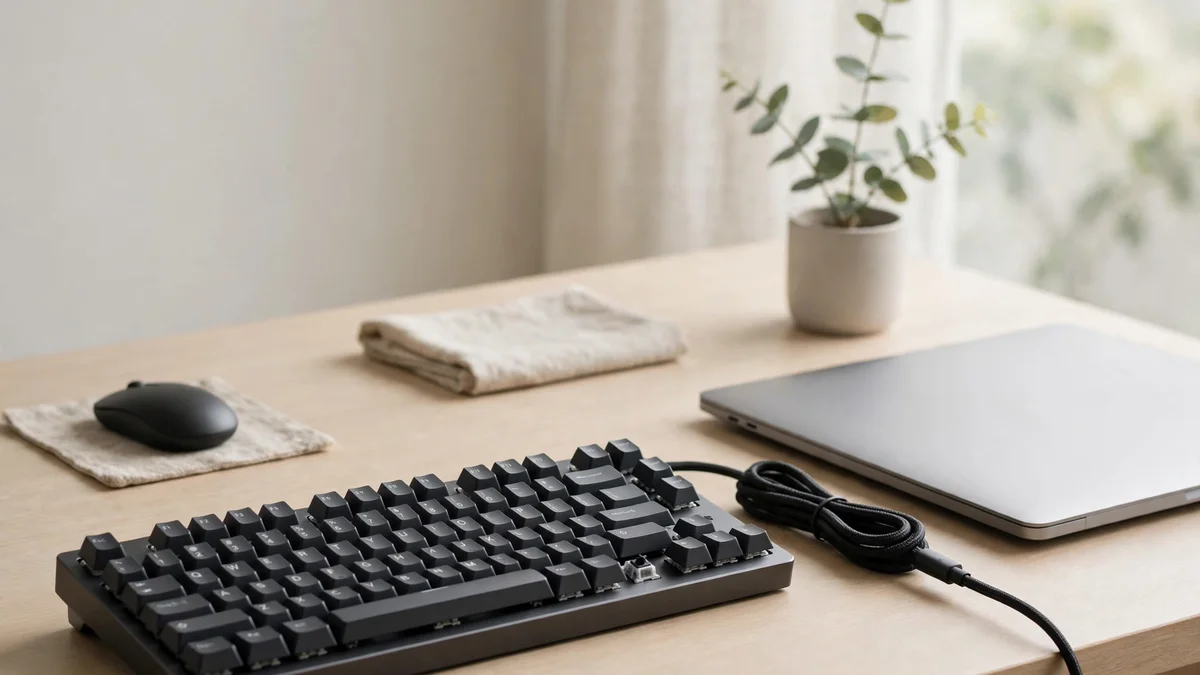
The best laptop stands for programmers in 2027 do more than tidy a desk: they put the screen at eye level for long coding sessions, open up airflow under a machine compiling all day, and make room for the external monitor and keyboard most developers rely on. A laptop sitting flat forces the neck down and the wrists up, which gets painful fast over eight hours.
Programmers need a stand stable enough for a heavy 15-inch or 16-inch machine, tall enough to line the screen up with an external monitor, and solid enough that typing does not make the setup wobble. Portability matters too for developers who hot-desk, so this guide covers rock-solid desk stands and featherweight foldables, from around $26 to about $160.
Our shortlist covers the full range: a single-piece aluminium stand for a permanent setup, a premium walnut and steel stand for a serious home office, and a portable stand that packs down to the size of a ruler. Prices below are approximate starting prices, so check current pricing before buying. The best laptop stand for programmers overall is the Rain Design mStand, but the adjustable and portable picks may fit your workflow better.
Key takeaways
- The Rain Design mStand is the best laptop stand for programmers overall, with a single-piece aluminium build that never wobbles while typing.
- The Grovemade Laptop Stand is the best premium pick, pairing steel with walnut for a heavy, beautiful desk setup.
- The Roost V3 is the best portable stand, weighing under 200 grams and raising the screen to full ergonomic height.
- Look for a stand tall enough to align the screen with an external monitor, with vents left clear.
- Skip stands with no front lip or a narrow base, since a heavy laptop sliding off can damage the machine and the desk.
At a glance: the shortlist
| Product | Best for | Starting price | Standout limit |
|---|---|---|---|
| Rain Design mStand | Overall | From $50 | Fixed height, not portable |
| Grovemade Laptop Stand | Premium desk setup | From $160 | High price, heavy |
| Roost Laptop Stand V3 | Portability | From $95 | Premium price |
| Twelve South Curve Flex | Adjustable aluminium | From $80 | Single hinge design |
| BoYata Laptop Stand | Heavy-duty adjustable | From $40 | Bulky when folded |
| Nulaxy C3 | Budget foldable | From $26 | Six height levels only |
| MOFT Z Sit-Stand Desk | Sit-stand working | From $80 | Small work surface |
| Lamicall Adjustable | Rotating base | From $36 | Heavier than foldables |
Rain Design mStand — Best overall
The Rain Design mStand is the stand most programmers end up keeping for years: a single piece of sand-blasted aluminium with no hinges, joints, or moving parts, so there is nothing to loosen or break under a heavy laptop. The laptop sits at a fixed angle that puts the screen close to eye level, and the raised design leaves a clear channel of air underneath, which helps a machine compiling or driving an external display stay cooler.
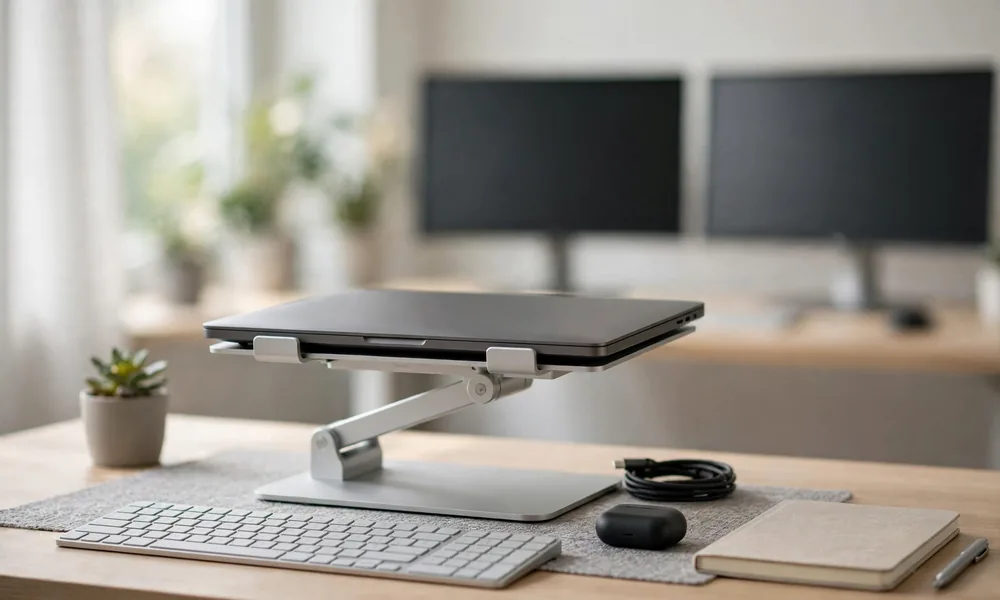
It holds laptops up to 15 inches and some 17-inch models, and the heavy base stays put during fast typing. Our guide to the best laptops for programming covers machines that pair well with a stand like this.
Pros: Extremely stable single-piece build; excellent airflow.
Cons: Fixed height; too heavy to carry daily.
Grovemade Laptop Stand — Best premium desk setup
The Grovemade Laptop Stand is the premium choice for programmers who want their desk to look as good as their code. It pairs a powder-coated steel frame with a solid walnut platform: heavy, rigid, and beautiful. The laptop sits at a comfortable viewing height, with open space underneath for a notebook, a hard drive, or a docking station. Build quality is the best on this list, with no wobble at all, even with a 16-inch laptop. There is no height adjustment, and at around $160 it costs three times a basic stand.
Pros: Superb materials and finish; completely rigid.
Cons: Expensive; no height adjustment; heavy.
Roost Laptop Stand V3 — Best portable stand
The Roost V3 is the stand for programmers who hot-desk, travel, or work from different offices. It weighs about 170 grams and collapses into a slim bundle roughly the size of a ruler, with a carry sleeve included, yet it raises the screen to a full ergonomic height. Height adjusts across several settings, and setup takes seconds once you learn the folding pattern. It works best with a separate keyboard and mouse, which is how most developers work anyway. At around $95 it is the priciest portable stand here.
Pros: Exceptionally light and compact; full ergonomic height.
Cons: Premium price; setup takes practice.
Twelve South Curve Flex — Best adjustable aluminium stand
The Twelve South Curve Flex takes the popular Curve design and adds a hinge, so the height and angle adjust instead of staying fixed. Machined from aluminium, it folds flat for transport and holds laptops up to 16 inches. The adjustment is smooth and stays where you set it. At around $80 it is the best choice for programmers who want an adjustable metal stand without giving up stability.
Pros: Smooth height adjustment; solid aluminium build; folds flat.
Cons: Single hinge limits range; pricey for a foldable.
BoYata Laptop Stand — Best heavy-duty adjustable stand
The BoYata stand is built for heavy machines. Its thick aluminium arms and wide base hold laptops up to 17 inches and heavier mobile workstations without flexing, and the height adjusts from a low tilt to a high lift that lines the screen up with a monitor. The joints lock firmly, so the stand stays put during long typing sessions. A hollowed-out platform handles ventilation, and the front lip stops the laptop sliding forward. The trade-off is bulk, so it suits a desk that stays in one place. At around $40 it is strong value for large, hot laptops.
Pros: Holds heavy 17-inch laptops; wide height range.
Cons: Bulky when folded; heavier than slim foldables.
Nulaxy C3 — Best budget foldable
The Nulaxy C3 is the best laptop stand for programmers on a tight budget. It folds flat to the thickness of a notebook, weighs under a kilogram, and costs around $26. Six height settings raise the screen from a slight tilt to a full ergonomic lift, and the aluminium frame holds laptops from 10 to 15.6 inches without flexing. Rubber pads stop sliding, the open front leaves vents clear, and it slips into a backpack sleeve. Build quality is solid for the price.
Pros: Very affordable; folds flat; six height levels.
Cons: Hinge loosens over time; less stable with heavier laptops.
MOFT Z Sit-Stand Desk — Best sit-stand option
The MOFT Z is different from every other stand on this list: it unfolds into a small sit-stand desk that lifts the whole laptop, so you can work standing up. It folds flat to the size of a magazine, weighs under a kilogram, and sets up in seconds, with five angles for sitting, standing, and positions in between. The surface fits a laptop up to 15.6 inches, with room for a mouse beside it, though a full keyboard is a tight fit. At around $80 it is a smart buy for developers who want to stand for part of the day.
Pros: Turns any desk into a sit-stand setup; folds flat; five angles.
Cons: Small work surface; no room for a full keyboard.
Lamicall Adjustable Laptop Stand — Best rotating base
The Lamicall adjustable stand is the pick for programmers who pair-program or show their screen to colleagues. It adjusts from a low tilt to a high lift, with a sturdy metal arm that locks firmly, and the wide weighted base stays stable even with a 15.6-inch laptop. The base rotates smoothly, so turning the screen toward someone takes one hand. A hollowed-out platform lets air flow under the machine, and the front lip stops the laptop sliding forward. At around $36 it is mid-priced, but heavier than foldables.
Pros: Rotating base for pair programming; wide height range.
Cons: Too heavy for daily carrying; joint stiff at first.
How to choose a laptop stand as a programmer
Start with your monitor setup. If you use an external monitor, the stand must lift the laptop screen close to the monitor’s height, so your eyes move sideways rather than up and down. A tall adjustable stand such as the BoYata or the Curve Flex works best here, while a fixed stand such as the mStand suits a desk where the height is right.
Check the weight limit and size range before buying. Development laptops are often 15-inch or 16-inch machines, and some workstations are heavier than a typical ultrabook. A narrow or plastic stand will flex under that weight, so look for a wide aluminium base and a front lip. Ventilation matters too, since compiling and local servers push the fans hard.
Think about the rest of your setup. A raised laptop usually means an external keyboard and mouse, and the monitor becomes the main screen. Our guide to the best monitors for programmers covers displays that pair well with a laptop on a stand. Finally, consider portability: a foldable stand earns its keep if you hot-desk.
Checklist: before you buy
- Confirm the stand supports your laptop size, usually 15 to 16 inches, and weight.
- Check the maximum height lines the screen up with your monitor.
- Decide on portability: foldable and under a kilogram for hot-desking, heavy and rigid for a fixed desk.
- Make sure the front lip or stopper will hold your laptop securely.
- Check that the design leaves the vents and ports clear.
- Compare the starting price with your budget and check current pricing.
Frequently asked questions
Do laptop stands actually help programmers?
Yes. Raising the screen to eye level reduces the neck bend that causes strain during long coding sessions, especially with an external keyboard and mouse. Airflow helps too, since development workloads run the fans hard.
What height should a laptop stand be for coding?
The top of the screen should sit roughly at eye level, so you look slightly downward at the centre of the display. For most desks, that means lifting the laptop by 15 to 20 centimetres, and an adjustable stand lets you dial this in exactly.
Is a laptop stand better than a monitor arm?
They solve different problems. A stand raises the laptop itself, ideal when the laptop is your main or second screen, while a monitor arm suits a large external display. Many programmers use both.
Can I use a laptop stand with a docking station?
Yes, and it is a common setup. The laptop sits on the stand while the dock handles power, the monitor, and peripherals through one cable. Stands with open space underneath, such as the mStand or the Grovemade, leave room for the dock.
Do laptop stands help with cooling while compiling?
Yes, in most cases. Lifting the laptop lets air circulate under the base, where the vents sit, and open-frame stands help the most. A stand will not fix blocked vents.
What else should I pair with a laptop stand?
An external keyboard and mouse make a raised laptop comfortable for long sessions, and a good monitor turns the setup into a real workstation. Our guide to the best mechanical keyboards for programmers covers keyboards that pair well with a stand.
The bottom line
For most programmers, the Rain Design mStand is the best laptop stand in 2027: stable, durable, and it turns any desk into a proper workstation. If you want a premium home office, the Grovemade stand is worth the price, while the Roost V3 is the pick for developers who hot-desk or travel. The BoYata is the best value for heavy workstations.
Whatever you choose, match the stand to your setup: a fixed desk rewards a heavy rigid stand, a dual-monitor desk rewards an adjustable one, and hot-desking rewards something light that folds flat. Add a keyboard, mouse, and monitor, and your neck will notice the difference within a week.