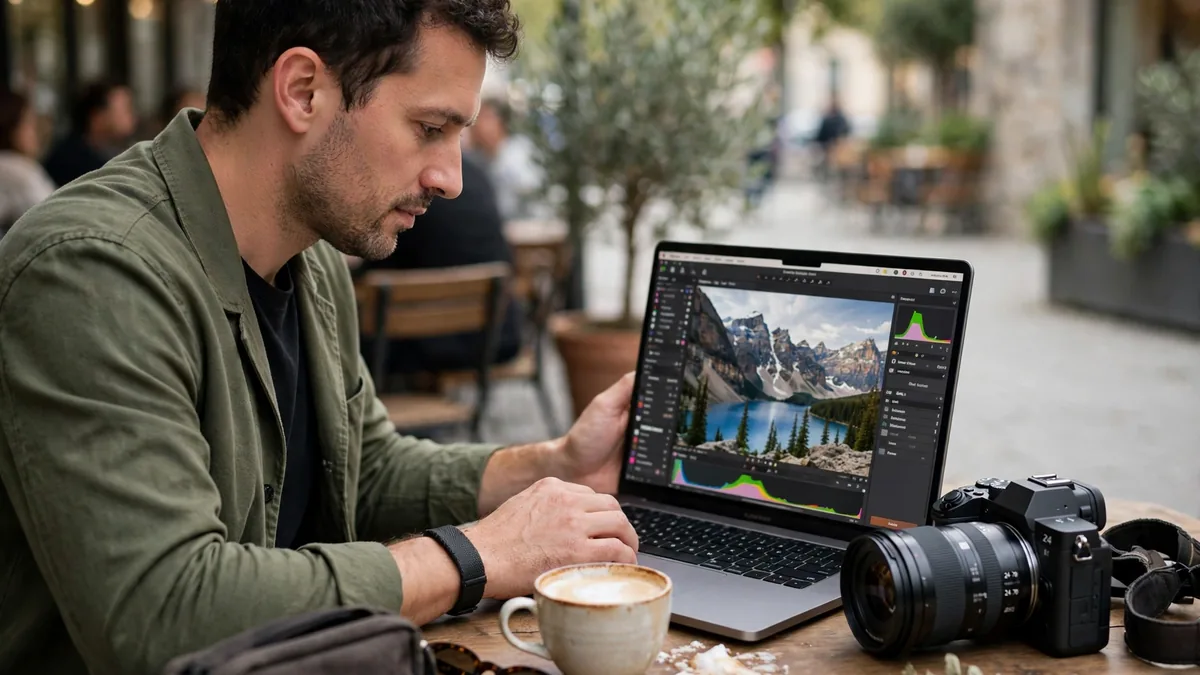
The best laptops for designers in 2027 pair a colour-accurate display with enough graphics power to run Photoshop, Illustrator, Figma, and video tools without stuttering. Design work punishes weak screens and slow GPUs more than almost any other job, so the display, the graphics chip, and the memory matter far more than the brand on the lid. This guide compares seven current machines across Mac and Windows, from portable ultrabooks to desktop-class workstations you can carry.
Every price below is an approximate starting price for the base configuration, and prices change often with sales, student discounts, and new chip generations. Check current pricing before you buy, and treat the listed figure as a floor rather than the price of the configuration most designers actually need. In most cases, stepping up the memory or storage adds a few hundred dollars to the starting figure.
The shortlist is led by the 14-inch MacBook Pro for all-round work, the 15-inch MacBook Air for travel, and the Asus ProArt P16 for Windows users who need a dedicated GPU. The Dell XPS 14, HP Spectre x360, Lenovo Yoga Pro 9i, and Acer Swift X 14 cover the remaining budgets and workflows.
Key takeaways
- The MacBook Pro 14 is the best overall laptop for designers, with a superb mini-LED display and strong battery life.
- Colour accuracy matters more than raw speed: look for 100% DCI-P3 coverage and factory calibration.
- Buy 32GB of memory if you work with large Photoshop files, 3D, or video; 16GB is the minimum for serious work.
- The Acer Swift X 14 is the best budget pick, offering a dedicated GPU for around $1,099.
- Avoid laptops with dim, low-gamut screens, no matter how fast the processor looks on paper.
At a glance: the shortlist
| Laptop | Best for | Starting price | Standout spec |
|---|---|---|---|
| Apple MacBook Pro 14 (M4 Pro) | Overall design work | From $1,999 | Liquid Retina XDR display |
| Apple MacBook Air 15 (M4) | Portable design work | From $1,299 | Thin, silent, 18-hour battery |
| Dell XPS 14 | Windows all-rounder | From $1,699 | OLED display option |
| Asus ProArt P16 | GPU-heavy creative work | From $1,899 | RTX 4060 graphics |
| HP Spectre x360 14 | Sketching and 2-in-1 use | From $1,499 | OLED touchscreen with pen |
| Lenovo Yoga Pro 9i | Photo and video editing | From $1,699 | Mini-LED 3.2K display |
| Acer Swift X 14 | Budget creative work | From $1,099 | RTX 4050 graphics |
Apple MacBook Pro 14 (M4 Pro) — Best overall
The 14-inch MacBook Pro is the safest pick for most designers in 2027. Its Liquid Retina XDR display covers the full P3 colour gamut and reaches 1,000 nits of sustained brightness. The M4 Pro chip handles large Photoshop documents, multiple Illustrator artboards, and 4K video timelines without the fans becoming a distraction, and the battery regularly lasts a full working day away from a charger.

Ports are another quiet strength: three Thunderbolt 4 ports, HDMI, an SD card slot, and MagSafe charging mean most designers can skip the dongle bag entirely. Designers juggling large files should configure 24GB or 32GB of memory. If you also sketch on the go, our guide to the best 2-in-1 laptops in 2027 covers convertible machines with pen support.
Pros: Outstanding colour-accurate display; fast, quiet performance; excellent battery life; useful ports including SD card. Cons: Expensive once you add memory; macOS only; heavier than the Air.
Apple MacBook Air 15 (M4) — Best for portability
The 15-inch MacBook Air is the designer laptop for people who work from cafes, client offices, and aeroplanes. It weighs about 1.5kg, runs completely silent with no fan, and still delivers enough power for Photoshop, Figma, and light video editing. The larger 15-inch screen gives design tools room to breathe in a way the 13-inch model never quite manages.
The trade-off is graphics power: the Air has no dedicated GPU and no fan, so long 3D renders and heavy video exports will throttle or take noticeably longer than on the Pro. For illustrators, UI designers, and photographers who value lightness over raw speed, though, it is hard to beat.
Pros: Very light and silent; sharp 15-inch display; long battery life; lower price than the Pro. Cons: No dedicated GPU; can throttle under sustained heavy loads; only two Thunderbolt ports.
Dell XPS 14 — Best Windows all-rounder
The Dell XPS 14 is the strongest Windows alternative to the MacBook Pro for designers who need Windows-only software. The optional OLED display is the headline: rich colours, true blacks, and a sharp 3.2K resolution that makes detailed retouching a pleasure. Intel Core Ultra processors with optional Nvidia RTX graphics handle Photoshop, Lightroom, and Premiere Pro well.
There are quirks to know about. The invisible touchpad and capacitive function row divide opinion, and battery life trails the MacBook Pro by a few hours. The base model with integrated graphics is fine for UI and print design, but photographers and video editors should pay for the RTX configuration.
Pros: Beautiful OLED display option; premium build; good Windows software compatibility. Cons: Divisive touchpad and function row; battery life behind MacBooks; OLED costs extra.
Asus ProArt P16 — Best for GPU-heavy creative work
The Asus ProArt P16 is built specifically for creators, and it shows. It pairs an AMD Ryzen AI processor with Nvidia RTX 4060 graphics and a 16-inch 4K OLED touchscreen, a combination that chews through 3D rendering, video effects, and AI-powered tools like generative fill.
At around 1.85kg it is portable enough for a daily commute, though not as light as the Air or XPS. The OLED display covers 100% of the DCI-P3 gamut and is factory calibrated, which matters for colour-critical work. For motion designers, 3D artists, and video editors on Windows, the ProArt P16 is the most capable machine in this guide.
Pros: Strong RTX graphics; 4K OLED touchscreen; colour-accurate, calibrated display; good value for the spec. Cons: Shorter battery life than ultrabooks; slightly heavy; fan noise under heavy rendering.
HP Spectre x360 14 — Best for sketching and 2-in-1 use
The HP Spectre x360 14 is the pick for designers who sketch directly on screen. Its 2.8K OLED touchscreen folds flat into tablet mode, and the included stylus feels natural for drawing, annotating, and marking up client work. The display covers the full DCI-P3 gamut, so colours stay true whether you are working in Photoshop or presenting to a client.
Intel Core Ultra processors handle everyday design tools comfortably, though this is not a machine for heavy 3D or long video renders. Battery life is respectable at around 10 to 12 hours of mixed use. If pen input is part of your daily workflow, the Spectre is the most polished convertible in this guide.
Pros: Excellent pen and touchscreen; vivid OLED display; premium design; good webcam. Cons: No dedicated GPU option; heavier than a standard ultrabook; premium price.
Lenovo Yoga Pro 9i — Best for photo and video editing
The Lenovo Yoga Pro 9i targets photographers and video editors who want a big, accurate screen without paying workstation prices. Its 14.5-inch mini-LED display runs at 3.2K resolution with a 165Hz refresh rate and covers the full P3 gamut, making it one of the best screens on any Windows laptop. Intel Core Ultra 9 power and RTX 4060 graphics keep Lightroom, Premiere Pro, and DaVinci Resolve running smoothly.
Lenovo’s vapour-chamber cooling keeps the machine quieter than most GPU laptops under load. It is a little chunky at just under 2kg, and the battery lasts around 8 hours in real use. For editors who spend their days grading footage and retouching photos, the Yoga Pro 9i offers a lot of screen and GPU for the money.
Pros: Superb mini-LED display; strong RTX graphics; quiet cooling; good speakers. Cons: Heavier than rivals; battery life is average; no OLED option.
Acer Swift X 14 — Best budget pick
The Acer Swift X 14 proves you do not need to spend $2,000 to get a capable design laptop. It combines an Intel Core Ultra processor with RTX 4050 graphics and a 2.8K OLED display, a spec sheet that would have cost twice as much two years ago. Photoshop, Illustrator, and 1080p video editing all run comfortably, and the OLED panel is far better than the dim screens found on most budget laptops.
Corners are cut where you would expect: the plastic-and-aluminium build feels less premium, the speakers are weak, and the battery lasts around 7 hours. For students, freelancers starting out, and designers on a tight budget, the Swift X 14 is the best value in this guide.
Pros: Dedicated GPU at a budget price; sharp OLED display; light enough to carry daily. Cons: Less premium build; average battery life; display needs calibration for critical work.
How to choose
Start with the display. A design laptop needs at least 100% sRGB coverage, and 100% DCI-P3 is better for photo and video work. Resolution matters too: 2.8K or higher on a 14-inch screen keeps text and fine details crisp.
Next, match the graphics and memory to your work. UI, print, and illustration run well on integrated graphics with 16GB of memory. Photo editing, video, and 3D need a dedicated GPU and 32GB of memory. A good desk setup helps too: our guide to the best docking stations for laptops shows how to connect a design laptop to a second monitor and peripherals with one cable.
Checklist: before you buy
- Check the display covers 100% sRGB or DCI-P3, with at least 400 nits of brightness.
- Choose 32GB of memory if you edit large photos, video, or 3D files.
- Pick a dedicated GPU for video editing, motion design, and 3D work.
- Make sure the storage is at least 1TB, or plan for fast external storage.
- Confirm your key apps run well on the chip and operating system you choose.
- Check the warranty, return policy, and the current price before ordering.
Frequently asked questions
How much RAM do designers need in a laptop?
16GB is the minimum for professional design work in 2027, and 32GB is the safer choice if you work with large Photoshop files, video, or 3D. Memory is often soldered in modern laptops, so buy the amount you need now rather than planning to upgrade later.
Is a MacBook or a Windows laptop better for designers?
Both work well. MacBooks lead on display quality, battery life, and quiet operation, while Windows laptops offer more choice, dedicated GPUs at lower prices, and touchscreen and pen options.
Do designers need a dedicated graphics card?
It depends on the work. UI, print, and illustration run fine on integrated graphics. Video editing, 3D rendering, and AI tools benefit greatly from a dedicated GPU such as an RTX 4060.
What display specs matter most for design work?
Colour gamut coverage, brightness, and resolution matter most. Look for 100% DCI-P3 coverage, 400 nits or more, and a resolution of at least 2.8K on a 14-inch screen. Factory calibration is a useful bonus.
How much storage should a design laptop have?
Plan for at least 1TB of internal storage. Fast external drives help: our guide to the best external SSDs for laptops covers portable storage that keeps up with large files.
Are OLED displays good for design work?
Yes, OLED displays offer superb contrast and colour, which helps with photo and video work. The main caveat is the small risk of burn-in from static interface elements, so use screen savers and vary your content, and check the warranty terms for the display.
The bottom line
For most designers, the MacBook Pro 14 is the best laptop to buy in 2027, with the MacBook Air 15 as the lighter, cheaper alternative. Windows users who need a dedicated GPU should look at the Asus ProArt P16 for serious creative work or the Acer Swift X 14 if the budget is tight, while the HP Spectre x360 14 is the best choice for designers who sketch on screen.
Whatever you choose, prioritise the display and the memory over the processor badge. A colour-accurate screen and enough RAM will improve your daily work far more than a slightly faster chip.