

The best laptops for film students in 2027 are the machines that can cut 4K footage without stuttering, hold colour true from the first grade to the final export, and still fit in a backpack on a shoot day. Film school work is demanding in a very specific way: long editing timelines, large media files, colour-critical monitors, and renders that run while you are already setting up the next shot. A laptop that only handles essays and web browsing will fall apart in the edit suite.
This shortlist was built around what film students actually do. Every pick here runs a full editing app such as Premiere Pro, DaVinci Resolve, or Final Cut Pro, handles 4K timelines, and offers a screen you can trust for colour work. We weighed the processor and graphics power, the quality of the display, the amount and speed of storage, the weight you carry between classes and locations, and the price a student can realistically justify.
Seven laptops made the cut, from the MacBook Pro 14 at the top of the range to the Acer Swift X 14 as the budget route into serious editing.
Key takeaways
- The MacBook Pro 14 is the best overall laptop for film students, with the strongest balance of editing speed, colour accuracy, and battery life.
- The MacBook Air 15 is the best lightweight pick for students who edit 1080p and light 4K work and carry their laptop everywhere.
- The ASUS ProArt P16 is the best Windows option for colour-critical work, with a calibrated OLED display built for creators.
- Budget at least 16 GB of memory and 512 GB of fast storage; 32 GB and 1 TB are worth the upgrade if you edit 4K regularly.
- Do not buy a laptop with a dim, low-gamut screen.
At a glance: the shortlist
| Product | Best for | Starting price | Standout limit |
|---|---|---|---|
| MacBook Pro 14 | Best overall | From around $1,599 | Expensive upgrades |
| MacBook Air 15 | Lightweight editing | From around $1,199 | No active cooling |
| Dell XPS 14 | Premium Windows build | From around $1,499 | Costly RAM upgrades |
| ASUS ProArt P16 | Colour-critical work | From around $1,899 | Heavier than rivals |
| Lenovo ThinkPad P14s Gen 5 | Reliable workstation | From around $1,449 | Modest battery life |
| Razer Blade 14 | Editing and effects | From around $1,999 | Premium price |
| Acer Swift X 14 | Budget editing | From around $999 | Weaker display |
MacBook Pro 14 — Best overall
The MacBook Pro 14 is the laptop most film students should buy if the budget stretches that far. Its M4 Pro chip cuts 4K timelines in Final Cut Pro and DaVinci Resolve with ease, and the hardware media engines make scrubbing through high-bitrate footage feel instant rather than laggy.
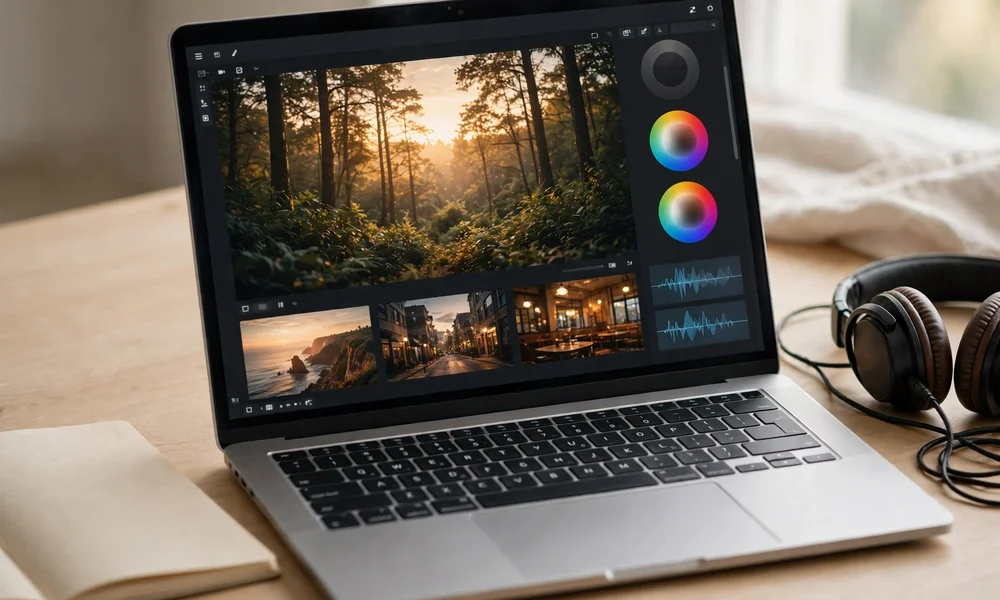
The 14.2-inch Liquid Retina XDR display is the other reason this laptop leads the list. It is bright, sharp, and covers the P3 colour gamut, so the colours you grade are the colours your tutor sees on the screening room projector. If your course leans heavily on editing, the best laptops for video editing share many of the same priorities, and the MacBook Pro 14 sits at the top of that list too.
Pros: Outstanding editing speed, superb colour-accurate display, long battery life, silent running.
Cons: Memory and storage upgrades are expensive, and it is heavier than the MacBook Air.
MacBook Air 15 — Best for lightweight editing
The MacBook Air 15 is the right choice for film students who value portability and spend more time shooting and writing than rendering heavy effects. The M4 chip handles 1080p editing and light 4K work comfortably in Final Cut Pro and Premiere Pro, and the 15.3-inch Liquid Retina display is bright and colour-accurate enough for most student grading work.
The trade-off is cooling. With no fan, the Air slows down during long, sustained exports, so a 30-minute 4K render will take longer than on the Pro.
Pros: Very light, excellent display, silent, strong battery life.
Cons: Throttles on long exports, no dedicated graphics card, limited ports.
Dell XPS 14 — Best premium Windows laptop
The Dell XPS 14 is the strongest Windows alternative for film students who need Premiere Pro or DaVinci Resolve on Windows. Its Intel Core Ultra processor and optional Nvidia graphics handle 4K timelines well, and the OLED display option delivers deep blacks and vivid colour that make grading a pleasure.
Where the XPS 14 earns its price is the combination of a sharp display, good speakers, and a clean, professional design that looks right in a seminar room or on a set.
Pros: Beautiful OLED display option, solid build, good Windows editing performance.
Cons: Meaningful upgrades push the price up fast, and the keyboard layout takes some getting used to.
ASUS ProArt P16 — Best for colour-critical work
The ASUS ProArt P16 is built specifically for creators, and it shows in the display. The 16-inch OLED panel is factory calibrated, covers the full DCI-P3 gamut, and is Pantone validated, which means your grades translate accurately to other screens.
Under the hood, AMD Ryzen AI processors and Nvidia RTX graphics give it the power for 4K editing, effects work, and even light 3D. The large 16-inch screen gives timelines room to breathe, though the laptop is heavier than the ultrabooks on this list.
Pros: Calibrated OLED display, strong graphics, creator-focused features.
Cons: Heavier than ultraportables, battery life is average, and it costs more than the Air.
Lenovo ThinkPad P14s Gen 5 — Best reliable workstation
The ThinkPad P14s Gen 5 is a mobile workstation in a sensible 14-inch body, and it is the laptop to pick if reliability and serviceability matter most. It pairs an Intel Core Ultra processor with Nvidia RTX graphics certified for professional creative apps, so DaVinci Resolve and Premiere Pro run smoothly and stably.
ThinkPads are also built to military durability standards and are easy for campus IT departments to service, which is a quiet advantage over three years of hard student use.
Pros: Certified workstation graphics, superb keyboard, durable and serviceable.
Cons: Display is good rather than great, battery life is modest, and the design is plain.
Razer Blade 14 — Best for editing and effects
The Razer Blade 14 is a compact powerhouse for film students who also work with visual effects, motion graphics, or 3D. Its Nvidia RTX graphics and fast processor chew through After Effects compositions and DaVinci Resolve Fusion work that would slow a thin ultrabook to a crawl.
The appeal is the combination of power and size: this is a genuine effects workstation in a 1.7 kg body that fits in a small bag. The cost is the price, which starts high, and fan noise under heavy load.
Pros: Serious graphics power in a compact body, sharp colour-accurate display, premium build.
Cons: Expensive, fans get loud under load, and battery life drops fast when editing.
Acer Swift X 14 — Best budget pick
The Acer Swift X 14 is the most affordable route into proper 4K editing on this list. It pairs an Intel Core Ultra processor with Nvidia RTX graphics in a slim aluminium body, and that combination handles Premiere Pro and DaVinci Resolve far better than any integrated-graphics laptop at this price.
Compromises are real but fair at the price. The display is bright and sharp but covers less of the colour gamut than the premium picks, so check your final grades on a calibrated external monitor.
Pros: Best editing power per dollar, slim and light, dedicated graphics included.
Cons: Display colour coverage is limited, average speakers, and shorter battery life.
How to choose
Start with your course software. If your school teaches Final Cut Pro, a Mac is the obvious choice, and the MacBook Pro 14 is the best of them. If your course is built around Premiere Pro or DaVinci Resolve, Windows laptops such as the ProArt P16 and ThinkPad P14s are equally strong and often cheaper for the same power. Ask your tutors which apps and codecs the course uses before you spend anything. Also ask whether the course provides lab machines or loan laptops, since that changes how much power your own machine needs.
Next, prioritise the display, memory, and storage in that order. A colour-accurate screen affects every project you submit, 16 GB of memory is the minimum for smooth 4K editing, and 512 GB of fast SSD storage fills up fast when a single shoot can produce 100 GB of footage. For a broader view of what students need from a machine, the best laptops for students cover the everyday side of student life, from lectures to essays.
Finally, think about weight and battery. Check current pricing and student discounts at the time you buy, since education pricing can cut hundreds from the MacBook and ThinkPad picks on this list.
Checklist: before you buy
- Confirm your course software runs well on the laptop, including any plug-ins you need.
- Choose at least 16 GB of memory and 512 GB of SSD storage.
- Check the display covers the P3 or DCI-P3 colour gamut for accurate grading.
- Make sure it has the ports you need, such as USB-C, HDMI, and an SD card slot.
- Test the weight in your bag and the battery life on a full teaching day.
- Check the student discount, warranty, and accidental damage cover before paying.
Frequently asked questions
How much RAM do film students need in a laptop?
16 GB is the minimum for smooth 4K editing, and 32 GB is better if you work with effects, colour nodes, or multiple apps at once.
Is a Mac or Windows laptop better for film school?
Both work well. Macs are the standard choice for Final Cut Pro and offer the best battery life, while Windows laptops offer more choice, better value for graphics power, and run Premiere Pro and DaVinci Resolve just as well. Follow your course software.
Do I need a dedicated graphics card?
It helps a lot for 4K editing, effects, and colour work, but it is not essential for 1080p projects.
What screen should I look for?
Look for a bright screen with wide colour coverage, ideally P3 or DCI-P3, and a resolution of at least 2560 by 1600. Accurate colour matters more than a high refresh rate for film work, and an OLED panel is a bonus for grading.
How much storage do I need?
512 GB is the minimum, and 1 TB is more comfortable.
Can a budget laptop handle film school?
Yes, if you choose carefully. A laptop such as the Acer Swift X 14, with dedicated graphics and 16 GB of memory, handles 4K editing well for class projects. You may need to use proxy media for the heaviest footage, and the best laptops for graphic design list includes several options that also suit colour and visual work on a budget.
The bottom line
For most film students in 2027, the MacBook Pro 14 is the best laptop to buy, because it combines fast editing, a colour-accurate display, and all-day battery life in one reliable machine. If the budget is tighter, the MacBook Air 15 covers lighter editing beautifully, while the ASUS ProArt P16 is the best Windows choice for colour-critical work.
Whatever you choose, spend your money on the display, memory, and storage first, and check your course software and student discounts before you order.



