

A work keyboard has a different job from a gaming board. It needs to be quiet enough for a meeting, comfortable enough for eight hours, reliable enough to never drop a keystroke, and easy to move between a laptop, a desktop, and a conference room. It also needs to look professional on a desk that other people can see.
This guide covers seven boards that do that job well. Every pick supports multiple devices, uses switches that will not disturb colleagues, and is built to survive daily office use. Prices start around $99 and run to about $194, which buys better stabilisers, quieter switches, and the multi-device switching that office work actually needs.
The best overall pick is the Keychron K2 Max, which combines a sensible layout, quiet hot-swappable switches, and three-device Bluetooth at a fair price. If you want the most polished office board, the Logitech MX Mechanical is the premium pick. The shortlist below is ordered by what each board does best at work.
Key takeaways
- The Keychron K2 Max is the best overall work board: quiet switches, multi-device Bluetooth, and a fair price.
- The Logitech MX Mechanical is the most polished office keyboard, with the best software and multi-device flow.
- Quiet tactile or linear switches are essential; clicky switches do not belong in shared offices.
- Multi-device switching matters more than RGB lighting for anyone who uses a laptop and a desktop.
- A 75% layout saves desk space and keeps your mouse closer, which helps over a full workday.
At a glance: the shortlist
| Keyboard | Best for | Starting price | Standout limit |
|---|---|---|---|
| Keychron K2 Max | Best overall | From $99 | No dedicated media keys |
| Logitech MX Mechanical | Most polished | From $149 | Not hot-swappable |
| Keychron Q5 Max | Best full-size work board | From $194 | Heavy, not portable |
| Nuphy Halo65 | Best compact work board | From $129 | 65% layout drops function row |
| Lofree Flow84 | Quietest typing | From $129 | Low-profile keycap options limited |
| Ducky One 3 SF | Best small-footprint board | From $119 | Wired only |
| Epomaker RT100 | Best with a display | From $99 | Software is basic |
Keychron K2 Max — Best overall
The K2 Max is the workhorse of this list. It is a 75% board with hot-swappable switches, Bluetooth for three devices, 2.4 GHz wireless, and USB-C, so it moves between a work laptop, a home desktop, and a tablet without re-pairing. The stock switches are quiet tactiles that give clear feedback without carrying across a room, and the gasket mount keeps the sound soft.
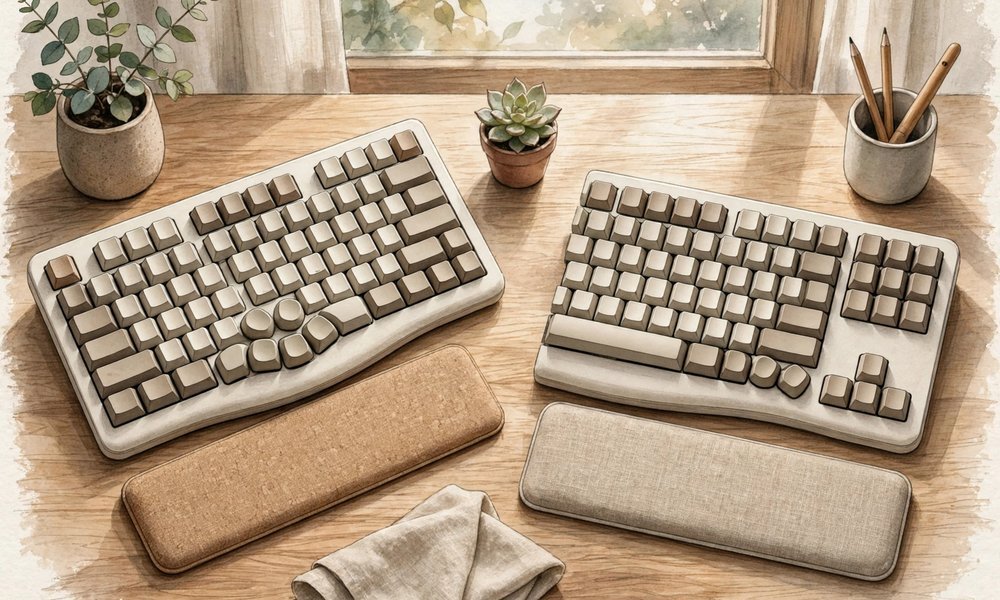
QMK and VIA support mean you can remap keys for your workflow, and the board ships with both macOS and Windows keycaps. The battery lasts for weeks with the backlight off, and the build is solid enough to survive a bag. For most office workers, this is the board to buy first. If your desk setup needs a screen to match, our best monitors for a home office guide pairs well with this shortlist.
Pros: Quiet hot-swappable switches; three-device Bluetooth; QMK and VIA; macOS and Windows keycaps.
Cons: No dedicated media keys; the stock keycaps are ABS; heavier than slim office boards.
Logitech MX Mechanical — Most polished
The MX Mechanical is the most office-ready keyboard here. It is low-profile, quiet, and pairs with Logitech’s Flow software, which lets one keyboard and mouse move between two computers as if they were one machine. Setup takes minutes, the keys are backlit with smart illumination that brightens as your hands approach, and the battery lasts for months.
The switches are Logitech’s own low-profile mechanicals, available in tactile, linear, and clicky versions. The tactile version is the right choice for work: clear feedback with minimal noise. The board is not hot-swappable, so the switch you buy is the one you keep, but for most office users that is a fair trade for a board that simply works every day.
Pros: Excellent software and multi-device flow; very quiet; long battery life; slim, professional design.
Cons: Switches cannot be swapped; premium price; keycaps are ABS.
Keychron Q5 Max — Best full-size work board
Some jobs need a number pad, and the Q5 Max is the best full-size board for that work. It has the same metal case, gasket mount, and quiet switches as the Q1 Max, with a full layout that includes the number pad and a knob for volume. It connects over Bluetooth, 2.4 GHz, or USB-C, and QMK support lets you program the number pad as a macro pad if you like.
It is heavy and wide, so it suits a fixed desk rather than a bag. But for finance, data entry, and anyone who types numbers all day, the full layout and the deep, consistent typing sound make it worth the desk space. Our review of the Logitech MX Keys S covers the best-known alternative in this category if you prefer a non-mechanical board.
Pros: Full layout with number pad; metal case; quiet switches; QMK support; knob included.
Cons: Heavy and wide; expensive; not portable.
Nuphy Halo65 — Best compact work board
The Halo65 is a 65% board that fits on the smallest desks and in a laptop bag, and it still types like a full-size keyboard. Its gasket mount and foam layers give it a soft, muted sound, and the hot-swappable switches let you fit quieter switches if your office is particularly sensitive. It connects over Bluetooth, 2.4 GHz, or USB-C, and the battery lasts for weeks.
The 65% layout drops the function row, which is the main compromise. Most office workers use function keys rarely, and the Fn layer covers them when needed. If desk space is tight, this is the best compact work board in the guide.
Pros: Compact and portable; quiet typing; hot-swappable; three connection modes.
Cons: No function row; keycap options are limited for this layout; no number pad.
Lofree Flow84 — Quietest typing
The Flow84 is the quietest board in this guide, and it is the one to buy if you work in an open office or take calls at your desk. Its low-profile switches are pre-lubed, the gasket mount absorbs vibration, and the result is a soft thock that barely carries beyond your own desk. It is a 75% board with a knob, hot-swappable switches, and a design that looks more like a design object than a piece of office equipment.
The low-profile layout keeps wrists flat, which helps over long days. The trade-off is keycap choice: low-profile keycaps come in fewer styles, and the printed legends may wear over years of heavy use.
Pros: Very quiet; low-profile comfort; gasket mount; attractive design.
Cons: Limited keycap options; printed legends may wear; no number pad.
Ducky One 3 SF — Best small-footprint board
The One 3 SF is a 65% board with Ducky’s famously solid build and excellent stabilisers. It types with a firm, crisp feel, and the thick PBT keycaps resist shine for years. It is wired only, which is the main limitation, but for a fixed desk that is rarely a problem, and the detachable USB-C cable makes it easy to pack away.
Hot-swappable versions exist, so check the listing if you want to change switches later. For a small desk where reliability matters more than wireless, the One 3 SF is a strong, no-nonsense pick.
Pros: Excellent build and stabilisers; thick PBT keycaps; crisp typing feel.
Cons: Wired only; no wireless mode; no function row.
Epomaker RT100 — Best with a display
The RT100 is a 75% board with a small display that shows the time, date, and connection status, which is genuinely useful at work: a glance tells you which device you are connected to. It is hot-swappable, connects over Bluetooth, 2.4 GHz, or USB-C, and types with a deep, soft sound thanks to its gasket mount and foam layers.
The software is basic, and the display is a novelty rather than a necessity. But at around $99 it is one of the cheapest boards in this list with a display, a knob, and hot-swappable switches, which makes it a good value for a home office. If you are weighing wired and wireless options, our best wireless keyboards roundup covers the trade-offs in more detail.
Pros: Useful display; hot-swappable; three connection modes; good value.
Cons: Basic software; display adds bulk; replacement parts are harder to find.
How to choose
Start with noise. In a shared office, quiet tactile or linear switches are essential, and clicky switches are out. Foam layers, gasket mounts, and lubed stabilisers all help, and the boards in this list already include most of that. Next, count your devices: if you switch between a laptop and a desktop, multi-device Bluetooth saves real time every day.
Then think about layout. A 75% board is the safest default for work. Full-size only makes sense for number-heavy jobs, and 65% suits small desks. Finally, check the software: Logitech’s Options+ and Keychron’s QMK support both make remapping easy, but in different ways, and only you know which fits your workflow.
Checklist: before you pay
- Choose quiet switches: tactile or linear, never clicky in a shared office.
- Confirm multi-device support if you use more than one computer.
- Check the layout against the keys you use daily, especially arrows and the number pad.
- Make sure the board works with your operating system, including macOS keycaps if needed.
- Test the return policy, because switch feel is personal.
- Budget for a wrist rest if the board is tall; it makes a bigger difference than a new keycap set.
Frequently asked questions
What is the best mechanical keyboard for office work?
The Keychron K2 Max. It is quiet, connects to three devices, and its hot-swappable switches let you adjust the feel later. The Logitech MX Mechanical is the best premium alternative.
Are mechanical keyboards too loud for an office?
Not if you choose the right switches. Quiet tactile or linear switches with foam and gasket mounting are no louder than a good membrane keyboard, and the Lofree Flow84 is quieter than most.
Do I need a number pad for work?
Only if you type numbers constantly, for example in finance or data entry. Most office workers are faster with a 75% board and a mouse closer to hand.
Can one keyboard work with a laptop and a desktop?
Yes. The boards in this list connect over Bluetooth to up to three devices, and Logitech Flow lets one keyboard move between two computers seamlessly.
Is hot-swap important for a work keyboard?
It is useful but not essential. It lets you try quieter switches later without buying a new board, which matters if your office noise rules change.
How do I keep a work keyboard clean?
Shake it out weekly, wipe the keycaps with a damp cloth monthly, and use a keycap puller to clean underneath every few months. A spill-resistant board like the Apex 3 helps, but none of these boards are waterproof.
The bottom line
Buy the Keychron K2 Max if you want one board that handles office work well at a fair price. Buy the Logitech MX Mechanical if you want the most polished software and multi-device experience, and the Keychron Q5 Max if your job needs a number pad.
Whatever you choose, prioritise quiet switches and multi-device support over lighting and extra features. Those are the things that matter at 4 pm on a Tuesday, long after the unboxing excitement has faded.
Note: Prices and plans change. Check the product’s current plan details before buying — no link is provided here by design, all links in this article go to other occcy.com guides.



