

OLED monitors have moved from a luxury for gamers into a serious option for work. The best OLED monitors for work in 2027 pair perfect blacks and vivid colour with sharp text and fast response, so spreadsheets, documents, and design files all look cleaner than on a standard LCD. For people who stare at a screen all day, that difference is easy to see within minutes.
The catch is that not every OLED suits office use. Some panels are tuned for games, with glossy screens and aggressive brightness that tire the eyes in a bright room. Others carry real burn-in risk if they show the same taskbar and toolbars for eight hours a day. The models below were chosen for work first: sensible brightness, matte or semi-gloss finishes where possible, and features that protect the panel.
The shortlist covers designers, photo editors, programmers, and general office users. LG and ASUS lead for creative work, Samsung and Dell suit mixed work and media, MSI offers strong value, and Gigabyte and Corsair cover gaming-leaning desks that still do real work. Prices are approximate starting prices, so check current pricing before you buy.
Key takeaways
- ASUS ProArt Display OLED PA32DC is the best OLED monitor for creative work.
- LG UltraGear 32GS95UE is the best all-round OLED for work and play.
- OLED gives perfect blacks and wide colour, but static taskbars need burn-in care.
- Look for a 3-year burn-in warranty and pixel-refresh features before buying.
- Avoid glossy OLED panels in bright rooms, and avoid 1080p OLED at large sizes.
At a glance: the shortlist
| Product | Best for | Starting price | Standout limit |
|---|---|---|---|
| ASUS ProArt Display OLED PA32DC | Best for creative work | From $1,299 | 60Hz, premium price |
| LG UltraGear 32GS95UE | Best all-round OLED | From $999 | Glossy screen |
| Samsung Odyssey OLED G8 G80SD | Best for mixed work and media | From $899 | Glossy, smart features |
| Dell Alienware AW3225QF | Best curved OLED | From $999 | Curved, gamer styling |
| MSI MPG 321URX QD-OLED | Best value 32-inch OLED | From $949 | Basic stand, no speakers |
| Gigabyte AORUS FO32U2P | Best connectivity | From $1,099 | Premium price, glossy |
| LG UltraFine OLED Pro 27EP950 | Best 27-inch for designers | From $1,199 | 60Hz, older panel |
| Corsair XENEON 27QHD240 | Best compact OLED | From $799 | QHD, not 4K |
ASUS ProArt Display OLED PA32DC — Best for creative work
The ASUS ProArt PA32DC is the OLED monitor most clearly built for work. Its 31.5-inch 4K OLED panel covers 99% DCI-P3 and 99% Adobe RGB, with factory calibration and hardware calibration support, so colours stay trustworthy over months of use. Blacks are truly black, which makes shadow detail in photos and video far easier to judge than on an LCD.
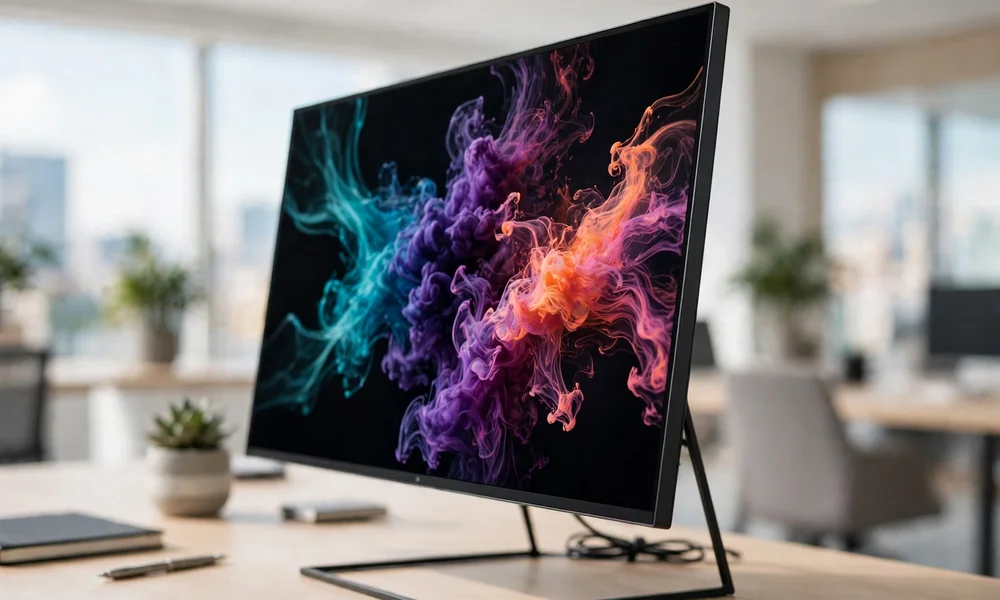
ASUS includes a built-in colourimeter and a hood option, plus pixel-refresh and screen-shift features that reduce burn-in risk during long static sessions. The panel runs at 60Hz, which is fine for design and editing, and the stand is fully adjustable. For colour-critical work, designers will also find the guide to the best monitors for designers useful for comparing OLED with high-end LCD options.
Pros: Outstanding colour accuracy, hardware calibration, burn-in protection. Cons: 60Hz only, expensive, no built-in speakers.
LG UltraGear 32GS95UE — Best all-round OLED
The LG 32GS95UE is the most flexible OLED on this list. Its 32-inch 4K WOLED panel switches between 4K at 240Hz and 1080p at 480Hz, so it is sharp for work and fast for games after hours. Colour covers 98.5% DCI-P3, text is crisp, and the anti-glare coating handles office light better than most glossy OLED panels.
LG’s pixel-care features, including pixel cleaning and screen move, run quietly in the background. The stand is solid and adjustable, and the monitor includes USB-C with 90W charging, which is rare on gaming-focused OLEDs.
Pros: 4K 240Hz panel, 90W USB-C, good anti-glare, wide colour. Cons: Glossy finish in bright rooms, premium price, gamer styling.
Samsung Odyssey OLED G8 G80SD — Best for mixed work and media
The Samsung Odyssey OLED G8 pairs a 32-inch 4K QD-OLED panel with a slim, modern design that suits a home office as well as a gaming desk. QD-OLED gives brighter highlights and richer colour than standard OLED, with 99% DCI-P3 coverage and excellent viewing angles. Text is sharp, and video looks superb in a dimmer room.
For daytime office use, the glossy screen needs controlled light, and the smart features add setup steps some buyers will skip. USB-C, HDMI 2.1, and DisplayPort cover most connections, and the stand is stable and adjustable.
Pros: Bright QD-OLED colour, 4K resolution, smart display features. Cons: Glossy screen, smart features not for everyone, 240Hz overkill for office work.
Dell Alienware AW3225QF — Best curved OLED
The Dell Alienware AW3225QF is a curved 32-inch 4K QD-OLED monitor that wraps the workspace gently around the user. The curve suits wide timelines, large spreadsheets, and split-screen work, keeping the edges at a comfortable viewing distance. Colour is rich and accurate, with 99% DCI-P3 coverage, and the 240Hz refresh rate makes scrolling and cursor movement feel smooth.
The gamer styling is the main compromise: the white rear panel and lighting stand out in a plain office. If you want a curved OLED and can live with the look, it is one of the best panels available.
Pros: Curved 4K QD-OLED, 3-year burn-in warranty, smooth 240Hz. Cons: Gamer styling, curved screen not for everyone, glossy finish.
MSI MPG 321URX QD-OLED — Best value 32-inch OLED
The MSI MPG 321URX brings a 32-inch 4K QD-OLED panel to a lower price than most rivals. Colour covers 99% DCI-P3, brightness is strong for an OLED, and the 240Hz refresh rate makes everyday use feel fluid. For a first OLED, it is a sensible way to get the core benefits without paying a premium.
MSI includes a 3-year burn-in warranty and its OLED Care features, including pixel refresh and panel protection, which matter for daily office use. USB-C with 90W charging is included, so a laptop connects with a single cable.
Pros: Strong value, 4K QD-OLED, 90W USB-C, burn-in warranty. Cons: Basic stand, no speakers, plain design.
Gigabyte AORUS FO32U2P — Best connectivity
The Gigabyte AORUS FO32U2P is the best-connected OLED here. Its 32-inch 4K QD-OLED panel runs at 240Hz, with 99% DCI-P3 colour and DisplayPort 2.1 for future graphics cards. USB-C delivers 65W, and the monitor includes a KVM switch, so one screen and keyboard can serve two computers.
Gigabyte’s OLED Care features and a 3-year burn-in warranty cover the panel for office use. The screen is glossy, so it suits a room with controlled light rather than a bright window behind the desk.
Pros: DisplayPort 2.1, KVM switch, strong colour, burn-in warranty. Cons: Glossy screen, 65W charging only, premium price.
LG UltraFine OLED Pro 27EP950 — Best 27-inch for designers
The LG 27EP950 is a 27-inch 4K OLED monitor built for colour-critical design work. Its panel covers 99% DCI-P3 and 99% Adobe RGB, with hardware calibration support and a hood included in the box. For designers who work at a normal desk distance, 27 inches at 4K is the sharpest size, and the OLED blacks make dark interface elements and shadow detail easy to judge.
It is an older panel than the 32-inch models here, with a 60Hz refresh rate and fewer gaming features, but for design work that does not matter. The screen is matte enough for bright rooms, and LG’s pixel-refresh features protect against burn-in. It remains one of the most accurate small OLED monitors for professional work.
Pros: Excellent colour at 27 inches, calibration hood included, matte-friendly. Cons: 60Hz, older panel, expensive for its size.
Corsair XENEON 27QHD240 — Best compact OLED
The Corsair XENEON 27QHD240 is the most affordable way into a quality OLED for work. Its 27-inch QHD OLED panel runs at 240Hz, with 98.5% DCI-P3 colour and fast response that makes scrolling feel smooth. For programmers, writers, and general office users, QHD at 27 inches is sharp enough, and the smaller size fits tight desks.
The trade-off is resolution: 4K would be sharper for photo work, and the panel is glossy, so bright rooms need care. Corsair includes a 3-year burn-in warranty and pixel-refresh features, plus USB-C connectivity. If budget is the main limit, this is the OLED to start with.
Pros: Lowest price here, smooth 240Hz, good colour, burn-in warranty. Cons: QHD, not 4K, glossy screen, basic stand.
How to choose
Start with size and resolution. At 27 inches, 4K is sharpest for design and photo work, while QHD is acceptable for general office use and saves money. At 32 inches, 4K is almost essential: QHD at that size looks soft for text. If you edit photos, the guide to the best monitors for photo editing explains how colour range and calibration matter more than refresh rate.
Next, think about burn-in honestly. OLED panels can retain faint images from static menus and taskbars if they sit unchanged for months. Choose a monitor with a 3-year burn-in warranty, enable pixel refresh and screen shift, hide the taskbar or use auto-hide, and vary your content. These habits make OLED practical for full-time work.
Finally, check the room. Glossy OLED screens look best in controlled light and can reflect windows and lamps in bright offices. If your desk faces a window, prefer a matte or anti-glare model, or plan for blinds. Also check USB-C power delivery if you want a single-cable laptop setup.
Checklist: before you buy
- Confirm a 3-year burn-in warranty is included, in writing.
- Match resolution to size, with 4K preferred at 27 inches and above.
- Check colour coverage: 98% DCI-P3 or better for creative work.
- Test the screen finish against your room light, or choose anti-glare.
- Confirm USB-C charging wattage if you plan a single-cable setup.
- Enable pixel refresh, screen shift, and taskbar auto-hide from day one.
Frequently asked questions
Is OLED good for office work?
Yes, with care. Text is sharp, colour is vivid, and blacks are perfect. Use a burn-in warranty, enable pixel-refresh features, and vary static content, and an OLED can serve as a full-time work monitor.
Will the taskbar burn into an OLED monitor?
It can over long periods if the same image stays unchanged for months. Modern OLED monitors include pixel refresh, screen shift, and logo dimming to reduce the risk, and auto-hiding the taskbar helps further.
Is 4K necessary on an OLED monitor?
At 27 inches and above, yes for most work. 4K keeps text sharp and gives room for timelines and toolbars. QHD is acceptable on a 27-inch budget model, but it looks soft at 32 inches.
Are OLED monitors bad in bright rooms?
Glossy OLED panels can reflect windows and lamps, which is distracting in bright rooms. Choose a model with an anti-glare coating, or position the desk away from direct window light.
Do OLED monitors work for programming?
Yes. Code is sharp, dark themes look superb on OLED, and high refresh rates make scrolling smooth. Use a dark theme with varied content and enable pixel-shift features for long coding sessions.
What is the difference between QD-OLED and WOLED?
QD-OLED tends to be brighter with richer colour, while WOLED is often more affordable with good text clarity. Both are excellent for work, and a guide to the best touchscreen monitors covers a different panel choice if touch input matters more than OLED contrast.
The bottom line
For creative work, the ASUS ProArt PA32DC is the best OLED monitor to buy: accurate colour, hardware calibration, and proper burn-in protection. For a flexible all-round OLED, the LG 32GS95UE is the pick, and budget buyers should start with the MSI MPG 321URX or the Corsair XENEON 27QHD240.
Whatever you choose, buy a model with a 3-year burn-in warranty, match 4K to the screen size, and set up pixel-refresh features on day one. Do that, and OLED is not just a gaming luxury — it is a genuinely better screen for work.



