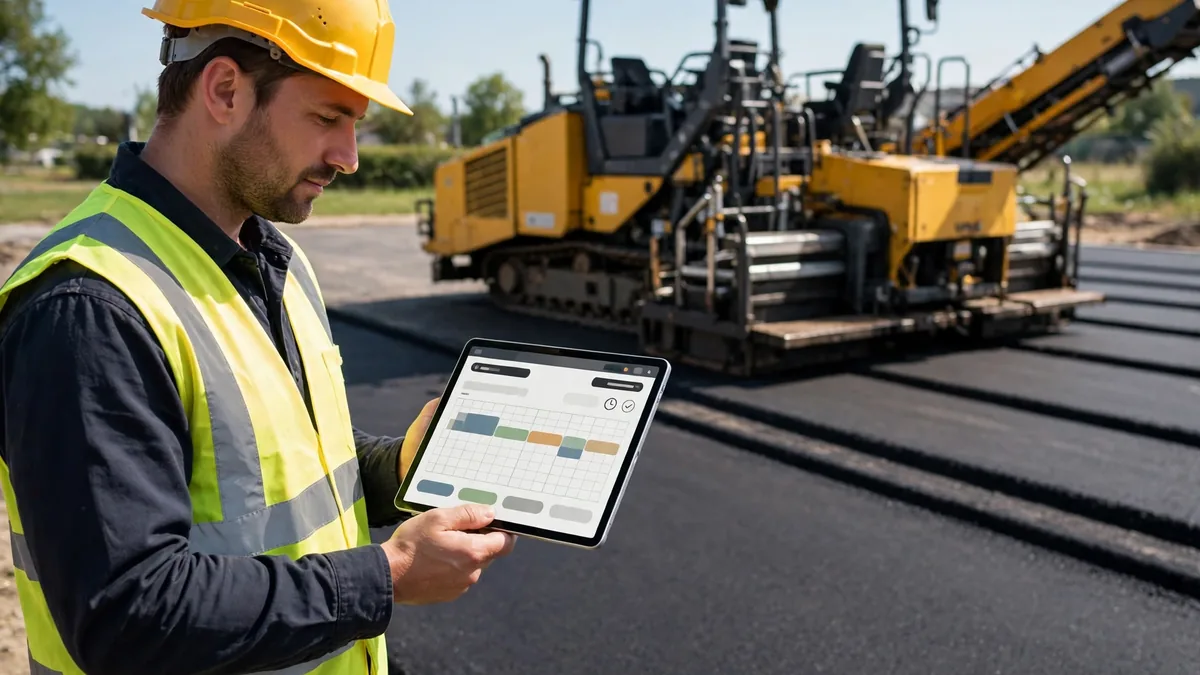
Paving contractor software in 2027 does far more than store customer names. The best tools handle estimating, scheduling, crew dispatch, invoicing, payments, and follow-up in one place, so a paving company can quote a driveway in the morning, pave it in the afternoon, and get paid before the crew leaves the site. For a trade where margins depend on crew hours, asphalt tonnage, and tight seasonal windows, that kind of control is worth real money.
The problem is choice. Most of the tools sold to paving contractors are general field service platforms with a paving label on top, while the few paving-specific options are narrower and sometimes dated. A residential driveway contractor needs fast quoting and simple scheduling. A commercial paving company needs multi-day projects, material tracking, and progress billing. Buying the wrong one means paying every month for features the crew never opens.
This guide compares eight of the strongest options for paving contractors in 2027, from all-round field service platforms to tools built specifically for asphalt and sealcoating work. Each one is judged on estimating, scheduling, mobile use in the field, payments, and value for money, so you can match the software to the size and shape of your own business.
Key takeaways
- JobProgress is the best overall pick for paving contractors, with strong estimating, scheduling, and payment tools in one system.
- Housecall Pro is the best choice for small residential paving crews that want to start fast and keep monthly costs low.
- ServiceTitan suits large paving operations with multiple crews, but its price and setup time are the highest in this list.
- Paving-specific tools such as PavePro handle asphalt quantities and sealcoating measurements better than general platforms.
- Always run a real trial with your own jobs and crew before signing a contract, and confirm the renewal price in writing.

At a glance: the shortlist
| Product | Best for | Starting price | Standout limit |
|---|---|---|---|
| JobProgress | Best overall | From around $349 per month | Higher entry price than small-crew tools |
| Housecall Pro | Small residential crews | From around $49 per month | Less depth for large commercial projects |
| Jobber | Scheduling and quoting | From around $49 per month | Payments and add-ons raise the real cost |
| ServiceTitan | Large multi-crew operations | Custom pricing, from around $398 per month | Long setup and the highest cost here |
| Aspire | Commercial paving | Custom pricing | Overkill for small residential-only firms |
| LMN | Estimating and job costing | From around $99 per month | Learning curve for new users |
| PavePro | Paving-specific work | From around $99 per month | Smaller feature set than general platforms |
| FieldPulse | Budget-conscious contractors | From around $79 per month | Fewer integrations than bigger rivals |
JobProgress — Best overall
JobProgress is a field service platform built for exterior contractors, and paving is one of the trades it fits best. It covers the full job cycle: lead tracking, estimating, scheduling, crew management, invoicing, and payments. For a paving company that handles both residential driveways and commercial lots, that breadth matters, because the same system can manage a one-day sealcoating job and a two-week parking lot project without switching tools.
Estimating is the strongest part. You can build line-item estimates with material quantities, labour, and equipment costs, then send a polished proposal the customer can approve online. Once approved, the estimate converts to a job with one click, which removes the double entry that slows many paving offices down. The mobile app gives crews job details, photos, and checklists on site, and office staff can see job status update in real time.
Payments are built in, including card payments and financing options that help customers say yes to larger jobs. The reporting is solid too, with clear views of sales, job profitability, and crew performance. Where JobProgress loses points is price: the entry plan costs more than the small-crew tools in this list, and some of the most useful features sit on higher tiers. Setup also takes real effort, so plan for a week or two of training rather than a single afternoon. For advice on choosing tools for a closely related trade, see this guide to concrete contractor software, which covers similar estimating and scheduling needs.
Pros: Strong estimating with online approvals; full job cycle from lead to payment; good mobile app for field crews; useful profitability reporting.
Cons: Higher starting price than small-crew tools; some key features need higher tiers; setup takes longer than simpler apps.
Housecall Pro — Best for small residential crews
Housecall Pro is the easiest tool in this list to start using, and that is exactly why it suits small residential paving crews. A one- or two-crew business can set it up in a day, send its first estimate the same week, and run scheduling, dispatch, invoicing, and payments from a single dashboard. The interface is clean, the mobile app is reliable, and new office staff rarely need much training.
Estimates and invoices look professional, and customers can approve and pay online. The scheduling board shows the day and week at a glance, and automated reminders cut down on no-shows and rescheduling calls. There is also a built-in review request feature, which helps paving companies collect Google reviews after each job, and those reviews matter a lot in a local trade.
The limits show up as a company grows. Housecall Pro is less comfortable with long commercial projects, multi-phase work, and detailed material tracking than the heavier platforms here. Reporting is good for day-to-day work but thinner on deep job costing. Pricing starts low, but the per-user and add-on costs climb as the team grows, so check the total before committing. For a small crew that paves driveways and does sealcoating, though, it is hard to beat for speed and simplicity.
Pros: Very fast setup; clean and easy mobile app; online estimates and payments; built-in review requests.
Cons: Limited depth for large commercial projects; reporting is basic on job costing; costs rise with team size and add-ons.
Jobber — Best for scheduling and quoting
Jobber is a popular choice for service businesses, and paving contractors use it mainly for its scheduling and quoting flow. The calendar is clear, drag-and-drop scheduling is fast, and route planning helps crews move between jobs without wasted driving time. Quotes can be sent by text or email, approved online, and turned into scheduled work in a few clicks.
The client hub is a useful touch: customers can see their quotes, invoices, and job history in one place, which cuts down on phone calls to the office. Jobber also handles recurring work well, so sealcoating reminders and repeat customers are easy to manage. Invoicing and card payments are included, and the mobile app covers the basics crews need on site, including job notes, photos, and time tracking.
Where Jobber falls short is depth. It is a generalist tool, so paving-specific needs like asphalt tonnage calculations and material tracking need workarounds. The lower plans limit the number of users and clients, and some features, such as advanced reporting and marketing tools, cost extra. It is a strong pick for a paving company that values clean scheduling above all else and does not need heavy project management.
Pros: Excellent scheduling and route planning; fast online quoting; useful client hub; good recurring job handling.
Cons: No paving-specific material calculations; user and client limits on lower plans; add-ons increase the real monthly cost.
ServiceTitan — Best for large multi-crew operations
ServiceTitan is the most powerful platform in this list, and it is aimed squarely at larger contractors. For a paving company running several crews across residential and commercial work, it brings scheduling, dispatch, estimating, CRM, marketing, payroll integration, and detailed reporting into one system. The dispatch board is the best in this group, with live crew tracking, job status updates, and capacity planning that helps managers fill gaps in the schedule.
The estimating and proposal tools are strong, and the built-in pricebook helps standardise pricing across crews, which matters when several estimators quote similar work. Marketing features such as automated campaigns and review management are included rather than bolted on. Reporting goes deep, covering job profitability, technician performance, and marketing return, which gives owners a clear picture of where money is made and lost.
The trade-off is cost and complexity. ServiceTitan is the most expensive option here, with custom pricing that usually starts higher than any other tool in this list, and implementation can take weeks. Small companies will find it heavy and hard to justify. It earns its place for paving businesses with the scale to use it: multiple crews, a dedicated office team, and enough volume to absorb the price.
Pros: Best dispatch and capacity planning; deep reporting and pricebook; strong CRM and marketing tools; scales to large teams.
Cons: Highest cost in this list; long implementation; too heavy for small paving firms.
Aspire — Best for commercial paving
Aspire is built for landscape and outdoor service companies, and its job costing and project management tools translate well to commercial paving. Where most tools in this list treat a job as a single visit, Aspire treats it as a project with phases, budgets, schedules, and crews, which is exactly how a commercial parking lot or road resurfacing job actually runs.
Estimating in Aspire is detailed, with assemblies and kits that let estimators price complex work quickly and consistently. Once a job is won, the system tracks estimated hours and materials against actuals, so managers can see whether a project is on budget while it is still running rather than after it finishes. Scheduling covers multiple crews and equipment, and the mobile app lets foremen log time, materials, and progress from the site.
Invoicing supports progress billing, which is essential for commercial work paid in stages. The downside is that Aspire is a serious system with a serious price and a real learning curve. It is overkill for a residential driveway business, and smaller firms will not use half of what it offers. For commercial paving companies that need true project costing, though, it is one of the best fits available.
Pros: True project and phase management; strong estimated-versus-actual costing; progress billing; good multi-crew scheduling.
Cons: Custom pricing and high cost; steep learning curve; far more than a small residential firm needs.
LMN — Best for estimating and job costing
LMN, short for Landscape Management Network, is designed for outdoor contractors, and paving companies use it mainly for its estimating and budgeting strength. Its estimating system is built around real costs: labour rates, material prices, equipment costs, and overhead are all factored in, so a quote reflects what a job will actually cost rather than a rough guess. That accuracy is valuable in paving, where material prices and crew hours decide whether a job makes money.
The budgeting tools are equally strong. LMN helps owners set sales targets, track overhead recovery, and see whether each job and crew is hitting its numbers. Time tracking ties directly into job costing, so the office can compare estimated hours with actual hours and adjust future quotes. The mobile app lets crews clock in, see job details, and log completed work from the field.
Scheduling and CRM are functional but less polished than the dedicated field service platforms here. The interface also takes time to learn, and new users should expect a training period before the system feels natural. Pricing is mid-range, which is fair for the costing depth on offer. LMN is the right pick for a paving contractor who wants to fix pricing accuracy and job profitability first and foremost.
Pros: Excellent cost-based estimating; strong budgeting and overhead tracking; time tracking tied to job costing; fair mid-range pricing.
Cons: Scheduling and CRM are less polished; noticeable learning curve; interface feels dated in places.
PavePro — Best paving-specific option
PavePro is one of the few tools in this list built specifically for paving contractors, and it shows in the details. Instead of generic line items, it handles the measurements paving estimators actually use: square footage, asphalt tonnage, sealcoating coverage, crack filling lengths, and striping counts. That specificity saves time on every quote and reduces the arithmetic errors that eat into margins.
The software covers estimating, scheduling, customer management, and invoicing in one place. Estimates can be built from site measurements, sent to the customer, and approved online. The job board keeps the schedule visible, and the mobile app gives crews access to job details and directions. Payments are handled through integrated card processing, so invoices can be paid without chasing cheques.
The trade-off is scope. PavePro does paving well, but it has fewer features than the general platforms: marketing tools, deep reporting, and third-party integrations are limited. It also has a smaller user base, so there are fewer tutorials and community resources than the bigger names offer. For a paving-only business that wants software speaking its own language, those limits are a fair exchange for the fit.
Pros: Built for paving measurements and materials; fast accurate estimates; simple scheduling and invoicing; integrated payments.
Cons: Fewer features than general platforms; limited integrations; smaller user community and fewer learning resources.
FieldPulse — Best for budget-conscious contractors
FieldPulse is a straightforward field service tool that gives paving contractors the essentials without a large monthly bill. Scheduling, dispatch, estimates, invoices, and payments are all included, and the interface is simple enough that a crew can learn it in a day. For a small paving company watching every expense, that combination of low price and low friction is attractive.
Estimates and invoices are clean and professional, and customers can approve and pay online. The scheduling view is clear, and the mobile app covers the basics: job details, customer information, photos, and signatures. FieldPulse also includes a customer database and basic reporting, which is enough for a small business to track who it serves and what it is owed.
The limits are real. There are fewer integrations than the bigger platforms offer, so connecting accounting software or marketing tools takes more work. Reporting is basic, and there are no paving-specific features such as asphalt quantity calculations. Support is decent but not as deep as the larger vendors. Even so, for a paving contractor that needs solid scheduling and invoicing at a low price, FieldPulse delivers good value.
Pros: Low monthly price; quick setup and easy to learn; online estimates and payments; clean mobile app.
Cons: Few integrations; basic reporting; no paving-specific measurement tools.
How to choose
Start with the shape of your business, not the feature list. A one-crew residential paving company needs fast quoting, simple scheduling, and online payments, and will be happiest with Housecall Pro, Jobber, or FieldPulse. A company doing commercial lots and multi-day projects needs phase management, material tracking, and progress billing, which points toward Aspire, ServiceTitan, or JobProgress. A paving-only firm that lives on measurement accuracy should look closely at PavePro and LMN.
Next, test the estimating workflow with a real job. Take a recent driveway or lot, build the estimate in each trial, and see how long it takes and how accurate the numbers are. If the tool cannot handle asphalt quantities or sealcoating coverage cleanly, your estimators will fight it every day. Also check the mobile app on a real phone at a real job site: if crews cannot load job details with gloves on and poor signal, the software will not get used.
Finally, look at the total cost, not the headline price. Ask what the renewal price is after any introductory period, what each extra user costs, and which features need a higher tier or an add-on. Confirm contract length, cancellation terms, and whether your data can be exported if you leave. A short trial with your own jobs and your own crew answers more questions than any demo, so use the free trial period properly before signing anything. For a broader view of how construction software is compared across trades, this roundup of construction management software is a useful reference point.
Checklist: before you pay
- Run a free trial with at least five real jobs, from estimate to payment, before committing.
- Confirm the renewal price in writing, including per-user fees and any add-on costs.
- Check the contract length, cancellation terms, and any early termination fee.
- Make sure your customer and job data can be exported in a usable format if you leave.
- Test the mobile app on site with your actual crew, including offline access and photo uploads.
- Ask how support works, including hours, response times, and whether onboarding help is included.
Frequently asked questions
What is the best paving contractor software overall?
JobProgress is the best overall pick for most paving contractors in 2027, because it covers estimating, scheduling, crew management, invoicing, and payments in one system. Small residential crews may prefer Housecall Pro for its lower price and faster setup, while large commercial firms will get more from ServiceTitan or Aspire.
How much does paving contractor software cost?
Most paving contractor software costs between around $49 and $400 per month, depending on the platform and the number of users. Small-crew tools such as Housecall Pro and Jobber start near the low end, while ServiceTitan and Aspire use custom pricing that usually sits at the high end. Always confirm the renewal price and per-user fees before signing.
Is there software made specifically for paving contractors?
Yes. PavePro is built specifically for paving work, with measurements for asphalt tonnage, sealcoating coverage, crack filling, and striping. LMN also fits outdoor contractors well, with cost-based estimating designed for this kind of work. General field service platforms are broader but need workarounds for paving-specific calculations.
Do I need separate software for estimates and scheduling?
No. All eight tools in this list handle both estimating and scheduling, and most convert an approved estimate into a scheduled job automatically. Using one system for both avoids double entry and keeps the office and the crew looking at the same information. For a related trade comparison, see this guide to roofing business software, which faces similar scheduling and quoting demands.
Can paving software handle commercial projects and progress billing?
Yes, but only some tools do it well. Aspire and ServiceTitan support multi-phase projects and progress billing, which commercial paving work usually requires. JobProgress handles larger jobs reasonably too. Smaller tools such as Housecall Pro and FieldPulse are better suited to single-visit residential work.
Will my crew actually use the mobile app?
Crews use the app when it makes their day easier, so test it on a real job before buying. Look for fast job loading, clear directions, photo uploads, and offline access for sites with poor signal. If the app is slow or confusing, crews will go back to paper and phone calls no matter how good the office dashboard is.
The bottom line
For most paving contractors, JobProgress is the safest choice in 2027: it covers the whole job cycle, estimates well, and scales from residential driveways to commercial lots. Housecall Pro is the better pick for a small residential crew that wants to start fast and keep costs down, Jobber suits companies that put scheduling first, and PavePro is the natural fit for a paving-only business that wants software built around asphalt measurements. Large operations with several crews should weigh ServiceTitan or Aspire, accepting the higher price in exchange for project control and reporting depth.
Whatever you choose, let a real trial decide. Build estimates for your own jobs, send your crew out with the app, and check the renewal price before you sign. The right software disappears into the working day: quotes go out faster, crews know where they are going, and invoices get paid sooner, which is what paving contractor software is actually for.