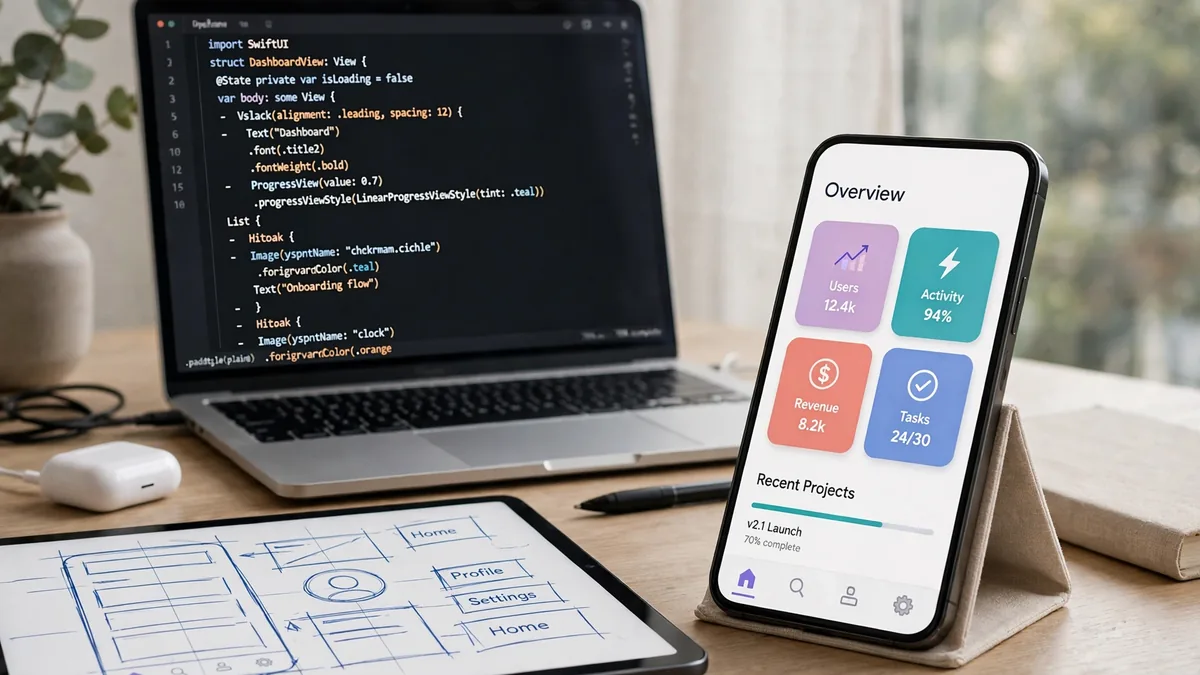
The best AI tools for app developers in 2027 do more than finish lines of code. They help you plan a feature, scaffold a whole project, design the interface, write tests, fix crashes, and ship an update to the App Store or Google Play without losing a week to repetitive work. For a solo developer, that can mean the difference between an idea that stays in a notebook and an app that is actually live. For a team, it can mean shorter sprints, fewer handover delays, and more time spent on the parts of the product that users notice.
App development has its own demands. Mobile and web apps need clean navigation, fast loading, offline behaviour, push notifications, secure sign-in, and layouts that work on dozens of screen sizes. The tools in this guide were judged on how well they fit the full app lifecycle, from the first wireframe to the first thousand users.
We tested the shortlist against real app work: building screens, connecting an API, handling state, writing unit and widget tests, debugging a crash log, and reviewing a pull request. The nine tools below cover different parts of that work, and most developers will end up using two or three together rather than one for everything. GitHub Copilot leads for everyday coding, Cursor leads for working inside an AI-first editor, and Firebase Studio and FlutterFlow lead when you want a working app quickly rather than a blank project.
Key takeaways
- GitHub Copilot is the best overall pick for app developers who want reliable AI help inside the editor they already use.
- Cursor is the best AI-first editor for developers who want the assistant to understand the whole codebase, not just the open file.
- Firebase Studio and FlutterFlow are the fastest routes from an idea to a working app, especially for prototypes and small products.
- Expect to pay from about $10 to $20 a month per developer for the leading paid plans, with free tiers that are genuinely useful for trying a tool.
- No tool replaces testing on real devices, reviewing generated code, or checking privacy and app store rules before you ship.

At a glance: the shortlist
| Product | Best for | Starting price | Standout limit |
|---|---|---|---|
| GitHub Copilot | Everyday coding in any editor | From $10 a month | Agent features vary by plan |
| Cursor | AI-first editing across a codebase | From $20 a month | Usage limits on higher-tier models |
| Claude Code | Large refactors and careful review | From $20 a month | Usage limits on heavy days |
| ChatGPT | Planning, debugging, and learning | From $20 a month | Not an editor by itself |
| Gemini Code Assist | Android and Google Cloud teams | Free tier, then from $19 a month | Best inside Google tooling |
| Firebase Studio | Prototyping full apps quickly | Free tier, then pay as you go | Prototype code still needs review |
| FlutterFlow | No-code and low-code app building | Free tier, then from $30 a month | Complex logic needs custom code |
| v0 | Generating app interfaces fast | Free tier, then from $20 a month | Front end only, not a full app |
| Tabnine | Privacy-conscious teams | Free tier, then from $9 a month | Smaller model range than rivals |
GitHub Copilot — Best overall
GitHub Copilot remains the safest first choice for app developers because it fits into the workflow most teams already have. It works inside Visual Studio Code, Visual Studio, JetBrains IDEs, Xcode, and other editors, and it also runs inside GitHub itself, where it can review pull requests and suggest fixes. For app work, that breadth matters. You can get completions while writing Swift, Kotlin, Dart, TypeScript, or JavaScript, then ask the chat view to explain a crash log or to draft a test for a view model.
Copilot is strongest at the everyday grind: boilerplate, API calls, data models, navigation code, and small refactors. It is good at following the patterns already in your project, so a screen built in the same style as your other screens tends to come out consistent. The agent mode can take a larger instruction, such as adding a settings screen with a working toggle and persistence, and make changes across several files. You still need to check the result, but for well-defined tasks it saves real time.
Pros: Works in most editors and languages, strong completions, useful agent mode and code review, solid team controls.
Cons: Can suggest code that looks right but uses an outdated API, and heavy agent use can run through plan allowances quickly.
Cursor — Best AI-first editor
Cursor is built around AI from the start rather than adding it to an existing editor. It is based on Visual Studio Code, so most developers feel at home within minutes, but the assistant sits at the centre of the experience. You can highlight a block of code and ask for a fix, describe a feature in plain language and watch it edit several files, or ask questions about how a part of the app works. For app developers, the ability to work across the whole project is the main draw: a change to a data model can flow through the screens, view models, and tests that depend on it.
Cursor is particularly strong when you are building a new app or a large new feature. You can describe the screens, the navigation, and the data you need, then iterate in conversation: add a login flow, move the navigation bar, change the colour scheme, and fix the errors that appear. The editor shows each proposed change clearly, and you accept or reject them file by file. That control matters, because generated code always needs a human eye before it reaches users.
The tool also handles smaller jobs well, from renaming a component across the project to generating mock data for a list screen. Developers comparing the best AI tools for coding often put Cursor near the top for this kind of multi-file work.
Pros: Strong multi-file editing, clear change review, fast for new features, familiar to Visual Studio Code users.
Cons: Subscription cost adds up for a team, and model usage limits can slow a heavy day of agent work.
Claude Code — Best for large refactors
Claude Code is a command-line and editor-based assistant from Anthropic that has earned a reputation for careful, well-structured work on large codebases. App projects grow messy over time: duplicated logic creeps into screens, a networking layer gets tangled with the interface, and a refactor that touches twenty files feels risky. Claude Code is built for exactly that kind of job. You describe the goal, it reads the relevant code, and it works through the change in steps, explaining what it did and why.
For app developers, its strength is reasoning rather than speed. It is good at tracing a bug through several layers, from a button tap to a failed API request, and at spotting the assumption that breaks on a slow connection or an older phone. It writes clean, readable code with sensible names and structure, which matters when another developer has to maintain the app six months later. It is also a strong code reviewer: ask it to check a pull request for logic errors, security issues, and missing tests, and it will usually find something worth fixing.
Pros: Careful reasoning on complex code, strong for refactors and reviews, clean output, simple pricing through Claude plans.
Cons: Usage limits on heavy days, and it needs clear instructions to do its best work.
ChatGPT — Best all-round assistant
ChatGPT is the most flexible tool on this list because it is not tied to one editor or one language. App developers use it as a planning partner, a debugger, a teacher, and a second pair of eyes. You can paste an error message and get a likely cause, ask it to compare two ways of structuring an app, or talk through a feature before writing any code. That planning step often saves more time than the coding itself, because a clear plan leads to fewer rewrites.
ChatGPT works best alongside an editor-based tool rather than instead of one. Use it to design the feature, weigh the trade-offs, and debug the hard problems, then use Copilot or Cursor to write and edit the code. Its answers should still be checked against current framework documentation, since APIs change.
Pros: Flexible across planning, coding, and product work, strong explanations, useful for app store copy and release notes.
Cons: Not an editor, so code still has to be pasted in and out, and answers can describe outdated APIs.
Gemini Code Assist — Best for Android and Google Cloud teams
Gemini Code Assist is Google’s AI coding assistant, and it is the natural choice for teams building Android apps or running their backend on Google Cloud. It integrates with Android Studio, Visual Studio Code, JetBrains IDEs, and Firebase, and it understands Google’s services well: Firestore, Cloud Functions, authentication, and the Android SDK. If your app already lives in that ecosystem, the assistant’s suggestions tend to fit your stack without extra translation.
For Android developers, it helps with Kotlin and Java, Compose layouts, ViewModel boilerplate, and the repetitive code around permissions, navigation, and data loading. It can explain an Android crash, suggest a fix for a lifecycle bug, and draft tests for a repository class. Because it is connected to Google Cloud, it can also help with the server side of an app, such as writing a Cloud Function that sends a push notification when a document changes.
Pros: Deep Android and Google Cloud integration, generous free tier, good for Firebase-backed apps.
Cons: Less useful outside the Google ecosystem, and some features need a Google Cloud setup to shine.
Firebase Studio — Best for prototyping full apps
Firebase Studio is Google’s cloud-based workspace for building full-stack apps with AI help, and it is the fastest way on this list to go from a description to a running app. You describe the app you want, and it generates the interface, the logic, and a working preview you can open in a browser. You can then refine it in conversation, add features, and connect it to Firebase services such as authentication, a database, and hosting.
For app developers, the value is speed of validation. Before committing weeks to a product, you can build a working prototype, show it to real users, and learn whether the idea holds up. It is also useful for internal tools and small client projects, where a polished prototype is often enough. The workspace runs in the browser, so there is nothing to install, and the generated project can be exported and developed further in a normal editor when it outgrows the prototype stage.
Pros: Very fast prototypes, working preview in the browser, built-in Firebase services, easy export to continue in an editor.
Cons: Generated code needs review and hardening, and costs can grow once the app moves beyond the free tier.
FlutterFlow — Best no-code and low-code app builder
FlutterFlow is a visual builder for apps made with Flutter, and it is the best choice for developers and founders who want a real app without writing every screen by hand. You design screens by dragging widgets into place, connect them to data from Firebase, Supabase, or a REST API, and add logic with a visual action editor. When you need something custom, you can drop in your own Dart code. The result is a genuine Flutter app that can be published to iOS and Android from one codebase.
The AI features speed up the visual work. You can describe a screen and get a first draft, generate app content, and ask for help with layout and styling. For a small team or a solo founder, that combination is powerful: design, logic, and data in one place, with a live preview on your phone as you work. It is a good fit for directories, booking apps, marketplaces, dashboards, and other apps where the screens and data matter more than unusual custom behaviour.
Pros: Visual building with real Flutter output, fast for common app types, live preview, code export available.
Cons: Higher monthly cost, and unusual features still need custom code.
v0 — Best for app interface generation
v0, from Vercel, generates user interfaces from a text description, and it is the quickest way to get a polished front end for a web app or a mobile web experience. Describe the screen you need, such as a dashboard with a sidebar, a stats row, and a list of recent orders, and v0 produces clean, modern interface code using React and Tailwind CSS. You can then refine it in conversation, change the layout, adjust the colours, and copy the result into your project.
For app developers, v0 is most useful for the web side of a product: marketing pages, admin dashboards, settings panels, and web versions of an app. It is also useful for prototyping a mobile interface before rebuilding it natively in SwiftUI, Compose, or Flutter, since a good visual draft makes the design conversation much shorter. The generated code is readable and uses common components, so a developer can take it over without fighting an unusual structure.
Pros: Fast, polished interface generation, clean React and Tailwind output, good for dashboards and web apps.
Cons: Front end only, so it needs a backend and real data wiring to become a working app.
Tabnine — Best for privacy-conscious teams
Tabnine is an AI coding assistant built with privacy and control in mind, and it is the best pick for teams that cannot send their code to a general-purpose cloud service. It offers private deployment options, including running models inside a company’s own environment, and it is designed so that code is not used to train shared models. For banks, health apps, government suppliers, and other regulated work, that control can be the deciding factor.
Inside the editor, Tabnine feels familiar: completions as you type, a chat assistant for questions and fixes, and an agent that can handle multi-step tasks. It supports the languages app developers use most, including Swift, Kotlin, Dart, TypeScript, and JavaScript, and it works in the major editors. It is less flashy than Cursor or Claude Code, but it is steady, predictable, and easy to roll out across a team with clear policies.
Pros: Strong privacy and deployment controls, predictable completions, easy team rollout, free tier for trying it.
Cons: Narrower model range than general assistants, and no built-in product or design features.
How to choose
Start with the app you are building, not the tool. A native iOS app in Swift has different needs from a cross-platform Flutter app or a web app with a mobile wrapper. If you write code every day in an editor, start with GitHub Copilot or Cursor and add ChatGPT or Claude Code for planning and review. If you want a working prototype this week, start with Firebase Studio or FlutterFlow and move to an editor-based tool when the prototype needs to become a product.
Check three practical things before you pay. First, does the tool support your language and framework well, including the current version rather than one from two years ago? Second, does it fit your privacy rules, especially if the app handles health, finance, or children’s data? Third, what happens at the limit: how much agent work does the plan include, and what does it cost when a big refactor runs long? A cheap plan with a low limit can cost more in lost time than a slightly dearer plan with room to work. Our guide to the best AI tools for developers covers the broader coding landscape and is a useful comparison if your app work overlaps with general software projects.
Checklist: before you pay
- Try the free tier on a real feature, not a demo, and check the code it produces line by line.
- Confirm the tool supports your language, framework, and current versions before you subscribe.
- Check the plan limits for agent work and higher-tier models, and what extra usage costs.
- Read the privacy terms if your app handles personal, health, or payment data.
- Make sure you can export your code and keep working without the tool if you cancel.
- Test the tool on a real device build and in your app store review process before relying on it.
Frequently asked questions
What is the best AI tool for app developers in 2027?
GitHub Copilot is the best overall choice for most app developers because it works in the editors and languages teams already use and handles everyday coding well. Cursor is better if you want an AI-first editor that works across the whole codebase, and Firebase Studio is better if you want a working prototype quickly.
Can AI tools build a complete app on their own?
They can build a working prototype, and for a simple app that prototype may be close to a finished product. But a complete, reliable app still needs a developer to review the code, test on real devices, handle edge cases, secure user data, and pass app store review. AI tools are strongest when they do the repetitive work and a human makes the product decisions.
Are AI coding tools safe for commercial apps?
They are widely used in commercial apps, but you should still review generated code before shipping it, especially around authentication, payments, and personal data. Check the tool’s privacy terms, avoid pasting secrets or API keys into a chat, and use a tool such as Tabnine or an enterprise plan if your work has strict compliance rules. A guide to the best AI tools for software development can help you compare the team and privacy options across the leading tools.
How much do AI tools for app developers cost?
Most leading tools offer a useful free tier and paid plans from about $9 to $20 a month per developer, with team and enterprise plans costing more. Prototyping and no-code builders such as Firebase Studio and FlutterFlow use different pricing, including pay-as-you-go and higher monthly tiers. Check the current pricing before you buy, since plans and limits change often.
Do I still need to learn to code if I use AI app tools?
Yes, and the tools work better the more you know. AI can write code quickly, but you need enough knowledge to judge whether the code is correct, secure, and well structured, and to fix it when it is not. No-code tools lower the barrier, but understanding how apps, data, and APIs fit together still matters.
Which AI tool is best for Android app development?
Gemini Code Assist is the best fit for Android teams because it integrates with Android Studio and Google’s services, including Firebase. GitHub Copilot and Cursor are also strong for Kotlin and Compose work, and Claude Code is a good choice for large Android refactors.
The bottom line
For most app developers, the sensible stack in 2027 is GitHub Copilot for everyday coding, Cursor or Claude Code for larger features and refactors, and ChatGPT for planning and debugging. Add Firebase Studio or FlutterFlow when you need a prototype fast, Gemini Code Assist if you build for Android and Google Cloud, and Tabnine if privacy rules shape your choice. That combination covers the full journey from idea to app store without paying for tools that overlap.
Whichever tools you choose, keep the discipline that makes them useful: review every generated change, test on real devices, and keep the product decisions with a human. The tools will keep getting faster, and the developers who benefit most will be the ones who use that speed to ship better apps rather than more untested code.