
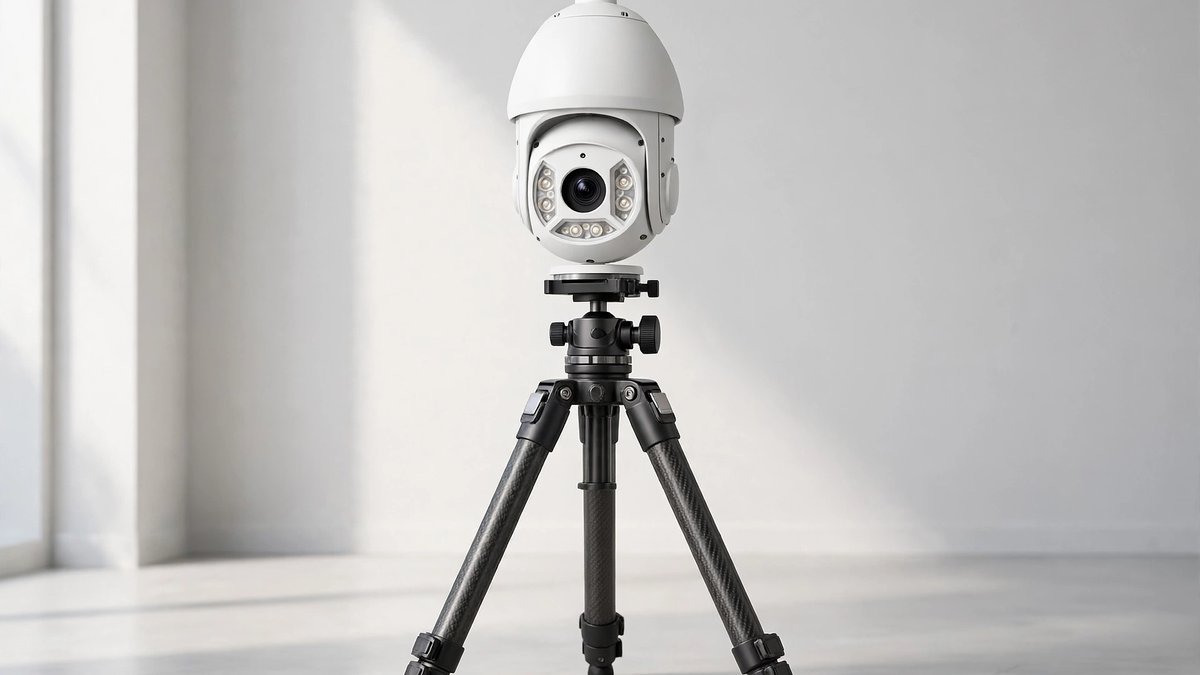
A PTZ webcam does something a fixed webcam cannot: it moves. Pan, tilt and zoom let the camera follow you around the room, frame a whiteboard, or switch between a wide shot of a meeting table and a close-up of whoever is speaking. For streamers, teachers and hybrid teams, that movement turns a static video feed into something that feels produced rather than improvised.
The market has changed fast. A few years ago a decent PTZ camera cost thousands and needed a control room. In 2027 the best options start under $200, track you with AI, and plug in over a single USB cable. The trade-off is that cheap PTZ cameras often cut corners on sensor size, low-light performance and software, so picking by price alone is a mistake.
We tested the field on tracking accuracy, image quality in mixed light, noise, ease of setup and how well each camera works with Zoom, Teams, OBS and other everyday software. The seven cameras below are the ones worth your money, from a compact AI tracker for solo creators to a broadcast-grade NDI camera for studios.
Key takeaways
- Best overall: OBSBOT Tiny 2 — fast AI tracking, 4K, and a genuinely simple setup for under $350.
- Best for streamers: Insta360 Link 2 combines 4K, AI framing and a gimbal that keeps up with fast movement.
- Best for large rooms: Sony SRG-A40 delivers broadcast-quality 4K with 20x zoom and NDI support.
- PTZ cameras start around $180, but the best tracking and low-light performance live in the $300 to $900 range.
- Avoid cameras that only move through a clunky desktop app — gesture control and preset positions matter more than raw zoom.
At a glance: the shortlist
| Product | Best for | Starting price | Standout limit |
|---|---|---|---|
| OBSBOT Tiny 2 | Overall | $329 | 1/1.5-inch sensor, 4K at 30 fps |
| Insta360 Link 2 | Streamers | $199 | 1/2-inch sensor, 4K at 30 fps |
| Sony SRG-A40 | Large rooms | $2,400 | Needs NDI or SDI workflow |
| Logitech Mevo Start | Multi-camera streaming | $399 | 1080p only, no 4K |
| OBSBOT Tail Air | Wireless setups | $499 | Wi-Fi latency on long streams |
| Huddly L1 | Meeting rooms | $899 | Fixed wide angle, limited zoom |
| Avonic CM70-NDI | Studios on a budget | $1,195 | Setup needs networking know-how |
OBSBOT Tiny 2 — Best overall
The OBSBOT Tiny 2 is the PTZ camera most people should buy. Its two-axis gimbal pans and tilts smoothly, the AI tracking locks onto you and follows without the jitter that cheaper trackers show, and the 1/1.5-inch sensor produces clean 4K video even in a dim home office. Setup is a single USB-C cable and a quick driver install.

Gesture control is the feature that sells it: raise a hand and the camera zooms in, make an L shape and it zooms out. Preset positions let you jump between framing for a desk shot and a whiteboard in one click. If you also stream, pairing it with the picks in our guide to the best AI tools for livestreamers makes a one-person setup feel like a small production crew.
Pros: Fast, smooth AI tracking; excellent low-light image; gesture controls; simple USB setup.
Cons: No NDI output; the magnetic mount is small for heavy use.
Insta360 Link 2 — Best for streamers
The Insta360 Link 2 is built for people who move while they talk. Its gimbal tracks quickly and smoothly, the AI framing keeps you centred even when you pace, and the 4K image stays sharp at 30 frames per second. A whiteboard mode automatically corrects the angle when you point at a board, which is handy for tutorials and live teaching.
What streamers will like most is the software. Insta360’s desktop app offers virtual camera output, portrait mode for vertical platforms, and desk-view mode that tilts down to show a keyboard or a product. The microphone is decent for a webcam, though serious streamers will still want a dedicated mic.
Pros: Quick, stable tracking; useful whiteboard and desk-view modes; good value at $199.
Cons: Smaller sensor than the Tiny 2; low-light performance is only average.
Sony SRG-A40 — Best for large rooms
The Sony SRG-A40 is a different class of camera. With a 1/2.5-type Exmor R sensor, 20x optical zoom and 4K output, it is designed for conference rooms, lecture halls and houses of worship where the subject may be ten metres from the lens. AI auto-framing can follow a presenter or frame a group automatically, and NDI, HDMI and SDI outputs mean it drops into professional workflows.
This is not a plug-and-play webcam. You will need a network switch or capture setup, and the price puts it firmly in the professional category. But if your room is large and your audience expects broadcast quality, nothing else on this list comes close.
Pros: Outstanding 4K image and 20x zoom; reliable AI framing; NDI, HDMI and SDI outputs.
Cons: Expensive; needs a professional setup; overkill for a home desk.
Logitech Mevo Start — Best for multi-camera streaming
The Mevo Start is a small wireless PTZ-style camera that streams over Wi-Fi and can be controlled from a phone. You can run up to three Mevo cameras from one app, switching angles as if you had a vision mixer. Battery life is around six hours, so it works for events, interviews and field shoots where cables are a problem.
The compromise is resolution: 1080p only, with a fixed lens that crops digitally rather than zooming optically. For social streaming and simple multi-angle setups that is often enough, and the wireless freedom is genuinely liberating. Just do not expect it to match a 4K USB camera for sharpness.
Pros: Wireless, battery-powered, multi-camera control from a phone; very portable.
Cons: 1080p only; digital zoom softens the image; Wi-Fi can add latency.
OBSBOT Tail Air — Best for wireless setups
The Tail Air is OBSBOT’s answer to creators who want PTZ movement without a cable tethering the camera to a computer. It streams 4K over Wi-Fi or NDI, tracks with the same AI engine as the Tiny 2, and can be controlled from a phone or a small remote. It works well as a second camera for a studio, mounted on a shelf or a tripod across the room.
Wireless convenience has a cost. On congested Wi-Fi the stream can stutter, so a wired NDI connection is the safer choice for anything you cannot redo. Battery life is limited, so plan on mains power for long sessions.
Pros: True wireless 4K with NDI; strong AI tracking; flexible mounting.
Cons: Wi-Fi latency on busy networks; short battery life; needs mains power for long shoots.
Huddly L1 — Best for meeting rooms
The Huddly L1 is a wide-angle room camera with AI that frames whoever is speaking, counts participants and adjusts the shot as people enter or leave. It is built for hybrid meeting rooms where a fixed webcam leaves remote colleagues staring at an empty chair. Image quality is strong in typical office lighting, and it works natively with Zoom, Teams and Google Meet.
The L1 is not a traditional PTZ camera: it has no optical zoom, relying instead on a high-resolution sensor and digital cropping. For a room of up to eight people that is fine. For a lecture hall it is not, and the price reflects its enterprise focus.
Pros: Smart auto-framing for groups; works natively with major meeting platforms; clean office image.
Cons: No optical zoom; pricey for home use; best in controlled office light.
Avonic CM70-NDI — Best for studios on a budget
The Avonic CM70-NDI brings broadcast-style PTZ into reach for smaller studios. It offers 20x optical zoom, 1080p60 output, NDI, HDMI and SDI, and a quiet motor that does not intrude on recordings. Colour accuracy is good out of the box, and preset positions make repeatable shots easy.
You will need some networking knowledge to get NDI running smoothly, and the 1080p ceiling means it cannot match the Sony for resolution. But for a church, classroom or small studio that needs reliable PTZ at a sensible price, it is hard to beat. For a simpler home setup, our roundup of the best webcams for working from home covers fixed cameras that need no networking at all.
Pros: 20x optical zoom; NDI, HDMI and SDI; quiet motors; good colour.
Cons: 1080p only; NDI setup needs networking know-how; no USB plug-and-play.
How to choose
Start with the room. A solo creator at a desk needs a compact AI tracker like the Tiny 2 or Link 2. A meeting room needs wide-angle auto-framing like the Huddly L1. A hall or studio needs optical zoom and NDI, which points to the Sony or the Avonic.
Then check the connection. USB cameras are the simplest: plug in and go. NDI and SDI cameras give you professional flexibility but need network or capture hardware. If you plan to stream to more than one platform, check that your camera’s software supports virtual camera output or RTMP. And if resolution matters, remember that a good 1080p camera with a large sensor often looks better than a cheap 4K camera with a tiny one — our guide to the best 4K webcams explains where 4K actually makes a difference.
Checklist: before you pay
- Confirm the camera works with your meeting or streaming software before buying.
- Check whether tracking needs a desktop app running, or works on the camera itself.
- Test low-light performance — small sensors fall apart in dim rooms.
- Count the total cost: mounts, cables and any NDI or capture hardware add up.
- Make sure presets and gesture controls are included, not locked behind a paid tier.
- Check the return policy so you can test tracking in your own room.
Frequently asked questions
What does PTZ mean?
PTZ stands for pan, tilt and zoom. A PTZ camera can rotate left and right, tilt up and down, and zoom in and out, either by remote control, presets or AI tracking.
Do I need a PTZ camera for Zoom calls?
Usually not. A good fixed webcam is enough for one person at a desk. PTZ earns its keep when you move around, present to a room, or need to switch between framing on the fly.
Is AI tracking reliable?
On the best cameras, yes. The OBSBOT and Insta360 models track smoothly and recover quickly if you leave the frame. Cheaper cameras can hunt and jitter, so read reviews that test tracking specifically.
What is NDI and do I need it?
NDI sends video over a local network, so one camera can feed several programs or computers. You need it for multi-camera professional setups; for a single webcam on a laptop, USB is simpler.
Can a PTZ camera replace a camcorder?
For fixed-position recording, often yes — the Sony SRG-A40 and Avonic CM70-NDI are used exactly that way. For handheld or run-and-gun shooting, a camcorder is still better.
How much should I spend?
For a desk, $200 to $350 buys excellent tracking and 4K. For a room, budget $800 to $2,500 depending on zoom and output needs.
The bottom line
For most people the OBSBOT Tiny 2 is the right PTZ webcam: fast tracking, clean 4K and a price that undercuts professional gear by a wide margin. Streamers who move a lot should look at the Insta360 Link 2, and anyone filling a large room should budget for the Sony SRG-A40 or the Avonic CM70-NDI.
Whatever you choose, test it in your own space before the return window closes. Tracking that looks great in a demo can behave differently in your light, with your background, at your distance from the lens.
Note: Prices and plans change. Check the product’s current plan details before buying — no link is provided here by design, all links in this article go to other occcy.com guides.



