
Best shared hosting for developers in 2027 is not about the cheapest plan on the page. Developers need SSH access, Git deployment, staging environments, a recent PHP version, and enough control to run the tools they actually use, without paying for a virtual private server they do not yet need. A good shared plan gives a developer room to build, test, and ship, while a bad one turns every small task into a support ticket.
The best shared hosting for developers balances price with real developer features. That means free SSL, at least one staging site, daily backups, a modern control panel or command-line access, and support staff who understand what a deployment error actually means. Speed matters too.
This guide compares eight shared hosts that developers consistently rely on in 2027. Every plan below includes a starting price, the developer features that matter most, and the limits to watch before you commit. Prices are approximate starting prices, so check current pricing before you buy.
Key takeaways
- SiteGround is the best overall shared hosting for developers, with staging, Git, and strong support.
- Hostinger is the best budget pick, with low starting prices and a clean, modern control panel.
- A2 Hosting is the best choice for speed-focused developers who want Turbo servers and developer tools.
- Look for SSH access, staging, and daily backups before you look at the headline price.
- Renewal prices are usually higher than introductory prices, so check the second-year cost first.
At a glance: the shortlist
| Provider | Best for | Starting price | Standout limit |
|---|---|---|---|
| SiteGround | Best overall | From about $3.99 per month | Storage caps on entry plan |
| Hostinger | Best budget | From about $2.99 per month | No free daily backups on basic plan |
| A2 Hosting | Best speed | From about $2.99 per month | Turbo plans cost more |
| Bluehost | Best for WordPress projects | From about $2.95 per month | Renewal price jumps sharply |
| DreamHost | Best for simple setups | From about $2.95 per month | No email on cheapest plan |
| InMotion Hosting | Best support | From about $2.99 per month | Setup can feel slow |
| HostGator | Best for many small sites | From about $3.75 per month | Upsells during checkout |
| GreenGeeks | Best eco-friendly option | From about $2.95 per month | Storage limits on entry plan |
SiteGround — Best overall
SiteGround is the strongest all-round shared host for developers in 2027. Its GrowBig plan includes staging, on-demand backups, and Git integration, which covers the daily workflow of most developers without forcing an upgrade to a virtual private server. Performance is consistently strong thanks to solid-state storage and server-level caching.
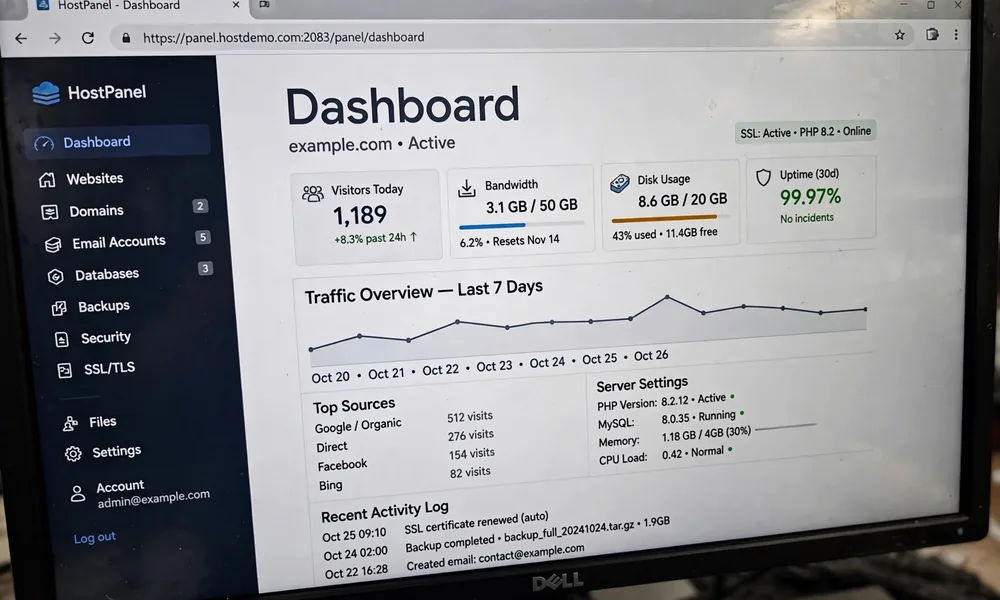
Support is where SiteGround earns its price. Agents answer quickly and usually understand developer problems, from PHP version changes to caching conflicts, rather than reading from a script. Developers who outgrow shared hosting can also compare the upgrade path in our guide to the best dedicated hosting for developers before they commit to a bigger server.
Pros: Staging and Git built in, fast support that understands developers, strong uptime and speed.
Cons: Entry plan storage is limited, and renewal prices are noticeably higher than the first term.
Hostinger — Best budget
Hostinger is the best budget shared host for developers who want low prices without a painful control panel. Its hPanel interface is clean and quick, and it includes Git, SSH access, cron jobs, and multiple PHP versions on most plans. LiteSpeed servers keep page loads fast.
The trade-offs are modest but real. The cheapest plan does not include free daily backups, so developers should set up their own backup routine or choose a higher tier. Support is chat-based and can be slower on complex questions.
Pros: Very low starting price, Git and SSH included, fast LiteSpeed servers.
Cons: No free daily backups on the basic plan, and support can be slow on technical issues.
A2 Hosting — Best speed
A2 Hosting is built for developers who care about raw speed. Its Turbo plans use LiteSpeed and extra caching to deliver some of the fastest shared hosting response times available, Developers get SSH access, Git, staging, and a choice of PHP versions.
The entry plans are affordable, but the real speed gains sit on the Turbo tiers, which cost more. The anytime money-back guarantee reduces the risk of trying it. For developers whose clients notice every second of load time, A2 is worth the premium.
Pros: Excellent speed on Turbo plans, strong developer toolset, anytime money-back guarantee.
Cons: Best performance costs extra, and the cheapest plan is only average for speed.
Bluehost — Best for WordPress projects
Bluehost remains a practical choice for developers who build mostly WordPress sites. It is officially recommended by WordPress, setup is quick, and the WordPress staging and management tools are built into the dashboard. Developers get SSH access, Git support on higher plans, and a free domain for the first year, which keeps small client projects simple to launch.
The main weakness is the renewal price, which rises sharply after the first term, so the long-term cost is higher than the headline suggests. Performance is solid rather than outstanding, and advanced developers may find the toolset thinner than SiteGround or A2.
Pros: Simple WordPress setup and staging, free domain for a year, widely used and well documented.
Cons: Renewal prices jump sharply, and advanced developer tools are limited on basic plans.
DreamHost — Best for simple setups
DreamHost suits developers who want a straightforward shared host with honest pricing and no aggressive upselling. Its custom panel is simple, WordPress installs are quick, and the company offers a generous 97-day money-back guarantee, which is far longer than most rivals. Developers get SSH access, Git support, and unlimited traffic on shared plans.
DreamHost is less feature-rich than SiteGround for advanced workflows, and email is not included on the cheapest plan, which is an odd gap. Support is ticket-based rather than instant chat, so urgent problems can take longer to resolve.
Pros: Transparent pricing, unlimited traffic, very long money-back guarantee.
Cons: No email on the cheapest plan, and ticket-based support can be slow.
InMotion Hosting — Best support
InMotion Hosting is a good fit for developers who want reliable United States-based support and a host that handles business sites well. Its shared plans include free SSL, SSD storage, and a choice of data centres, and the Launch plans cover most small to medium projects comfortably. Developers get SSH access and Git support.
Setup can feel slower than rivals, and the cheapest plan limits the number of websites to two, which matters for developers juggling several client projects.
Pros: Strong United States-based support, free site transfers, solid uptime record.
Cons: Entry plan allows only two websites, and setup can feel slow.
HostGator — Best for many small sites
HostGator is a practical pick for developers who run many small sites and want unmetered storage and bandwidth on a single account. Its shared plans support unlimited websites on higher tiers, include a free SSL certificate. The cPanel interface is familiar, and one-click installs cover WordPress and the usual content management systems.
The checkout process pushes add-ons hard, which is annoying, and performance is average rather than leading. Support quality varies, so developers should be comfortable solving basic problems themselves.
Pros: Unlimited websites on higher plans, unmetered storage, familiar cPanel interface.
Cons: Heavy upselling at checkout, and performance is only average.
GreenGeeks — Best eco-friendly option
GreenGeeks combines solid developer features with an eco-friendly pitch, matching its energy use with renewable energy credits. Its shared plans include free SSL, daily backups, staging, and LiteSpeed caching, which keeps WordPress sites fast. Developers get SSH access and Git support, and the dashboard is clean and easy to navigate. Performance is respectable.
The entry plan has storage limits that can pinch on larger projects, and the renewal price is higher than the introductory rate. The feature set is otherwise complete for most developer work.
Pros: Free daily backups and staging, LiteSpeed speed, eco-friendly energy matching.
Cons: Storage limits on the entry plan, and renewal prices rise after the first term.
How to choose
Start with your workflow, not the price list. If you deploy with Git and test on staging every day, those two features should be non-negotiable, and only a few budget hosts include both on their cheapest plan. If you work mainly in WordPress, staging and caching matter more than raw server specs, because most slowdowns come from plugins and uncached pages rather than the server itself. Check the PHP versions available, the backup policy, and whether SSH access is included or locked behind a higher tier.
Next, read the renewal price before you buy. Introductory rates usually last one to three years, and the renewal can be double the first-term price. A plan that looks cheap for year one can become the most expensive option by year three. For WordPress-specific projects, our guide to the best dedicated hosting for WordPress is a useful comparison when shared limits start to pinch.
Finally, test support before you move a client site. Send a real technical question and judge the answer on accuracy, not speed alone. A host that answers quickly but wrongly costs more time than one that takes an hour and fixes the problem properly.
Checklist: before you pay
- Confirm SSH access, Git support, and staging are included on the plan you are buying.
- Check the PHP versions available and how easy it is to switch between them.
- Read the renewal price, not just the introductory price, for the full term.
- Check storage limits, inode limits, and the backup and restore policy.
- Confirm free SSL, a content delivery network, and daily backups are included.
- Test support with a real technical question before moving a client site.
Frequently asked questions
What is the best shared hosting for developers?
SiteGround is the best overall choice for most developers, thanks to staging, Git, and strong support. Hostinger is the best budget option, and A2 Hosting is the best pick when speed is the top priority.
Do developers need SSH access on shared hosting?
Most developers do. SSH access makes deployments, file management, and troubleshooting far faster than a web panel alone, and it is a basic expectation on any developer-friendly host in 2027.
Is shared hosting fast enough for development work?
Yes, for most projects. Shared hosting with solid-state storage and caching handles development, staging, and low to medium traffic sites well. High-traffic production sites may need a bigger plan, as explained in our guide to the best VPS hosting for high-traffic websites.
Can I use Git on shared hosting?
Yes, on most developer-friendly hosts. SiteGround, Hostinger, A2 Hosting, and GreenGeeks all include Git support, although the exact setup varies, so check the plan details before you buy.
How much should developers pay for shared hosting?
Expect to pay roughly $3 to $10 per month for a good shared plan on an introductory rate, and more at renewal. The cheapest plan is rarely the best value once backups, staging, and storage limits are counted.
When should a developer move off shared hosting?
Move when traffic, storage, or resource limits start slowing the site, or when you need root access and custom server software. Until then, a good shared plan is usually faster to manage and cheaper to run.
The bottom line
For most developers in 2027, SiteGround is the safest pick: staging, Git, strong support, and solid speed in one plan. If budget matters more, Hostinger covers the essentials at a much lower price, and A2 Hosting is the right call when page speed is the deciding factor. Any of the eight hosts in this guide will handle real development work, so choose by workflow first and price second.
Before you commit, check the renewal price, confirm staging and backups are included, and test support with one real question. The host that passes those three checks is the one worth keeping for the next few years.