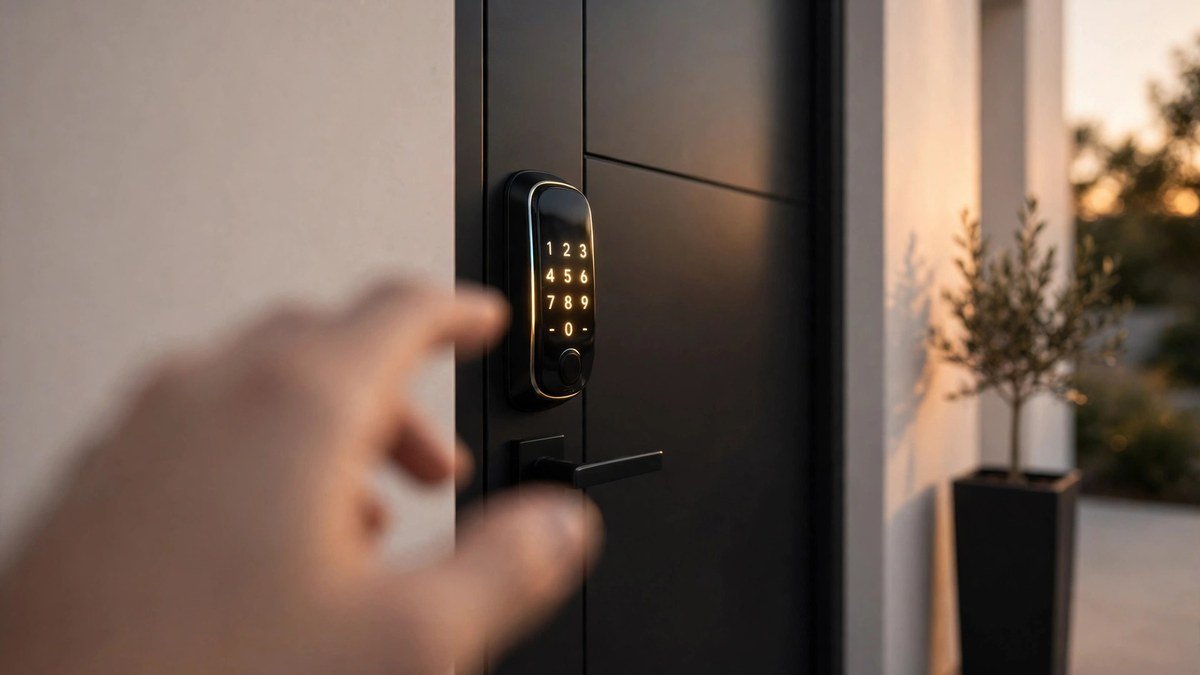
A smart lock is the one smart home device you touch every day, and it is the one where a bad choice is hardest to live with. The best smart locks in 2027 open reliably in the rain, work when the Wi-Fi drops, and still let you in with a key or a code when the batteries die. The worst ones leave you standing on the porch, phone in hand, wondering why the door will not open.
Shopping has also got simpler. Most locks now support Matter, which means they work with Alexa, Google Home and Apple Home at the same time, and many include Wi-Fi built in, so there is no extra bridge to buy and plug in. What still differs is the unlocking method — fingerprint, keypad, phone, key — and how the lock handles guests, cleaners and the inevitable dead battery.
This guide compares seven locks that cover every door and budget, from a $70 bolt to a $400 lock with a built-in camera. Prices below are approximate starting prices — check current pricing before buying, as bundles and seasonal sales move them often.
Key takeaways
- The Yale Assure Lock 2 is the best smart lock for most homes: reliable keypad, Matter support, and a slim design that suits most doors.
- Renters should buy a retrofit lock like the August Wi-Fi Smart Lock, which keeps the existing deadbolt and keys.
- Fingerprint unlock is the fastest everyday method — the Ultraloq U-Bolt Pro WiFi does it best for under $200.
- Apple households should look at the Schlage Encode Plus first: it is the only lock here with Apple Home Key.
- Every lock here keeps a physical key backup except the key-free Yale model — check the variant before you buy.
At a glance: the shortlist
| Product | Best for | Starting price | Standout limit |
|---|---|---|---|
| Yale Assure Lock 2 | Overall | About $160 | Key-free version has no key backup |
| August Wi-Fi Smart Lock | Renters / retrofit | About $230 | Only fits single-cylinder deadbolts |
| Schlage Encode Plus | Apple Home Key | About $320 | Premium price |
| Ultraloq U-Bolt Pro WiFi | Fingerprint unlock | About $180 | Bulkier than Yale or Schlage |
| Aqara Smart Lock U100 | Value | About $150 | Best with an Aqara hub |
| Lockly Vision Elite | Built-in camera | About $400 | Expensive; solar charging is slow |
| Wyze Lock Bolt | Budget | About $70 | No Wi-Fi, Bluetooth only |
Yale Assure Lock 2 — Best overall
The Yale Assure Lock 2 is the safest default choice. It costs from about $160, it is slimmer than the original Assure, and it supports Matter, Wi-Fi, Bluetooth and Apple HomeKit depending on the module you choose. Unlock with a keypad code, a phone, or a key — the keyed version keeps a standard cylinder, while the key-free touchscreen version trades the keyway for a cleaner look.
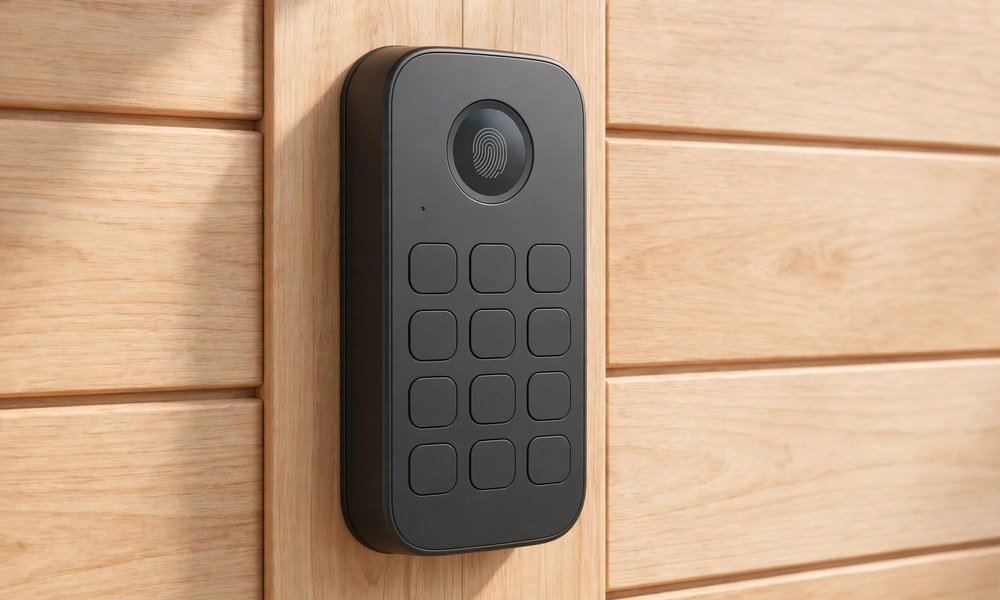
Setup takes about half an hour on a standard deadbolt, and the Yale app handles codes, schedules and auto-lock cleanly. The lock runs on four AA batteries for around six months, and it warns you well before they run flat. If you rent your home out, it is also one of the best options for short stays — our guide to the best smart locks for Airbnb hosts explains why timed codes beat copied keys.
Pros: Slim and well built; Matter support; keyed and key-free versions; reliable keypad and app.
Cons: Key-free version has no physical backup; Wi-Fi module costs extra on some versions; batteries are AAs, not rechargeable.
August Wi-Fi Smart Lock — Best retrofit
The August lock is the only one here that does not replace your deadbolt at all. It clamps onto the inside thumb turn, so the outside of the door — the cylinder, the keys, the look — stays exactly as it is. That makes it the best choice for renters and for anyone who does not want to change the locks. It costs about $230 and has Wi-Fi built in, so no bridge is needed.
It auto-unlocks as you approach with your phone, locks itself on a schedule, and keeps a full log of entries. Guest access is handled through the app, with timed or recurring access for cleaners and dog walkers. The catch is compatibility: it only fits single-cylinder deadbolts with a standard thumb turn, so check August’s compatibility guide before ordering.
Pros: Keeps your existing lock and keys; no drilling or rekeying; built-in Wi-Fi; auto-unlock works well.
Cons: Only fits single-cylinder deadbolts; auto-unlock can be slow to trigger; premium price.
Schlage Encode Plus — Best for Apple Home Key
If your household runs on iPhones and Apple Watches, the Schlage Encode Plus is the lock to buy. It costs about $320, and it is the only lock in this roundup that supports Apple Home Key — hold your iPhone or Apple Watch near the lock and it opens, even if the phone battery is dead. It also supports Matter, Alexa and Google Home, with Wi-Fi built in.
The lock itself is a solid, commercial-grade deadbolt with a responsive touchscreen keypad and a reassuringly heavy feel. It stores up to 100 codes, runs for about six months on four AA batteries, and sends an alert if someone tampers with it. The price is the highest here, and it is heavier than the Yale, but for Apple households the tap-to-unlock convenience is hard to give up.
Pros: Apple Home Key support; built-in Wi-Fi; excellent build quality; 100 access codes.
Cons: Highest price in this roundup; heavy; no fingerprint reader.
Ultraloq U-Bolt Pro WiFi — Best fingerprint unlock
Fingerprint unlock is the fastest way through a door — about half a second, no code to remember — and the Ultraloq U-Bolt Pro WiFi does it best for the money. It costs about $180 and combines a fingerprint reader, keypad, phone app, auto-unlock and a hidden key backup, all with Wi-Fi built in. It stores up to 120 fingerprints and 60 codes.
The fingerprint reader is quick and accurate in our testing, even with slightly damp fingers, and the anti-peep keypad lets you enter random digits around your code so nobody can read it over your shoulder. The lock is bulkier than the Yale or Schlage, and the app is less polished, but nothing else at this price unlocks this many ways. It is also a good pick for households with children or older relatives who struggle with codes.
Pros: Fast, accurate fingerprint reader; six unlock methods; built-in Wi-Fi; hidden key backup.
Cons: Bulky design; app feels less refined; fingerprint sensor can struggle with very wet hands.
Aqara Smart Lock U100 — Best value
The Aqara U100 packs the most features per dollar in this roundup. For about $150 you get a fingerprint reader, keypad, Apple Home Key, NFC cards, and Matter support over Thread — the same feature set that costs $300 or more from bigger brands. It also works with Alexa and Google Home, and it runs on four AA batteries.
The main caveat is that the U100 works best with an Aqara hub for remote access and automations, though it can connect directly over Bluetooth for local use. The fingerprint reader is fast, the keypad is clear, and the lock is rated for outdoor use. If you are already in the Aqara ecosystem, or you want Apple Home Key without the Schlage price, this is the value pick.
Pros: Apple Home Key at half the Schlage price; fingerprint and keypad; Matter over Thread; strong value.
Cons: Best with an Aqara hub; smaller brand with fewer locksmiths; no built-in Wi-Fi.
Lockly Vision Elite — Best with a camera
The Lockly Vision Elite is a lock and a video doorbell in one body. It costs about $400 and combines a fingerprint reader, a PIN pad with moving digits, a built-in HD camera with two-way audio, and a small solar panel that trickle-charges the battery. Visitors can ring the doorbell from the lock itself, and you can see and speak to them from the app.
The moving-digit keypad is genuinely clever: the numbers shuffle position every time, so a smudge pattern on the screen never reveals your code. The camera is useful, though it is narrower than a dedicated doorbell camera, and the solar panel only slows battery drain rather than replacing charging. This is the lock for people who want one device on the door instead of two.
Pros: Camera and doorbell built in; moving-digit keypad defeats smudge attacks; fingerprint reader; solar trickle charging.
Cons: Most expensive here; camera is narrower than a dedicated doorbell; app setup takes patience.
Wyze Lock Bolt — Best budget
The Wyze Lock Bolt proves a smart lock does not have to cost $200. At about $70 it offers a fingerprint reader, a backlit keypad, auto-lock and a physical key backup, with a battery life of around a year on four AAs. It installs on a standard deadbolt in under half an hour.
The compromise is connectivity: the Lock Bolt is Bluetooth only, with no Wi-Fi, so you cannot lock or unlock it from away from home, and it does not work with Alexa or Google. For a front door you only ever open in person — a side door, a garage entry, a rental you manage locally — that trade is fine, and the fingerprint reader is surprisingly good for the price.
Pros: Very cheap; fast fingerprint reader; year-long battery life; key backup included.
Cons: No Wi-Fi or voice assistant support; no remote access; no guest codes from afar.
How to choose
First, check your door. Measure the deadbolt, confirm it is single-cylinder, and check the backset and door thickness — most locks fit standard US doors, but older or non-standard doors can need an adapter. Then decide how you want to get in: fingerprint is fastest, keypad is the most reliable backup, and phone auto-unlock is the most convenient when your hands are full.
Next, think about who else needs access. Codes are better than copied keys for guests and cleaners, and a lock with an activity log tells you who came and went. Finally, match the lock to your platform — Matter support is the best insurance against switching ecosystems later — and plan the rest of your setup around it. Our beginner’s smart home setup guide covers the order to add devices so the lock, lights and cameras work together from day one.
Checklist: before you pay
- Measure your deadbolt, backset and door thickness, and check the lock fits.
- Confirm the unlocking methods you need: fingerprint, keypad, phone, key.
- Check whether remote access needs Wi-Fi built in or a separate hub.
- Look at battery type and life, and what happens when the battery dies.
- Check whether guest codes and activity logs need a subscription — most locks include them free.
- Keep a physical key somewhere safe outside the house, even for key-free locks.
Frequently asked questions
Are smart locks safe?
Yes, when installed properly. A smart lock is a standard deadbolt with an electronic motor — it is as hard to force as a regular lock, and the keypad avoids the biggest real-world risk, which is a copied or lost key. Use a unique code, enable two-factor authentication on the app, and keep the firmware updated.
What happens if the batteries die?
Every lock here warns you for weeks before the batteries run flat, and most keep a physical key backup. Some, like the Yale key-free model, have an external 9V battery contact on the bottom for emergency power.
Can a smart lock be hacked?
Any connected device can be attacked, but real-world break-ins through smart locks are rare. The practical risks are a weak account password and an outdated app — use a strong unique password, turn on two-factor authentication, and update the firmware.
Do smart locks work in a power cut?
Yes. Locks run on batteries, not mains power, so a power cut changes nothing. Wi-Fi features may drop if your router is down, but keypad, fingerprint and key access keep working.
Can I install a smart lock myself?
Most people can. Retrofit locks like the August take about 15 minutes; full deadbolt replacements like the Yale or Schlage take 30 to 45 minutes with a screwdriver. If your door needs drilling or the deadbolt is misaligned, call a locksmith.
Do smart locks work with a smart home hub?
Most do. Matter-compatible locks work with Alexa, Google Home and Apple Home, and several work with dedicated hubs too. Our roundup of the best smart home hubs explains which hub suits a lock-heavy home.
The bottom line
For most homes, buy the Yale Assure Lock 2 — it is the best balance of price, reliability and platform support. Renters should get the August Wi-Fi Smart Lock instead, and Apple households should stretch to the Schlage Encode Plus for Home Key. Budget buyers get almost everything that matters from the Wyze Lock Bolt, as long as they do not need remote access.
Whatever you choose, keep a physical key somewhere safe and test the lock’s low-battery warning before you trust it. A smart lock should make coming home easier, not add a new thing to worry about — and the locks in this guide do exactly that.
Note: Prices and plans change. Check the product’s current plan details before buying — no link is provided here by design, all links in this article go to other occcy.com guides.