
Best Software for Photography Studios in 2027
A photography studio in 2027 runs on more than a camera and a good eye. The shoot itself is often the shortest part of the job. What fills the rest of the week is booking clients, sending contracts, chasing invoices, building galleries, delivering files, and selling prints. When those jobs live in five different apps and a pile of email threads, work slips through the cracks and clients notice.
Studio-management software exists to pull that admin into one place. The best tools in 2027 combine online booking, client galleries, contracts, invoicing, and print sales, so a photographer can go from enquiry to delivered gallery without retyping the same details. The differences between them are practical: some are built around galleries and print sales, others around contracts and workflows, and a few try to do everything.
This guide looks at six tools that working studios actually use, judged on what they do for booking, galleries, delivery, and payment. The focus is strictly on running the studio, not on editing photos or AI image tools. Prices change, so treat any figure here as a starting point and check the current plan before you commit.
Key takeaways
- ShootProof and Pixieset lead on client galleries and print sales, which is where most studios earn money after the shoot.
- HoneyBook and Dubsado are the strongest choices when contracts, forms, and payment workflows matter more than galleries.
- Studio Ninja and Sprout Studio are the closest to true all-in-one studio management, covering booking, galleries, and invoicing together.
- No single tool wins on every front, so pick the one that matches the work you do most, not the one with the longest feature list.
- Check storage limits, print-lab partners, and contract templates before signing up, because those are the limits studios hit first.
| Software | Strongest for | Galleries and print sales | Contracts and invoicing |
|---|---|---|---|
| ShootProof | Galleries and print sales | Yes, with lab fulfilment | Yes |
| Pixieset | Galleries, storefront, website | Yes, with built-in store | Yes, via Studio Manager |
| HoneyBook | Contracts and client workflow | No, delivery needs another tool | Yes, its core strength |
| Studio Ninja | All-in-one studio management | Yes | Yes |
| Dubsado | Forms, workflows, invoicing | No, delivery needs another tool | Yes, highly customisable |
| Sprout Studio | All-in-one for portrait studios | Yes, with print sales | Yes |
What studio-management software covers in 2027
A studio tool earns its place when it handles the whole client journey. That starts with an enquiry form and a booking calendar, moves through a contract and a deposit invoice, and ends with a gallery, a print order, and a final payment. Tools that only cover one of those steps still leave the photographer stitching the rest together by hand.
The gallery is the heart of most of these tools. Clients expect a clean, private gallery they can open on a phone, pick favourites, and share with family. Print sales run through the same gallery, with orders sent to a partner lab so the studio never touches a box. The better galleries also handle downloads, expiry dates, and watermarking, which keeps delivered work under control.
Contracts and invoices matter just as much. A signed contract before the shoot protects both sides, and automated reminders chase late payments without an awkward email from the photographer. Studios that shoot weddings, families, and corporate headshots all need the same basics, and the pattern will feel familiar to anyone who has read our report on the best software for spas in 2027, where booking, client records, and payments are handled in one system too.
ShootProof
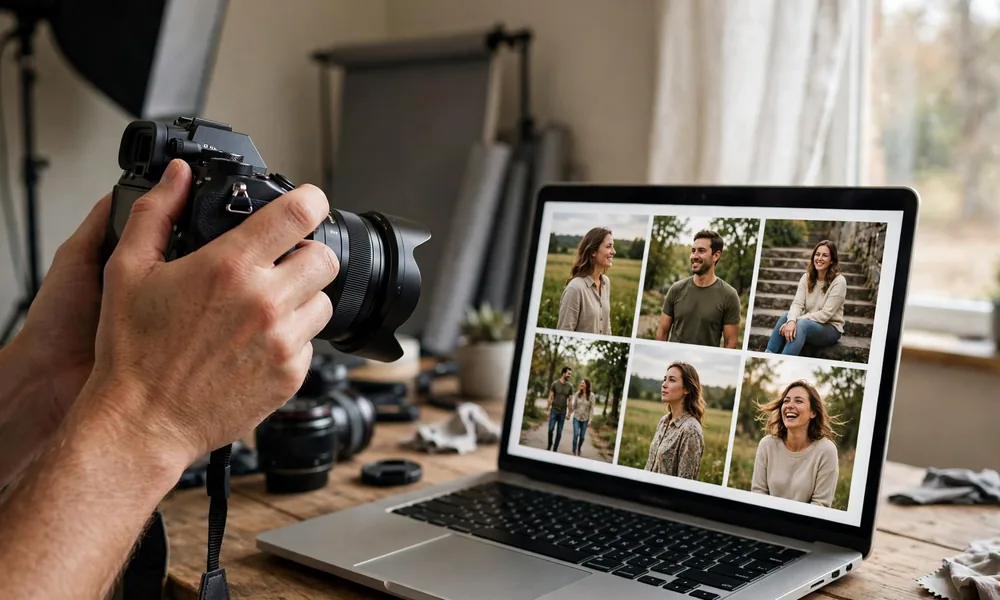
ShootProof is built around the gallery. A photographer uploads a shoot, shares a private link, and the client picks favourites, orders prints, and downloads files from one page. Print orders can go to a partner lab for fulfilment, which turns the gallery into a quiet source of extra income after the shoot is done.
It also covers contracts, invoices, and questionnaires. Pricing is based on how many photos a studio stores, which suits photographers who clear old galleries regularly but can sting for studios that keep everything online for years.
Pros: polished client galleries, print sales with lab fulfilment, solid contracts and invoicing, simple for clients to use.
Cons: storage-based pricing can climb, booking tools are lighter than dedicated studio managers, website features are limited.
Pixieset
Pixieset pairs galleries with a storefront and a website builder, so a studio can present its work, deliver it, and sell prints from the same account. The galleries look clean on phones, which matters because most clients open them there, and the store handles print and digital sales without a separate shop.
Its Studio Manager add-on covers contracts, invoices, and scheduling. Studios adding video to their galleries can start with our guide on how to create AI product demo videos.
Pros: beautiful galleries and storefront, website builder included, good mobile experience, Studio Manager adds contracts and booking.
Cons: the free plan is limited, Studio Manager costs extra, print-lab choice depends on region.
HoneyBook
HoneyBook is a client-flow tool rather than a gallery tool. It handles enquiries, proposals, contracts, invoices, and payments in one pipeline, with automated follow-ups that nudge clients who have not signed or paid. For wedding and portrait photographers, that pipeline is often the difference between a booked date and a lost enquiry.
It does not host photo galleries, so a studio still needs a separate tool for delivery and print sales. What it does well is the business side: one link that takes a client from proposal to signed contract to paid deposit, with every step tracked.
Pros: strong contracts and payment flow, automated client follow-ups, good templates, clear view of every booking.
Cons: no photo galleries or print sales, monthly cost adds up alongside a gallery tool, some templates need editing to fit photography.
Studio Ninja
Studio Ninja aims to be the whole studio in one account. It covers enquiries, bookings, contracts, invoices, questionnaires, galleries, and workflows, with automations that send the right email at the right stage. A new enquiry can move from first message to booked shoot with very little manual work.
It is popular with portrait and wedding studios that want one system rather than a stack of tools. The trade-off is depth: its galleries and print sales are solid rather than best in class.
Pros: genuine all-in-one coverage, strong workflow automations, galleries included, sensible pricing for small studios.
Cons: print sales are less developed than ShootProof or Pixieset, fewer third-party integrations, learning curve for the automation setup.
Dubsado
Dubsado is the most customisable tool on this list. Its forms, questionnaires, contracts, and workflows can be shaped to fit almost any studio process, from a simple portrait session to a multi-day wedding with several payment stages. Invoices and payment schedules run through the same system.
That flexibility comes with setup time. Dubsado rewards studios that enjoy building their own workflows and punishes those that want everything ready on day one.
Pros: deeply customisable forms and workflows, strong invoicing and payment schedules, one flat price, good for unusual studio processes.
Cons: no galleries or print sales, setup takes real time, interface feels busy until it is configured.
Sprout Studio
Sprout Studio is built for portrait and wedding photographers who want booking, galleries, contracts, and invoices in one place. Its galleries support print sales, and its booking tools handle session types, availability, and reminders. The design is clean, and the whole system feels made for photographers rather than adapted from a generic business tool.
It is a smaller company than some rivals, which shows in a narrower range of integrations. For a studio that wants one calm, photographer-shaped system, that is a fair trade.
Pros: all-in-one for portrait studios, galleries with print sales, clean photographer-focused design, good booking tools.
Cons: fewer integrations than bigger rivals, smaller template library, print-lab options vary by region.
How to choose the right studio software
Start with where your money comes from. If print and album sales are a real part of income, put the gallery first and choose ShootProof or Pixieset. If most income is the session fee itself and the pain is chasing contracts and deposits, HoneyBook or Dubsado will save more hours. If you want one system and a simple life, Studio Ninja or Sprout Studio are the honest all-in-one picks.
Then check the practical limits. Storage caps decide what old galleries cost to keep. Print-lab partners decide whether orders arrive well and on time in your country. A free trial is worth more than a feature list here, because the daily feel of the tool is what you live with.
Salon owners face a similar choice between booking-first and client-experience tools, and our roundup of the best software for salons in 2027 shows how the same trade-offs play out in a neighbouring service business. The lesson carries over: buy the tool that fits the work you do most, not the one with the most features.
Checklist: picking studio software without regret
Use these checks before you move your clients and galleries into a new tool.
- List the three jobs that eat most of your admin time, and make sure the tool covers all three.
- Check the storage limit and what happens to old galleries when you hit it.
- Confirm your print lab ships to your country and that fulfilment is included.
- Test the client gallery on a phone, because that is where most clients will open it.
- Read the contract templates and confirm they fit your local rules before sending one.
- Try the free trial with a real past shoot, not a demo, so you see the true workflow.
Frequently asked questions
What is the best software for a small photography studio?
For a small studio, Studio Ninja or Sprout Studio are the best starting points because they cover booking, galleries, contracts, and invoicing in one account. If print sales matter most, ShootProof or Pixieset are stronger choices.
Do I need separate gallery software if I use HoneyBook or Dubsado?
Yes. HoneyBook and Dubsado handle contracts, forms, and payments but do not host photo galleries or sell prints, so most studios pair them with ShootProof or Pixieset for delivery.
How much does photography studio software cost in 2027?
Most tools on this list charge a monthly subscription, with prices varying by plan, storage, and features. Entry plans suit part-time studios, while full plans with more storage and automations suit busy studios. Check current pricing on each tool’s site before deciding.
Can studio software sell prints automatically?
Yes, ShootProof, Pixieset, Studio Ninja, and Sprout Studio all support print sales through partner labs. Clients order from the gallery and the lab prints and ships the order, so the studio earns from prints without handling stock.
Is my client data safe in studio-management software?
Reputable tools protect galleries with passwords, expiry dates, and secure payments, but the studio is still responsible for its own backups and for the contract terms it sends. Keep a local copy of delivered work and check each tool’s privacy and data policies.
Can I switch studio software later without losing my galleries?
Switching is possible but takes planning, because galleries, contracts, and client history do not always move cleanly between tools. Export your client list and keep local copies of your photos, then move in stages rather than all at once.
The bottom line
There is no single best tool for every photography studio in 2027, only a best fit for how a studio earns and works. Galleries and print sales point to ShootProof or Pixieset, contracts and client flow point to HoneyBook or Dubsado, and a single calm system points to Studio Ninja or Sprout Studio. Any of the six will run a studio better than a tangle of spreadsheets and email threads.
Pick the tool that covers your three biggest admin jobs, test it with a real shoot, and check the storage, print-lab, and contract details before you commit. The right choice is the one you still enjoy using after the trial ends, when the novelty fades and the bookings keep coming.