

Best Software for Print Shops in 2027
Running a print shop in 2027 means juggling quotes, artwork approvals, production schedules, and invoices, often for dozens of jobs at once. The right print shop software turns that chaos into a single workflow, from quote to delivery; the wrong setup leaves your team copying details between spreadsheets and email threads.
Modern print shop software covers estimating, order management, online proofing, production scheduling, and invoicing in one place, and connects to your printers and payment processor, so a job flows through the shop without being retyped. For small shops, that can mean quoting in minutes instead of the next day.
We compared the leading options for commercial printers, wide-format shops, and small print businesses, looking at estimating accuracy, ease of use, proofing tools, production tracking, and value for money. These are the seven best print shop software options in 2027.
Key takeaways
- Printavo is the best all-rounder for small to mid-sized shops that want estimating, orders, and invoicing in one simple system.
- PrintIQ and Avanti Slingshot suit larger commercial printers that need deep scheduling and MIS-level control.
- ShopVox is the strongest pick for sign and wide-format shops that live on custom quotes.
- Pressero is the best choice when most orders come through a web-to-print storefront.
- Every tool here offers a free trial or demo, so test your real jobs in it before committing.
| Software | Best for | Starting price | Standout feature |
|---|---|---|---|
| Printavo | Small and mid-sized shops | From around $99 per month | Quotes, orders, and invoices |
| ShopVox | Sign and wide-format shops | From around $129 per month | Visual proofing, custom estimating |
| PrintIQ | Larger commercial printers | Quote-based pricing | Full MIS, scheduling, costing |
| EFI PrintSmith Vision | Established commercial shops | Quote-based pricing | Cost-based estimating |
| Avanti Slingshot | High-volume print operations | Quote-based pricing | End-to-end MIS, automation |
| Pressero | Web-to-print storefronts | From around $400 per month | Online ordering, storefronts |
| Cyrious Control | Sign, print, and graphics shops | Quote-based pricing | Sign and graphics estimating |
Prices are approximate and change often, so check current pricing on each vendor’s site before you buy.
1. Printavo
Printavo is the most popular choice for small and mid-sized print shops. It covers the whole job lifecycle — quotes, approvals, production status, payments, and invoices — in a clean interface new staff can learn in a day. Orders move through a visual production board, so everyone on the floor can see what is printing, what is waiting for artwork, and what is due today.
Its estimating tools handle screen printing, embroidery, digital, and wide format, with price matrices that keep quotes consistent. Customers can approve artwork and pay online, and Printavo integrates with QuickBooks and common payment processors, so bookkeeping stays in step with the shop floor.
Pros:
- Easy to learn, with a production board the whole team can follow
- Strong quoting, online approvals, and payment collection
- Good integrations with QuickBooks and Stripe
Cons:
- Limited depth for large commercial printers with complex scheduling needs
- Advanced reporting and some integrations cost extra
- Web-to-print features are lighter than dedicated storefront tools
2. ShopVox
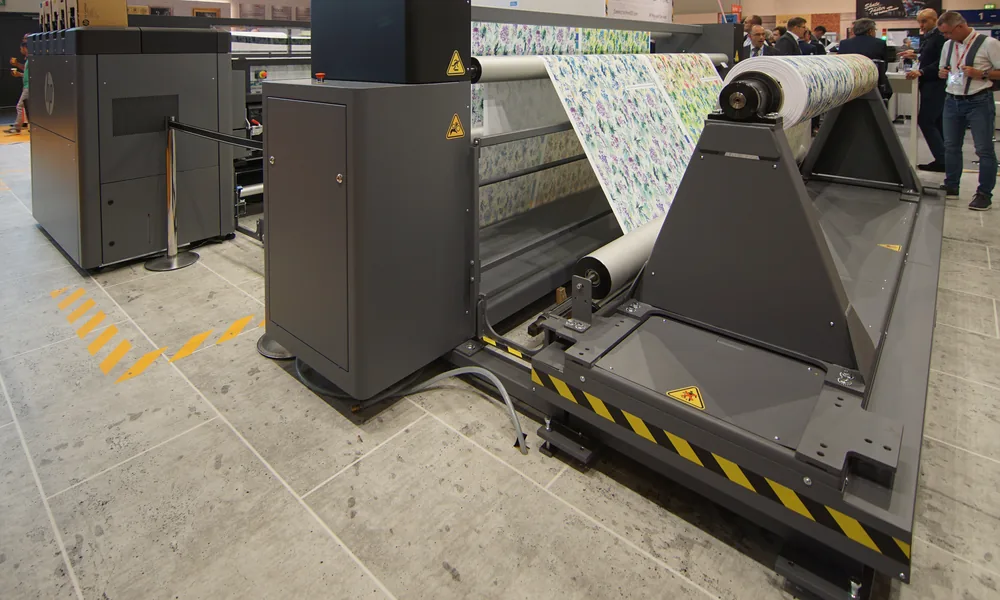
ShopVox is built for sign, graphics, and wide-format shops, where almost every job is custom and priced from scratch. Its estimating engine handles materials, labour, and finishing in detail, so a vehicle wrap or a set of trade-show banners gets quoted accurately instead of by guesswork. Visual proofing lets customers approve designs online, with a record of who approved what.
The production calendar shows every job by stage, and the system tracks inventory of vinyl, substrates, and ink, which matters when a rush job depends on stock you have. Like the tools in our roundup of the best software for salons and barbershops, it works best when the whole team uses it every day rather than as an occasional admin tool.
Pros:
- Excellent custom estimating for signs and wide-format work
- Visual proofing with a clear approval trail
- Inventory tracking for media and vinyl
Cons:
- Setup takes time, as pricing rules need careful configuration
- Less suited to high-volume offset or commercial print workflows
- Some advanced features sit in higher-priced tiers
3. PrintIQ
PrintIQ is a full management information system for commercial printers that have outgrown simpler tools. It combines estimating, job management, scheduling, inventory, and reporting in one system, with costing based on your real press speeds, labour rates, and material prices.
Its scheduling tools are the real draw for busy shops: managers can see press capacity, spot bottlenecks before they cause late deliveries, and re-plan around rush jobs.
Pros:
- Deep estimating and costing tied to shop performance
- Strong scheduling that shows capacity and bottlenecks
- Scales from mid-sized printers to large operations
Cons:
- Quote-based pricing puts it beyond very small shops
- Implementation and training take weeks
- Overkill if you only need quotes and invoices
4. EFI PrintSmith Vision
EFI PrintSmith Vision is a long-standing estimating and shop management system for commercial and in-plant printers. Its strength is estimating: quotes are built from your actual costs, including paper, plates, press time, and finishing, so margins stay visible on every job. Once a quote becomes an order, the job ticket carries the same numbers through production and invoicing.
The software also tracks customers, job history, and receivables, which makes repeat work faster to quote. Integration with EFI’s wider ecosystem, including Fiery front ends, appeals to shops already running EFI hardware.
Pros:
- Accurate, cost-based estimating with clear margins
- Job history makes repeat orders fast
- Works well with EFI Fiery and other EFI print tools
Cons:
- Interface feels dated next to newer cloud tools
- Cloud and mobile access are more limited than rivals
- Pricing is quote-based and implementation adds to the cost
5. Avanti Slingshot
Avanti Slingshot is an enterprise-grade print MIS for high-volume operations that need automation across estimating, production, fulfilment, and billing. It handles complex multi-part jobs, kitting, warehousing, and mailing, which suits printers that also fulfil and distribute what they print. JDF and JMF connectivity lets it talk directly to presses and finishing equipment.
Slingshot’s dashboards give managers a live view of job status, costs, and profitability, and its CRM tools help larger shops manage corporate accounts. It is the most powerful tool on this list, and also the most demanding: expect a structured implementation project and dedicated training for your team.
Pros:
- Full MIS coverage, including fulfilment and warehousing
- JDF and JMF integration with presses and finishing
- Live dashboards for costs and profitability
Cons:
- Enterprise pricing and a long implementation
- Too complex for small shops
- Needs an internal champion to keep it configured
6. Pressero
Pressero starts with the storefront. If most of your orders arrive online — business cards, flyers, branded merchandise, or corporate print portals — it gives customers a polished place to order, upload artwork, and pay, while the back end handles pricing, production tickets, and invoicing.
Corporate clients can have their own branded portals with approved templates and spending limits, which is a strong selling point for printers chasing B2B accounts. Variable data printing is supported, so personalised mailers and name badges are straightforward. The approach is similar in spirit to the best software for food trucks, where the ordering experience is half the product.
Pros:
- Best-in-class web-to-print storefronts and portals
- Strong variable data support
- Integrates with MIS and accounting systems
Cons:
- Higher starting price than order-management tools
- Production features are lighter than a full MIS
- Best value only when online ordering is a large share of revenue
7. Cyrious Control
Cyrious Control is built for sign, print, and graphics shops that price a wide mix of products, from banners and decals to vehicle wraps and illuminated signs. Its estimating tools are unusually flexible, handling square-foot pricing, per-item pricing, and multi-step production in the same quote.
Beyond estimating, Cyrious covers CRM, job tracking, scheduling, purchasing, and invoicing, with dashboards that show the health of the business at a glance. For a small sign shop that has been quoting in spreadsheets, Cyrious is a big step up in accuracy and speed, much like moving from paper diaries to the best software for spas and wellness is for a service business drowning in bookings.
Pros:
- Flexible estimating for the mixed ranges sign shops sell
- Full CRM, job tracking, and invoicing
- Deep sign-industry experience
Cons:
- Learning curve is steeper than cloud-first tools
- Interface is functional rather than modern
- Pricing is quote-based, so ask for a clear quote
How to choose print shop software
Start with the jobs you actually do. A screen printing shop, a wide-format sign shop, and a commercial offset printer have different needs, and the software should match your mix. List your top five job types and check that each tool estimates and tracks them properly.
Next, test the estimating. Build three real quotes — a simple repeat job, a complex custom job, and a rush job — in every tool you trial. The one that produces accurate, consistent quotes fastest is usually the right one, because estimating is where profit is won or lost.
Finally, think about growth. A tool that fits a three-person shop may strain at fifteen staff, and migrating MIS data is painful. If you plan to add a web storefront or fulfilment services, pick software that already supports them.
Print shop software checklist
- Estimating covers your top five job types with cost-based pricing.
- Customers can approve artwork and pay online.
- Production status is visible to the whole team on one board.
- The system integrates with your accounting and payment tools.
- Job history and repeat-order quoting are fast and easy to find.
- You have trialled it with real jobs before signing.
Frequently asked questions
What is the best software for a small print shop?
Printavo is the best starting point for most small print shops, covering quotes, orders, production, and invoicing in a system staff can learn quickly. ShopVox is better if your work is mostly signs and wide format.
How much does print shop software cost?
Small-shop tools start at around $99 to $129 per month, while full MIS systems like PrintIQ and Avanti Slingshot are priced by quote and can cost several hundred dollars per month, plus implementation fees.
Do I need web-to-print software?
Only if a meaningful share of your orders comes online. If most work arrives by phone, email, or walk-in, an order management tool like Printavo or ShopVox is enough. If you run an online store, a dedicated tool like Pressero earns its keep.
Can print shop software connect to my printers?
Yes, in many cases. Larger MIS platforms support JDF and JMF connections to presses and finishing equipment, and EFI tools integrate with Fiery front ends. Smaller cloud tools connect through integrations, so ask the vendor about your specific equipment.
Is cloud or on-premise software better for a print shop?
Cloud software suits most shops in 2027: it works from the shop floor, the office, and home, and needs no server. On-premise systems still appeal to large commercial printers with strict data requirements, but they cost more to run.
How long does it take to switch print shop software?
A small shop can move to a tool like Printavo in a week or two, including importing customers and price lists. A full MIS implementation for a larger printer typically takes several weeks to a few months, including training. Plan the switch for a quiet period.
The bottom line
For most print shops in 2027, Printavo is the safest all-round choice, with ShopVox close behind for sign and wide-format work. Larger commercial printers should look at PrintIQ or Avanti Slingshot, while shops that live online should put Pressero first. There is no single best tool, only the best fit for the jobs you run.
Whatever you choose, trial it with real quotes and real staff before you commit. The software that makes estimating faster will pay for itself in the first month; the one your team avoids will cost you far more than its subscription.


