

Small business taxes are where good intentions go to die. The work is not hard to understand: money comes in, money goes out, and a share belongs to the tax authorities. What makes it painful is the volume: quarterly estimates, payroll filings, sales tax in more than one state, 1099 forms for every contractor, and a year-end return that ties it all together.
The eight tools below were judged on the tax jobs a business with one to fifty people faces. Filing a business return for an LLC, S corporation, or partnership matters most, followed by quarterly estimates, payroll tax, 1099 filing, and sales tax. Every tool here does at least one of them well. Prices are approximate starting prices — check current pricing before buying.
TurboTax Business leads for most small businesses filing their own return, H&R Block Business is the strongest choice for owners who want a human to check their work, and Drake Tax is the pick for firms filing many returns. The rest win on specific jobs: cheap filing, professional-grade returns, contractor paperwork, sales tax automation, and payroll tax that files itself.
Key takeaways
- TurboTax Business is the best overall pick for a small business filing its own federal return, with guided questions for LLCs, S corporations, and partnerships.
- H&R Block Business is the best choice when you want a tax professional to review the return before it is filed.
- Drake Tax and Lacerte are built for volume: they pay off when several returns are filed.
- Payroll tax and 1099 filing are separate jobs from the annual return, so pair a filing tool with Gusto or Tax1099.com rather than expecting one product to do everything.
- No tool fixes a missing routine: set aside tax money every month, reconcile quarterly, and keep receipts organised all year, not just in January.
At a glance: the shortlist
| Tool | Best for | Starting price | Standout limit |
|---|---|---|---|
| TurboTax Business | Best overall | From around $130 federal | State filing costs extra |
| H&R Block Business | Human review | From around $100 federal | Fewer entity types than TurboTax |
| TaxAct Business | Budget filing | From around $70 federal | Guidance is thinner |
| Drake Tax | High-volume filing | From around $355 a year | Interface looks dated |
| Intuit Lacerte | Professional returns | Priced by quote | Overkill for one return |
| Tax1099.com | Contractor 1099s | From around $4 per form | Filing only, no return prep |
| Avalara | Sales tax | From around $249 a year | Costs rise with volume |
| Gusto | Payroll tax | From around $40 a month | Payroll tax only in the US |
TurboTax Business — Best overall
TurboTax Business is the default small business tax tool for a reason: it covers the widest range of business returns in one guided interview. It handles S corporations, C corporations, partnerships, multi-member LLCs, and estates and trusts. It imports last year’s return and flags commonly missed deductions.
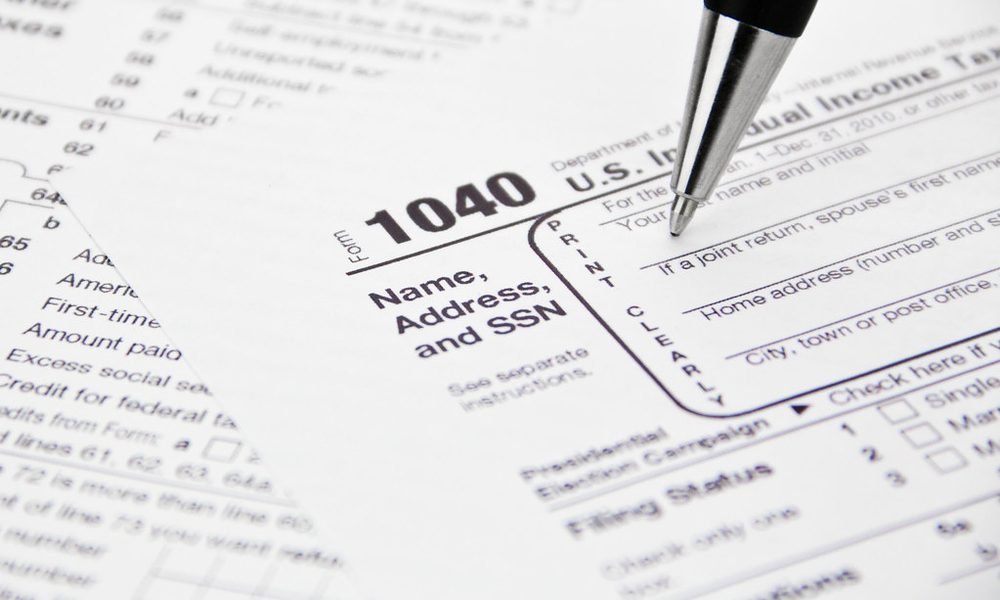
Federal filing starts at around $130, with state filing extra. The audit support is the real value: if the software makes a calculation error, Intuit covers the resulting penalties and interest. For a business whose books are already tidy, our guide to the best tools for managing a small business finance pairs well with a filing tool like this one.
Pros: Widest entity coverage, strong deduction finder, audit support included.
Cons: State filing costs extra, price rises for complex returns, no built-in payroll tax filing.
H&R Block Business — Best for human review
H&R Block Business is the pick for owners who want to file themselves but sleep better knowing a professional looked at the return. It covers S corporations, partnerships, and multi-member LLCs from around $100 federal, and the difference is the support behind it: owners can buy a review by a tax professional or visit an office in person.
Pros: Lower starting price, professional review available, in-person offices as a fallback.
Cons: Guidance is thinner than TurboTax, fewer entity types, complex depreciation needs an upgrade.
TaxAct Business — Best for budget filing
TaxAct Business is the cheapest way to file a proper business return without cutting corners on the forms. Federal filing starts at around $70, covering partnerships, S corporations, and C corporations. The interview is functional rather than friendly: it asks the right questions but explains less, so owners who already understand their return move faster.
Pros: Lowest price for a full business return, solid error checks, e-filing included.
Cons: Less guidance for beginners, no professional review option, support is slower at peak season.
Drake Tax — Best for high-volume filing
Drake Tax is the workhorse of small tax practices, and it makes sense for a business that files more than one return — a holding company with several LLCs, for example. A single annual licence, from around $355, covers unlimited federal and state returns for every entity type — far cheaper per return than any consumer tool once the count passes three or four.
Pros: Unlimited returns for one flat price, fast once learned, covers every entity and state.
Cons: Dated interface, steep learning curve, no guided interview for beginners.
Intuit Lacerte — Best for professional returns
Lacerte is Intuit’s professional tax software, the tool most mid-sized accounting firms use when a return has to be exactly right. It covers every federal form and every state, with diagnostic checks that catch inconsistencies a consumer tool would miss, and it integrates with QuickBooks.
Pros: The deepest diagnostic checks available, every form and state, strong QuickBooks integration.
Cons: Priced by quote, overkill for a single return, needs training to use well.
Tax1099.com — Best for contractor 1099s
Every contractor a business pays $600 or more in a year needs a 1099, and Tax1099.com exists to make that one job painless. The service imports contractor lists from QuickBooks, Xero, or a spreadsheet, validates taxpayer identification numbers against IRS records, and e-files 1099-NEC and 1099-MISC forms. Pricing starts at around $4 per form, with no monthly subscription.
Pros: Cheap per form, TIN validation before filing, handles IRS and state e-filing, no subscription.
Cons: Filing only, no return preparation, state coverage varies by form type.
Avalara — Best for sales tax
Avalara solves the tax job that grows quietly until it becomes a problem: sales tax across many states. A business selling online can create nexus — a filing obligation — in a dozen states without realising it. Avalara’s AvaTax engine calculates the correct rate at checkout or on an invoice for thousands of jurisdictions, and its filing service then prepares and submits the returns.
Pros: Real-time rates for thousands of jurisdictions, filing included, nexus tracking built in.
Cons: Setup takes effort, costs rise with volume, overkill for single-state sellers.
Gusto — Best for payroll tax
Gusto is the payroll tool that takes the tax part off the owner’s desk entirely. It runs payroll, withholds the right federal and state taxes, and files payroll tax returns with the IRS and state agencies automatically. New hires complete their own onboarding, and year-end W-2s and 1099s go out without the owner touching a form.
Plans start at around $40 a month plus a per-person fee. The trade-off is scope: Gusto is a payroll platform, not a tax return tool, so the annual business return still needs TurboTax, H&R Block, or a preparer. Before paying for a second system, check its payroll software options for small businesses against what Gusto already covers.
Pros: Payroll tax filed automatically in every state, easy onboarding, W-2s handled.
Cons: Does not file the annual business return, per-person fees add up, contractor payments cost extra.
How to choose
Start by listing the tax jobs the business actually has, not the ones a sales page mentions. A single-member LLC with no employees needs a return and quarterly estimates, and nothing else. Add employees, contractors, or online sales across state lines, and payroll tax, 1099s, and sales tax join the list. Most small businesses need two tools: one for the annual return and one for the recurring job that happens most often.
Then check the price honestly. A $70 return that takes six frustrated hours is more expensive than a $130 return that takes two, and a $4-per-form 1099 service is cheaper than a single IRS penalty notice for a late filing. Trial the free version or demo where one exists, and run last year’s figures through it before committing.
Checklist: before you pay
- Confirm the tool files your exact entity type — LLC, S corporation, partnership, or C corporation — not just a generic business return.
- Check whether state filing is included or extra, and how many states the price covers.
- Make sure 1099 and payroll tax filing are covered, or budget for a second tool that does them.
- Test the import: the tool should pull in last year’s return without manual retyping.
- Read the audit support terms — what the vendor actually pays if its software makes an error.
- Confirm you can export your data and your filed returns, so switching tools next year is a choice, not a trap.
Frequently asked questions
What is the best tax software for a small business?
TurboTax Business is the best overall choice for most small businesses filing their own return, because it covers the widest range of entity types with a guided interview and strong deduction finding. H&R Block Business is the better pick if you want a professional to review the return, and TaxAct Business is the cheapest route to a correct filing.
Do I need separate software for payroll tax?
Usually, yes. Annual return software files the business return; payroll tax is a separate, recurring job. A payroll platform such as Gusto withholds taxes each pay run and files the returns automatically, which is far more reliable than remembering quarterly deadlines by hand.
How do I handle 1099s for contractors?
Collect a W-9 from every contractor before paying them, then use a filing service such as Tax1099.com to validate their taxpayer numbers and e-file. 1099-NEC forms are due to the IRS by 31 January, so start in early January.
Can tax software handle sales tax in multiple states?
Yes, but only the tools built for it. Avalara calculates the correct rate for each jurisdiction at the point of sale and files the returns. General accounting software can record sales tax, but it will not keep up with rate changes and filing deadlines across many states.
Is it worth paying an accountant instead of using software?
For a stable, single-entity business with clean books, software is usually enough. Hire an accountant when the year includes a sale of the business, a new entity structure, multi-state operations, or an IRS notice — those are the situations where judgement matters more than forms. Good bookkeeping tools for small businesses make either route easier, because the return is only as good as the records behind it.
When should a small business start preparing its taxes?
All year, in small pieces. Set aside a percentage of every payment for tax, reconcile the books monthly, and review estimated payments each quarter.
The bottom line
For most small businesses, the right setup is TurboTax Business for the annual return, plus one specialist for the recurring job that causes the most trouble — Gusto for payroll tax, Avalara for multi-state sales tax, or Tax1099.com for contractor forms. That combination covers the whole tax year for a few hundred dollars — less than a single late-filing penalty.
Businesses filing several returns, or with complex multi-state operations, should step up to Drake Tax or a firm running Lacerte instead of stretching a consumer tool past its limits. Whichever route you take, the software is only half the job: the other half is a routine — money set aside monthly and books reconciled quarterly.
Note: Prices and plans change. Check the product’s current plan details before buying — no link is provided here by design, all links in this article go to other occcy.com guides.


