
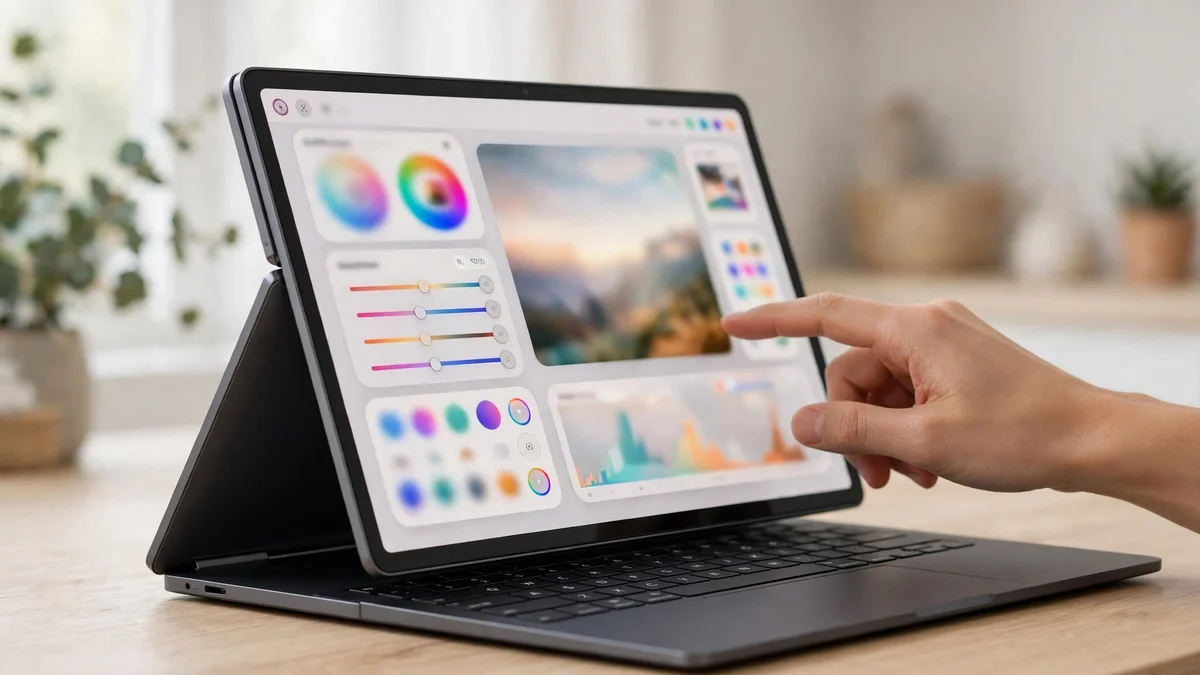
The best touchscreen laptops in 2027 are no longer a niche for artists alone. Touchscreens are now standard on premium Windows laptops, and a precise touch panel, an optional stylus, and a 2-in-1 hinge mean one machine can be a laptop in the morning, a tablet for reading at lunch, and a sketchpad in the evening. The best models pair the touch layer with a bright, accurate display, so the screen is worth touching in the first place.
Touch makes the biggest difference in three kinds of work: marking up documents and signing PDFs, sketching and photo editing with a stylus, and navigating quickly when the mouse is out of reach. This list weighs the touchscreen itself, how accurate and responsive it is, whether a stylus is included or supported, and how well the hinge supports tablet and tent modes.
We compared seven leading touchscreen laptops across display quality, touch accuracy, stylus support, battery life, weight, and price. The Microsoft Surface Laptop 7 leads overall with a bright touchscreen and 20-hour battery life, the HP Spectre x360 14 is the best convertible, and the Lenovo IdeaPad Flex 5i proves you can get a good touchscreen laptop for under $800. Prices below are approximate starting prices; check current pricing before buying.
Key takeaways
- The Microsoft Surface Laptop 7 is the best touchscreen laptop overall, with a bright display and up to 20 hours of battery life.
- The HP Spectre x360 14 is the best 2-in-1 touchscreen, with a 360-degree hinge and a stylus in the box.
- Look for at least 400 nits of brightness and 100% sRGB colour coverage in any touchscreen you buy.
- Stylus support varies widely: some laptops include a pen, others charge $100 or more for one.
- Good touchscreen laptops start at around $750, while the best premium models cost $1,300 to $1,800.
At a glance: the shortlist
| Laptop | Best for | Starting price | Standout limit |
|---|---|---|---|
| Microsoft Surface Laptop 7 | Best overall | From $999 | 20-hour battery, 600-nit screen |
| HP Spectre x360 14 | Best 2-in-1 touchscreen | From $1,299 | Stylus included, OLED option |
| Lenovo Yoga 9i 14 | Best premium convertible | From $1,499 | 360-degree hinge, rotating soundbar |
| Dell XPS 14 (touch) | Best premium touchscreen | From $1,699 | 3.2K OLED touch display |
| Samsung Galaxy Book5 Pro 360 | Best for creators | From $1,549 | 16-inch AMOLED touch, S Pen included |
| Acer Chromebook Spin 714 | Best touchscreen Chromebook | From $749 | 360-degree hinge, ChromeOS |
| Lenovo IdeaPad Flex 5i | Best budget touchscreen | From $799 | Lowest price with a stylus option |
Microsoft Surface Laptop 7 — Best overall
The Microsoft Surface Laptop 7 is the touchscreen laptop most people should buy. Its 13.8-inch or 15-inch PixelSense touchscreen reaches 600 nits, supports 10-point multitouch, and renders colour accurately enough for photo work, while the Snapdragon X Elite chip delivers up to 20 hours of battery life. The aluminium body is slim and clean, the keyboard is excellent, and the haptic touchpad is one of the best on Windows.

The touchscreen is most useful in laptop mode for scrolling, zooming, and tapping controls, and the display’s 3:2 aspect ratio shows more of a document than a standard 16:9 screen. The Surface Slim Pen 2 is sold separately for around $130, which is the main extra cost to budget for. Prices start at $999 for the 13.8-inch model with 16 GB of memory; check current pricing, as Microsoft discounts this model often.
Pros: bright accurate touchscreen, 20-hour battery, excellent keyboard and touchpad, premium build.
Cons: stylus sold separately, only two USB-C ports plus one USB-A, no OLED option.
HP Spectre x360 14 — Best 2-in-1 touchscreen
The HP Spectre x360 14 is the benchmark 2-in-1, and its touchscreen is the reason why. The 2.8K OLED display option is vivid and sharp, with deep blacks and 100% DCI-P3 colour coverage, and the 360-degree hinge holds any angle from laptop to tent to tablet. HP includes a stylus in the box, so there is no extra purchase to start drawing.
The Spectre pairs an Intel Core Ultra processor with up to 32 GB of memory, and battery life runs around 14 to 16 hours with the standard display and less with OLED, the usual trade-off for the richer screen. For a closer look at convertible designs in general, see our roundup of the best 2-in-1 laptops in 2027. Prices start at around $1,299; check current pricing before buying.
Pros: superb OLED touchscreen, stylus included, versatile 360-degree hinge, premium design.
Cons: OLED cuts battery life, heavier than a standard laptop at 1.44 kg, expensive.
Lenovo Yoga 9i 14 — Best premium convertible
The Lenovo Yoga 9i 14 is the most polished convertible on this list. Its 14-inch 2.8K OLED touchscreen supports the included Lenovo Slim Pen, the 360-degree hinge folds flat into tablet mode, and a rotating soundbar keeps the speakers facing you in every position.
Pros: gorgeous OLED touch display, stylus included, rotating soundbar, premium materials.
Cons: premium price, 1.4 kg is heavy for a tablet, OLED uses more battery.
Dell XPS 14 (touch) — Best premium touchscreen
The Dell XPS 14 with the optional touch display is the most refined traditional laptop on this list. The 3.2K OLED touch panel is the sharpest here, with 400 nits of brightness and superb colour accuracy, and the edge-to-edge design means the screen fills almost the entire lid. It is a laptop first and a touchscreen second: touch is for quick taps, scrolling, and pinch-to-zoom rather than tablet use.
Inside, an Intel Core Ultra processor and optional Nvidia graphics make it the most capable machine here for photo and video editing. The trade-offs are the price, starting at around $1,699 with touch, and the minimal port selection of three Thunderbolt 4 ports. Creators who edit photos on a touch display should also compare it with the laptops in our guide to the best laptops for video editing in 2027. Check current pricing before buying.
Pros: sharpest OLED touch display here, optional dedicated graphics, outstanding build quality.
Cons: expensive, no tablet mode, only Thunderbolt ports.
Both screens support touch and the Asus Pen 2.0, and the OLED panels are bright and colour-accurate. The compromise is weight: at 1.65 kilograms with the keyboard, it is the heaviest laptop on this list, and battery life is around 12 hours. Prices start at around $1,499; check current pricing, as Asus discounts the Duo regularly.
Pros: two OLED touchscreens, detachable keyboard, excellent for multitasking and drawing.
Cons: heaviest laptop here, 12-hour battery, premium price.
Samsung Galaxy Book5 Pro 360 — Best for creators
The Samsung Galaxy Book5 Pro 360 is built for creators who draw. Its 16-inch AMOLED touchscreen is large, bright, and colour-accurate, the S Pen is included, and the 360-degree hinge turns the whole machine into a big drawing tablet. An Intel Core Ultra processor and up to 32 GB of memory handle photo editing and illustration smoothly.
Pros: large AMOLED touchscreen, S Pen included, strong creator performance, good ecosystem features.
Cons: 16-inch size is not for small bags, premium price, speakers are average.
Acer Chromebook Spin 714 — Best touchscreen Chromebook
The Acer Chromebook Spin 714 is the best touchscreen laptop for buyers who live in the browser. Its 14-inch 2.2K touchscreen is bright at 400 nits, the 360-degree hinge folds into tablet mode for reading and Android apps, and the Intel Core Ultra processor makes ChromeOS feel fast. Battery life runs around 13 hours.
ChromeOS is the limitation to understand before buying: it is excellent for web apps, Google Workspace, and Android apps, but it cannot run full Windows or Mac desktop software. For students and cloud-first workers that is rarely a problem. If you are weighing ChromeOS against Windows, our guide to the best Chromebooks in 2027 covers the wider choice. Check current pricing before buying.
Pros: sharp bright touchscreen, versatile hinge, good value, fast ChromeOS performance.
Cons: no Windows desktop apps, 256 GB base storage, average webcam.
Lenovo IdeaPad Flex 5i — Best budget touchscreen
The Lenovo IdeaPad Flex 5i is the cheapest good touchscreen laptop on this list, starting at around $799 with a 14-inch 1080p touchscreen, an Intel Core processor, and a 360-degree hinge. A stylus is available as an option, and the touchscreen is responsive and accurate, with 10-point multitouch.
Pros: lowest price with a true 2-in-1 touchscreen, responsive touch panel, solid build.
Cons: 1080p resolution only, 11-hour battery, stylus costs extra.
How to choose
Start with the display, because the screen is the touchscreen. Look for at least 400 nits of brightness, 100% sRGB colour coverage, and a resolution of 2K or higher on a 14-inch screen. OLED panels add contrast and colour depth but use more battery and cost more. Next, decide whether you need a 2-in-1 hinge: if you plan to draw, read, or present in tablet mode, a 360-degree hinge is essential, while a standard laptop hinge is fine if touch is only for quick taps.
Then check the stylus situation. A pen included in the box, as with the HP Spectre x360 14, the Lenovo Yoga 9i, and the Samsung Galaxy Book5 Pro 360, saves $100 or more over buying one separately. Finally, confirm the basics: 16 GB of memory as a minimum, 512 GB of storage if you keep large files locally, and a battery that lasts at least 12 hours in independent tests, since touchscreens use slightly more power than non-touch panels.
Checklist: before you pay
- Confirm the screen is at least 400 nits bright and covers 100% sRGB, or 100% DCI-P3 for photo work.
- Check whether a stylus is included, and if not, add its price to the total cost.
- Test the hinge in a store: it should hold tent and tablet positions without wobbling.
- Try the touch panel with your own finger and pen, checking accuracy at the screen edges.
- Confirm the battery life in independent tests, since touch panels use extra power.
- Check the return policy, and make sure the memory and storage match what you actually need.
Frequently asked questions
Are touchscreen laptops worth it?
Yes, if you mark up documents, draw, edit photos, or present to others: touch adds a fast, direct way to scroll, zoom, tap, and annotate. If you only type, save the money and buy a non-touch model instead.
Do touchscreen laptops cost more?
Usually $100 to $200 more than an equivalent non-touch model, because the touch layer and digitiser add cost. The gap is smallest on 2-in-1 models, where touch is standard.
Can I use any stylus with a touchscreen laptop?
No. Most laptop touchscreens use Microsoft Pen Protocol or Wacom AES, and a stylus must match your laptop’s protocol. Buy the pen made for your model, or check the compatibility list first.
Do touchscreens use more battery?
Yes, slightly, because the touch digitiser draws power whenever the screen is on. The difference is usually 5 to 10 percent, so a laptop rated for 15 hours without touch might last 13 to 14 hours with it.
Are touchscreen laptops heavier?
Only slightly. The touch layer adds around 50 to 100 grams, and 2-in-1 hinges add a little more. Most touchscreen laptops here weigh 1.2 to 1.7 kilograms, comparable to non-touch laptops of the same size.
What is the best touchscreen laptop for drawing?
The Samsung Galaxy Book5 Pro 360, with its large 16-inch AMOLED touchscreen and included S Pen, is the best for drawing, followed by the HP Spectre x360 14 with its OLED display and included stylus.
The bottom line
The Microsoft Surface Laptop 7 is the best touchscreen laptop for most people in 2027: a bright, accurate touch display, 20-hour battery life, and a $999 starting price. Buyers who want to draw should pick the HP Spectre x360 14 or the Samsung Galaxy Book5 Pro 360, both of which include a stylus, while budget buyers get a genuine 2-in-1 touchscreen in the Lenovo IdeaPad Flex 5i for $799.
Whatever you choose, put the screen first: brightness, colour accuracy, and stylus support decide whether the touchscreen becomes something you use every day or a feature you forget about.



