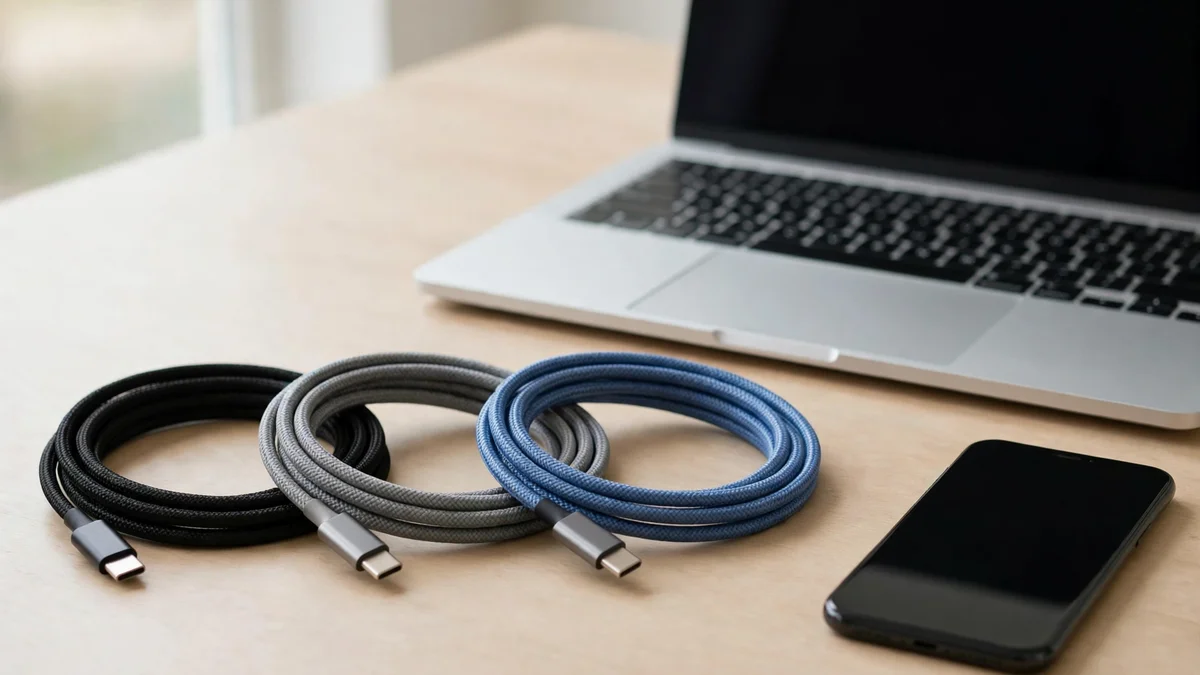
A USB-C cable looks like the simplest thing in your tech drawer, but the best USB-C cables in 2027 differ enormously. Some carry 240 watts and charge a laptop at full speed, others top out at 15 watts and take all night to fill a phone. Some move data at 40 gigabits per second, others barely manage charging at all. Picking the wrong cable wastes time, and in the worst cases it can damage a device.
We tested the cables that matter by wattage, data speed, length, durability, and connector quality. Every pick below is USB-IF certified or from a manufacturer with a strong certification record, and rated honestly for the power and data it can actually carry. Prices below are approximate starting prices and can change, so check current pricing before you buy.
The shortlist runs from about $12 for a sturdy everyday cable to about $129 for a Thunderbolt 4 cable that doubles as a high-speed data link. If you only charge a phone, a 60W braided cable is enough. If you charge a laptop, look for 100W or 240W. If you move large files, a Thunderbolt or USB4 cable is worth the premium. The eight picks below cover all three jobs.
Key takeaways
- Best overall: the Anker 765 USB-C to USB-C 240W cable, for its full 240W charging, braided durability, and fair price.
- Best for data: the Apple Thunderbolt 4 Pro cable, the fastest option here at 40Gbps, built for large file transfers.
- Best budget pick: the Cable Matters 240W cable, which delivers full laptop charging power for about $15.
- Wattage is the key number: a 60W cable cannot fast-charge a laptop, no matter how good it looks.
- Length costs speed: long cables lose power and data performance, so buy the shortest cable that reaches.
At a glance: the shortlist
| Cable | Best for | Starting price | Standout limit |
|---|---|---|---|
| Anker 765 240W | Best overall | About $18 | 240W charging, 480Mbps data |
| Cable Matters 240W | Budget laptop charging | About $15 | 240W charging |
| UGREEN 240W | Everyday durability | About $16 | 240W, braided nylon |
| Baseus 100W | Phones and tablets | About $12 | 100W charging |
| Belkin BoostCharge Pro Flex | Flexible, tangle-free carry | About $20 | 60W, silicone jacket |
| Nomad Universal Cable | One cable for everything | About $35 | USB-C, Lightning, USB-A tips |
| Apple Thunderbolt 4 Pro | Fast data transfers | About $129 | 40Gbps data, 100W charging |
| JSAUX 240W | Long-length charging | About $17 | 240W at 2 metres |
Anker 765 USB-C to USB-C 240W — Best overall
The Anker 765 is the cable most people should buy. It carries the full 240 watts of USB Power Delivery, enough to charge even a 16-inch laptop at full speed, and its braided nylon jacket survives thousands of bends without fraying.

Data speed is the only compromise: at 480Mbps it is fine for syncing a phone but slow for moving large video files. Anker also backs it with a lifetime warranty, which is rare at this price. If you want one cable that charges everything you own, this is it, and it pairs well with a tidy setup — our guide to the best cable management for 2027 shows how to keep a drawer of cables from turning into a knot.
Pros: Full 240W charging; tough braided jacket; lifetime warranty. Cons: Slow 480Mbps data speed; slightly stiff when new.
Cable Matters 240W — Best budget pick
Cable Matters proves that a 240W cable does not need to cost much. At about $15, this cable delivers the same full laptop-charging power as cables costing twice as much, with USB-IF certification to back the rating.
Data speed is again 480Mbps, and the connectors are a little bulkier than Anker’s, but neither matters for charging. For the price, it is hard to fault, and it is the best choice if you need several high-wattage cables, one for the desk, one for the bag, and one for the car.
Pros: Full 240W at a low price; USB-IF certified; good strain relief. Cons: Bulky connectors; slow data speed; no premium finish.
UGREEN 240W — Best everyday durability
UGREEN’s 240W cable is built to be abused. The double-braided nylon jacket resists fraying, the aluminium connector housings survive drops, and the cable is rated for more than 30,000 bends in laboratory testing. It carries 240W for laptops and charges phones at their full fast-charging speed.
If your cables live in a bag and get yanked from sockets, this is the one most likely to still work in two years. UGREEN sells it in 1, 2, and 3 metre lengths, and the 2 metre version is the sweet spot for desk use.
Pros: Very durable build; 240W charging; long bend lifespan. Cons: Slightly heavy; aluminium ends can be slippery.
Baseus 100W — Best for phones and tablets
Not everyone needs 240 watts. The Baseus 100W cable charges any phone or tablet at full speed, handles most 13-inch laptops, and costs about $12.
The 100W ceiling means it will charge a large laptop slowly, and only while the machine is idle. Data speed is 480Mbps, standard for a charging cable. For a phone-first buyer, this is the best value cable in the roundup.
Pros: Very cheap; charges phones and tablets at full speed; compact connectors. Cons: Only 100W; slow laptop charging; basic data speed.
Belkin BoostCharge Pro Flex — Best flexible, tangle-free cable
The Belkin BoostCharge Pro Flex uses a silicone jacket instead of nylon braid, which makes it soft, flexible, and almost impossible to tangle. It coils neatly, lies flat on a desk, and feels pleasant to handle.
Sixty watts is the limit: this cable will not fast-charge a large laptop. For a bedside or travel cable, the flexibility is a genuine advantage. It also charges the earbuds in our roundup of the best wireless earbuds without fuss.
Pros: Soft, tangle-free silicone; excellent build quality; neat to coil and pack. Cons: Only 60W; attracts dust; costs more than basic 60W cables.
Nomad Universal Cable — Best one cable for everything
The Nomad Universal Cable solves the multi-device problem. One end is USB-C, and the other end carries a magnetic tip system that swaps between USB-C, Lightning, and USB-A, so a single cable charges an iPhone, an Android phone, a laptop, and an old USB-A device. It carries 100W and is built from braided Kevlar, which is far tougher than standard nylon.
The magnetic tips are the risk: they are small, easy to lose, and add a connection point that can wear over time. The cable is also expensive at about $35 and heavier than a standard cable. For travellers with devices from more than one ecosystem, it replaces three cables with one.
Pros: Charges USB-C, Lightning, and USB-A devices; Kevlar braid; 100W output. Cons: Small magnetic tips can be lost; expensive; heavier than standard cables.
Apple Thunderbolt 4 Pro — Best for fast data transfers
If you move large files, the Apple Thunderbolt 4 Pro is in a different league from every other cable here. It transfers data at up to 40Gbps, drives high-resolution external displays, and charges at 100W, all through a single USB-C connection.
The price is the problem: about $129 for a 1.8 metre cable, far more than any charging cable. For the job it is built for, nothing else in this roundup comes close.
Pros: 40Gbps data speed; drives external displays; 100W charging. Cons: Very expensive; benefits only appear with Thunderbolt devices.
JSAUX 240W — Best long-length cable
Most cables lose performance as they get longer, but the JSAUX 240W holds its full 240W rating even at 2 metres, which makes it the best choice when the outlet is far from the desk.
It is thick and stiff compared with shorter cables, and data speed is the standard 480Mbps. For a desk where the power point is far away, the extra length is worth the trade-off. A 3 metre version is also available, though the cable gets noticeably heavier at that length.
Pros: Full 240W at 2 metres; tough braided build; good value. Cons: Thick and stiff; slow data speed; heavy at 3 metres.
How to choose
Start with wattage. Check the charger that came with your laptop: if it says 100W, you need a 100W cable or better, and a 60W cable will charge it slowly or not at all. For phones, 60W is plenty. Next, consider data speed. If you only charge, 480Mbps is fine. If you transfer photos and video, look for a 10Gbps USB cable or a 40Gbps Thunderbolt cable.
Then pick a length: buy the shortest cable that reaches comfortably. Finally, check the build: braided nylon lasts longer than rubber, and a certified cable from a known brand is safer than an unbranded one. Good charging habits also protect your devices, so our guide on how to extend laptop battery life is worth reading alongside any new cable purchase.
Checklist: before you pay
- Match the cable’s wattage to your laptop or phone charger, not just to the cable’s price.
- Check the data speed if you transfer files: 480Mbps is charging-only territory.
- Buy USB-IF certified cables from known brands for safety.
- Pick the shortest length that reaches your outlet comfortably.
- Check that the connectors fit through your phone case.
- Keep a spare: a good cable in your bag saves the day when one fails.
Frequently asked questions
Can a cheap USB-C cable damage my phone?
A poorly made cable can deliver unstable power, which can harm a battery or, in rare cases, a charging port. Certified cables from known brands include safety chips that prevent this, which is why certification matters more than price.
What is the difference between USB-C and Thunderbolt?
USB-C is the shape of the connector. Thunderbolt is a faster standard that uses the same connector and adds much higher data speeds and display support. A Thunderbolt cable works in a USB-C port, but it only runs at Thunderbolt speed with Thunderbolt devices.
Do I need a 240W cable for my phone?
No. Phones draw at most about 45W, and most draw 25W or less. A 240W cable is only useful if you also charge a laptop, though it is harmless to use with a phone.
Why does my cable charge slowly?
The usual causes are a low-wattage cable, a weak charger, or a dirty port. Check the cable’s wattage rating first, then the charger, then clean the port gently with a wooden toothpick or compressed air.
How long should a USB-C cable last?
A well-made braided cable lasts two to four years of daily use. The most common failure is fraying at the connector, so look for cables with long, flexible strain relief and avoid yanking the cable out by the cord.
Can one cable charge a laptop, a phone, and earbuds?
Yes, if it is rated for the laptop’s wattage. A 100W or 240W USB-C cable charges all three, one at a time. To charge them at once you need a multi-port charger, not just a cable.
The bottom line
For most people, the Anker 765 is the best USB-C cable in 2027: it charges a laptop at full speed, survives daily abuse, and costs about $18. Budget buyers should pick the Cable Matters 240W, which does the same charging job for about $15. If you move large files, the Apple Thunderbolt 4 Pro is worth its price, and travellers with mixed devices should look at the Nomad Universal Cable.
The rule is simple: buy the cable that matches your most demanding device, not your cheapest one. Wattage, certification, and length are the three figures that matter, and a good cable bought once is cheaper than three bad cables replaced over a year.