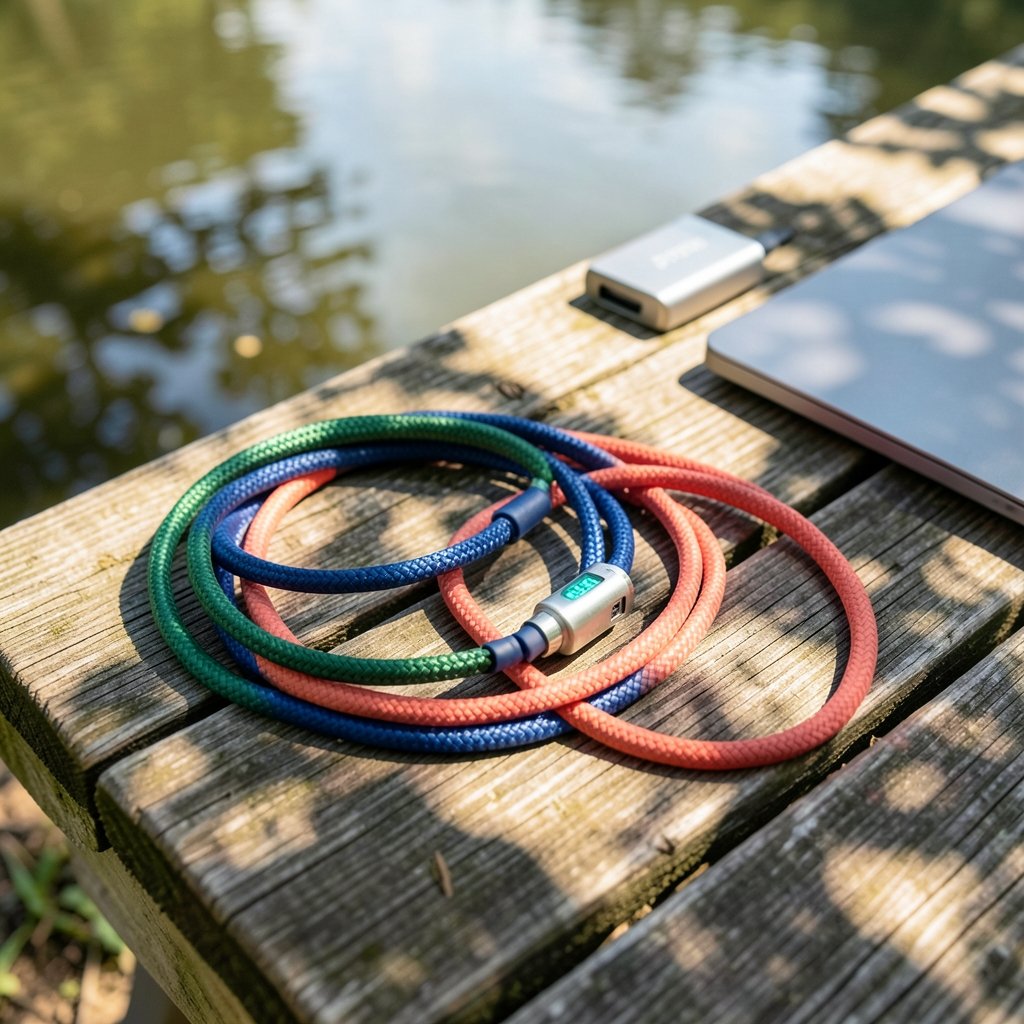
What if the real reason your laptop charges slowly isn’t the charger at all, but the cable sitting in the drawer? That question is exactly why a small, strange category of USB-C cables has grown up: cables with a built-in screen that shows live voltage, current, and wattage. Instead of guessing whether a brick is delivering the 100 W it promises, you read the number right there on the cord.
These cables are still a niche product. The best-known options come from specialist makers and accessory brands rather than mainstream phone manufacturers, and each one makes a different trade-off between power, data speed, and price. Below is a shortlist of specific, named options, followed by a practical guide to picking the right one for how you actually charge.
The Shortlist at a Glance
| Cable | Best For | Max Power | Data Speed | Display Style | Standout Limitation |
|---|---|---|---|---|---|
| Ugreen Nexode 240W USB-C | All-round charging and diagnostics | 240 W (PD 3.1) | USB 2.0 (480 Mbps) | Touchscreen | Thick and bulky |
| Ugreen 240W with LED display | Budget-minded laptop owners | 240 W (PD 3.1) | USB 2.0 (480 Mbps) | Cycled LED readout | Screen stays on, no off switch |
| SOOPII 100W nylon braided | Phone and tablet charging | 100 W rated | USB 2.0 | LED wattage display | Real-world draws often far below 100 W |
| WOTOBEUS silicone 6.5 ft | Desk and couch use | Not stated | USB 2.0 | Real-time LED | Long soft cord, not a lab tool |
| WITRN / AVHzY inline meters | Testing chargers and cables | Varies | Varies | Full meter readout | Separate device, not a cable |
Ugreen Nexode 240W USB-C: The One to Beat

If you want one cable that does the headline job well, this is the obvious starting point. It handles up to 240 W of power under PD 3.1, and the build quality sits firmly in the premium tier. The inline power meter is accurate, practical, and genuinely fun to use, and the cable is competitively priced for what it offers. (Rtx 4090 vs rtx 5080 power efficiency check before 2027)
The screen is the reason to buy it. It gives you a live readout of what is flowing between charger and device, which turns a vague “is this charging fast?” feeling into a number. That is useful when you are juggling several bricks, a dock, and a laptop that seems to charge at different speeds depending on the day.
The limitation is honest: this is a power cable, not a data cable. It runs at USB 2.0 speeds of 480 Mbps, so it is the wrong tool for driving an external monitor or moving huge files. It is also somewhat thick and bulky, which matters if you want something to coil into a small bag pocket.
Who it suits: anyone who wants one dependable cable for laptops, tablets, and phones, and who values knowing the real wattage over transferring data fast.
Ugreen 240W LED Display Cable: The Practical Daily Driver
The second Ugreen option covers similar ground with a simpler screen. It supports PD 100W charging with 48V/5A output, and the listing claims an iPhone can reach 50% in about 15 minutes with a capable charger. The LED screen cycles through power, current, and voltage every three seconds, so you get all three numbers without pressing anything.
There are two details worth knowing before you buy. First, the built-in E-Marker chip sits on the non-display side, which is normal but worth remembering when you are tracing which end is which. Second, the display cannot be turned off as far as owners can tell. If the cable lives next to your bed, the glow is a real annoyance, though the screen is only on one end, so flipping the plug around solves it.
In practice, owners report the numbers line up with what they expect. One reviewer testing a MacBook Pro M2 saw a steady 94 W with a suitable power supply, an iPhone 15 or 16 Pro drew roughly 25 to 27 W, and a Galaxy S24 or S25 Ultra correctly showed Super Fast Charging 2.0. The display drifts only about 0.5% to 1% from a professional multimeter, which is more than good enough to catch a failing charger.
Who it suits: laptop owners who want verified wattage without paying for a touchscreen, and who can live with a display that never sleeps. (Best Sustainable Tech Products of 2027: Tested & Verified)
SOOPII 100W Nylon Braided: The Budget Diagnostic
The SOOPII cable is the affordable entry point. It is rated to 100 W, comes in a 4 ft nylon-braided build, and shows wattage on a small LED display. For the money, it is a clever little troubleshooting tool.
Real-world reports tell the honest story. One owner with a Samsung phone confirmed the cable handled 28-plus watts but could not verify the full 100 W, because the phone simply would not pull that much. That is not a flaw in the cable; it is how charging works. The same owner used the display to prove a charger was dead, to identify a bad cable by swapping it out, and to catch chargers that do not output the wattage they claim.
That last point is the real value. A display cable turns vague suspicion into evidence. If you have a drawer of mystery bricks, this is the cheapest way to sort the good from the bad.
The limitation: 100 W is a ceiling, not a guarantee. Your device decides how much it draws, and phones often cap well below the cable’s rating. Do not buy this expecting to see 100 W on a phone.
Who it suits: phone and tablet users, students, and anyone building a small troubleshooting kit on a budget.
WOTOBEUS Silicone 6.5 ft: The Comfort Pick
Not every buyer wants a lab instrument. The WOTOBEUS cable leans into comfort: a soft-touch silicone cord at 6.5 ft, with a real-time LED screen showing charging wattage. Long-term owners report it holding up well after almost two years of daily use across a phone, a Nintendo Switch OLED, and a Switch 2.
The screen does more than show wattage. It recognizes when one end is plugged in and the other is not, which sounds trivial until you are hunting for the loose connection in a nest of cables. Owners describe the readings as reasonably accurate and useful for confirming whether a phone is truly charging at full speed.
The limitation is positioning. This is a convenience cable with a helpful readout, not a calibrated measurement tool. If you need tight accuracy for testing hardware, look at the dedicated meters below.
Who it suits: people who charge on the couch or in bed, want a long soft cord, and like a quick sanity check on charging speed.
WITRN and AVHzY Inline Meters: When You Need Real Numbers
Sometimes a cable with a screen is not the right answer. The specialist option is a dedicated inline USB power meter from makers like WITRN and AVHzY. These sit between charger and device and give you a fuller readout than a cable display typically offers.
The trade-off is obvious. A meter is a separate device you have to remember to bring, and it adds bulk to the connection. But if your goal is testing chargers, comparing cables, or documenting power behavior, a meter is the more serious instrument. A display cable is the everyday compromise; a meter is the bench tool.
Who it suits: reviewers, IT staff, and anyone who tests hardware regularly rather than simply charging a phone.
How to Choose Without Overthinking It
Start with the number that actually matters for your devices. A phone rarely needs more than 25 to 45 W, so a 100 W cable is plenty. A modern laptop may pull 94 W or more, and a gaming laptop can push toward the top of the range. If you are buying for a laptop, go for a 240 W PD 3.1 cable so the cord never becomes the bottleneck.
Then decide whether you need data. Almost every display cable on this list is USB 2.0, which is fine for charging and terrible for monitors or fast file transfers. If you need one cable for both power and display output, you are shopping in a different category entirely, and you should expect to give up the built-in screen. Understanding how much headroom the standard allows helps here; a primer on how USB-C EPR charging delivers 240 W explains why the cable, the charger, and the device all have to agree before you see the full number.
Check the physical details too. Cable length affects how you live with it, and a thick braided cord is great on a desk but annoying in a pocket. Screen behavior matters more than people expect: a display that cycles every three seconds is informative, while one that glows all night is a nuisance.
Finally, treat the display as a diagnostic aid, not a certified instrument. It is accurate enough to spot a failing charger or a bad cable, and that is the point. If you want to go deeper into the standards behind the numbers, the same principles that govern laptop charging apply to accessories, and a look at how monitor USB-C power delivery fails to charge laptops covers the most common real-world frustration.
Common Mistakes That Waste Money
The biggest mistake is buying a display cable expecting it to fix slow charging. It will not. It will only tell you why charging is slow, which is useful but different.
The second mistake is assuming a 240 W cable means 240 W charging. Your charger and device set the ceiling, and the cable just passes it through. A phone that caps at 27 W will show 27 W on a 240 W cable, and that is correct behavior.
The third is ignoring the data limitation until it bites. People buy a display cable, then wonder why their external monitor will not wake up. Check the data rating before you commit. If you are also shopping for hubs and docks, the same port-and-bandwidth logic applies, and a guide to USB-C hubs that fix port-starved laptops covers that ground well.
Conclusion
The best USB-C cable with a verified power display in 2027 depends on one question: are you charging a phone or a laptop? For laptops, the Ugreen Nexode 240W is the strongest all-round pick, with the LED-display Ugreen as a close, simpler alternative. For phones and budget troubleshooting, the SOOPII 100W earns its place, and the WOTOBEUS wins on comfort for long-cord charging. If you need real measurement rather than a glanceable number, a WITRN or AVHzY meter is the honest answer.
Whichever you choose, the display changes how you think about charging. Once you can see the wattage, mystery cables stop being mysterious.
FAQ
Do USB-C cables with displays actually measure power accurately?
They are close enough for daily use. Owner testing of the Ugreen 240W LED cable showed readings within about 0.5% to 1% of a professional multimeter. That is plenty accurate for spotting a failing charger or confirming fast charging, though it is not a substitute for a calibrated bench meter.
Why does my 240 W cable only show 27 W on my phone?
Because the phone sets the limit. A cable passes through whatever the charger and device negotiate, and most phones draw far less than the cable’s maximum. Seeing 27 W on a 240 W cable is normal and correct, not a sign of a faulty product.
Can I use a display cable for an external monitor?
Generally no. Most display cables on this list are USB 2.0 at 480 Mbps, built for power rather than video. If you need display output, buy a cable rated for high-bandwidth data instead, and accept that you may lose the built-in screen.
Is the screen annoying at night?
It can be. The Ugreen LED model has no way to switch the display off, so it glows in a dark room. The screen sits on one end only, so turning the plug around usually solves it. If you charge beside your bed, check this detail before buying.
Do I need a separate power meter instead?
Only if you test hardware regularly. An inline meter from WITRN or AVHzY gives a fuller readout and is the better bench tool. For everyday charging and occasional troubleshooting, a display cable is simpler and always attached.
Are display cables worth it if my charger already shows wattage?
Often yes. Charger displays show what the brick outputs, not what reaches your device. A cable display sits closer to the device end, which is where bad cables and loose connections show up. That difference is exactly what makes them useful for diagnosing charging problems.