The best VPN for Linux in 2027 is one that treats Linux as a first-class platform, not an afterthought. Linux users run Ubuntu, Fedora, Debian, Arch, and Mint on desktops, laptops, and servers, and they need a VPN with a real native app or a well-maintained command-line tool, strong encryption, and a kill switch that actually works when the connection drops.
That bar rules out most of the market. Many VPN providers still ship a Windows and Mac app and leave Linux users with a manual OpenVPN configuration file and a support page last updated years ago. Every service here offers a Linux client instead.
We compared Linux support, speed, server choice, privacy policy, and price. NordVPN leads for most Linux users, Proton VPN is the strongest privacy-first pick, and Mullvad is the best choice for anyone who wants a flat price and no account details at all. Prices below are approximate starting prices; check current pricing before you buy, as plans and discounts change often.
Key takeaways
- NordVPN is the best VPN for Linux overall, with a full Linux app, WireGuard support, and a kill switch.
- Proton VPN is the best privacy-first Linux VPN, with open-source apps and a free plan for basic use.
- Mullvad is the best Linux VPN for anonymity, with a flat five-euro monthly price and no email address required.
- Surfshark is the best budget Linux VPN, with unlimited simultaneous connections from about $1.99 a month.
- Avoid any VPN that only offers manual setup files for Linux, since you lose the kill switch and easy server switching.
At a glance: the shortlist
| Service | Best for | Starting price | Standout limit |
|---|---|---|---|
| NordVPN | Best overall | About $3.09 a month | 10 simultaneous connections |
| ExpressVPN | Easiest setup | About $4.99 a month | 8 simultaneous connections |
| Proton VPN | Privacy first | About $4.99 a month | Free plan with limited servers |
| Mullvad | Anonymity | About $5.40 a month | 5 simultaneous connections |
| Surfshark | Budget pick | About $1.99 a month | Unlimited connections |
| Private Internet Access | Customisation | About $2.03 a month | Unlimited connections |
| IVPN | Transparency | About $6.00 a month | 2 connections on the standard plan |
| Mozilla VPN | Simple and open | About $4.99 a month | 5 simultaneous connections |
NordVPN — Best overall
NordVPN offers the most complete Linux package in this roundup. Its Linux app runs from the terminal and covers the major distributions, including Ubuntu, Debian, Fedora, and Arch, with a graphical interface available on some builds. It supports NordLynx, the company’s WireGuard-based protocol, and includes a kill switch, split tunnelling, and Threat Protection against trackers and malicious sites.
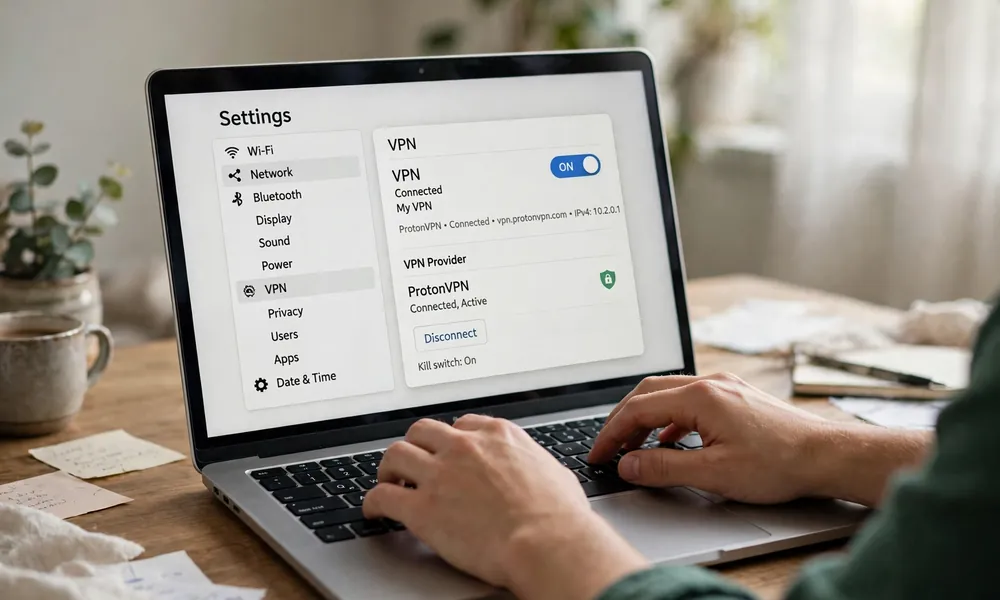
The network is large, with more than 7,000 servers in over 100 countries, and the no-logs policy has been independently audited several times. Our guide to the best VPN services for job seekers in 2027 covers the same shortlist from a work angle. The main drawback is that the Linux app is terminal-first, so users who want a full graphical client may prefer Proton VPN or Mullvad.
Pros: Full Linux app with WireGuard, large server network, audited no-logs policy, kill switch and split tunnelling.
Cons: Linux app is mainly terminal-based, renewal prices rise after the first term.
ExpressVPN — Easiest setup
ExpressVPN has one of the smoothest Linux setups of any provider here. Its command-line app installs in minutes on Ubuntu, Debian, Fedora, and Arch, and a browser extension for Chrome and Firefox adds quick connect and disconnect controls. Speeds are consistently strong thanks to the Lightway protocol.
The company is based in the British Virgin Islands and runs a RAM-only server network, which means no data is written to disk. It has an audited no-logs policy and 24-hour live chat support. The price is higher than most rivals, and there is no free tier.
Pros: Very easy Linux install, fast Lightway protocol, RAM-only servers, strong support.
Cons: Higher starting price, no free plan, fewer advanced Linux settings than PIA.
Proton VPN — Best for privacy
Proton VPN is the strongest privacy-first choice for Linux. Its Linux app is open source, and it includes Secure Core servers that route traffic through privacy-friendly countries before it reaches its destination. The company is based in Switzerland and operates under strict Swiss privacy law.
The paid plans add NetShield ad blocking, a kill switch, and access to more than 10,000 servers, while the free plan gives unlimited data on a small set of servers. The free plan is slower at peak times.
Pros: Open-source Linux app, Swiss jurisdiction, free plan with unlimited data, Secure Core servers.
Cons: Free plan is slow at peak times, fewer advanced settings than some rivals.
Mullvad — Best for anonymity
Mullvad takes a different approach from every other service here. It asks for no email address and no name: you get a randomly generated account number. The price is a flat five euros a month, with no long-term discount and no renewal trap, which makes the true cost easy to understand.
The Linux app is open source, supports WireGuard and OpenVPN, and includes a kill switch, multihop connections, and DNS leak protection. The trade-off is a smaller server network than NordVPN or ExpressVPN, and there is no free trial, so it suits users who put anonymity ahead of server count and streaming extras.
Pros: No personal details required, flat five-euro price, open-source app, multihop support.
Cons: Smaller server network, no free trial, basic customer support.
Surfshark — Best budget pick
Surfshark is the cheapest way to protect every device you own. Its long-term plans start from about $1.99 a month, and a single subscription covers unlimited simultaneous connections. The Linux app supports WireGuard and OpenVPN, and it includes a kill switch, CleanWeb ad blocking, and a rotating IP feature that changes your address regularly.
The server network covers more than 100 countries, and speeds are good on WireGuard, though they can vary on busy servers. The Linux app is terminal-based, but for the price it is hard to beat.
Pros: Very low starting price, unlimited connections, WireGuard support, CleanWeb blocking.
Cons: Linux app is terminal-only, speeds vary on busy servers.
Private Internet Access — Best for customisation
Private Internet Access, known as PIA, gives Linux users more control than almost any other VPN. Its Linux app has a graphical interface and lets you adjust encryption levels, choose your port, enable port forwarding, and fine-tune the kill switch. It supports both WireGuard and OpenVPN, and it is one of the few providers with a fully open-source desktop app.
The network is large, with servers in more than 90 countries, and long-term plans start from about $2.03 a month with unlimited simultaneous connections. The interface can feel busy for beginners, and the company is based in the United States, which some privacy-focused users prefer to avoid.
Pros: Graphical Linux app, deep customisation, open-source code, unlimited connections.
Cons: Interface can overwhelm beginners, based in the United States.
IVPN — Best for transparency
IVPN is a smaller provider that wins trust through transparency. It publishes regular audits and open-sources its apps. The Linux app supports WireGuard and OpenVPN, includes a kill switch, and offers multihop connections for extra privacy.
The standard plan costs about $6.00 a month and allows two simultaneous connections, while the Pro plan raises that to seven and adds port forwarding. It is a strong pick for Linux users who read audit reports and want a provider that documents everything it does.
Pros: Regular independent audits, open-source apps, multihop support, clear privacy documentation.
Cons: Higher price for two connections, smaller server network, no free plan.
Mozilla VPN — Best simple and open pick
Mozilla VPN is built on the Mullvad network and uses the WireGuard protocol throughout, which keeps the service fast and simple. The Linux app is clean and easy to use, with a kill switch, multihop, and a clear privacy policy from a company Linux users already know from Firefox.
Plans start from about $4.99 a month for five simultaneous connections, and the service covers more than 30 countries. It is a good choice for users who want a straightforward, trustworthy VPN from a familiar name.
Pros: WireGuard throughout, clean Linux app, trusted Mozilla brand, multihop support.
Cons: Fewer countries than rivals, no free tier, fewer extra features.
How to choose
Start with how you actually use Linux. If you live in the terminal, a command-line app from NordVPN, ExpressVPN, or Mullvad will feel natural. If you prefer a graphical interface, look at Proton VPN, PIA, or Mullvad, which all offer a proper Linux GUI. Check that your distribution is officially supported before you pay, since community packages can lag behind.
Next, confirm the basics: WireGuard support for speed, a kill switch that works on your setup, and a no-logs policy that has been independently audited. If you run a VPN on a router as well as your desktop, read our guide on how to speed up your WiFi router before choosing a plan, since a slow router throttles every device behind it. Finally, test the refund window: most providers here offer a 30-day money-back guarantee, so run the app on your own machine and measure speeds on the servers you actually use.
Checklist: before you pay
- Confirm your Linux distribution is officially supported by the provider.
- Check that the app includes a kill switch and WireGuard support.
- Read the no-logs policy and look for an independent audit.
- Compare the renewal price, not just the first-term discount.
- Test speeds on the servers you will actually use during the refund window.
- Make sure the plan covers all your devices, including phones and routers.
Frequently asked questions
Do I need a VPN on Linux?
Yes, if you use public Wi-Fi or want to keep your browsing private from your internet provider. Linux is secure by design, but it does not encrypt your internet traffic, and a VPN adds that layer of protection on any network you do not control.
Which VPN has the best Linux app?
NordVPN has the most complete Linux app overall, while Proton VPN and Mullvad offer the best graphical Linux apps. PIA gives the most settings to adjust, and ExpressVPN has the easiest installation.
Is there a free VPN for Linux?
Proton VPN offers a free Linux plan with unlimited data, which is the best free option in this roundup. Free VPNs from unknown providers should be avoided, since they often log traffic or show ads. Our roundup of the best privacy tools for 2027 includes free options that are safe to use alongside a VPN.
Does a VPN slow down Linux?
A good VPN with WireGuard typically reduces speed by only a small amount on a fast connection, often less than 10 percent on a nearby server. Test speeds on the servers you use most during the money-back period.
Can I use OpenVPN on Linux without an app?
Yes, most providers supply OpenVPN configuration files you can import into NetworkManager, and WireGuard configs work the same way. This is useful on minimal systems, but you lose the kill switch and easy server switching that a native app provides.
Is WireGuard better than OpenVPN on Linux?
WireGuard is faster and simpler on most Linux systems, with quicker connections and lower battery use on laptops. OpenVPN is older, very well tested, and better in some restricted networks. Most users should choose WireGuard and switch to OpenVPN only if they hit a connection problem.
The bottom line
For most Linux users in 2027, NordVPN is the best all-round choice, with a full Linux app, fast WireGuard speeds, and a large audited network. Proton VPN is the pick if privacy and open-source code matter most, and Mullvad is best if you want maximum anonymity at a flat, honest price.
Budget buyers should look at Surfshark or Private Internet Access, both of which cover unlimited devices for about two dollars a month. Whichever you choose, install it on your own distribution, test the kill switch, and check the renewal price before the first term ends.