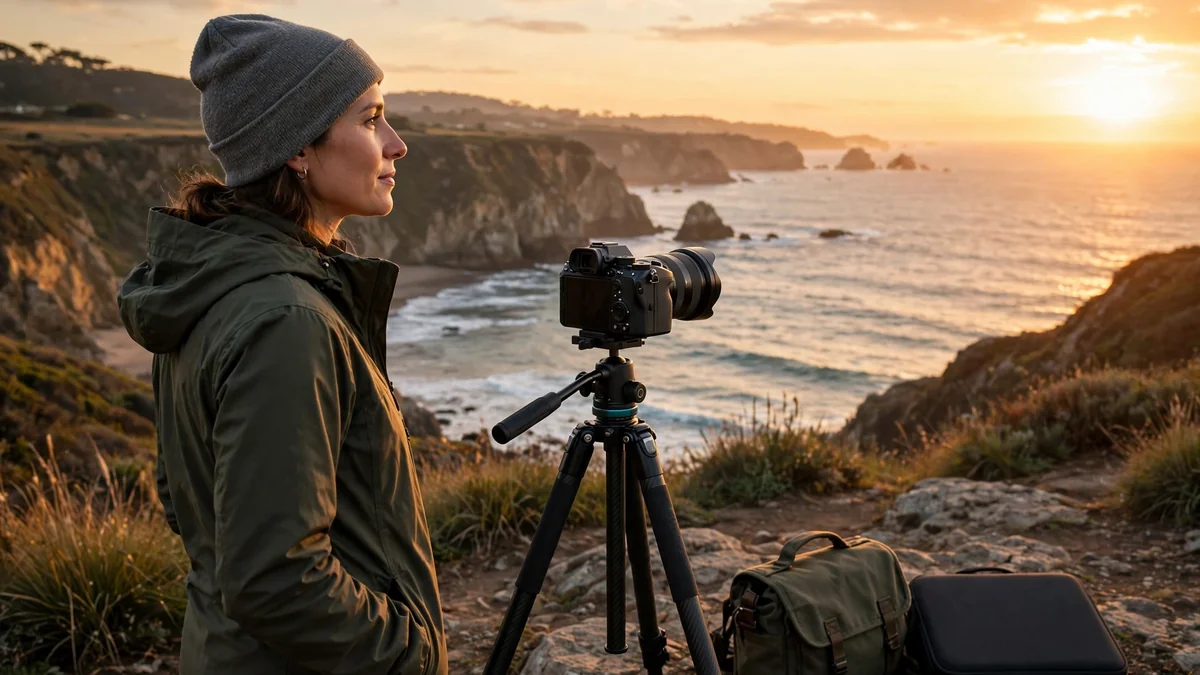
Travel photographers carry their livelihood on a memory card. A week of shooting can mean hundreds of gigabytes of RAW files, and the only copy often sits on a laptop connected to hotel Wi-Fi. The best VPN services for travel photographers protect those uploads, keep client galleries private, and keep working on the slow, shared networks that dominate life on the road in 2027.
Hotel and hostel Wi-Fi is shared with strangers, and unencrypted uploads can be watched or interrupted. Cloud backups stall on throttled connections, and some networks block the ports backup tools use. A VPN encrypts the traffic and lets a photographer reach the same cloud services from any country without reconfiguring anything.
We compared the leading VPN services on upload speed for large files, reliability on weak hotel networks, device limits, server coverage, and long-term price. The eight services below are the strongest picks for travel photographers in 2027.
Key takeaways
- NordVPN is the best overall pick for travel photographers: fast uploads, wide server coverage, and reliable mobile apps.
- Surfshark is the best value choice, with unlimited connections for a laptop, phone, tablet, and Wi-Fi camera on one plan.
- ExpressVPN is the simplest option for photographers who want a fast VPN that reconnects quickly.
- Upload speed matters more than download speed — test the VPN with a real backup before a big shoot.
- Prices below are approximate starting prices on long-term plans; check current pricing before you buy, since deals change often.
At a glance: the shortlist
| Service | Best for | Starting price | Standout limit |
|---|---|---|---|
| NordVPN | Best overall | From about $3.09 a month | 10 devices at once |
| ExpressVPN | Fastest and simplest | From about $4.99 a month | 8 devices at once |
| Surfshark | Best value | From about $1.99 a month | Unlimited devices |
| Proton VPN | Best for privacy | From about $3.59 a month | 10 devices at once |
| CyberGhost | Best for beginners | From about $2.03 a month | 7 devices at once |
| Private Internet Access | Best for customization | From about $2.03 a month | Unlimited devices |
| Mullvad | Best for anonymity | About 5 euros a month | 5 devices at once |
| IPVanish | Best for multi-device travel | From about $2.19 a month | Unlimited devices |
NordVPN — Best overall
NordVPN is the strongest all-round choice for travel photographers. Its NordLynx protocol delivers fast upload speeds — what matters when a night’s shoot must reach the cloud before checkout. Servers in more than 100 countries mean a photographer can usually connect nearby, and the apps reconnect quickly when hotel Wi-Fi drops.

The mobile apps are a real strength for photographers who tether a camera or back up from a phone. Auto-connect switches the VPN on whenever the device joins an unfamiliar network, and the kill switch stops traffic if the connection drops, so a client upload never continues unprotected. Threat Protection blocks many malicious sites and trackers on shared networks. Photographers who also publish their work will find our guide to the best VPN services for creators useful for the publishing side of the job.
Pros: Fast upload speeds on NordLynx; servers in more than 100 countries; reliable kill switch and auto-connect; clean apps.
Cons: Desktop app feels busy; best price needs a two-year plan; no free tier beyond a short mobile trial.
ExpressVPN — Fastest and simplest
ExpressVPN is the pick for photographers who want the least friction after a long shoot: setup takes minutes, the apps are nearly identical on every device, and connections stay fast across long distances. Its Lightway protocol reconnects quickly when switching networks.
ExpressVPN runs servers in more than 100 countries and is one of the most reliable services for reaching home-region cloud storage abroad. The apps include a kill switch and split tunneling, so backup software can run through the VPN while a local app stays direct. It costs more than most rivals, but the premium buys a VPN you never have to think about.
Pros: Excellent long-distance speeds; very simple apps; fast reconnection; strong record in restrictive regions.
Cons: Higher starting price; only 8 simultaneous connections; no budget tier.
Surfshark — Best value
Surfshark is the best value VPN for travel photographers, especially those carrying a full kit. One subscription covers unlimited devices, so a laptop, phone, tablet, and Wi-Fi camera are all protected for one low price.
Speeds are strong on WireGuard, and servers cover more than 100 countries. Useful extras include an ad and tracker blocker, rotating IP addresses, and a kill switch, plus multi-hop routing for extra privacy.
Pros: Unlimited connections; low starting price; fast WireGuard speeds; useful extras included.
Cons: Speeds vary more by server; some features sit behind higher tiers; support quality varies.
Proton VPN — Best for privacy
Proton VPN is the privacy-first choice, built by the team behind Proton Mail and based in Switzerland. Its no-logs policy is independently audited, and Secure Core servers route traffic through privacy-friendly countries first. For photographers handling unreleased client work, that pedigree matters.
The free tier is genuinely usable, with no data cap, making it a good backup mid-trip. Paid plans add faster speeds, streaming support, and the full network of more than 100 countries, with clean open-source apps and a reliable kill switch.
Pros: Audited no-logs policy; usable free tier with no data cap; Secure Core servers; open-source apps.
Cons: Full features cost more than budget rivals; free-tier speeds limited; interface can feel technical.
CyberGhost — Best for beginners
CyberGhost is the easiest VPN here for a first-time user. Its apps sort servers by purpose — streaming, torrenting, gaming — so no knowledge of protocols or server loads is needed. One tap connects to the fastest available server.
Servers cover more than 100 countries, long-term plans are among the cheapest available, and a 45-day money-back guarantee leaves time to test it on a real trip. Nearby speeds are good, though long-distance uploads trail NordVPN and ExpressVPN.
Pros: Very simple apps with servers sorted by purpose; low long-term price; 45-day money-back guarantee; large network.
Cons: Slower long-distance; only 7 connections; fewer advanced settings.
Private Internet Access — Best for customization
Private Internet Access (PIA) suits photographers who like to tune their own setup, with adjustable encryption levels, per-app split tunneling, and port forwarding. That flexibility helps on awkward hotel networks, where lowering encryption slightly can rescue a usable connection for an overnight backup.
PIA covers unlimited devices and runs a large network across more than 90 countries, with a court-tested no-logs policy and open-source apps. The interface is functional rather than beautiful, but reliable once configured, and split tunneling lets backup software use the VPN while local services stay direct.
Pros: Unlimited connections; deep customization; large network; open-source apps and court-tested no-logs policy.
Cons: Dated interface; based in the United States; less consistent streaming support.
Mullvad — Best for anonymity
Mullvad is the most anonymous VPN a photographer can buy: no email address at sign-up, cash and cryptocurrency accepted, and a flat 5 euros a month with no discount games. The account is just a number — the simplest privacy model in the industry.
Performance is solid on WireGuard, and the apps are minimal and reliable. It does not unblock every streaming service, but for pure privacy on public Wi-Fi — the core job on a photography trip — it is hard to beat.
Pros: No email required; anonymous payments; flat 5-euro price; independently audited; fast WireGuard speeds.
Cons: Only 5 connections; weaker streaming support; no long-term discount; smaller network.
IPVanish — Best for multi-device travel
IPVanish covers unlimited devices on every plan — a strong pick for photographers carrying a phone, laptop, tablet, and Wi-Fi camera. The apps are straightforward, speeds are good on WireGuard, and the service owns much of its own server infrastructure.
It includes a kill switch, split tunneling, and threat protection, and works well for photographers who need a United States IP address for client portals or stock sites abroad. The interface is less polished than NordVPN or ExpressVPN, but it gets the job done.
Pros: Unlimited connections; good WireGuard speeds; owns much of its server network; kill switch and split tunneling included.
Cons: Based in the United States; fewer servers in some regions; less refined interface.
How to choose
Start with upload speed, not download speed. A photographer pushing gigabytes of RAW files needs a fast, stable upload, so test your chosen VPN with a real backup before a big shoot, using a nearby server and a fast protocol such as WireGuard or NordLynx. Transit days matter too — our guide to the best VPN services for airports covers staying protected between flights.
Next, count your devices. A laptop and phone are fine on almost any plan, but add a tablet and a Wi-Fi camera and a 5-device limit starts to bite. Unlimited-device plans from Surfshark, PIA, and IPVanish remove that worry entirely.
Finally, weigh the network you use most. If most editing happens on hotel Wi-Fi, prioritize auto-connect on untrusted networks and a kill switch that works on mobile. Buy the longest plan you are comfortable with — two-year pricing is often half the monthly rate.
Checklist: before you pay
- Test upload speed with a real backup, not just a speed test, before the trip.
- Confirm the VPN has servers in every country on your shoot route.
- Check the simultaneous-device limit against every device and camera you will carry.
- Turn on auto-connect and the kill switch on your laptop and phone before you leave.
- Compare the renewal price, not just the introductory deal, before buying a two-year plan.
- Read the refund terms so you know how long you have to test it on the road.
Frequently asked questions
Do travel photographers really need a VPN?
Yes, if you back up or share work on public or shared Wi-Fi. Hotels, hostels, airports, and cafés are the most common places for traffic snooping, and a VPN encrypts your uploads there.
Will a VPN slow down my cloud backups?
A good VPN adds only a small speed loss on a nearby server, usually under 10 percent. Choosing a nearby server and a fast protocol such as WireGuard or NordLynx keeps the impact minimal.
Can a VPN protect my camera’s Wi-Fi uploads?
A VPN on your phone or laptop protects traffic passing through those devices, including files transferred from a camera over USB or a card reader. For a camera that uploads directly over Wi-Fi, run the VPN on the phone you tether through, or on a travel router.
Is it legal to use a VPN while traveling for a shoot?
VPNs are legal in most countries, but a few restrict or ban them. Check the rules for each destination before you travel and respect local laws.
Should I use a free VPN for photo backups?
A reputable free tier such as Proton VPN works as a backup, but most free VPNs cap speeds, limit servers, or fund themselves with user data. A low-cost paid plan is safer and faster for large uploads — our guide to the best VPN services for cafes explains why paid plans win there too.
What is the best VPN for travel photographers overall?
NordVPN is the best overall pick, combining fast upload speeds, wide coverage, and reliable mobile apps with auto-connect and a kill switch. Surfshark is the best value alternative for photographers with many devices.
The bottom line
For most travel photographers, NordVPN is the safest all-round choice: fast uploads, reliable apps, and easy use on patchy networks. If budget matters most, or your kit includes many connected devices, Surfshark gives unlimited connections at the lowest starting price here.
Whichever service you choose, install it before you leave, turn on auto-connect and the kill switch, and run a test backup on a public network at home. A VPN only protects your work if it is running.