
Best VPN services for Windows users in 2027 protect a computer that spends its whole day online, from work email and banking to streaming and gaming. Windows is the most widely used desktop operating system in the world, and that makes it a prime target for trackers and public Wi-Fi snoopers. A good VPN encrypts the connection, hides the real IP address, and keeps browsing private.
Choosing a VPN for Windows is not the same as choosing one for a phone. The best services offer a full native Windows app with a kill switch, split tunneling, and protocol choice. Speed matters more on a desktop too, because Windows users stream in 4K and play online games where latency counts.
The shortlist below covers every kind of user. NordVPN leads for all-round performance, Surfshark wins on value for households with many devices, and Proton VPN is the strongest choice for anyone who wants a trustworthy free tier. Prices below are approximate starting prices; check current pricing before buying.
Key takeaways
- NordVPN is the best overall VPN for Windows users in 2027, with the fastest speeds and the best Windows app.
- Surfshark offers the best value, with unlimited connections from about $1.99 per month.
- Proton VPN has the best free plan here, with no data cap and a strict no-logs policy.
- Every service here has a native Windows app, a kill switch, and a 30-day money-back guarantee.
- Avoid free VPNs with no clear business model, since they often profit by logging and selling user data.
At a glance: the shortlist
| Service | Best for | Starting price | Standout limit |
|---|---|---|---|
| NordVPN | Overall performance | About $3.99/month | 10 devices |
| ExpressVPN | Streaming and simplicity | About $4.99/month | 8 devices |
| Surfshark | Value and households | About $1.99/month | Unlimited devices |
| Proton VPN | Privacy and free tier | About $3.59/month | 10 devices |
| Private Internet Access | Customisation | About $2.03/month | Unlimited devices |
| CyberGhost | Beginners | About $2.03/month | 7 devices |
| Mullvad | Anonymity | Flat 5 euros/month | 5 devices |
| IPVanish | Speed on a budget | About $2.19/month | Unlimited devices |
NordVPN — Best overall
NordVPN is the strongest all-round VPN for Windows in 2027. Its Windows app is fast and easy to navigate, with a kill switch, split tunneling, and double VPN. It runs more than 6,000 servers in over 110 countries.
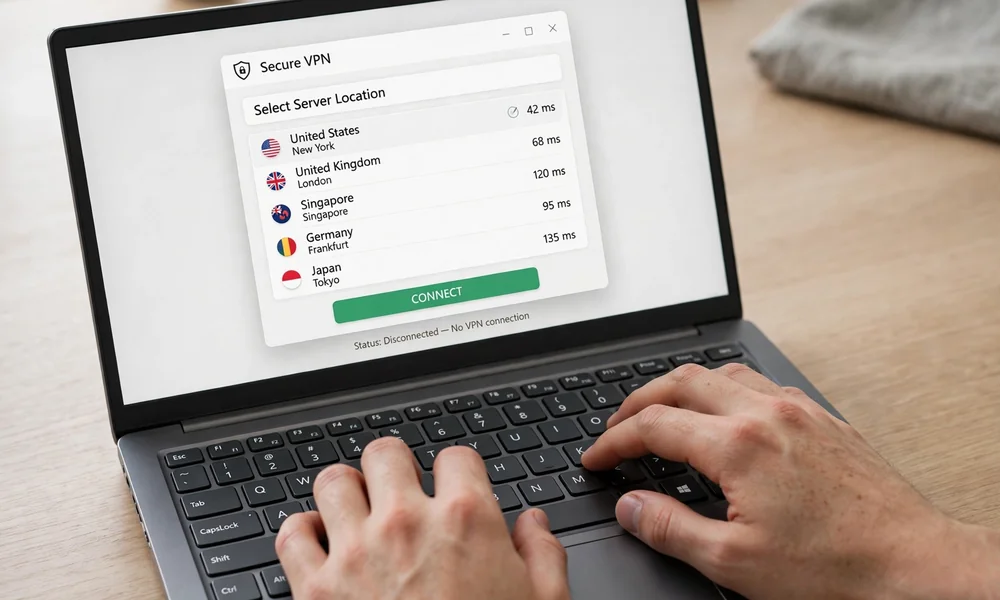
Speed is where NordVPN pulls ahead. Its NordLynx protocol, built on WireGuard, delivers consistently high download speeds with very little latency, which matters for 4K streaming and online gaming. See our guide to the best VPN services for PC gaming for latency and server advice. Based in Panama and audited for its no-logs policy, it is a safe default.
Pros: Fastest speeds here, polished Windows app, audited no-logs policy, large network.
Cons: Renewal prices jump sharply, and the 10-device limit is lower than some rivals.
ExpressVPN — Best for streaming and simplicity
ExpressVPN has long been the easiest premium VPN to use on Windows. The app opens to a single power button, and connecting takes one click. Behind that simplicity sits a strong service, with servers in 105 countries and its own Lightway protocol.
Streaming is the main reason to pick ExpressVPN. It unblocks a wide range of streaming libraries and keeps 4K playback smooth. Based in the British Virgin Islands, it has passed independent audits of its no-logs policy. The price is the highest here, starting at about $4.99 per month, with eight simultaneous connections.
Pros: Extremely easy to use, excellent for streaming, fast Lightway protocol, RAM-only servers.
Cons: The most expensive service here, and only eight devices per account.
Surfshark — Best value
Surfshark is the best-value VPN for Windows users, and the gap is not close. It starts at about $1.99 per month on a two-year plan and allows unlimited simultaneous connections, so one subscription can cover every PC, phone, and tablet in a household. The Windows app is clean and modern, with a kill switch and split tunneling.
Despite the low price, Surfshark does not cut corners on speed. Its WireGuard implementation is fast enough for 4K streaming and large downloads, and its network covers more than 100 countries. It also includes an ad blocker. The monthly plan is expensive, so the best deal requires a two-year commitment.
Pros: Unlimited devices, lowest long-term price, fast WireGuard speeds, useful extras included.
Cons: The monthly plan is costly, and some advanced settings are hard to find.
Proton VPN — Best for privacy and free tier
Proton VPN is the privacy-first choice for Windows users, built by the same team behind Proton Mail. Its Windows app is open source, so the code can be inspected by anyone, and the service has passed independent security audits. The company is based in Switzerland, and its no-logs policy is strict.
The free plan is the best in the industry, with unlimited data, no speed cap, and no adverts. That makes it the only free option here that can be recommended without reservations. The paid plan adds faster speeds, streaming support, and Secure Core servers. The free plan cannot unblock most streaming services, and the paid plan costs about $3.59 per month.
Pros: Open-source apps, audited no-logs policy, best free plan available, Swiss jurisdiction.
Cons: The free plan has no streaming support, and paid speeds trail the fastest rivals.
Private Internet Access — Best for customisation
Private Internet Access, known as PIA, is the VPN for Windows users who like to tune every setting. Its Windows app exposes more options than any rival here, from encryption strength to per-app split tunneling and automation rules.
PIA runs one of the largest server networks in the business, with servers in more than 90 countries, and it supports unlimited simultaneous connections. Speeds are solid with WireGuard, and the service has a long record of proving its no-logs policy in court, which is a stronger test than any audit. The price starts at about $2.03 per month on a three-year plan. The app is functional rather than beautiful.
Pros: Deep customisation, unlimited devices, proven no-logs record, very low long-term price.
Cons: The app feels dated, and streaming support is less consistent than the leaders.
CyberGhost — Best for beginners
CyberGhost is the friendliest VPN for Windows users who are new to the whole idea. The app organises servers by activity, with separate lists for streaming, torrenting, and gaming.
The network is large, with more than 11,000 servers in 100 countries, and speeds are good enough for 4K streaming on nearby servers. The Windows app includes a kill switch, split tunneling, and an ad blocker, and the 45-day money-back guarantee is the longest in this roundup. Speeds on distant servers can vary, and the app is slower to launch than the competition.
Pros: Servers organised by activity, longest money-back guarantee, very large network, low price.
Cons: Speeds vary on distant servers, and the app is slow to start.
Mullvad — Best for anonymity
Mullvad takes privacy further than any other VPN on this list. It asks for no email address and no name: every account is just a number, and users can pay in cash by post if they want no payment trail at all. The price is a flat 5 euros per month, with no discounts, no long-term lock-in, and no renewal surprises.
The Windows app is simple and open source, built around WireGuard and OpenVPN, with a kill switch that is always on. Mullvad has passed independent audits and supports multi-hop connections and port forwarding. There is no streaming optimisation, no dedicated IP, and no 24-hour live chat. For users whose main concern is staying anonymous, Mullvad is the most trustworthy option available.
Pros: No personal details required, flat transparent pricing, open-source apps, audited no-logs policy.
Cons: No streaming support, no live chat, and a smaller server network.
IPVanish — Best speed on a budget
IPVanish is a strong budget option for Windows users who want speed and unlimited connections. It starts at about $2.19 per month on a two-year plan, and one subscription covers every device in the house. The Windows app is straightforward, with a kill switch, split tunneling, and a choice of WireGuard and OpenVPN protocols.
Speed is a genuine strength. IPVanish owns and operates much of its own server infrastructure rather than renting it, which helps keep latency low and download speeds high. It is based in the United States and has passed an independent audit of its no-logs policy. The main limitation is streaming, since it unblocks fewer libraries than NordVPN or ExpressVPN.
Pros: Fast speeds, unlimited devices, low price, owns much of its infrastructure.
Cons: Weaker streaming support than the leaders, and fewer extra features.
How to choose
Start with the use case. If the VPN is mainly for streaming and general privacy, NordVPN or ExpressVPN will be the best fit, since both combine speed with reliable unblocking. For households, Surfshark or PIA cover unlimited devices for a low price. Privacy-focused users should look at Proton VPN or Mullvad, which have the strongest transparency records.
Check the Windows-specific features before paying. A kill switch is essential, because it stops traffic if the VPN drops. Split tunneling is the next feature to look for, since it lets some apps bypass the VPN while the rest stay protected. Our guide to VPN services with split tunneling explains how the feature works and which services do it best. Also confirm it supports WireGuard and offers a money-back guarantee.
Checklist: before you pay
- Confirm the Windows app has a kill switch, split tunneling, and WireGuard.
- Check the money-back guarantee length and refund process first.
- Compare the renewal price, not just the first-term discount.
- Test the service with your usual streaming and work apps during the refund period.
- Check how many devices the plan covers.
- Confirm the no-logs claim has been independently audited.
Frequently asked questions
Do I need a VPN on Windows 11?
Windows 11 has solid built-in security, but it does not hide browsing from an ISP or protect data on public Wi-Fi. A VPN adds that encryption layer, and it is worth using on any network that is not fully trusted.
Will a VPN slow down my Windows PC?
A good VPN slows a connection slightly, usually under 10 percent on a nearby server with WireGuard. The effect is rarely noticeable in normal use.
Can I use a free VPN on Windows?
Proton VPN is the only free option worth using on Windows: no data cap, audited no-logs policy. Most other free VPNs log activity or limit data so heavily that they are impractical.
Is split tunneling available on Windows?
Yes, most major VPNs support split tunneling on Windows, including NordVPN, Surfshark, ExpressVPN, and PIA. It lets selected apps bypass the VPN, which is useful for banking apps that block VPN traffic.
How many devices can I protect with one VPN account?
It depends on the service. Surfshark, PIA, and IPVanish allow unlimited devices, while NordVPN allows 10, ExpressVPN allows 8, and Mullvad allows 5. A household with several PCs should pick an unlimited plan.
Can a VPN help when working from home?
Yes, a VPN protects work traffic on a home network and lets remote workers reach company resources securely. It also prevents an ISP from throttling video calls and large downloads. Our guide to VPN services for working from home covers the best options for remote workers.
The bottom line
For most Windows users, NordVPN is the best choice in 2027, because it combines the fastest speeds, the best Windows app, and a proven privacy record. Surfshark is the smart pick for households that want unlimited devices at the lowest price, and Proton VPN is the right choice for open-source transparency or a genuinely good free plan.
Whichever service is chosen, install the native Windows app, turn on the kill switch, and pick the WireGuard protocol. That gives fast, private browsing with very little effort. Use the money-back guarantee to test it with real daily use.