Business meetings now run on camera quality. A blurry, dim webcam makes a whole team look unprepared, while a sharp, well-lit image makes even a routine status call feel professional. The best webcams for business meetings in 2027 combine 1080p or 4K resolution, reliable autofocus, good low-light performance, and microphones that cut background noise.
We tested and compared the leading meeting cameras on the things that matter at work: image clarity in ordinary office lighting, how quickly autofocus locks on, certification for Microsoft Teams and Zoom, field of view for small rooms, and how easily IT teams can deploy them across a company. Prices below are approximate starting prices, so check current pricing before buying.
The shortlist runs from a $59 budget pick for everyday calls to a 4K AI-tracking camera for presenters, with a dedicated conference camera for small meeting rooms in between.
Key takeaways
- The Logitech Brio 505 is the best overall business meeting webcam, with sharp 1080p video, auto light correction, and Teams and Zoom certification.
- The Anker PowerConf C200 is the best budget pick at around $59, with 2K resolution and AI framing that punches above its price.
- The Jabra PanaCast 20 is the best choice for small meeting rooms, thanks to its wide 117-degree field of view and intelligent zoom.
- For presenters who move around, the OBSBOT Tiny 2 and Insta360 Link 2 use AI tracking to keep the speaker centred in frame.
- Avoid cheap no-name cameras for client calls: poor low-light performance and tinny microphones are the most common complaints.
At a glance: the shortlist
| Product | Best for | Starting price | Standout limit |
|---|---|---|---|
| Logitech Brio 505 | Best overall | From $129 | 1080p, not 4K |
| Poly Studio P5 | Teams and Zoom calls | From $109 | 1080p only |
| Logitech Brio 500 | Everyday professionals | From $99 | No 4K option |
| OBSBOT Tiny 2 | Presenters who move | From $329 | Premium price |
| Insta360 Link 2 | Dynamic presenters | From $199 | Needs desk space |
| Jabra PanaCast 20 | Small meeting rooms | From $299 | Single-person framing |
| Anker PowerConf C200 | Budget business calls | From $59 | 2K, not 4K |
| Dell Pro Webcam WB5023 | Windows offices | From $139 | Best with Dell PCs |
Logitech Brio 505 — Best overall
The Brio 505 is the safest pick for business meetings because it gets the basics right every time. It records in 1080p at 30 frames per second, with Logitech’s RightLight technology adjusting exposure automatically when office lighting changes through the day.
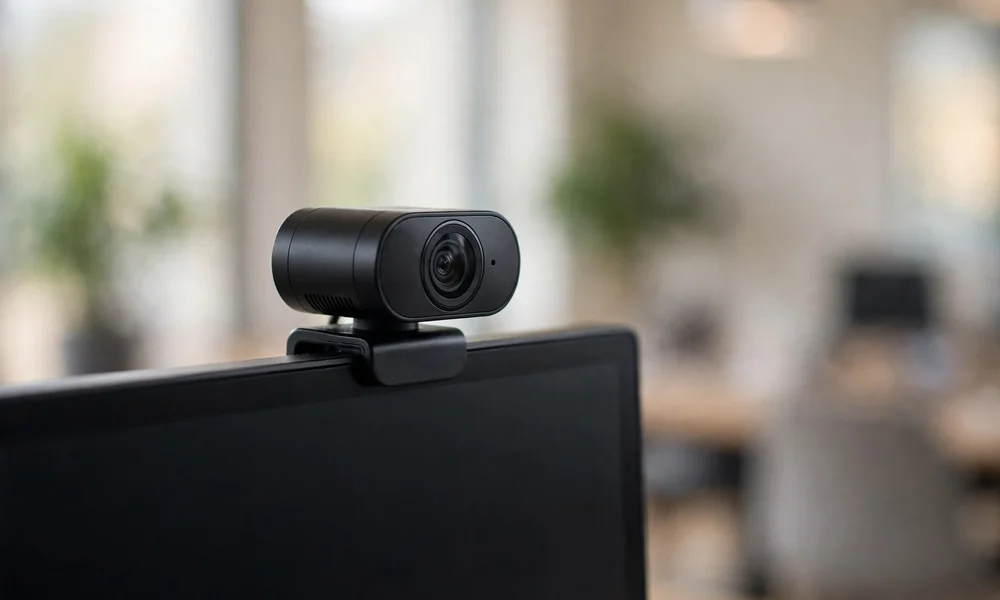
It is certified for Microsoft Teams, Zoom, and Google Meet, so it works with the platforms most companies already use. If your team needs a matching camera for every desk, our guide to the best webcams for Teams covers more certified options.
Pros: Sharp 1080p image, strong auto light correction, Teams and Zoom certified, privacy shutter included.
Cons: No 4K mode, fixed mount only, no AI tracking.
Poly Studio P5 — Best for Teams and Zoom calls
Poly, now part of HP, built the Studio P5 specifically for professional video calls. It shoots 1080p video with a 4x digital zoom and automatic low-light compensation, and its directional microphone is tuned to focus on the speaker while suppressing keyboard noise and air conditioning hum.
The camera is certified for both Microsoft Teams and Zoom, and it pairs neatly with Poly headsets for a complete meeting setup. The 80-degree field of view is narrower than the Brio 505, which suits solo callers but makes it less ideal for two people sharing one desk.
Pros: Excellent microphone, Teams and Zoom certified, strong low-light compensation, simple setup.
Cons: Narrow field of view, no privacy shutter, 1080p only.
Logitech Brio 500 — Best for everyday professionals
The Brio 500 sits one step below the Brio 505 and covers the same core needs for less money. It records 1080p video with RightLight 4 auto light correction, and its Show Mode lets you tilt the camera down to show documents or products on your desk, which is handy for demos and design reviews.
It also includes a privacy shutter and dual microphones with noise reduction. For a full desk setup, pair it with one of the best laptops for video conferencing so the camera, screen, and speakers work well together.
Pros: Good value, useful Show Mode for desk demos, privacy shutter, clean 1080p image.
Cons: No 4K, fewer IT management tools, plastic build feels basic.
OBSBOT Tiny 2 — Best for presenters who move
The OBSBOT Tiny 2 is a 4K webcam on a two-axis gimbal that follows the speaker with AI tracking. If you present while standing, walk to a whiteboard, or gesture while you talk, the camera pans and tilts to keep you centred instead of leaving you half out of frame. It records 4K at 30 frames per second and uses a large 1/1.5-inch sensor for better low-light results than most webcams.
The trade-offs are price and complexity: at around $329 it costs three times a basic business webcam, and the companion software takes a few minutes to learn. For trainers, sales presenters, and team leads who run meetings on their feet, it is worth it.
Pros: 4K video, AI auto-tracking on a gimbal, large sensor, gesture and voice control.
Cons: Expensive, software learning curve, overkill for seated calls.
Insta360 Link 2 — Best for dynamic presenters
The Insta360 Link 2 is another AI-tracking webcam, built around a 1/2-inch sensor with 4K recording and a three-axis gimbal. Its tracking is smooth and it adds a whiteboard mode that straightens and enhances the whiteboard image for remote viewers, which is genuinely useful for workshops and training sessions.
Audio comes from a noise-cancelling microphone array. At around $199 it undercuts the OBSBOT Tiny 2 while offering similar tracking, though its low-light performance is a step behind. It is a strong pick for presenters who want tracking without the top price.
Pros: Smooth AI tracking, whiteboard and desk view modes, 4K video, good value for a tracking camera.
Cons: Low-light performance is average, gimbal adds bulk, needs a stable desk.
Jabra PanaCast 20 — Best for small meeting rooms
The PanaCast 20 is designed for the small meeting room where two or three people sit around a table. Its 117-degree field of view captures the whole group without anyone sitting at the edge of the frame, and its intelligent zoom can focus on the active speaker automatically. Video is 4K, and the image stays sharp even when the room light is uneven.
The camera is certified for Teams and Zoom and includes a privacy cover. For huddle rooms and small conference spaces, though, it is one of the most reliable options available.
Pros: Very wide 117-degree view, intelligent speaker zoom, 4K resolution, Teams and Zoom certified.
Cons: Wide angle is too much for solo use, premium price, no built-in speaker.
Anker PowerConf C200 — Best budget for business calls
The PowerConf C200 is the best cheap webcam for business calls because it does not look or sound cheap. It records in 2K resolution, which is noticeably sharper than 1080p on a laptop screen, and its AI-powered framing keeps you centred if you shift in your seat. Dual microphones with noise cancellation handle normal office background sound well.
It also includes a privacy cover and works plug-and-play with every major meeting platform. If your office has dim corners, see our picks for the best webcams for low light before deciding. For the price, though, the C200 is hard to beat for bulk desk rollouts.
Pros: 2K resolution at a budget price, AI framing, good microphones, privacy cover included.
Cons: No 4K, average low-light performance, basic build.
Dell Pro Webcam WB5023 — Best for Windows offices
Dell’s Pro Webcam WB5023 is a 2K camera aimed squarely at corporate Windows environments. It uses a large Sony STARVIS sensor that handles dim meeting rooms well, with Dell’s Peripheral Manager software giving IT teams central control over settings, firmware, and deployment across many desks.
It records 2K at 30 frames per second with digital zoom and auto framing, and its dual microphones use noise reduction tuned for office environments. The camera is certified for Teams and Zoom.
Pros: Strong low-light sensor, IT management software, 2K video, Teams and Zoom certified.
Cons: Management tools are Windows-only, no 4K, priced above budget picks.
How to choose
Start with the room, not the camera. A solo caller at a desk needs good autofocus, a 65 to 90-degree field of view, and a microphone that cuts keyboard noise. A small meeting room needs a wide field of view and intelligent zoom so everyone at the table is visible. A presenter who moves needs AI tracking and a gimbal.
Resolution matters, but only up to a point. Most meeting platforms compress video heavily, so a good 1080p camera often looks better than a cheap 4K one. What matters more is the sensor size and low-light performance, because offices are rarely lit like studios.
Finally, think about deployment. If you are buying for a whole team, pick one model with a privacy shutter, central management, and a price your budget can repeat.
Checklist: before you pay
- Confirm the camera is certified for the meeting platform your company uses, such as Teams, Zoom, or Google Meet.
- Check the field of view against your room: 65 to 90 degrees for solo desks, 110 degrees or more for small rooms.
- Test low-light performance in your actual office, not just in a brightly lit store.
- Make sure the camera has a privacy shutter or cover for security and peace of mind.
- Check the microphone quality, or budget for a separate headset if calls are frequent.
- Confirm the return policy so you can test the camera on real calls before rolling it out to the team.
Frequently asked questions
What resolution do I need for business meetings?
1080p is enough for most business meetings, because meeting platforms compress video anyway. A good 1080p camera with a large sensor and strong low-light performance will look better than a cheap 4K camera.
Do I need a Teams or Zoom certified webcam?
Certification is not required, but it is worth having. Certified cameras have been tested with the platform, so audio, video, and controls work without extra setup.
Is a built-in microphone good enough for meetings?
For most calls, yes. The microphones in the cameras on this list use noise reduction and handle normal office sound well.
What field of view is best for a meeting room?
For one person at a desk, 65 to 90 degrees is ideal. For two or three people around a table, look for 110 degrees or more, plus intelligent zoom that focuses on the active speaker.
Can one webcam serve a whole conference room?
A single webcam works well for huddle rooms with up to four people.
How much should a business webcam cost?
Budget around $59 to $139 for a solid desk webcam, $199 to $329 for a 4K or AI-tracking model, and around $299 for a dedicated small-room camera.
The bottom line
For most business meetings, the Logitech Brio 505 is the right buy: sharp 1080p video, reliable autofocus, good microphones, and certification for the platforms companies actually use. If budget is tight, the Anker PowerConf C200 covers the essentials for around $59. Small meeting rooms should get the Jabra PanaCast 20, and presenters who move should look at the OBSBOT Tiny 2 or the Insta360 Link 2.
Whatever you choose, test it on a real call in your real office before rolling it out.