

The best webcams for hybrid meetings in 2027 have to do two jobs at once: make the people in the room look sharp and make the people joining from home feel like they are actually there. A laptop camera cannot do that. It frames one face, picks up keyboard noise, and washes out under office lighting, while the rest of the room sits out of frame and out of the conversation.
Hybrid work is now the default for most office teams, and the camera has become the most important piece of meeting room equipment after the screen itself. A good hybrid webcam keeps everyone in frame, follows the speaker, handles mixed lighting, and pairs with the room audio so remote colleagues can hear every voice, not just the person nearest the laptop.
We tested the shortlist below against the things that matter in a real hybrid room: field of view, autofocus speed, low-light performance, microphone pickup, ease of setup, and compatibility with Zoom, Microsoft Teams, and Google Meet. These eight picks cover solo desks, small huddle rooms, and full meeting rooms, starting at around $59.
Key takeaways
- Logitech Brio 505 is the best overall hybrid webcam for most desks and small rooms, with 1080p video, auto-framing, and a clean, professional image.
- Logitech MeetUp 2 is the best dedicated hybrid room camera, pairing a wide 120-degree view with beamforming microphones built for a table of people.
- Jabra PanaCast 50 covers the widest rooms with its 180-degree panoramic view and three 13-megapixel cameras stitched into one frame.
- Budget buyers should start with the Anker PowerConf C200, which delivers solid 2K video and clear dual microphones for around $59.
- Check current pricing before you buy, because webcam prices move often with sales, bundles, and new model releases.
At a glance: the shortlist
| Product | Best for | Starting price | Standout limit |
|---|---|---|---|
| Logitech Brio 505 | Best overall | From $129 | 1080p, 90-degree view |
| Logitech MeetUp 2 | Best for hybrid rooms | From $699 | 120-degree view, 6 mics |
| Poly Studio P15 | Best for personal setups | From $599 | 4K, auto-framing, 90-degree view |
| Jabra PanaCast 50 | Best for wide rooms | From $999 | 180-degree panoramic view |
| Obsbot Tiny 2 | Best AI tracking | From $329 | 4K, PTZ tracking, gesture control |
| Dell Pro Webcam WB5023 | Best for office desks | From $199 | 2K QHD, auto-framing |
| Anker PowerConf C200 | Best budget pick | From $59 | 2K, dual microphones |
| Razer Kiyo Pro Ultra | Best image quality | From $299 | 4K, large 1/1.2-inch sensor |
Logitech Brio 505 — Best overall
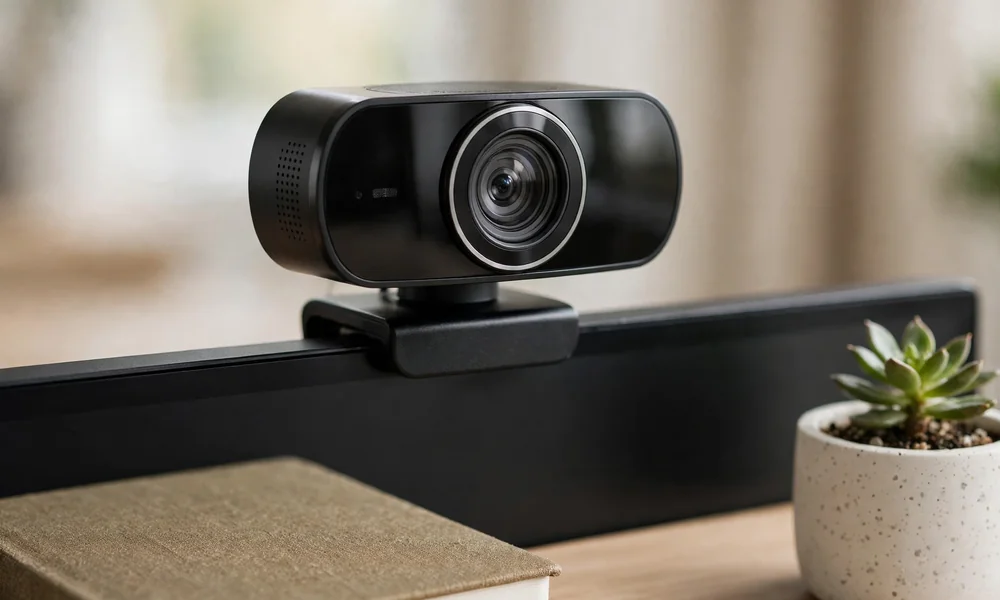
The Brio 505 is the safest pick for hybrid work because it does the basics brilliantly and adds the features that matter in a shared room. Its 1080p sensor produces a clean, natural image, RightLight 4 adjusts for backlight and dim rooms, and auto-framing keeps you centred when you shift in your seat.
If you are comparing room cameras more broadly, our guide to the best webcams for video conferencing covers the same shortlist from a room-setup angle.
Pros: Sharp 1080p image, reliable auto-framing, wide 90-degree field of view, plug-and-play setup.
Cons: No 4K option, and the fixed focus range suits desks better than large rooms.
Logitech MeetUp 2 — Best for hybrid rooms
The MeetUp 2 is built for the room itself rather than one person at a desk. Its 120-degree field of view covers a full table, its six beamforming microphones pick up voices from several metres away, and AI-based framing keeps the active speaker in view.
Pros: Covers a whole table, strong microphone array, simple one-cable setup, certified for major platforms.
Cons: Priced for shared rooms rather than solo desks, and it needs a display to mount on.
Poly Studio P15 — Best for personal hybrid setups
The P15 is a personal video bar that brings room-style framing to a single desk. Its 4K sensor crops and reframes automatically as you move, its noise-blocking microphones cut out keyboard clicks and nearby chatter, and its automatic speaker tracking keeps you in frame during long calls. It is a strong fit for managers and presenters who run hybrid meetings from their own office and need to look polished every time.
Pros: 4K sensor with smart auto-framing, excellent noise reduction, premium build, easy USB setup.
Cons: Expensive for a personal camera, and its 90-degree view is too narrow for a group table.
Jabra PanaCast 50 — Best for wide rooms
The PanaCast 50 uses three 13-megapixel cameras to stitch a full 180-degree panoramic view, so nobody at the edges of a wide table disappears from the call. Its eight-microphone array and intelligent zoom follow whoever is speaking, and it can split the room into individual video feeds so remote participants see each person clearly. For wide, shallow meeting rooms, nothing else in this price range frames the group as well.
Pros: Full 180-degree coverage, intelligent speaker zoom, eight microphones, individual video feeds.
Cons: Premium price, and the panoramic stitching needs good, even room lighting to look its best.
Obsbot Tiny 2 — Best AI tracking
The Tiny 2 is a small 4K camera with a two-axis gimbal that follows you around the room, which makes it ideal for trainers, teachers, and presenters who do not sit still. Gesture controls let you start tracking or zoom with a hand signal, voice control handles the rest, and the image stays sharp thanks to fast autofocus and a large sensor for its size. It mounts on a monitor, a tripod, or a desk stand.
Pros: Smooth AI subject tracking, 4K resolution, gesture and voice control, compact and portable.
Cons: Tracking can be distracting in a seated meeting, and the companion app is needed for full control.
Dell Pro Webcam WB5023 — Best for office desks
Dell built the WB5023 for the everyday office desk, and it shows in the details. Its 2K QHD sensor is a clear step up from 1080p, the Sony STARVIS sensor handles dim offices well, and auto-framing plus a built-in privacy shutter cover the two things office workers ask for most. It pairs neatly with Dell monitors and docks, but it works just as well on any Windows or Mac machine over USB.
Pros: Crisp 2K QHD image, good low-light performance, built-in privacy shutter, clean design.
Cons: No 4K mode, and the microphone is fine for calls but not a substitute for a room mic.
Anker PowerConf C200 — Best budget pick
The C200 proves that a hybrid upgrade does not have to cost much. It records in 2K, its dual microphones use AI to reduce background noise, and its low-light correction keeps you visible in a dim home office. The build is plastic and the field of view is a standard 65 degrees, so it suits one person at a desk rather than a group, but at this price it is the easiest way to retire a laptop camera.
Pros: Very affordable, solid 2K video, AI noise reduction, simple plug-and-play setup.
Cons: Narrow field of view, plastic build, and no auto-framing or tracking features.
Razer Kiyo Pro Ultra — Best image quality
The Kiyo Pro Ultra has the largest sensor of any webcam in this roundup, a 1/1.2-inch Sony STARVIS 2 chip that delivers the cleanest low-light image we have seen from a USB camera. Its 4K resolution, fast autofocus, and accurate skin tones make presenters look noticeably better, and the uncompressed video mode suits anyone recording meetings or training sessions. It is a desktop camera, not a room camera, so pair it with a good microphone.
Pros: Best-in-class low-light image, true 4K, fast autofocus, uncompressed video option.
Cons: Narrower field of view than room cameras, and it is heavier and pricier than basic models.
How to choose
Start with the room, not the camera. A solo desk needs a 65 to 90-degree field of view, a small huddle room needs 90 to 120 degrees, and a wide meeting room needs 120 degrees or a panoramic camera, or the people at the ends of the table will simply not be seen.
Then check the audio. A personal webcam microphone is fine for one person, but a table of four or more needs a camera with a beamforming microphone array or a separate speakerphone, because remote colleagues will judge the meeting by what they can hear, not just what they can see.
Finally, confirm compatibility and mounting. Every camera here works over USB with Zoom, Teams, and Google Meet, but check how it mounts and whether your IT team requires certified hardware before you order in bulk.
Room size also drives the platform choice, so see our roundup of the best webcams for Zoom calls if most of your hybrid meetings run on Zoom.
Checklist: before you buy
- Measure the room and count the seats so you buy a wide enough field of view.
- Test the camera in your actual lighting, including backlight from windows.
- Confirm the microphone picks up the quietest voice at the far end of the table.
- Check certification for Zoom, Microsoft Teams, or Google Meet if your company requires it.
- Confirm the mount fits your display, wall, or tripod before ordering.
- Compare the current price and return policy, because webcam prices change often.
Frequently asked questions
Do I need a 4K webcam for hybrid meetings?
Not usually. A good 1080p or 2K camera with strong low-light performance and auto-framing looks better on a call than a cheap 4K sensor, because most meeting platforms compress video anyway. Choose 4K when you record training sessions where detail matters.
What field of view do I need for a hybrid meeting room?
For one person, 65 to 90 degrees is enough. For a table of four to six people, look for 120 degrees or more, and for a wide room consider a panoramic camera such as the Jabra PanaCast 50 so nobody sits outside the frame.
Can one webcam cover a whole meeting room?
Yes, if it is a room camera with a wide field of view and a microphone array, such as the Logitech MeetUp 2 or Jabra PanaCast 50. A personal desk webcam cannot cover a table, because its field of view and microphones are designed for one person.
Do hybrid webcams work with Zoom, Teams, and Google Meet?
All eight cameras in this guide work as standard USB video devices with Zoom, Microsoft Teams, and Google Meet. Several are also formally certified, which matters for companies that only approve certified hardware for meeting rooms.
How important is the microphone in a hybrid webcam?
Very important. Remote participants will forgive a slightly soft image, but they cannot follow a meeting they cannot hear. Room cameras with beamforming microphones are worth the extra cost when more than two people share the room.
Should I buy one camera per room or one per person?
Buy per room for shared spaces and per person for home offices. A room camera stays mounted and ready, while personal webcams travel with each employee. Many companies do both, with a MeetUp-style camera in the room and a Brio-style camera on each desk.
A personal desk camera also pairs well with a proper workspace, as covered in our guide to the best webcams for home offices.
The bottom line
For most hybrid teams, the Logitech Brio 505 is the right starting point for desks, and the Logitech MeetUp 2 is the right starting point for shared rooms. Together they cover the two situations hybrid work creates, and both are certified, simple to deploy, and proven in daily use.
If your rooms are wide, step up to the Jabra PanaCast 50, and if your budget is tight, start with the Anker PowerConf C200 and upgrade the rooms first. Check current pricing, and test one unit in your real room before buying for the whole office.



