Online classes put your webcam on the spot every day. Teachers and classmates judge your participation partly by how clearly they can see and hear you, and a dark, blurry image makes it harder to stay engaged. The best webcams for online classes in 2027 give students and adult learners sharp 1080p video, clear microphones, and reliable autofocus without a big price tag.
We compared the leading cameras on the things that matter for learning: image quality in a typical bedroom or study corner, microphone clarity for answering questions, autofocus for holding up notes or work, field of view for group study sessions, and price. Prices below are approximate starting prices, so check current pricing before buying.
The shortlist runs from a $24 basic camera for occasional classes to a $99 AI-tracking model for students who present often. Most learners will find the best value in the middle, where 1080p video and good microphones cost under $70.
Key takeaways
- The Logitech C920s Pro HD is the best webcam for online classes overall, with reliable 1080p video, fast autofocus, and a privacy shutter.
- The Anker PowerConf C200 is the best value pick, offering sharper 2K video and AI framing for around $59.
- The NexiGo N60 is the best pick for group study sessions, with a wide 110-degree field of view for around $39.
- The OBSBOT Meet SE is the best AI webcam for students who present, with auto-framing for around $99.
- Avoid no-name cameras under $20: they often promise 1080p but deliver soft, noisy video that makes you hard to follow in class.
At a glance: the shortlist
| Product | Best for | Starting price | Standout limit |
|---|---|---|---|
| Logitech C920s Pro HD | Best overall | From $69 | 1080p, not 2K |
| Anker PowerConf C200 | Best value | From $59 | 2K, not 4K |
| Logitech Brio 100 | Tight budgets | From $39 | Fixed focus |
| Microsoft Modern Webcam | Backlit rooms | From $69 | 1080p only |
| Razer Kiyo X | Presentations | From $79 | No privacy shutter |
| OBSBOT Meet SE | AI tracking | From $99 | At the budget limit |
| NexiGo N60 | Group study | From $39 | Basic microphone |
| Logitech C270 HD 720p | Cheapest usable | From $24 | 720p only |
Logitech C920s Pro HD — Best overall for online classes
The C920s has been the standard student webcam for years, and it still earns that spot. It records 1080p video at 30 frames per second with fast autofocus, so it stays sharp when you lean in to answer a question or hold up a notebook.
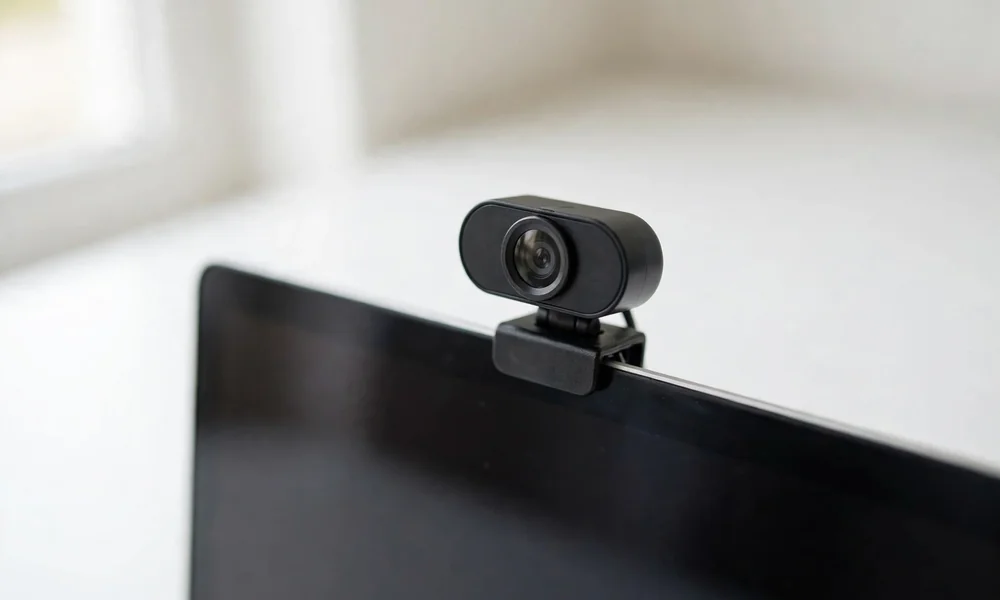
Dual microphones handle normal speaking distance well, and the privacy shutter is useful when class ends and the camera stays on your desk. Students comparing more options can read our guide to the best webcams for students.
Pros: Reliable 1080p image, fast autofocus, good light correction, privacy shutter included.
Cons: No 2K or 4K mode, microphones are average, design is dated.
Anker PowerConf C200 — Best value for classes
The PowerConf C200 is the value pick because it offers 2K resolution at a 1080p price. On a laptop screen the extra sharpness is visible, which helps when a teacher asks you to show written work on camera.
It also includes a privacy cover and works with Zoom, Teams, and Google Meet without drivers. At around $59, though, it gives students more camera for the money than anything else here.
Pros: 2K resolution at a budget price, AI framing, noise-cancelling microphones, privacy cover included.
Cons: Autofocus is slower than Logitech, average low-light performance, plastic build.
Logitech Brio 100 — Best for tight budgets
The Brio 100 is Logitech’s cheapest 1080p webcam, and it shows how far budget cameras have come. It records clean 1080p video with auto light balance, and its compact body fits easily on a laptop lid or a small monitor. The 58-degree field of view is narrow, which keeps the focus on you and crops out a messy room behind you.
The trade-off is fixed focus: the camera is sharp at normal desk distance but cannot refocus if you hold an object up close. At around $39, it is the cheapest way to get a genuinely good picture in class.
Pros: Clean 1080p video for around $39, compact and light, good auto light balance.
Cons: Fixed focus only, single microphone, narrow field of view.
Microsoft Modern Webcam — Best for backlit rooms
Many students study with a window behind them, which turns them into a silhouette on camera. Microsoft’s Modern Webcam uses high dynamic range processing to balance that backlight, keeping your face visible even when bright daylight sits behind you. It records 1080p video with a natural, balanced image.
The 78-degree field of view suits a single learner at a desk. It does not offer 2K or AI features, but for students fighting window light, it solves the most common video problem in online classes.
Pros: Good HDR handling of backlight, Teams certified, privacy shutter, simple setup.
Cons: 1080p only, no AI framing, microphones are basic.
Razer Kiyo X — Best for class presentations
The Razer Kiyo X suits students who present often, because it records 1080p at 30 frames per second or smoother 720p at 60 frames per second for live demos. Razer’s Synapse software lets you adjust brightness, contrast, and zoom in detail, so you can tune the image for a presentation rather than a casual call.
Autofocus is quick and the image has a slightly warmer tone that flatters skin tones on screen. At around $79 it is a good pick if you present, stream, or record as well as attend classes.
Pros: Smooth 720p at 60 frames per second option, detailed software controls, flattering image.
Cons: No privacy shutter, software is Windows-focused, 1080p only.
OBSBOT Meet SE — Best AI webcam for students
The OBSBOT Meet SE brings AI auto-framing down to around $99. It records 1080p video and follows you if you move, which helps when you stand to present at a whiteboard or walk through a project. Gesture controls start and stop tracking, and the 1/2.8-inch sensor is larger than most budget webcams, which helps in dim study corners.
Teachers running the class will find different priorities, covered in our guide to the best webcams for online teaching. For students who present regularly, the Meet SE is the cheapest way to get genuine AI tracking.
Pros: AI auto-framing under $100, larger sensor, gesture controls, compact design.
Cons: Needs software for best features, 1080p only, at the top of the budget.
NexiGo N60 — Best for group study sessions
The NexiGo N60 is a straightforward 1080p webcam for around $39 with one big advantage: a wide 110-degree field of view that fits two students side by side. That makes it the best pick for group study sessions, shared revision, and pair work where both learners need to be on screen together.
It includes a sliding privacy cover for when class ends. The camera is light and easy to carry between home, campus, and the library.
Pros: Wide 110-degree view, privacy cover, very affordable, light and portable.
Cons: Basic microphone, fixed focus, plastic build.
Logitech C270 HD 720p — Best cheapest usable webcam
The C270 is the cheapest webcam here that is still worth buying. It records 720p video at 30 frames per second with fixed focus, and the image is clear enough for everyday classes, even if it lacks the detail of a 1080p camera. The built-in microphone is adequate for short answers and discussions.
At around $24 it is a good emergency replacement or a first webcam for a learner who rarely joins video classes. A good laptop helps too, so check the best laptops for video conferencing when upgrading your study setup.
Pros: Very cheap, reliable brand, clear enough for basic classes, light and portable.
Cons: 720p only, fixed focus, basic microphone, soft image on large screens.
How to choose
Start with how often you attend online classes. Daily learners should prioritise 1080p resolution, fast autofocus, and a decent microphone, which points to the C920s or the PowerConf C200. Occasional learners can save money with the Brio 100 or the C270.
Check the field of view next. A narrow angle of 58 to 78 degrees suits one person and hides a messy room. A wide angle of 110 degrees suits group study, but it shows more of your background. Light matters too: if you sit with a window behind you, pick a camera with HDR or strong light correction.
Finally, remember the camera is only half the picture. Check current pricing and confirm the camera works with your class platform before ordering.
Checklist: before you pay
- Confirm the camera records at least 1080p if you attend classes daily; 720p is only fine for occasional use.
- Check whether the camera has autofocus or fixed focus, and whether fixed focus suits your desk distance.
- Look for a privacy shutter or cover, especially if the camera stays on your desk after class.
- Test the microphone, or plan to use a headset for long classes and group discussions.
- Check the field of view: narrow for solo study, wide for group study sessions.
- Confirm the return policy so you can test the camera in your real study lighting before committing.
Frequently asked questions
What webcam do I need for online classes?
A 1080p webcam with autofocus and a decent microphone is enough for online classes. The Logitech C920s is the safest all-round choice, while the Anker PowerConf C200 adds sharper 2K video for a similar price.
Is 720p good enough for online classes?
720p is acceptable for occasional classes, but it looks soft on large screens and in recorded lessons. If you attend classes every day, spend the extra $15 to $30 for a 1080p camera; the difference is visible to your teacher and classmates.
Do I need a separate microphone for online classes?
Not necessarily. The microphones in the C920s, PowerConf C200, and Meet SE are fine for normal classes. A headset helps if you study in a noisy shared room, join long group discussions, or record lessons you plan to replay.
What field of view is best for online classes?
For one student at a desk, 58 to 78 degrees is ideal and keeps the background tidy. For group study with two people on screen, look for 110 degrees or more so both learners stay in frame.
How do I look better on camera in class?
Put a light source in front of you, not behind you, and sit at eye level with the camera. A plain background or a tidy shelf helps, and a quick test call before class will show you exactly what your teacher sees.
Do cheap webcams work with Zoom and Google Meet?
Yes. Every camera on this list works plug-and-play with Zoom, Microsoft Teams, and Google Meet on Windows, Mac, and Chromebooks. Some companion software is Windows-only, so check whether the features you want need software or work out of the box.
The bottom line
For most learners, the Logitech C920s Pro HD is the best webcam for online classes: proven, sharp, and reliable on every class platform. If you want the sharpest image for the money, the Anker PowerConf C200 gives you 2K video for around $59. Group study pairs should get the NexiGo N60, and students who present often should stretch to the OBSBOT Meet SE.
Whatever you pick, spend five minutes on your lighting and background before your next class. Good light and a clear camera make it easier for your teacher to see that you are paying attention, and that is half the point of showing up on video.