A wired pair can be a practical everyday choice when you want to plug in and listen without charging or pairing. You may want clear music, easy calls, or a dependable backup for a device that runs out of power. The right choice can make listening feel simple again.
Passive noise isolation is sound reduction created by an earbud’s fit and materials, without electronic noise cancellation. Fit and device connection matter as much as a product’s reputation, especially during long listening sessions. Comfort can change with your ear shape, the ear tips, and how you wear the cable.
A familiar track can help you judge sound, while a short call can reveal whether a microphone suits your routine. Think about where you listen, how long you wear them, and whether a cable would bother you. The best wired earphones are not always the most expensive pair, so price should match features you will use.
Key Takeaways
- Choose a fit you can wear comfortably for your usual listening time.
- Match the connector to the port on your phone or computer.
- Consider whether you need calls, workouts, isolation, or music-first sound.
- Check the current price against the features you will use.
- Keep the cable secure and store the pair safely between uses.
The right pick starts with what you listen to most and the port on the device you plan to use.
Best Wired Earphones for Different Needs
For most listeners, the Linsoul KZ ZSN Pro X is the strongest all-around starting point, while the Shure SE215 PRO is the isolation-focused alternative. The KZ model scored 74 overall, with a 7.5 for sound quality and an 8.1 for call quality. Its results make it a practical first pick across common listening needs.
The Shure SE215 PRO earned 9.0 for passive isolation, while the JBL Endurance Run 2 has an IPX5 rating for workout use. Apple EarPods USB-C suit calls and everyday listening with compatible devices. Start with your main use, then compare the connector and features.
| Model | Best suited to | Connector | Distinguishing test or feature |
|---|---|---|---|
| KZ ZSN Pro X | Most listeners | 3.5mm | 74 overall |
| Shure SE215 PRO | Isolation | 3.5mm | 9.0 isolation |
| JBL Endurance Run 2 | Workouts | 3.5mm | IPX5 |
| Apple EarPods USB-C | Calls and USB-C devices | USB-C | Built-in microphone |
These wired earbuds cover music, calls, exercise, and quieter listening without asking you to charge a battery. The table gives you a quick way to narrow the pair by purpose. A strong score does not guarantee a comfortable fit, so make room for your own ears in the decision.
Wired earphones under $30 can include the KZ ZSN Pro X and Apple EarPods USB-C. That price range can work for everyday listening, but check that the connector fits before ordering. A suitable adapter can also make some 3.5mm pairs work with newer phones.
For an iPhone 15, USB-C EarPods connect directly, while Lightning EarPods need a suitable adapter. Both models are simple options when the connection matches your phone. Choose by use first, then confirm the plug rather than relying on a model name alone.
Sound quality and comfort still matter when two models have the same connector. Listen for a fit that stays put and audio you enjoy at normal volume. Match the connector to your device before choosing between two otherwise suitable models.
Which Wired Earbuds Sound Best for Music?
The Linsoul KZ ZS10 Pro is a strong sound-first option, while the best tuning for a playlist depends on which details matter most to you. It scored 7.9 for sound quality. Listen for balance across voices and instruments, rather than assuming one sound suits every kind of music.
A useful music test includes familiar songs with clear vocals, steady bass, and bright cymbals. Natural vocals and distinct instruments are good signs if you prefer a less colored presentation. A busy track can reveal whether separate parts blur together.
Balanced sound for varied playlists
Evenness across low, middle, and high notes helps one pair handle many genres. Strong bass can add weight to drums, while clear middle notes keep singers present. Treble adds sparkle to cymbals and strings, but too much can make long listening tiring.
Instrument separation describes how clearly you hear each part of a mix. It matters in rock, jazz, and layered pop, where guitars, drums, and vocals compete for space. The KZ ZS10 Pro is one option to try if detail matters across a mixed playlist.
Bass, treble, and detail for focused listening
Punchier bass can make electronic music feel lively, while sharper treble can bring out fine sounds. The Truthear Pure has rolled-off treble, which can make metallic sounds such as cymbals feel unnatural. That tradeoff may matter more to a cymbal-focused listener than someone who favors bass.
Use the same songs when comparing audio quality, and keep the volume similar. These checks can help you notice meaningful differences:
- Vocal clarity, especially on a familiar singer.
- Bass that does not mask voices.
- Cymbals that sound natural, not dull or harsh.
- Distinct instruments in a dense track.
A pair can sound lively without fitting every style of music. Try familiar songs with vocals, bass, and cymbals before deciding whether a lively or smoother presentation suits your ears.
How Do You Find a Comfortable, Secure Fit?
A secure seal should stay comfortable when you talk, walk, and listen, not just when you first insert the earbuds. A good fit feels stable without pinching or pressure. If the seal slips, sound and comfort can both change.
Traditional open-style buds rest at the ear opening, while IEMs sit in the ear canal and often route the cable over the ear. Choose the shape your ears tolerate, not the style that looks most secure on someone else.
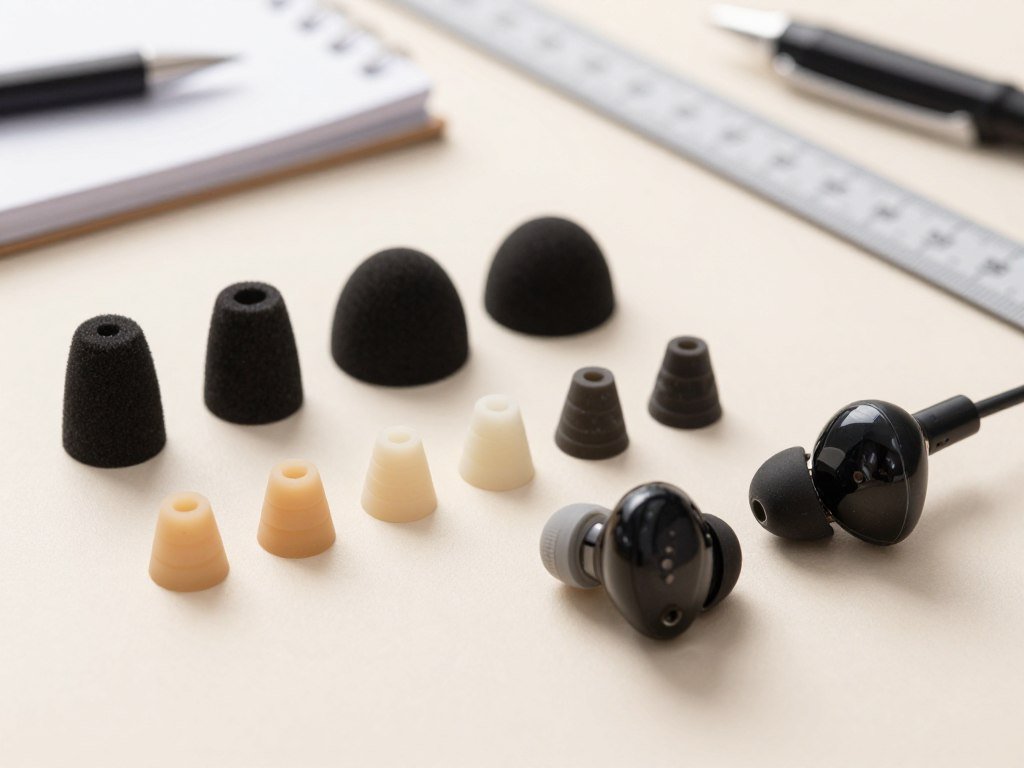
Choose an earbud style that suits your ears
Open-style buds avoid the deeper insertion of IEMs, but may not seal as closely. IEMs can take a day or two to feel familiar as you learn to insert and remove them gently. Give your ears time, but do not push through soreness.
The metal construction on the Moondrop CHU II can cause discomfort after a couple of hours, depending on ear shape. That example shows why comfort varies even when the earbuds seem light or well made. Your ears, not a product description, decide whether the design works.
Check the seal and stability
Ear tips should feel secure without pressing hard. A poor seal can weaken bass or let an earbud loosen as you move. Try this quick fit check before settling in:
- Try the available tip sizes.
- Insert each earbud gently.
- Move your head to check stability.
- Stop if pressure becomes uncomfortable.
Comfort during a few minutes of testing may not predict comfort after a long session. Give the fit a short trial at home before relying on it for a full commute. If a tip causes soreness or the earbud repeatedly loosens, try another size or a different shape rather than forcing the fit.
Which Wired Earbuds Block the Most Noise?
For stronger passive noise isolation, the Shure SE215 and Truthear Pure are more suitable choices than open-fit Apple EarPods. The Shure SE215 provides strong passive noise isolation, while the Truthear Pure blocks around 80% of ambient noise through its snug fit. A sealed in-ear design makes the difference.
Passive isolation comes from ear tips that physically limit outside sound. It is not active noise cancellation, which uses electronics to reduce noise. For a quieter commute, a well-sealed pair can help without a battery or cancellation system.
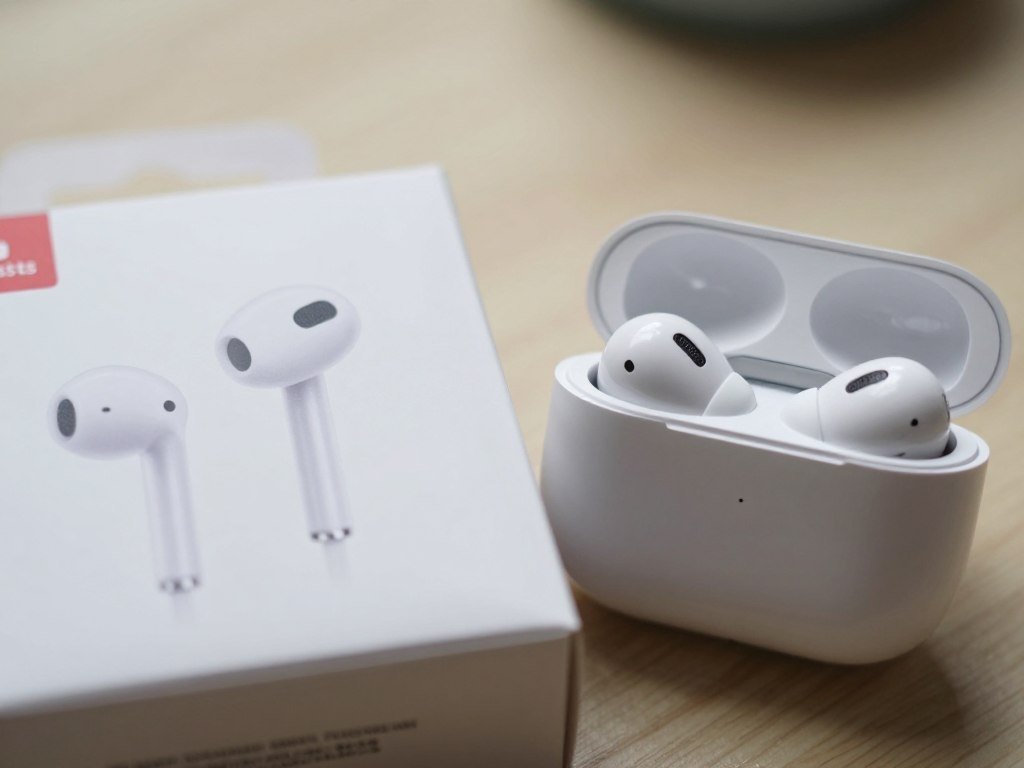
The Moondrop CHU II has average isolation performance, so it sits between stronger sealing designs and open-fit buds. Apple EarPods lack an ear-tip seal, which leads to weak bass and poor isolation. Their open shape may suit listeners who prefer hearing more of the room.
Noise reduction depends on how well the ear tips seal in your ears. A loose tip can let sound in, even when the model has a strong isolation rating. Replace worn tips when they no longer stay in place or form a comfortable seal.
Headphones with a closed design may also reduce outside noise, but an in-ear seal is the key feature among these wired earbuds. Strong isolation can help on a bus or in a shared workspace. It does not make every setting safe for listening.
Choose an isolating seal for noisy commutes, but keep enough awareness of your surroundings when walking near traffic.
Which Wired Earbuds Work Best for Calls and Gaming?
For everyday calls, Apple EarPods USB-C are a straightforward choice because they combine an in-line remote with a built-in microphone. Their microphone performs well for their price. Simple controls and a mic make them useful for calls, but noisy rooms can still affect voice quality.
The Symphonized NRG 3.0 is a 3.5mm alternative with an in-line microphone, an 8mm driver, and a 4-foot cable. These two models answer the best wired earbuds with a mic question, with USB-C on the EarPods and 3.5mm on the NRG 3.0.
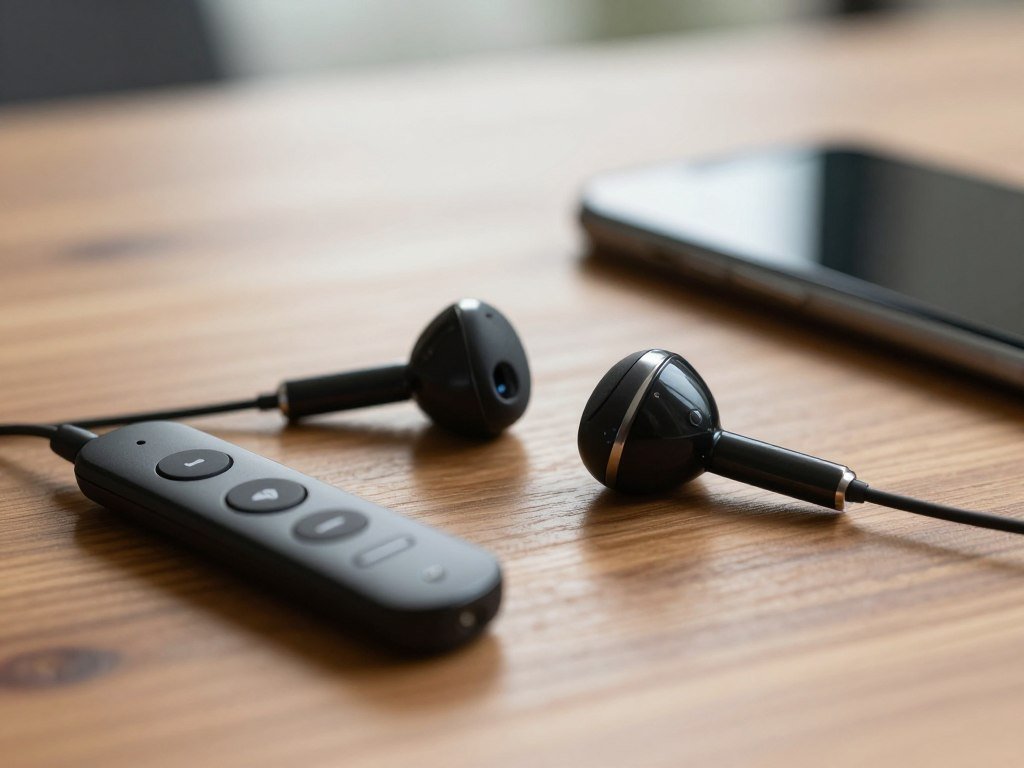
In-line microphones for calls
A built-in mic helps you take calls without holding your phone, and an in-line remote can make basic control easier. It does not ensure the same performance in every noisy setting. Wind, nearby voices, and the microphone’s position can affect what callers hear.
The Symphonized NRG 3.0 also has wooden housing and comes with six ear-tip options. Those details may help you find a comfortable setup for work or casual calls. Check that the mic sits where you can speak in a natural voice.
Sound cues for gaming
The Oriveti Bleqk Dynabird can help you locate sounds in competitive shooters. It is a choice for directional audio cues, not a pair selected for a built-in gaming microphone. You will still need a separate mic if your game setup requires voice chat.
Clear positional cues can help distinguish a sound on the left from one on the right. That matters more in a fast shooter than in a game where music and story lead the experience. A wired connection also avoids Bluetooth pairing delays or pairing steps.
For calls, check voice pickup in the room where you plan to use the earbuds. A microphone that works at a quiet desk may pick up more background noise on a busy street. Check whether the mic sits where you can speak naturally before relying on a pair for frequent meetings.
Which Connector Fits Your Phone?
iPhone 15 and newer models use USB-C for wired listening, while iPhone 14 and earlier use Lightning. Match the connector first, then check whether an adapter can bridge the gap. A plug must fit the device’s port for a direct connection.
Apple EarPods with USB-C need a device with a USB-C connector. Apple EarPods with Lightning need a Lightning Apple device running iOS 10 or later. Apple EarPods may not work with every phone, even when the connector appears to fit.
| Connector | Direct connection requirement | Adapter route |
|---|---|---|
| USB-C | A USB-C device | USB-C to 3.5mm adapter for 3.5mm headphones |
| Lightning | A Lightning Apple device with iOS 10 or later | Lightning to 3.5mm adapter for 3.5mm headphones |
| 3.5mm | A standard headphone jack | Use the matching USB-C or Lightning adapter if needed |
USB-C for newer devices
For a USB-C iPhone, such as iPhone 15, iPhone 16, or iPhone 17, choose USB-C earbuds or use Apple’s USB-C to 3.5mm Headphone Jack Adapter. Apple EarPods with USB-C need a USB-C connector on the device. Apple EarPods with a 3.5mm plug work with products that have a standard headphone jack.
A USB-C port does not promise that every phone supports every headset feature. Apple EarPods USB-C may not work with every phone, so check the phone maker’s headset support. This is especially useful if you need the microphone or remote controls.
Lightning for older Apple devices
Apple EarPods with Lightning work with an iPhone, iPad, or iPod touch that has a Lightning connector and iOS 10 or later. Apple’s Lightning to 3.5mm Headphone Jack Adapter connects 3.5mm headphones to a Lightning Apple device running iOS 10 or later.
3.5mm plugs and adapters
A standard 3.5mm plug works with devices that have a matching headphone jack. If your phone has no jack, use the correct adapter for its USB-C or Lightning port. Connector choice can also affect whether a remote or microphone works as expected.
For iPhone 16 and iPhone 17, USB-C is the direct wired option. For iPhone 14 and earlier, Lightning is the direct option. Confirm both the plug and the device’s operating-system requirements before ordering Lightning EarPods.
Are Wired Earbuds a Good Choice for Workouts and Daily Use?
For workouts, the JBL Endurance Run 2 is a purpose-built option with an IPX5 rating and a FlipHook design that supports two wearing positions. Wear it in-ear or behind the ear to suit your movement. Keep the cable clear of anything that can snag it.
An IPX5 rating and built-in microphone suit the JBL Endurance Run 2 to active use. Its FlipHook lets you wear the buds in two ways. A wired pair still needs to stay clear of moving equipment and loose clothing.
Workout use and sweat exposure
The JBL is the workout-focused model in this group, but a wired connection alone does not make every design fit for strenuous exercise. Some earbuds may loosen as you move, and a trailing cable can pull at the buds. Choose a model with a fit that stays stable during your activity.
Keep the cord away from weights, bike parts, and other moving gear. A snag can tug an earbud from your ear or pull the device from a pocket. The IPX5 rating is a feature of this model, not a rating to assume for other wired earbuds.
Everyday listening and cable handling
At a desk, on a commute, or in a bag as a backup, wired earbuds offer a direct way to listen without charging. They can be easy to keep ready for calls or music. The cable, though, can catch on a jacket, bag strap, or desk edge.
That trailing cord is the main daily tradeoff. It may be welcome at a desk, where your phone stays nearby, but less convenient while moving around. A wired pair can be a good routine choice if the cable does not get in your way.
Comfort matters as much during a workout as it does at a desk. If a bud shifts while you move, a cable tug can make the fit worse. Keep the cable secured away from moving equipment and choose a secure fit before exercising.
What Should You Expect to Spend on Wired Earbuds?
The listed MSRPs in this selection range from $18.99 for the Moondrop CHU II to $99.99 for the Oriveti Bleqk Dynabird. Use these figures as price anchors, not as current retail offers. A higher price should earn its place through a feature you will use.
The CHU II and Apple EarPods USB-C sit near $19 at listed MSRP. Higher-priced choices include models aimed at isolation or gaming sound cues. Compare the feature with your actual routine before deciding that the more expensive pair is the better buy.
| Model | Listed MSRP | Useful comparison |
|---|---|---|
| Moondrop CHU II | $18.99 | Replaceable cable |
| Apple EarPods USB-C | $19.00 | In-line remote and microphone |
| Truthear Pure | $89.99 | Passive isolation |
| Shure SE215 | $99.00 | Replaceable MMCX cable |
| Oriveti Bleqk Dynabird | $99.99 | Competitive gaming sound cues |
A budget pair can still offer the main feature you need, such as a microphone or a replaceable cable. The best wired choice for your budget depends on fit, sound quality, and useful features. An MSRP gives a reference point, but it is not the same as a shop’s current price.
Consider whether you will use the feature that raises the price. Paying more for gaming cues makes little sense if you mainly take calls, while a mic may be valuable for daily meetings. Compare the current retailer price with the feature you actually need, not just the model’s original MSRP.
How Can You Make Wired Earbuds Last Longer?
Gentle cable handling and sensible storage help prevent the common damage that makes wired earbuds unusable. Most wear starts with rough handling, especially when you pull a plug by its cord. Unplug the pair by its connector to reduce stress where the cable meets the plug.
Some models let you replace a worn cable, which can make cable wear less decisive. The Moondrop CHU II and Shure SE215 have replaceable cables, but the connector must match the earbud. The CHU II has a zinc-alloy body and brass-machined nozzle.
The Shure SE215 has a replaceable MMCX cable and comes with six ear-tip options, including memory foam. The Oriveti Bleqk Dynabird has a metal chassis and tangle-resistant cable. These features can help with upkeep, but they do not make parts interchangeable.
Small habits can protect the cable and keep the earbuds ready for use. Follow these steps when you put a pair away:
- Unplug by the connector.
- Coil the cable loosely.
- Store the pair in a case or pouch.
- Keep ear tips clean and dry.
Loose coils put less strain on the cable than tight knots. A case can also stop the earbuds from tangling with keys or other objects in a bag. Clean, dry tips are easier to inspect for wear and dirt.
Detachable designs make cable replacement possible, not universal. Replace a worn cable only with one made for the model’s connector, rather than assuming detachable cables are interchangeable.
How Do Wired Earbuds Compare With Wireless Earbuds?
Wired earbuds are a better fit when you value plug-in simplicity and avoiding battery charging, while wireless earbuds win on freedom from a cable. The main tradeoff is convenience: wired models stay ready without charging, while wireless models depend on a battery and Bluetooth pairing.
Apple EarPods USB-C and Shure SE215 are wired examples. Wireless earbuds let you move without a trailing cord, which can feel easier during walks or chores. Choose wired for a dependable plug-in connection, and choose wireless when cable-free movement matters more.
Wired models make sense for desk listening, calls, or a backup pair kept in a bag. They do not need charging between uses. Wireless earbuds suit people who prefer fewer cords, though you need to keep their battery charged.
The listening experience also depends on fit, sound, and how you use your device. A wired pair can be ready when a battery is empty, while wireless earbuds offer more freedom during movement. Choose the format that removes the most friction from the place you listen most often.
Conclusion
A good wired pair is the one that fits comfortably, connects directly or through the right adapter, and suits the way you listen. The KZ ZSN Pro X is a sensible all-around starting point. The Shure SE215 suits listeners who prioritize isolation, while Apple EarPods USB-C work well for calls on compatible devices.
Let your routine guide the choice, whether you listen at a desk, take calls, or play music on the go. Comfort and a working connection matter every day, not just during the first listen.
Use a familiar song or make a short test call when your new pair arrives. Check your device’s port, choose the most comfortable style, and try your usual music or calls as soon as the pair arrives.
FAQ
Can Apple EarPods USB-C work with every USB-C phone?
No, Apple EarPods USB-C may not work with every USB-C phone. The phone needs a USB-C port, but that alone does not ensure support for the EarPods’ microphone or remote. Check the phone’s headset support if you rely on those features. A headset can fit the port and still lack full function on a particular device.
Can I use 3.5mm earbuds with an iPhone 15?
Yes, you can use 3.5mm earbuds with an iPhone 15 by adding a USB-C to 3.5mm adapter. The adapter connects the standard headphone plug to the phone’s USB-C port. Check that the adapter supports the features you need, such as a microphone or remote. The iPhone 15 does not have a built-in 3.5mm headphone jack.
Do wired earbuds block noise without active noise cancellation?
Yes, wired earbuds with a well-sealed in-ear fit can provide passive isolation without active noise cancellation. Ear tips block some outside sound through their fit and materials. Open-fit Apple EarPods do not form that seal, so they have weak isolation. A snug fit can also help bass sound fuller, but it cannot make every noisy place quiet.
Can I replace the cable on any wired earbuds?
No, you can replace the cable only on wired earbuds designed with detachable cables. The replacement must use the connector made for that model. The Moondrop CHU II and Shure SE215 support cable replacement, but their parts should not be treated as interchangeable. A fixed-cable pair needs repair or replacement if its cable fails.
Are wired earbuds a good choice for gaming?
Yes, wired earbuds can work well for gaming because they avoid Bluetooth pairing and keep a direct connection. The Oriveti Bleqk Dynabird helps players locate sounds in competitive shooters through directional cues. That does not mean it has a built-in gaming microphone. Check your console or computer setup if you also need voice chat.
When should I replace my ear tips?
Replace ear tips when they tear, loosen, or stop making a comfortable seal. Damaged tips may not stay on the earbuds or hold their shape during use. Inspect them during regular cleaning, and compare them with the unused tips if your set includes extras. A fresh, well-fitting tip can restore comfort and help keep the earbud secure.