Chromebook vs iPad in 2027 is the most common buying question for students, families, and anyone who wants a simple, affordable device for everyday work. Both cost far less than a full laptop, both last all day on a charge, and both handle browsing, email, documents, video calls, and streaming with ease. The difference is not power, but what each device is built to do.
A Chromebook is a small laptop running ChromeOS, with a real keyboard, a trackpad, a visible file system, and a desktop browser that runs the full web. An iPad is a tablet running iPadOS, with a superb touchscreen, a huge app library, Apple Pencil support, and cameras no Chromebook can match. One is a laptop that happens to be cheap; the other is a tablet that can pretend to be a laptop with the right accessories.
Prices start at about $200 to $300 for a decent Chromebook and about $349 for the base iPad, but the real cost depends on accessories. An iPad with a keyboard case and a Pencil can cost twice its sticker price, while a Chromebook needs nothing extra to start typing. Prices below are approximate, and it is worth checking current pricing before buying, since both sides discount models often.
Key takeaways
- A Chromebook wins for typing, multitasking, and school or office work: a built-in keyboard, a desktop browser, and a real file system come standard.
- An iPad wins for drawing, handwriting, photography, and media: the touchscreen, Apple Pencil, and app quality are far ahead of any Chromebook.
- Chromebooks are cheaper overall, starting near $200, and need no accessories, while a fully equipped iPad can cost $600 or more.
- The iPad lasts longer, with more years of updates and stronger resale value, while Chromebooks have a fixed update expiry date.
- Students who write essays and live in Google Classroom should buy a Chromebook; artists, note-takers, and media lovers should buy an iPad.
At a glance: Chromebook vs iPad
| Feature | Chromebook | iPad |
|---|---|---|
| Starting price | About $200 to $300 for a good model | About $349 for the base iPad; $599 for iPad Air |
| Keyboard | Built in, full size, with trackpad | Extra cost: keyboard cases start near $100 to $250 |
| Screen | 11 to 15 inches, usually not touch on cheap models | 11 to 13 inches, always touch, brighter and sharper |
| Stylus | USI stylus on some models, support varies | Apple Pencil, best-in-class drawing and notes |
| Apps | Web apps, Android apps, and Linux on some models | App Store, with the best tablet apps anywhere |
| Battery life | About 10 to 12 hours | About 10 hours |
| Best for | Schoolwork, typing, and web-based jobs | Art, notes, reading, and media |
Chromebook: the affordable workhorse
A Chromebook is the most practical computer you can buy for the money. It boots in seconds, updates itself in the background, and is almost impossible to break with a bad download, because ChromeOS is built around the browser and sandboxes everything. For school, that matters: a student can write an essay in Google Docs, join a video class, and research in a dozen tabs, all on a $250 machine that weighs barely more than a kilogram.
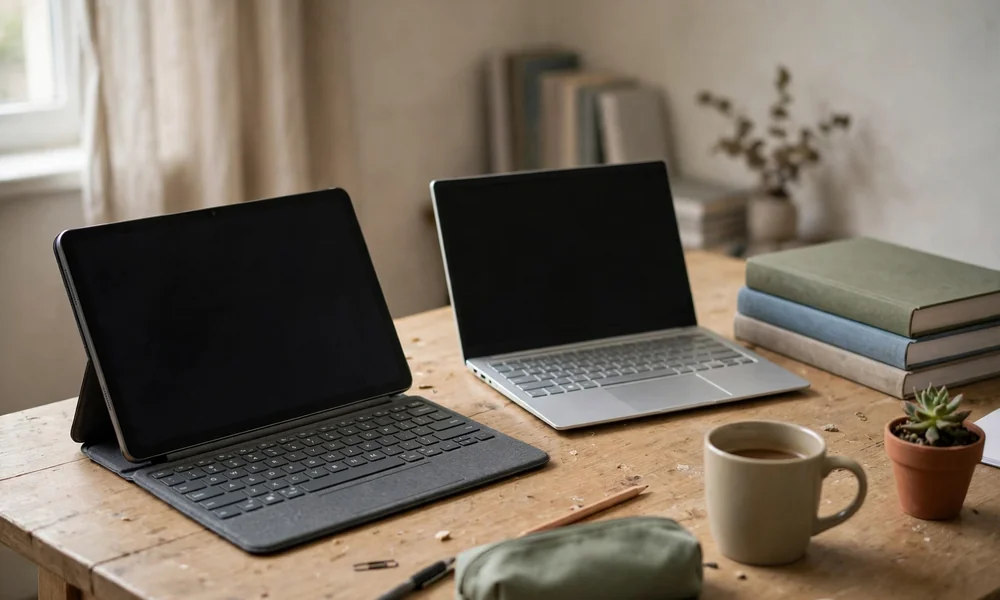
The built-in keyboard is the Chromebook’s biggest advantage, and it is easy to underestimate until you have typed a long document on a glass screen. Every Chromebook ships with a proper keyboard and trackpad, a desktop-class browser with extensions, and a file manager like the one on a Windows or Mac laptop. Multiple windows sit side by side, files download to a folder you can find, and a USB stick just works. Most models also run Android apps, and many support Linux apps, so a Chromebook can run tools far beyond the browser. Keeping it safe online is simple too, and our guide to the Best VPN for Chromebook in 2027 covers privacy tools that run well on ChromeOS.
The trade-offs are real. Cheap Chromebooks have dim screens, plastic bodies, and weak speakers, and even the best cannot match an iPad’s display. Offline use is limited: a Chromebook is at its best with Wi-Fi, and while Google Docs works offline, many web apps do not. Chromebooks also have an update expiry date, usually about eight to ten years from release. And while Android apps run, they are phone apps stretched to a laptop screen, which can feel awkward next to the iPad’s tablet-first apps.
Pros: Cheapest way to get a real laptop experience; keyboard and trackpad included; fast, secure, and easy to manage; excellent for Google Classroom and web-based work.
Cons: Cheap models have mediocre screens and speakers; needs Wi-Fi for most tasks; fixed software update expiry date; Android apps can feel stretched on a laptop screen.
iPad: the creative all-rounder
The iPad is the most versatile tablet ever made, and in 2027 it is closer to a laptop replacement than it has ever been. The base iPad, at about $349, has a bright 11-inch display, a fast chip that handles video editing and games with ease, and access to the App Store’s tablet apps, which are simply better than the tablet apps on any other platform. With a keyboard case, it becomes a small, light writing machine. With an Apple Pencil, it becomes a sketchbook, a handwriting notebook, and a photo editor.
Where the iPad pulls away is in the things a Chromebook cannot do well. Drawing and handwriting feel natural, with almost no lag, and apps like Procreate, GoodNotes, and Notability are reasons in themselves to buy one. The cameras are far better than any Chromebook’s webcam, which matters for video calls and scanning documents. The screen is brighter, sharper, and more colour-accurate, making the iPad better for films, comics, and photo editing. And iPads hold their value: a three-year-old iPad still sells for a meaningful amount, while a three-year-old budget Chromebook is nearly worthless.
The catch is the total price. An iPad at $349 is only the start: a decent keyboard case costs $100 to $250, an Apple Pencil $79 to $129, and a USB-C hub adds more. A fully equipped iPad can easily reach $600 to $700, which is proper laptop money, and at that point it competes with real laptops rather than cheap Chromebooks. The iPad also has limits as a work machine: its file system is more restricted, its browser is a mobile browser, and managing many windows is clumsier than on a Chromebook.
Pros: Best screen, cameras, and stylus support in its class; outstanding tablet apps for art, notes, and media; long software support and strong resale value; light and portable.
Cons: Keyboard and Pencil cost extra, pushing the real price much higher; file management and multitasking are weaker than a laptop; mobile browser can struggle with complex websites.
The verdict: which device wins?
For schoolwork and general productivity, the Chromebook wins. A student who needs to type essays, manage files, and live in a browser will get more done, faster, on a Chromebook, and will spend less doing it. The built-in keyboard is the difference between a device built for work and a device adapted for it.
For creativity, media, and portability, the iPad wins. No Chromebook can match it for drawing, handwriting, photo editing, or watching video, and it is the better travel companion because it is lighter and thinner. If your main uses are reading, sketching, streaming, and taking notes by hand, the iPad is the clear pick.
Most buyers should choose by their main task. If the device is mainly for writing and school, buy the Chromebook. If it is mainly for art, notes, and media, buy the iPad.
How to choose
Start with your school or workplace. If your school uses Google Classroom and your work lives in Google Docs, a Chromebook slots in with no friction. If your course involves design, photography, or handwritten notes, the iPad’s Pencil and apps will matter every day.
Next, be honest about how much you type. If you write more than an hour a day, a Chromebook’s keyboard will save you time and wrist strain. If you mostly tap, swipe, and watch, the iPad’s touchscreen is the better interface. Then add up the real cost: a $349 iPad plus a keyboard and Pencil is not a $349 device. Compare that total against a mid-range Chromebook and a proper laptop before deciding. If you are weighing a full laptop instead, our comparison of the MacBook vs Windows Laptop in 2027 covers the next step up in price and power.
Finally, think about longevity. An iPad typically receives software updates for six or more years and keeps its resale value, so it can be the cheaper device over five years even though it costs more today. A Chromebook is cheaper now but has a fixed update expiry date, so check it before buying an older model on clearance.
Checklist: before you buy
- List your top five daily tasks and check which device handles each one better.
- Add up the full cost, including a keyboard case and Pencil for the iPad, before comparing prices.
- Check the Chromebook’s update expiry date, and avoid models with less than five years of updates left.
- Try typing on the keyboard case you plan to buy, since small keyboards vary widely in comfort.
- Confirm the storage you need, since neither device lets you add storage later in most cases.
- Check your school or employer’s requirements, since some courses require specific apps or a full desktop browser.
Frequently asked questions
Can a Chromebook replace a laptop for school?
For most schoolwork, yes. A Chromebook handles documents, research, video classes, and email as well as any laptop, and it is the standard device in many schools. It struggles only with specialist software like full desktop video editors or engineering tools.
Can an iPad replace a laptop?
It can for light work, media, and notes, especially with a keyboard case. It is less convincing for heavy multitasking, complex spreadsheets, or work that needs a desktop browser and a visible file system. Our guide to Android vs iOS Tablets compares the tablet platforms if you are still deciding.
Which is better for a child?
The iPad is usually better for younger children, because touch is intuitive and the app library for learning and creativity is unmatched. A Chromebook is better for older students who need to type essays and manage school files.
Do Chromebooks need antivirus software?
Chromebooks are among the safest devices you can buy, because ChromeOS sandboxes apps and updates automatically. Most owners need no antivirus at all, though a VPN and good password habits still help.
Is the Apple Pencil worth buying?
If you draw, annotate, or take handwritten notes, yes, it transforms the iPad. If you only type and watch video, it will sit in a drawer, and you should spend the money on a better keyboard case instead.
Which lasts longer?
The iPad usually lasts longer, with six or more years of updates and strong resale value. A Chromebook is built to a price and has a fixed update expiry date, though a well-chosen model still gives five to eight good years.
The bottom line
Chromebook vs iPad in 2027 is a choice between a cheap laptop and a brilliant tablet. The Chromebook is the practical pick: a real keyboard, a desktop browser, and a low price make it the best device for schoolwork and everyday productivity. The iPad is the creative pick: a superb screen, the Apple Pencil, and the best tablet apps make it the better device for art, notes, and media.
Buy the Chromebook if writing and school come first. Buy the iPad if drawing, handwriting, and media come first. Before you pay, add up the accessories and check current pricing, because the gap is smaller than the sticker prices suggest once a keyboard and Pencil are in the basket.