Cloudflare announced Clef-omni on October 9, 2026, extending its decision-model family to audio and video. For AI teams building automated workflows, the release adds a way to consider text, images, audio, and video in one request. That matters when an agent pipeline must sort a support clip, flag a visual issue, or route a recording. The model is the multimodal member of Cloudflare’s Clef family, built for routing, classification, and other bounded workflow decisions. Its structured output gives software a set of answers it can use directly, rather than a paragraph that needs extra parsing. That focus may help teams keep decisions inside a known schema. It does not mean the model replaces a general assistant for writing, open-ended discussion, or other tasks that need a longer response. Its practical appeal is making a bounded decision from mixed inputs in one request, not generating an open-ended conversation.
Key Takeaways
- Clef-omni adds audio and video to the Clef family.
- It returns probabilities for allowed answers, not a chat reply.
- A request can include text or JSON alongside media.
- Workers AI charges for input tokens, with no output-token fee.
- Test decisions against labeled cases before automating important actions.
What does a decision model return?
Instead of writing a paragraph, Clef-omni returns probabilities for the answers a developer has allowed. A typed question is a schema-defined question with a fixed answer type and, where applicable, a fixed set of permitted options. The model supports noul, choice, and score questions, with bounded answers rather than open-ended text.
Each answer includes a probability, so software can act on a defined result without parsing prose. A request can contain 1 to 64 questions about the same input. That lets one application check several labels or conditions in a single request.

The three question types cover different decision needs:
- Noul: a true-or-false decision, such as whether a receipt is readable.
- Choice: a selection among named options, such as billing, delivery, or account support.
- Score: an evaluation across ordered options, such as rating urgency from low to high.
Clef-omni assigns probabilities to permitted answers instead of generating free-form prose.
That structure suits an app that needs to route a ticket, label an image, or select a next step. A developer sets the schema, and the application receives results in that shape. It can use those answers directly, without writing code to extract meaning from a generated paragraph.
Clef by Cloudflare is designed for this structured decision pattern. A small hands-on test of other Clef models found that option probabilities could support ticket routing, though those tests were limited and did not evaluate Clef-omni. The Clef model routing test offers an example of that kind of workflow.
Keep a separate generative model in the workflow when users need a written explanation.
How does Clef-omni turn input into decisions?
The model pairs a 30B-parameter multimodal foundation with a decision-focused scoring layer. A mixture-of-experts model, or MoE, activates only some of its parameters for a given input. That design supports a large model while using a smaller active portion for each task.
Clef-omni has 30 billion total parameters and 3 billion active parameters. Its base is Qwen/Qwen3-Omni-30B-A3B-Instruct, post-trained to score defined answers. The shared foundation can read different kinds of evidence before the decision layer returns its result.
A Qwen3-Omni backbone with sparse experts
The Qwen3-Omni backbone provides the multimodal base. In an MoE, different expert parts handle different patterns, and only a subset activates for each input. The model still draws on a large set of learned weights, even when fewer parameters are active at once.
This matters because inputs can contain more than words. Text, images, audio, and video can contribute evidence to the same decision. The model reads that evidence as a shared state rather than treating each media type as a separate conversation.
A joint scoring head for every question
A joint schema head compares each permitted answer with evidence in the shared input. It can score several questions during one inference pass, such as whether a machine sounds strained and whether a warning light appears.
The process can be viewed in four steps:
- Encode the state and its question schema.
- Read media and text together as evidence.
- Score the allowed options for each question.
- Return probabilities in the defined output shape.
The scoring layer makes the model a decision tool, not a free-form chatbot. A chat system can write a reasoned response in natural language; Clef-omni focuses on the allowed choices and their probabilities.
The 3B active-parameter figure describes the active portion of the MoE, not the full weight set a deployment must load.

Which media can one request contain?
A request can combine text or JSON state with visual, audio, and video evidence. It can include up to four audio clips and two videos, along with image inputs. These caps help define a workable request, but each media item still uses the shared context budget.
One request can join several media types for questions about the same event. The formats and handling details differ by modality, so developers should prepare each input in the supported form.
Supported formats and per-request caps
| Modality | Accepted formats | Maximum per request | Handling detail |
|---|---|---|---|
| Images | PNG, JPEG, WebP | Up to 4 | Image inputs |
| Audio | WAV, MP3 | Up to 4 clips | Audio input |
| Video | MP4, WebM | Up to 2 clips | Hugging Face workflow samples 2 frames per second |
Combining evidence across modalities
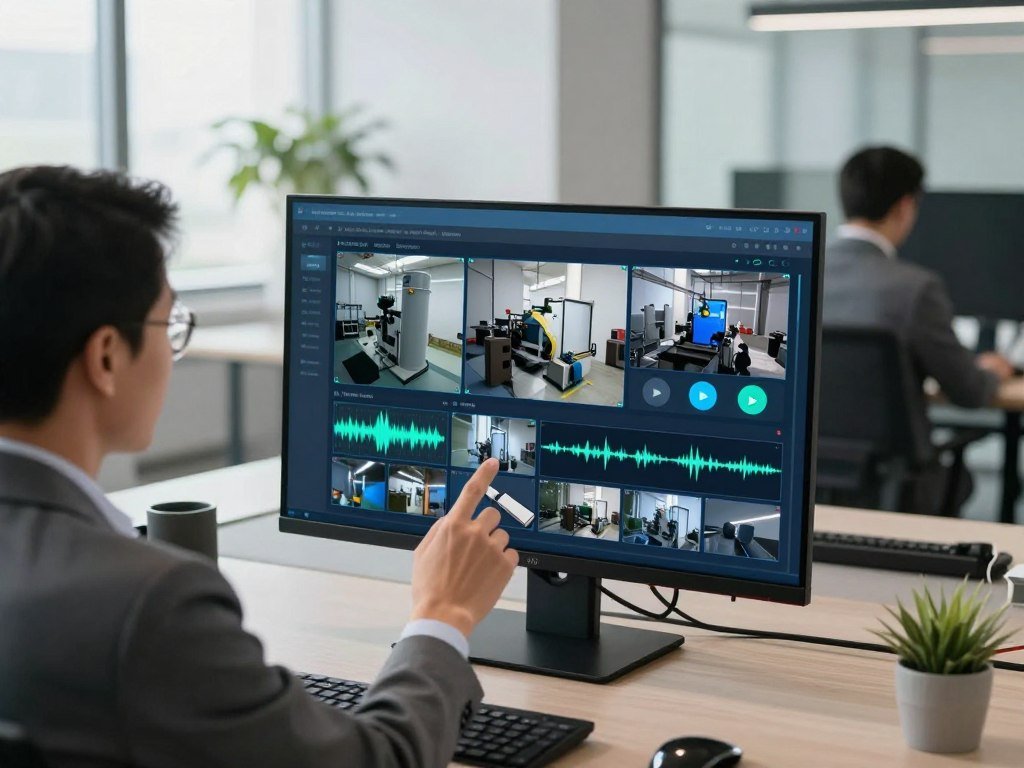
Imagine inspecting a pump after a worker reports an odd sound. A request could include a photo of the control panel, an operating sound recording, and a short video of the machine running.
Separate typed questions could ask whether a warning light is on, whether the sound suggests a fault, and whether fluid leaks during operation. The response would score each permitted answer against the shared evidence. One request can join those inputs without first requiring separate transcription and captioning steps.
This can reduce the number of handoffs in an inspection workflow. It also gives the team a chance to define a different answer type for each issue, while keeping all questions tied to one event.
Treat the 2-frames-per-second video sampling as a design constraint when an event may occur only briefly.
How do media and text fit the 64,000-token context?
Media consumes the same 64,000-token context budget as the questions and state. Workers AI applies that window to the whole request, not just its written text. Every media token counts toward the same 64,000-token limit.
Shorter media leaves more room for questions and state, while long clips can use much of the context. Token estimates vary by media type and video settings.
Token use by media type
Each image is capped at 1,024 tokens. Audio uses about 780 tokens per minute, while video at maximum resolution uses up to about 15,400 tokens per minute.
Video with sound adds about 780 audio tokens per minute. At 480p, video uses about 8,600 frame tokens per minute, or 144 per second. These figures make clip length and resolution important parts of request planning.

What happens when a request nears the limit
All media, questions, and state share the 64,000-token window. If media and questions alone exceed that limit, the request fails. When room remains, the system truncates text state to fit.
That means a request may lose some written state even when its media and questions fit. A short clip and concise state are safer than assuming the full window remains available for text.
For example, a team reviewing a long inspection recording can trim the clip before sending it. It can also limit questions to the conditions the workflow needs, rather than adding every possible check.
Estimate the video and audio token load before adding long text, because the request can fail or lose state content when the combined payload is too large.
What does Clef-omni cost per million tokens?
Clef-omni costs $0.15 per million input tokens on Workers AI, and output tokens are not charged. The Cloudflare Clef Omni 30B multimodal decision model 2026 is not free for input processing. Workers AI charges by input volume, with no separate output-token fee.
Clef-flash has a lower input price, though its hosted context is smaller. The table compares the three hosted Clef options by price and context size.
| Model | Input price per million tokens | Hosted context |
|---|---|---|
| Clef-flash | $0.038 | 24K |
| Clef-omni | $0.15 | 64K |
| Clef | $0.24 | 64K |

Clef-flash’s price fell from $0.090 to $0.038 per million input tokens, alongside a context reduction from 64K to 24K. The hosted window changed because only 0.24% of Clef-flash requests exceeded 24K input tokens.
That usage figure describes requests that went beyond the new hosted window. It does not show how much context a particular team needs, so expected request size remains part of the choice.
Teams with long media or state may value a larger context more than the lowest token price. Smaller text-only requests may fit comfortably within Clef-flash’s hosted window.
Compare expected input volume and context needs before choosing the lower-priced Clef-flash option.
How can developers run the weights or use the hosted API?
Developers can use Clef-omni through Workers AI or run its published weights in a local environment. The hosted model ID is @cf/cloudflare/clef-omni. Its two paths offer managed inference or greater control over deployment.
The published weights use the Apache 2.0 license. Self-hosting still needs enough GPU memory for the full backbone, even though only part of the model activates for each input.
Hosted access and API compatibility
The SystemOne API follows System One and works with Jev and SystemOne. Developers can also use AI Gateway with the hosted service. Those links can help teams fit the request format into an existing platform.
Use Workers AI when managed access suits the application. Local inference gives a team another deployment route, but it also brings hardware and runtime needs into the team’s own environment.
Hugging Face weights and local hardware
Cloudflare Clef on Hugging Face and Clef-omni on Hugging Face refer to the published model weights. The license is Apache 2.0. A tested bfloat16 setup used about 64 GB of GPU memory on one H200.
Transformers 5.10.2 is listed as a tested version. The 3 billion active parameters do not remove the need to load the full backbone for local inference.
Use this short deployment checklist before choosing a path:
- Confirm that the Apache 2.0 license fits your use.
- Verify available GPU memory against the full model needs.
- Select hosted or local inference for the deployment.
- Test the compatible request format with your application.
Validate the actual runtime and memory needs on the deployment hardware before committing to self-hosting.
How does Clef-omni compare on published benchmarks?
Clef-omni’s published scores vary by task rather than showing a universal lead. It leads the listed models on three classification benchmarks, while other Clef-family models score higher elsewhere. These results describe specific tests, not a single measure of model quality.
The table lists reported scores across five benchmarks. Macro-F1 measures performance across classes, while accuracy and case-exact scores use different measures.
| Benchmark and metric | Clef-omni | Clef | Clef-flash | Jev |
|---|---|---|---|---|
| BFCL case exact | 98.2 | 98.47 | 98.76 | 95.75 |
| BANKING77 macro-F1 | 94.8 | 94.20 | 90.93 | 79.74 |
| CLINC150+OOS macro-F1 | 97.7 | 97.43 | 66.77 | 89.27 |
| Amazon ESCI macro-F1 | 57.8 | 57.48 | 57.39 | 55.21 |
| PhishNChips accuracy | 73.2 | 79.60 | 75.05 | 62.55 |
Clef-omni leads BANKING77, CLINC150+OOS, and Amazon ESCI in this group. Clef-flash leads BFCL, and Clef leads PhishNChips. Cloudflare reported these results, and they have not been independently reproduced.
On When2Call, Clef-omni scored 63.3 accuracy, below Clef at 72.37 and Clef-flash at 65.58. Jev led that task with 80.97. The range of results shows why one benchmark cannot stand in for every workload.
Cloudflare’s reported Clef figures also appear in a Clef model benchmark profile. Those figures describe Clef, not Clef-omni, and benchmark metrics should not be compared as if they measured the same thing.
Validate the benchmark most like your own workload instead of selecting by one headline score.
What do workflow scores say about practical fit?
Workflow evaluations show Clef-omni scoring below a Clef-family alternative on each of the three reported exact-action tasks. Clef leads invoice processing and security incidents, while Clef-flash leads customer service. Multimodal ability alone does not make Clef-omni the strongest workflow model.
The scores measure exact actions in each task. Here, the strongest alternative is the highest-scoring model besides Clef-omni.
| Workflow | Metric | Clef-omni | Clef | Strongest alternative with its score |
|---|---|---|---|---|
| Invoice processing | Exact actions | 60.2 | 64.7 | Clef, 64.7 |
| Customer service | Exact actions | 71.6 | 76.3 | Clef-flash, 77.0 |
| Security incidents | Exact actions | 61.7 | 62.9 | Clef, 62.9 |
Customer service is the closest of these results, but Clef-flash still scores higher. The right comparison depends on the exact labels, options, and actions the application uses.
A team routing invoice cases may define “needs review” differently from another team. Support categories also shift across products, while security workflows may treat a missed alert as more costly than an extra review.
Multimodal input may matter when a task includes media, but it does not prove a benefit for text-based work. Teams should test their own routing labels and action definitions against candidate models.
Treat these scores as a prompt to run the same action schema against your own cases, not as a guarantee of production outcomes.
How quickly does Clef-omni respond to text and media?
The reported response time is about 20 ms for text, under 100 ms for image or audio, and about 300 ms for a 21-second video with sound. Those figures reflect different input types and should not be treated as a universal end-to-end service guarantee.
Measure the full request path with the media and traffic your application will use. Actual completion time includes more than model processing, especially when requests travel across a network or arrive in parallel.
A text request is the quickest reported case, at about 20 ms. Image or audio inputs take under 100 ms. A 21-second video with sound takes about 300 ms.
These results do not make unlike requests directly comparable. A video carries more input than a short text question, and the service handles different media loads.
For a fair test, use the image sizes, audio lengths, and video durations that match real cases. Keep the network route and request concurrency close to the planned deployment.
Track both typical completion and slower requests during the test. A fast average can hide delays that affect users during busy periods or longer media uploads.
Measure the full request path at the media duration and traffic level the application will actually use.
How does the Cloudflare Clef Omni 30B Multimodal Decision Model 2026 fit an AI workflow?
Clef-omni makes the strongest practical case when audio or video evidence must feed a structured decision. It can help an agent pipeline sort mixed-media cases into defined actions. Text-only routing may be adequately served by another Clef family model.
Model probabilities need workload-specific calibration before they drive automated action. A pilot can start with 200 labeled examples, including at least 40 audio or video cases. Those examples let the team check the model against real decisions.
Use a practical evaluation plan:
- Collect 200 labeled examples, including at least 40 audio or video cases.
- Compare the same typed schema across candidate models.
- Check predicted probabilities against actual outcomes.
- Review misses and set human review for high-stakes actions.
The team can also compare specialized decision tools with general-purpose assistant alternatives when a workflow needs writing or research. The right fit depends on the work, integrations, privacy needs, and measured value.
Look closely at false choices as well as correct ones. A model may return a high probability for the wrong route, so confidence should be checked against labeled examples before automation.
Keep consequential decisions in human review until your own evaluation supports automation.
Keep a human review path for consequential decisions until the application’s own evaluation supports automation.
Conclusion
Clef-omni is a focused option for teams that need structured decisions from more than text alone. Its main difference is one decision path across text, images, audio, and video, with probabilities tied to allowed answers.
Its value depends on task fit and local validation, not multimodal support by itself. A team can begin with representative cases and compare results against the workflow it plans to automate.
Start with a small set of representative examples and verify both decision quality and confidence calibration before routing live work.
FAQ
Can one Clef-omni request ask several questions about the same input?
Yes, one request can include 1 to 64 typed questions about the same input. Each question has its own fixed answer type and permitted options. Clef-omni returns probabilities for the allowed answers to each question, so a developer can check several conditions without sending separate requests. The shared context limit still applies to the complete request.
What does a score question return?
A score question returns probabilities across ordered options, which can be used to calculate a probability-weighted score. For example, a team might define low, medium, and high urgency as ordered answers. The output is not a free-form explanation of why the model chose those levels. Applications that need written reasons should use a separate generative model.
Can audio and video be sent in the same request?
Yes, a request can contain up to 4 audio clips and 2 videos, subject to the shared context limit. The request can also include text or JSON state and image inputs. Each media item contributes to the same context budget, so the number of clips alone does not guarantee that every combination will fit. Clip length affects the total load.
Does audio in a video add to token use?
Yes, sound adds about 780 audio tokens per minute to video token use. At maximum resolution, video can use up to about 15,400 tokens per minute before that audio load. The combined input also shares space with questions and state. A video request can therefore use context faster than a short text request.
Can Clef-omni explain why it selected an option?
No, Clef-omni returns probabilities for permitted answers rather than a written explanation. Those results can show how the model scored the allowed options, but they do not provide a natural-language account of its choice. If a user needs a written explanation, a separate generative model can turn the decision result into text for the application.
Does 3 billion active parameters mean the model needs only 3 GB of GPU memory?
No, active parameters do not translate directly into GPU memory use. The tested bfloat16 backbone used about 64 GB of GPU memory and ran on one H200. The active-parameter count describes which part of the model engages for an input, not the full set of weights needed for local inference.
How should a team set confidence thresholds before automating decisions?
Calibrate thresholds against labeled examples from the team’s own workload, then keep human review for consequential or uncertain cases. Compare predicted probabilities with actual outcomes for each answer type and action. A threshold that works for one set of routing labels may not fit another. Review false decisions before allowing the system to act without approval.



