
A small team choosing between Framer and Wix in 2027 is choosing between two different answers to the same question. Framer answers with speed and polish. Wix answers with breadth and room to grow. Both tools can put a professional website online without code, and both handle hosting, security certificates, and the search basics.
Framer started as a design and prototyping tool, and that history still shapes the product. The canvas is freeform, the templates look finished, and motion is built in rather than added later. Wix started as a general website builder for small businesses, and it still leads on range, with hundreds of templates, a large app market, booking tools, and a store.
This comparison tests both builders against the same small team brief. The team has two to fifteen people, one main website plus a few landing pages, a budget that must cover a full year, and no developer on call. Prices below are approximate starting prices on annual billing, so check current pricing before buying. The verdict names a winner for each common situation, because neither tool wins on every point.
Key takeaways
- Framer wins for design led teams that need a polished marketing site or landing page fast, with motion and clean templates built in.
- Wix wins for most small service and retail teams, because bookings, a store, email, and a large app market sit inside one account.
- Framer paid plans start at around 5 dollars a month, while Wix plans start at around 17 dollars a month, but the plan a real team needs costs more on both.
- Wix is easier for a mixed team to update, because the editor is more familiar and the app market covers jobs Framer leaves to outside tools.
- Try both editors with one real page before paying, because the editor a team enjoys using is the one that stays updated.
What Framer and Wix actually are
Framer is a hosted website builder with a strong design core. A team picks a template or starts from a blank canvas, drags sections into place, adjusts type and spacing on a freeform layout, and publishes with one click. The builder includes AI generation for a first draft, built in analytics, and a content system for blogs and simple collections. It is strongest when the site is a marketing asset: a homepage, product pages, landing pages for campaigns, and a blog that supports them.
Wix is a hosted website builder with a much wider brief. A team picks from hundreds of templates, uses a drag and drop editor, and adds features from the app market when the business needs them. Booking, a store, restaurant orders, events, memberships, and email campaigns are all available without leaving Wix.
The two products differ in how they think about a website. Framer treats the site as a designed object, where the look, the spacing, and the motion carry the message. Wix treats the site as a business tool, where the booking form, the price list, and the store matter as much as the hero image. A design studio, a startup, or a product team will feel at home in Framer. A clinic, a salon, a trades business, a cafe, or a small retailer will feel at home in Wix.
How the editors feel day to day
The Framer editor feels fast and visual. Sections snap into place, text styles stay consistent, and small animations can be added without code. A team member who cares about design will enjoy it, because the canvas rewards taste and punishes clutter.
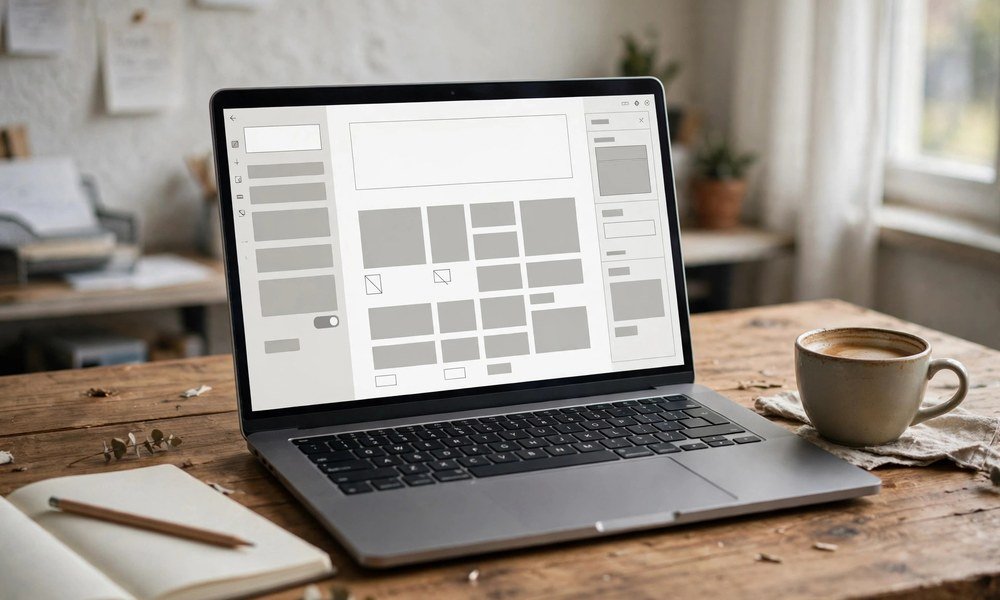
The Wix editor feels familiar and forgiving. A team member can click a block, change the text, swap an image, and publish without touching layout settings. The trade off is that the freedom can lead to messy pages when several people edit at once, so a team should agree on a template and a small set of styles before opening the editor to everyone. For a mixed team where marketing, sales, and operations all touch the site, the familiar Wix editor is usually the safer choice.
Design, templates, and first impressions
Framer templates look modern and restrained, with generous white space, strong type, and layouts that suit startups, studios, and product teams. The best templates need little change before they look finished, which is a real advantage for a small team with no designer. Motion is the other edge. Scroll effects, hover states, and page transitions can be added in a few clicks, and they make a site feel current.
Wix templates cover far more industries, from salons and clinics to restaurants, gyms, and online stores. The range is a strength for a service business, because a team can start from a template that already has the right sections: services, prices, testimonials, booking, and contact. The trade off is that many templates look busy, and a team must edit with discipline to keep the result clean.
What each tool costs over a first year
Framer paid plans start at around 5 dollars a month on annual billing for a basic site, with higher plans for more pages, more content items, and team features. A small team that needs a custom domain, more than a handful of pages, and a blog will usually land on a mid tier plan rather than the cheapest one. The cost to watch is not the plan. It is the outside tools a team may need for email, bookings, or a store, because Framer covers those jobs lightly and often needs a separate service.
Wix plans start at around 17 dollars a month on annual billing, with higher plans for more storage, more video, and store features. A small team that needs a store, bookings, or email campaigns will usually land on a business plan, which costs more than the entry plan but replaces several separate subscriptions. Add up the whole stack before deciding, not only the builder plan.
The caveats that matter
Neither builder is a good fit for every team, and the caveats are practical rather than dramatic. Framer is weaker when the site needs deep booking, a large store, member areas, or complex forms, because those jobs need outside tools or workarounds. Wix is weaker when the team wants the finest design control or the fastest path to a single polished page, because the wider feature set adds weight and the editor can feel busy. Both tools lock the site into their own platform, so moving to another builder later means rebuilding pages rather than exporting them cleanly.
| Detail | What is known |
|---|---|
| Best for design led teams | Framer, with polished templates, freeform layout, and built in motion |
| Best for service and retail teams | Wix, with bookings, a store, email, and a large app market in one place |
| Starting paid price, annual billing | Framer from around 5 dollars a month, Wix from around 17 dollars a month |
| Editor feel | Framer is fast and visual, Wix is familiar and forgiving for mixed teams |
| Templates | Framer has fewer, more polished templates, Wix has hundreds across many industries |
| Bookings and selling | Wix covers both in depth, Framer covers them lightly and often needs outside tools |
| Content and blogging | Wix has the deeper system, Framer handles a blog and simple collections well |
| Leaving later | Both lock pages into their own platform, so a move means rebuilding the site |
The comparison with Wix vs Squarespace for Small Teams in 2027 is useful here, because it shows how Wix behaves against another polished builder, and how much of the Wix case rests on breadth rather than looks. A team torn between Framer and Wix should also read Webflow vs Framer for Small Teams in 2027, which tests Framer against a deeper design tool. The Duda vs Framer for Small Teams in 2027 comparison adds a third view, because Duda approaches the same small team job from a multi site angle.
Checklist: choosing honestly
- Write down the one job the site must do every week, then pick the tool that does that job best.
- Build one real page in each editor, with real text and real images, before paying for either plan.
- Add up the full first year cost, including booking, email, and store tools, not only the builder plan.
- Test the site on a real phone, and check the menu, the booking button, and the contact form.
- Agree who owns the site, who can edit it, and how often pages will be reviewed, before launch day.
- Keep the page count small at launch, then add pages only when each one has a clear purpose.
Frequently asked questions
Is Framer or Wix better for a small team in 2027?
Framer is better for a design led team that needs a polished marketing site or landing page fast. Wix is better for most small service and retail teams, because bookings, a store, and email live in one account. The right pick depends on the main job of the site.
Which tool is cheaper for a small team?
Framer starts cheaper, from around 5 dollars a month, against around 17 dollars a month for Wix. Wix can still be cheaper overall when it replaces separate booking, email, and store subscriptions, so add up the whole stack before deciding.
Can a non technical team use Framer?
Yes, one person can learn Framer quickly, and the canvas is visual rather than code based. A mixed team may still find Wix easier, because the editor is more familiar and more people will already know how to use it.
Can Wix look as good as Framer?
Yes, with discipline. Pick a clean template, remove extra sections, keep type and colours consistent, and test on a phone. Framer starts closer to finished, but a well edited Wix site can look just as professional.
Which tool is better for bookings and selling?
Wix is better for both. Booking, a store, events, and memberships are built in and deep. Framer covers commerce lightly, so a team that sells or takes bookings every day should lean toward Wix.
Can a team move from Framer to Wix, or the reverse, later?
Moving is possible, but it means rebuilding pages on the new platform, because neither tool exports a site cleanly to the other. Text and images can be copied, but layout and design must be rebuilt, so choose with a year in mind.
The bottom line
Framer wins this comparison for teams whose site is mainly a marketing asset. If the team needs a sharp homepage, strong landing pages, and a look that stands out, Framer gets there faster and with less design work. The low starting price and the polished templates make it an easy pick for startups, studios, and product teams that live or die by first impressions.
Wix wins for most small teams overall, because most small teams need more than a pretty site. If the team takes bookings, sells products, sends email, or runs a service business from the site, Wix covers those jobs in one place and saves the team from stitching together outside tools. Pick Framer when the page is the product. Pick Wix when the business runs through the page. Either way, build the real site first, test it with real customers, and only then commit to a full year.
Note: prices and plan features change, so check the current Framer and Wix plan pages before buying, and test both editors with a real page first.