
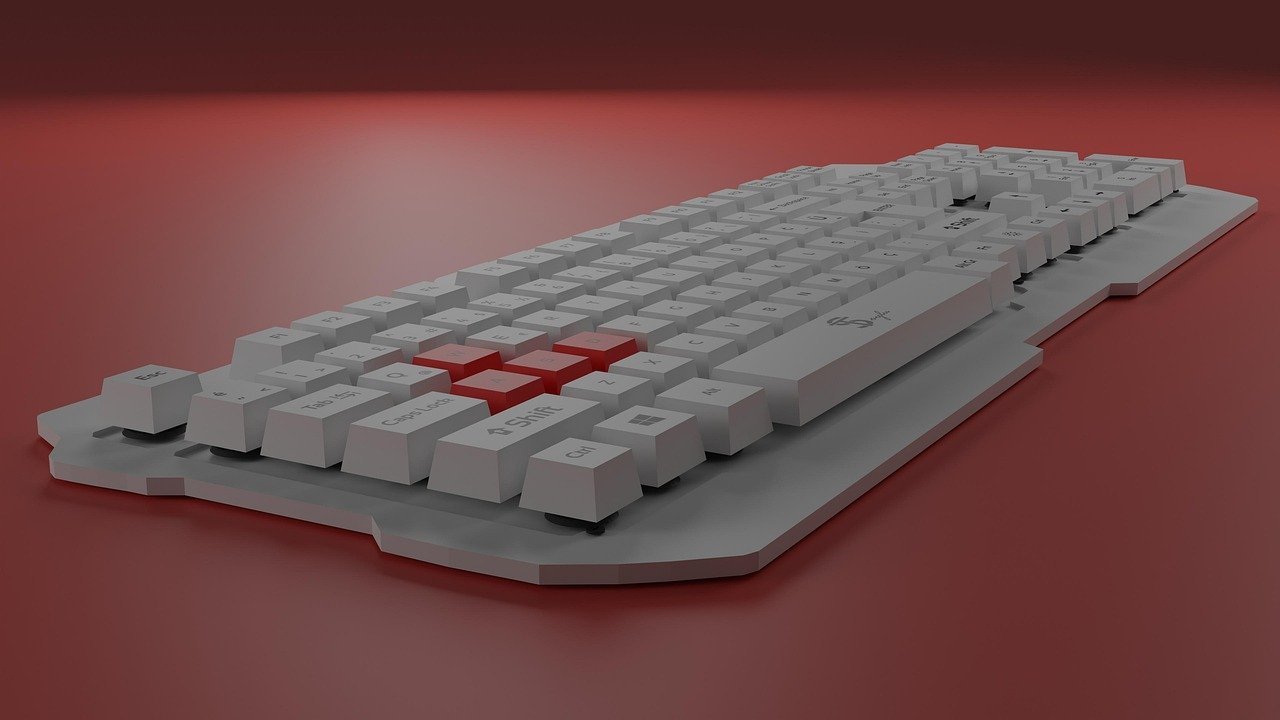
Quick Answer: What should I check before paying for gaming keyboards?
Before paying for a gaming keyboard, confirm the switch type, the layout, and whether the board actually fits how you play and type. You can check most of this in the spec sheet, in return-policy terms, and in independent reviews rather than in marketing copy. (Bmg money reviews borrowers should check before signing)
Boards differ in ways that matter: mechanical, optical, and membrane designs feel different, and wireless models trade latency for cable-free convenience. Wired and wireless versions of the same model are also not identical purchases.
Check switch type and actuation force, polling rate claims, N-key rollover and anti-ghosting, keycap material, hot-swap socket compatibility, firmware and software support, warranty and return terms, and whether the cable or dongle can be replaced.
Why the Spec Sheet Deserves a Second Read

A gaming keyboard looks simple: keys, a cable, maybe some lights. But the details buried in a product listing decide whether the board feels great in month one and still works in year three. Most buyers skim the headline features, tap “buy,” and only discover the catch after the return window closes.
The practical approach is to treat a keyboard purchase like any other considered buy. Read the specifications the way you would read a contract, because in a sense it is one. The seller’s terms, the manufacturer’s firmware promises, and the physical design all shape what you actually own once the box arrives.
Here is a working checklist, organized the way an experienced buyer would actually walk through it.
Start With the Switch, Because Everything Else Follows
Switch type is the first decision, and it is the one most people make last. Mechanical keyboards generally fall into three families:
| Switch family | Feel | Common use case |
|---|---|---|
| Linear | Smooth travel, no bump, no click | Fast double-taps, competitive play |
| Tactile | Noticeable bump, no audible click | Typing plus gaming balance |
| Clicky | Bump plus an audible click | Buyers who like feedback and don’t share a room |
Many “gaming” boards ship with linear switches because they suit rapid repeated presses. But switch naming and specifications vary by brand and change between product generations, so verify against the manufacturer’s current spec sheet rather than a two-year-old review.
Also check actuation force. A very light switch can cause accidental presses during tense moments; a heavy one can tire your hands during long sessions. Neither is wrong. It is a fit question.
Polling Rate and Latency: Read the Fine Print
Gaming keyboards commonly advertise 1,000 Hz polling, which means the board reports its state roughly every millisecond. Some models now market 4,000 Hz or even 8,000 Hz.
Higher polling rates increase USB traffic and CPU load, and the real-world benefit shrinks as the numbers climb. Independent testers have measured latency differences that are real but small. The honest takeaway: a higher polling rate is a nice-to-have, not a reason to pay a premium on its own. If a listing leads with an extreme polling figure and says little else, that is a signal to look harder at the rest of the board.
Wireless boards add another layer. A 2.4 GHz dongle generally offers lower latency than Bluetooth, while Bluetooth supports pairing across multiple devices. Check whether the board works wired while charging, and whether the dongle stores inside the chassis. Small dongles get lost, and replacements are not always sold separately.
Rollover, Anti-Ghosting, and the Keys You Press at Once
N-key rollover (NKRO) determines how many simultaneous keypresses register. On a gaming board, NKRO over USB is common, but check whether it requires a driver or works plug-and-play. Anti-ghosting is the related promise that pressing several keys at once will not produce phantom inputs.
For most players this is table stakes. For anyone playing fighting games, rhythm games, or anything with dense input combinations, it is worth confirming explicitly. A board that drops inputs under pressure is worse than a cheaper board that doesn’t.
Keycaps, Layout, and the Replacement Trap
Keycap material affects how a board ages. ABS keycaps tend to shine and wear faster; PBT keycaps hold up longer. Neither changes how the board performs, but one keeps looking new far longer.
Layout matters too. Confirm whether the board is ANSI or ISO, and check whether the bottom row is a standard size. Non-standard bottom rows limit which aftermarket keycap sets will fit, which matters if you ever want to customize. A board that cannot take replacement keycaps is a board you are stuck with cosmetically.
Hot-Swap Sockets: Freedom With Conditions
Hot-swappable sockets let you replace switches without soldering, which is genuinely useful if a switch fails or your preferences change. But the socket has to support the switch’s pin count. Most hot-swap boards accept 3-pin and 5-pin switches, but plate mount versus PCB mount compatibility varies.
Verify compatibility before buying replacement switches, not after. A drawer full of switches that don’t fit is a frustrating way to learn this lesson.
Firmware, Software, and the Long Tail of Support
This is where budget boards and premium boards separate over time. Ask three questions:
- Is configuration software required to use core features, or are settings stored on-board?
- Does the vendor have a track record of firmware updates, or does the product page go quiet after launch?
- Can you set macros and lighting without installing a large background application?
Required software is not automatically bad, but it is a long-term dependency. Vendor support policies change, so check the current support page rather than trusting an old forum post.
Warranty, Returns, and Your Actual Rights
Consumer protection varies by where you buy. In the EU, the sale-of-goods rules require a minimum two-year legal guarantee on goods. In the UK, the Consumer Rights Act 2015 gives a 30-day short-term right to reject faulty goods, plus remedies afterward.
Those rights are a floor, not a ceiling, and they interact with the seller’s own policy. Before paying, confirm the return window, whether opened-box returns are accepted, and whether a restocking fee applies. Opened-box returns are the real test, because you cannot evaluate switch feel without opening the box.
This same discipline applies beyond keyboards. Buyers weighing financing offers should read the fine print the way they would read a warranty. The principle is identical: know the terms before the money moves. (2026 2027 school calendar parents should check before)
Build Quality, Cables, and Repairability
Check whether the cable is detachable and whether the USB-C port is recessed. A recessed port can block third-party cables, which turns a five-dollar fix into a proprietary-parts problem. A detachable cable also makes the board easier to pack and cheaper to repair.
Case material matters less than people think, but flex and resonance affect sound and feel. If you care about acoustics, look for reviews that mention stabilizer rattle, because stock stabilizers are the most common weak point on otherwise good boards.
What Actually Works in Practice
A few habits separate happy keyboard buyers from regretful ones.
First, buy from a seller with a real return window and test the board for a full week. Switch feel is subjective, and no spec sheet substitutes for your own hands.
Second, resist paying for headline numbers. A 1,000 Hz board with good stabilizers and PBT keycaps will usually serve you better than an 8,000 Hz board with rattly keys.
Third, check compatibility before you commit to an ecosystem. If you are already weighing hardware upgrades, the same logic applies to CPU and motherboard choices: the component that fits your existing setup usually beats the one with the better spec sheet.
Fourth, read the return policy before the review section. Enthusiasm is cheap; a no-questions return window is not.
Common Mistakes That Cost Money
The most frequent errors are predictable. Buying on switch color alone without checking actuation force. Assuming hot-swap means universal switch compatibility. Ignoring the bottom-row layout and later discovering keycap sets won’t fit. Paying extra for wireless and then discovering the board cannot be used wired while charging.
Another common one: buying a “gaming” keyboard for typing-heavy work without checking whether the layout includes the keys you use daily. A compact board saves desk space but may hide function keys behind layers, which slows down anyone who relies on shortcuts.
And a quieter mistake: skipping the software question. A board that needs a large background app to remember your lighting is a board that forgets everything the moment the app is uninstalled.
Where Gaming Keyboards Fit in a Wider Setup
A keyboard rarely lives alone. If you are building out a desk, the same pre-purchase scrutiny applies to peripherals that connect to the same machine. Headset buyers face a similar mix of spec-sheet claims and real-world comfort questions, so it is worth researching comfort and connection details alongside your keyboard research.
For buyers comparing VR and desktop accessories, the compatibility question resurfaces again: verify how a headset or accessory connects to your existing setup before committing. The thread running through all of it: verify fit before you pay, not after.
How to Compare Two Boards Side by Side
When two boards are close, a simple comparison table forces clarity. Score each factor honestly rather than letting one flashy number dominate.
| Factor | What to verify | Why it matters |
|---|---|---|
| Switch type | Linear, tactile, or clicky; actuation force | Determines feel and accidental presses |
| Polling rate | Advertised Hz and whether it needs software | Diminishing returns above 1,000 Hz |
| Rollover | NKRO plug-and-play or driver-dependent | Prevents dropped inputs |
| Keycaps | ABS or PBT; standard bottom row | Longevity and customization |
| Hot-swap | 3-pin and 5-pin support | Future repairability |
| Firmware | On-board settings; update history | Long-term usability |
| Cable | Detachable; recessed port | Repairability and portability |
| Returns | Window, opened-box policy, fees | Your real safety net |
Fill this in before checkout and the decision usually makes itself.
Conclusion
Paying for a gaming keyboard is easy. Paying for the right one takes about twenty minutes of reading. Start with the switch, confirm the layout and keycap material, scrutinize polling-rate claims, and check whether hot-swap and firmware support will still serve you in two years. Then read the return policy as carefully as the feature list, because that policy is what protects you if the board doesn’t feel right in your hands.
The pattern holds across almost every tech purchase: the specification that sells the product is rarely the one that determines whether you keep it. Buy for the details you will live with daily, and let the headline numbers be a tiebreaker rather than the reason.
Frequently Asked Questions
Are expensive gaming keyboards worth the extra money?
Sometimes. The premium usually buys better stabilizers, PBT keycaps, sturdier cases, and more reliable firmware support. Those are real improvements. But a mid-priced board with good keycaps and a solid return policy often beats a premium board bought blind. Compare specific features rather than price tiers.
Is a higher polling rate actually noticeable?
For most players, the difference between 1,000 Hz and 4,000 Hz is measurable but small. Higher rates also increase USB traffic and CPU load. Treat extreme polling figures as a bonus, not the deciding factor, and weigh switch feel and build quality first.
Do I need hot-swappable switches?
Not strictly, but hot-swap sockets add repairability and let you change feel without buying a new board. If you choose hot-swap, confirm the socket supports both 3-pin and 5-pin switches and matches your plate mount before ordering replacements.
Should I buy wireless or wired?
Wireless suits tidy desks and multi-device setups, and a 2.4 GHz dongle generally offers lower latency than Bluetooth. Wired avoids charging entirely and usually costs less. Check whether a wireless board works while charging and whether replacement dongles are sold separately.
What keycap material should I look for?
PBT keycaps resist shining and wear better than ABS over time. Also confirm the board uses a standard bottom row, since non-standard layouts limit which aftermarket keycap sets will fit.
Can I return a keyboard after opening the box?
That depends on the seller and your local consumer rules. Many retailers accept opened-box returns within a stated window, sometimes with a restocking fee. Confirm the policy before paying, since switch feel cannot be judged without opening the packaging.



