If your budget is based on older LCD-era pricing, the 2026 decision is different: compare a new OLED with the used options you can actually find. A new system and a used LCD model are different buying situations, with different risks and costs.
Capacity, condition, and availability all shape which choice makes sense. This guide helps you weigh price, storage, battery life, performance, and game compatibility before you buy.
The right fit depends on more than a sale price. A larger drive may suit your library, while a lower-cost used device may need closer checks. Game support also matters, especially if you have a few titles you want to play most.
Key Takeaways
- New OLED models and used LCD models are separate buying choices.
- Storage capacity does not mean better game performance.
- Used listings need checks for condition and exact model.
- Battery life depends on the game and settings.
- Check your must-play games before you commit.
Keep the amount you are willing to spend separate from the storage capacity you would like to have.
How Much Is a Steam Deck in 2026?
A new 512GB Steam Deck OLED is $789, while the new 1TB OLED is $949 in the United States. Those are current official prices, while marketplace listings can differ by condition and seller.
On May 27, 2026, the official prices rose from $549 to $789 for the 512GB OLED, and from $649 to $949 for the 1TB OLED. The BBC report on the price increase says Valve pointed to higher memory and storage costs. The official price is not a reliable guide to every third-party offer.
| Configuration | Listing condition and channel | Listed price | Date |
|---|---|---|---|
| 512GB OLED | New official price | $789 | May 27, 2026 |
| 1TB OLED | New official price | $949 | May 27, 2026 |
| 512GB Steam Deck | Amazon listing | $880 | October 2026 |
| 512GB Steam Deck | Used Amazon listing | $550 | October 2026 |
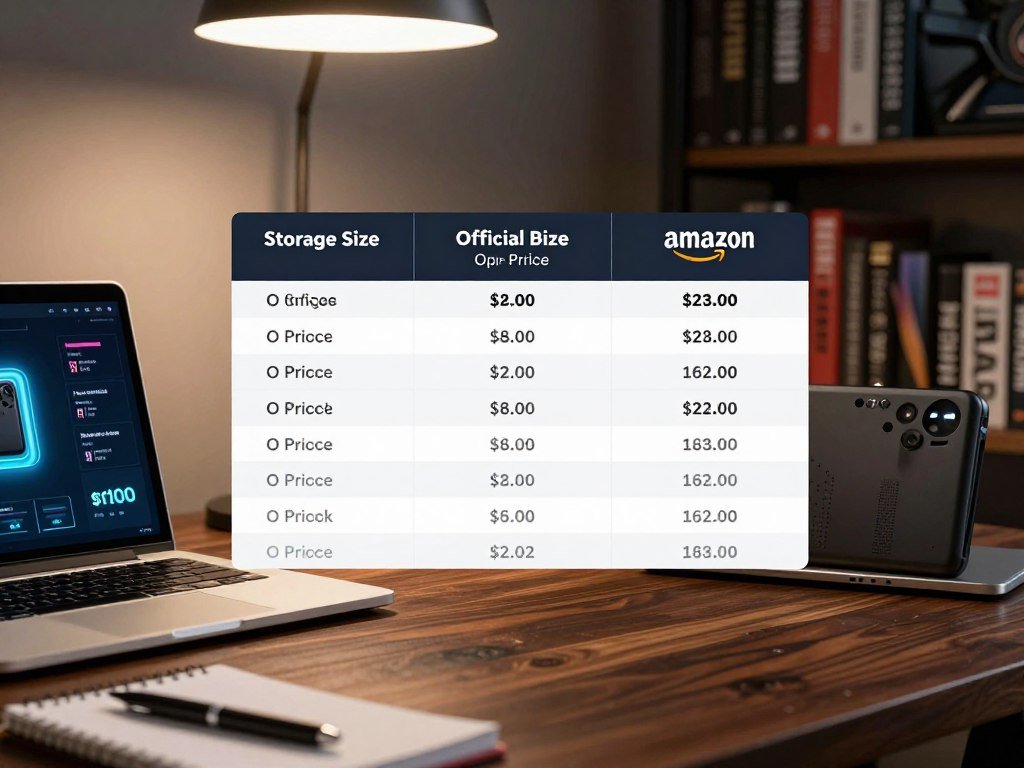
In October 2026, Amazon listed a 512GB Steam Deck for $880, with a used listing at $550. Those figures are a dated Amazon marketplace snapshot, not a promise of a current offer or a typical resale price.
Marketplace prices can reflect seller choices, stock, and listing condition. A higher listing does not make the device a better deal, and a low price can come with trade-offs. Read the listing details instead of treating a platform price as a fixed market value.
Before comparing a third-party price with an official price, match the device’s condition and storage capacity.
That comparison also depends on whether the offer is for a new product, a used device, or a refurbished unit. Sellers may use similar product names for different storage sizes and conditions.
Check the final price and listing terms before you decide what fits your budget. Before comparing any third-party listing with those official prices, check that its condition and storage capacity match.
Which Steam Deck OLED Storage Size Should You Choose?
The practical difference between the two standard OLED models is how much game storage is built in, not a faster gaming chip. The 512GB OLED and 1TB OLED share the same model family, while their internal drives hold different amounts. More storage gives you more room, not a higher game-performance target.
The 512GB model has 16GB of RAM and 512GB of internal storage. The OLED lineup also includes a 1TB version, with a larger internal drive for a bigger installed library.
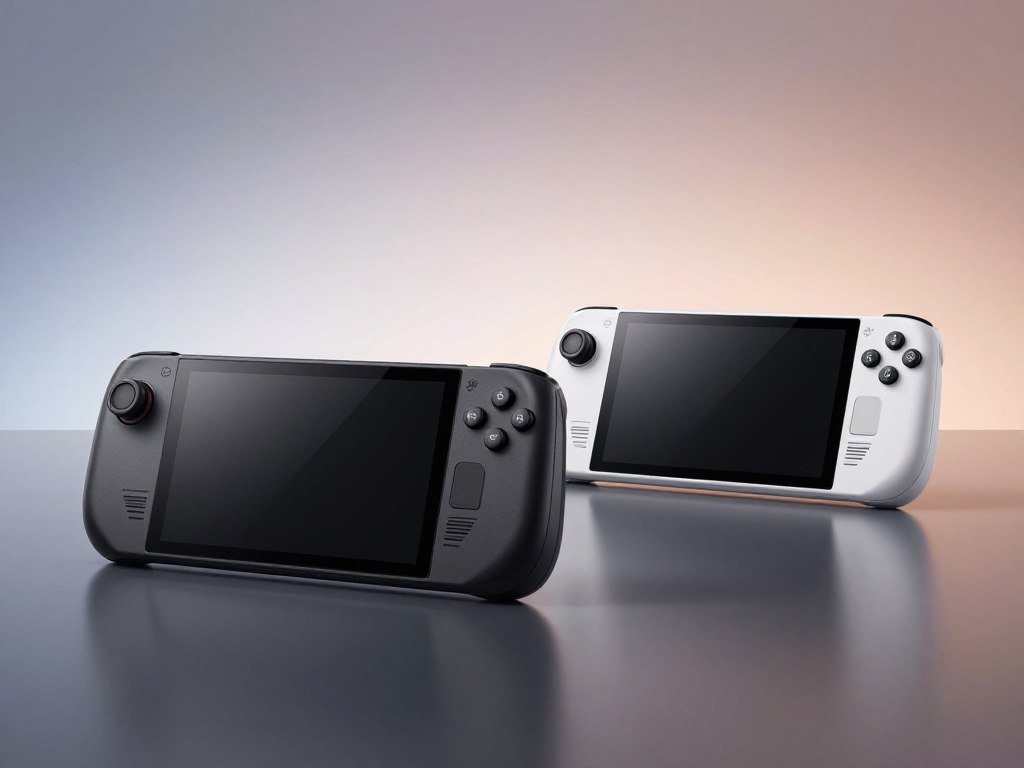
| Model | Internal storage | Distinguishing detail |
|---|---|---|
| 512GB OLED | 512GB | Standard configuration |
| 1TB OLED | 1TB | Larger internal drive |
| Limited-edition 1TB OLED | 1TB | Special casing, not extra game performance |
When the 512GB OLED is enough
The 512GB OLED can suit you if you keep a few games installed and remove others when you finish them. It has the same 16GB of RAM as the larger standard model. The smaller capacity is an internal storage choice, not a lower memory or gaming tier.
Some libraries rotate often, so a game does not need to stay installed after you stop playing. A microSD card can add space without opening the device, though its speed can vary by game. Choose your capacity based on what you tend to keep on hand.
When the 1TB OLED makes sense
The 1TB OLED makes more sense if you want a larger installed library without managing space as often. Limited editions have also included a translucent 1TB OLED edition for North America and a white-and-gray edition released November 18, 2024. Their special cases do not add game performance, and past editions are not guaranteed to be in stock.
Think about how you use storage over time, not only the number of games you own. Smaller indie games can take less room than large modern releases, so library size alone does not tell the whole story. Choose the 1TB configuration when keeping a larger library installed matters more than minimizing the initial outlay.
Is the Steam Deck LCD Still Available?
There is no current official new LCD model in Valve’s 2026 lineup, which consists of OLED models. Valve discontinued the LCD Steam Deck in 2026, so a new LCD price is no longer a current official price. Resale listings are a separate matter, and their stock can change.
The original LCD versions came with 64GB, 256GB, or 512GB of internal storage. A 256GB LCD is not part of the current lineup, though a used or refurbished unit may appear through resale channels. Do not treat an older LCD listing as a new model still sold by Valve.
People still looking for the LCD model have a few possible routes. Each depends on what is offered by sellers at the time, so none guarantees a unit is available.
- Seek a used LCD through a resale channel.
- Check whether a refurbished unit is offered.
- Choose a new OLED from Valve’s current lineup.
The original Steam Deck may appeal if you want an older configuration or find an offer that fits your budget. A seller’s use of “new” in a listing does not change the model’s place in Valve’s lineup. Refurbished items can also differ in their terms and condition.
For a 256GB LCD, availability means finding a used or refurbished listing, not choosing a current official model. That distinction matters when you compare the listed price with a new device. You are weighing an older version against current hardware, rather than two current LCD capacities.
LCD resale listings can also differ in included items and signs of wear. A photo may show the case but not reveal whether the controls or screen work properly. Treat any LCD listing as an older unit and verify its condition before comparing it with a new OLED.
What Should You Check Before Buying a Used Steam Deck?
A used LCD is worth considering only when the exact configuration and working condition are clear. Used Steam Deck devices may be LCD or OLED models, so the product name alone may not tell you what you are buying. Ask for details that match the actual unit, not just the listing title.
LCD versions came in 64GB, 256GB, and 512GB configurations. Storage affects how much you can keep installed, and the screen, battery, and controls matter to everyday use. A low asking price cannot prove that the device works.
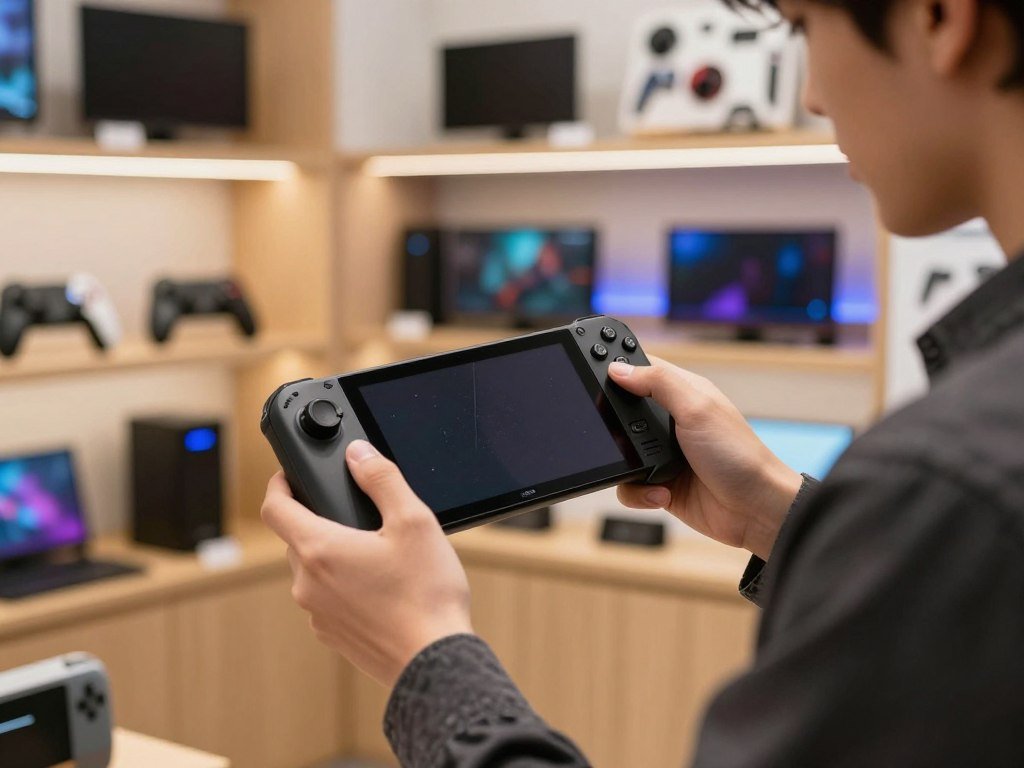
Use this short inspection list before you pay. Listing descriptions and photographs do not establish working condition, and an untested device can turn a bargain into an expensive repair.
- Confirm the exact model and internal storage.
- Test the screen for touch response and visible defects.
- Check the sticks, buttons, trackpads, USB-C port, and Wi-Fi.
- Ask about battery behavior, the included charger, and return terms.
For the screen, test touch response across different areas and look for marks that remain visible. Try each stick and button rather than relying on a seller’s claim that the controls work. A brief live test can reveal issues that careful photos still hide.
Check that the USB-C port accepts a charge and that Wi-Fi connects. Ask what charger comes with the device, since a missing charger can add another cost. Return terms matter if a problem appears after the sale rather than during a quick test.
Battery behavior is useful to discuss because a handheld may be used away from an outlet. Ask how it performs during ordinary play, and whether the seller has noticed sudden shutdowns or charging issues. A clear answer helps you judge the offer without assuming every older device has the same wear.
The LCD configuration should appear in the listing or be confirmed by the seller. If the seller cannot identify the model, storage, or basic working state, the asking price tells you little about the device’s real value. Ask for a live demonstration of the controls and screen before paying.
Can a microSD Card Give You More Steam Deck Storage?
A microSD card is the simplest way to add Steam Deck storage without replacing the internal drive. Steam Deck OLED supports microSDHC and microSDXC cards, so you can expand space without opening the handheld. Removable storage is handy when your installed library outgrows the built-in drive.
The card can hold games you do not want to delete, while the internal SSD remains available for other titles. In many games, load times from a microSD card and the internal SSD are broadly similar. Some games can still run more slowly from a card.
| Storage method | What it does | Practical consideration |
|---|---|---|
| Internal SSD | Built-in game storage | Best for games that benefit from faster access |
| microSD card | Removable added storage | Expands the library without opening the device |
| Uninstall and redownload | Frees internal space | Requires downloading the game again before playing |
What a microSD card adds
Steam Deck supports both microSDHC and microSDXC cards. The card gives you extra room for games without changing the built-in drive. You can keep some games on the card and leave other titles on internal storage.
For many games, the difference in load times is broadly similar between a card and the internal SSD. That makes a microSD card a useful way to expand a library without opening the device. It is still a separate storage location, so performance can vary by title.
When the internal SSD still matters
Ratchet & Clank: Rift Apart is one example of a title that can run noticeably slower from microSD. If a particular game loads slowly or performs worse from a card, move it to the internal SSD. The game’s behavior matters more than a broad rule about cards.
Uninstalling a game frees space, but you need to download it again before playing. That choice can work for titles you rarely open, though it depends on having time and internet access for another download. The internal drive remains useful for games that need faster access.
A card can help you keep more titles available, but it does not remove every reason to manage storage. The internal SSD is the better home for a game that shows a clear loading or performance penalty. Keep games that show a clear loading or performance penalty on the internal SSD.
What Changes Between the Steam Deck LCD and OLED?
The OLED’s most visible upgrade is a larger 7.4-inch screen with a 90Hz refresh rate, while the LCD is 7 inches and 60Hz. Both screens have a resolution of 1280 x 800, so the OLED’s size and refresh rate change, not its pixel count. The physical differences are clear, but they do not promise faster game rendering.
OLED also supports newer wireless standards and weighs less than the LCD model. Those changes may matter when you play handheld or connect to a wireless network. OLED hardware changes do not guarantee higher game performance.
| Feature | LCD model | OLED model | What the difference means |
|---|---|---|---|
| Display size and refresh rate | 7 inches, 60Hz | 7.4 inches, 90Hz | Larger, smoother OLED display |
| Resolution | 1280 x 800 | 1280 x 800 | No resolution increase |
| Wireless | Wi-Fi 5, Bluetooth 5.0 | Wi-Fi 6E, Bluetooth 5.3 | Newer wireless standards on OLED |
| Weight | 669g | 640g | OLED is lighter |
Screen size and refresh rate
The OLED screen measures 7.4 inches and supports a 90Hz refresh rate. The LCD screen measures 7 inches and supports 60Hz, with the same 1280 x 800 resolution as OLED. A larger display and higher refresh rate can make movement feel smoother, though they do not raise the game’s resolution.
That difference is most apparent when you hold the device close and use its built-in screen. If you care about the handheld view, the larger OLED display may be a meaningful comfort upgrade. If you use another screen, its impact on your setup may be smaller.
Wireless connectivity and weight
OLED supports Wi-Fi 6E and Bluetooth 5.3, while LCD supports Wi-Fi 5 and Bluetooth 5.0. These are newer wireless standards on OLED, rather than a promise that every connection will feel faster. Your router and connected devices also shape the experience.
The OLED weighs 640g, compared with 669g for the LCD model. That is a 29g difference, which may feel modest on a table but matters more when you hold the unit for a long session. The display, wireless support, and weight are hardware differences, not a promise of higher game-rendering performance.
Some players use a handheld mainly as a compact system connected to an external display. In that setup, screen size and refresh rate matter less than they do in portable play. If you mostly play at a desk with an external display, the handheld screen upgrade may matter less to you.
How Long Does a Steam Deck Battery Last?
Valve’s estimated gameplay range is 3-12 hours for OLED and 2-8 hours for LCD, depending on the content. Those are broad ranges, not guaranteed runtimes for every game. A demanding game can drain the battery much faster than a light one.
The LCD battery is 40Wh, while the OLED battery is 50Wh. A game that asks more from the system draws more power, so two games can give you very different play times. Screen refresh settings and wireless use can also affect a handheld session.
The maximum estimate is not a safe plan for every trip. A lighter game may let you play longer, while demanding visuals can shorten the session. Brightness and other settings also change how much power the system uses.
For practical context, Rock Paper Shotgun’s Steam Deck battery tests found different runtimes across games. Its tests reported 1 hour 12 minutes for Helldivers 2 and 5 hours 17 minutes for RimWorld on the original model. OLED test results ranged from 2 hours 8 minutes to 5 hours 48 minutes.
Those tests show why the game matters more than a single headline number. Lower brightness or a lower frame rate can reduce power use, while wireless use can add to it. Your settings and game choice shape the length of a session.
Wireless connectivity matters most when you need it for a game or download. If you are offline and do not need a connection, turning wireless off can help conserve power. A lower screen refresh setting may also stretch play time, though it changes the way movement looks.
The OLED’s 50Wh battery is larger than the LCD’s 40Wh battery, but the estimates still depend on content. Treat the range as a planning guide, not a promise that any title will last through a full journey. For a long trip, bring the supplied charger or a compatible USB-C power source rather than planning around the maximum estimate.
Is a Steam Deck as Powerful as a PS5?
The Steam Deck’s listed 1.6 TFLOPS is well below the PS5’s 10.3 TFLOPS, so the Deck is not a power-equivalent console replacement. TFLOPS measure compute performance, not a game’s frame rate or the way a specific title will feel. The figures do not convert directly into a performance result for each game.
A lower resolution and settings built for handheld play help explain how the Deck can still run many PC games. The system aims to make PC gaming portable, not match a home console’s graphics output. That makes it a different machine for a different kind of play.
TFLOPS describe floating-point operations per second, a measure of computing work. They can help compare broad hardware levels, but they do not account for every part of a game. Frame rate also depends on the game, its settings, and how it uses the system.
That is why the larger PS5 figure should not be read as a precise ratio of game speed. A game designed for a big-screen console may use higher detail or a higher output resolution. A handheld can run many PC games at settings that suit its smaller display and portable use.
For buyers, the useful question is whether your own games work well on the Deck. Performance can vary between titles, even when the same device runs both. A game’s settings and compatibility tell you more about the play experience than one hardware figure.
If you need high graphics settings for demanding releases, a handheld PC may not fit as well as a home console or desktop. If you value portable access to your PC library, lower settings may be an acceptable trade. The right choice depends on what you want to play and where you want to play it.
A gaming PC offers another comparison, though the full cost includes more than the tower. A budget gaming PC guide can help you compare a desktop option with a portable system. Judge a specific game by its real Steam Deck settings and compatibility, not by comparing TFLOPS alone.
Is the Steam Deck Basically a PC?
The Steam Deck is a handheld PC: SteamOS provides a game-focused interface, with desktop mode available when you want it. SteamOS is a Linux-based operating system, and its desktop mode supports third-party Linux applications. You can use it as more than a game launcher, though the handheld interface is designed around Steam.
SteamOS 3.0 is based on Arch Linux and KDE Plasma 5. The game-focused interface gives the system a console-like feel, while desktop mode offers a familiar place to run supported Linux apps. Owning the device does not require a monthly hardware fee.
In ordinary use, you can start with the Steam interface and open a game from your library. Desktop mode gives you a way to use third-party Linux applications, with the limits of the software and hardware still applying. It is a PC with a handheld form, not a regular laptop in a small case.
There is no required monthly fee simply for owning the system. Buying games is separate, and some games or services may have their own paid requirements. Those charges come from the game or service, not from a monthly Steam Deck hardware plan.
The console-like interface can make it feel straightforward if you mainly play Steam games. Desktop mode offers more options if you want to work with Linux apps or adjust how you use the system. That added flexibility may take some learning compared with a locked-down console.
SteamOS is the system software, while Steam is the store and library interface many owners use. You do not need to think of the Deck as a standard Windows PC to play games from Steam. Its Linux base shapes which apps and games work directly or need compatibility tools.
Keep paid services separate from the device itself when you work out your costs. A game can be free to start yet require a paid online service or subscription for some features. Check whether any online service you rely on has its own charge before assuming every game is fee-free.
Which Games Work Well on Steam Deck?
Steam Deck can run many Windows games through Proton, but compatibility is not identical for every title. Proton is the Windows-game compatibility layer SteamOS uses to run many Windows games on Linux. Game support is title by title, so check the games you care about most.
Deck Verified = Valve’s label system that indicates how well an individual game works on Steam Deck. Valve uses ratings to describe whether a game works smoothly, needs user adjustments, is unsupported, or has not been reviewed. An Unknown status means compatibility has not been assessed.
These categories help you judge whether a title is likely to suit the handheld. The label gives a useful starting point, though a game can change as its software updates.
- Verified: the game works well on Steam Deck.
- Playable: the game works with some adjustments.
- Unsupported: the game is not supported for play.
Unknown means Valve has not assessed the game’s compatibility. It does not tell you that the title works well or fails; it tells you that its status is not yet reviewed. Look at the game’s current store page before you buy.
Valve’s compatibility review rules cover controller support, text input, performance, launchers, and Proton. A title’s rating can reflect issues with its launcher or unsupported software, not only its graphics demands. That is why one Windows game may work well while another needs extra steps.
Check your own must-play titles before buying the handheld, especially games that rely on launchers or anti-cheat systems. Those tools can affect whether a game starts or works smoothly. A large library does not guarantee that every title in it suits this system.
If you buy games outside Steam, check where the key activates and whether the game can be added to the Steam library. A PC game retailer comparison can help you review store terms and platform details. Check the status of your personal must-play games rather than relying on the overall size of the Steam library.
What Limitations Should Steam Deck Buyers Weigh?
The biggest surprise for some buyers is that the OLED model looks better but does not run games at a higher performance target. OLED improves the screen and other hardware features, while its game-performance target matches other Steam Deck models. The OLED model does not fix game compatibility or raise the performance target.
Some newer, demanding games may need lower settings to run well. That is a normal trade-off for handheld hardware, not proof that every recent title fails. A game’s needs and software support can both affect your experience.
Game-specific software can also get in the way. A launcher or anti-cheat system may prevent a smooth launch, while other titles work without extra steps. The issue is tied to the game and its software, not simply to whether the device has an OLED screen.
Think about how you like to play, too. A handheld screen and built-in controls suit portable sessions, but they may feel cramped if you prefer a large monitor or a different controller. You can connect an external display, though that does not change the Deck’s game-performance target.
The Steam Deck works best for someone comfortable with settings that may need adjustment. Some games may need lower graphics settings, while others may run well with little effort. The system does not offer one setting that guarantees the same results across its full library.
OLED and LCD models share the same game-performance target, so choosing the newer screen does not remove those limits. The improvements affect other parts of the experience, rather than turning the Deck into a more powerful gaming system. Consider the games you expect to play and the screen you plan to use.
People who mainly play competitive online games should check how each title handles its software and controls. A game that depends on anti-cheat tools can behave differently from a single-player title. If top-end graphics or guaranteed support for a particular online game is essential, verify that title’s behavior before choosing the Deck.
Is the Steam Deck Still Worth Buying in 2026?
A Steam Deck can still be a good buy in 2026 if portability and access to your Steam games matter more than top-end performance. It suits players who value portable access and accept handheld performance limits. A lower-cost used option may appeal if you are ready to assess its condition carefully.
Buyers who want stronger performance should compare other handheld PCs before deciding. Weekly sales estimates put Deck sales at 1,400-3,000 units after the May 2026 price increase, down from roughly 11,000-18,000 a week in 2025. Valve has not confirmed that modeled estimate, and it is not proof of quality or future support.
Your best Steam Deck choice depends on what you value most. A new OLED gives you a current-lineup device, while a used LCD may cost less but needs a careful look. Another handheld PC may be a better fit if raw performance matters more than using your Steam library in a handheld format.
- New OLED for a new current-lineup device.
- Used LCD for a lower-cost possibility after inspection.
- Another handheld PC if performance is the priority.
Used options can help you spend less, but listings vary in condition and support. Treat a used device as its own purchase, not as an identical substitute for a new unit. A clear description and an in-person or live test can make the offer easier to judge.
If you want more power, compare the full device and its game access rather than looking only at a performance claim. The handheld alternatives comparison covers options such as the SteamOS Legion Go S, Switch Lite, and ROG Xbox Ally X. Each offers a different balance of price, portability, system software, and game access.
Sales estimates can describe a modeled trend, but they do not confirm how long a product will be supported. The weekly figures above are estimates, not a statement from Valve. Use them as context only, not as a reason by themselves to buy or avoid the device.
Choose based on the games you will play and the condition of the specific device, not a sales estimate.
Set your budget before comparing storage or special editions, then narrow the choice to games you plan to play. This keeps a feature you may not use from crowding out a need that matters more. Set your budget, identify the games you will play most, and then compare the condition of the specific device you intend to buy.
Conclusion
The right Steam Deck is the one that fits both your budget and the games you actually plan to play. Choose a new OLED if you want a device from Valve’s current lineup. A used LCD can make sense when its condition, storage, and game support suit your needs.
Keep the choice practical: decide what you can spend, then check how your must-play games work on the handheld. A lower price only helps if the device can handle the way you want to play. Check the exact model, condition, and must-play game compatibility on the listing you are considering before placing an order.
FAQ
What is the battery life of a Steam Deck?
Valve estimates 2-8 hours for the LCD model and 3-12 hours for OLED, depending on the content. Those ranges do not guarantee a fixed runtime for every game. Demanding titles can use more power than lighter games, and screen settings or wireless use can affect a session. Bring a compatible USB-C power source for a long trip.
Is a Steam Deck a good buy?
Yes, it can be a good buy if you value portable access to Steam games and accept handheld performance and compatibility limits. Many PC games work through Proton, though support varies by title. Check your own must-play games before you commit. If top-end graphics matter most, compare other systems before choosing.
Is there a 256GB LCD Steam Deck available?
Not as a current Valve lineup option in 2026, though a used or refurbished 256GB LCD may appear through resale channels. Valve discontinued the LCD lineup, and OLED models make up the current range. Treat a resale offer as an older device and compare its condition with the cost of a new model.
Is the Steam Deck being discontinued?
The LCD lineup was discontinued in 2026, while OLED models remained in Valve’s available lineup. That change ended the official LCD range, not the OLED range. If you want an LCD unit, you may find a used or refurbished listing, but its availability depends on resale stock.
Is it still worth buying a Steam Deck in 2026?
Yes, the Steam Deck can still suit you if portable Steam gaming matters more than top-end performance. Higher new OLED prices and handheld limits affect the choice. A used LCD may cost less, while another handheld PC may suit you better if stronger performance is your main goal. Compare the games you plan to play.
What are the downsides of a Steam Deck?
Some demanding games may need lower settings, and some anti-cheat-dependent games may not work smoothly. Game support differs by title, so a large Steam library does not mean every game will run well. OLED improves the screen and other features, but it does not raise the gaming performance target.
Is there a monthly fee for a Steam Deck?
No, owning a Steam Deck does not require a monthly hardware fee. You pay separately for games, and some online services or game features may have their own charges. Check the terms for services you use, since those costs do not come from owning the handheld itself.
Is Steam Deck as powerful as PS5?
No. Its listed floating-point performance is 1.6 TFLOPS, compared with 10.3 TFLOPS for PS5. TFLOPS do not convert directly into frame rates or predict how every game will run. The Deck can still play many PC games by using handheld-focused settings and a lower resolution.



