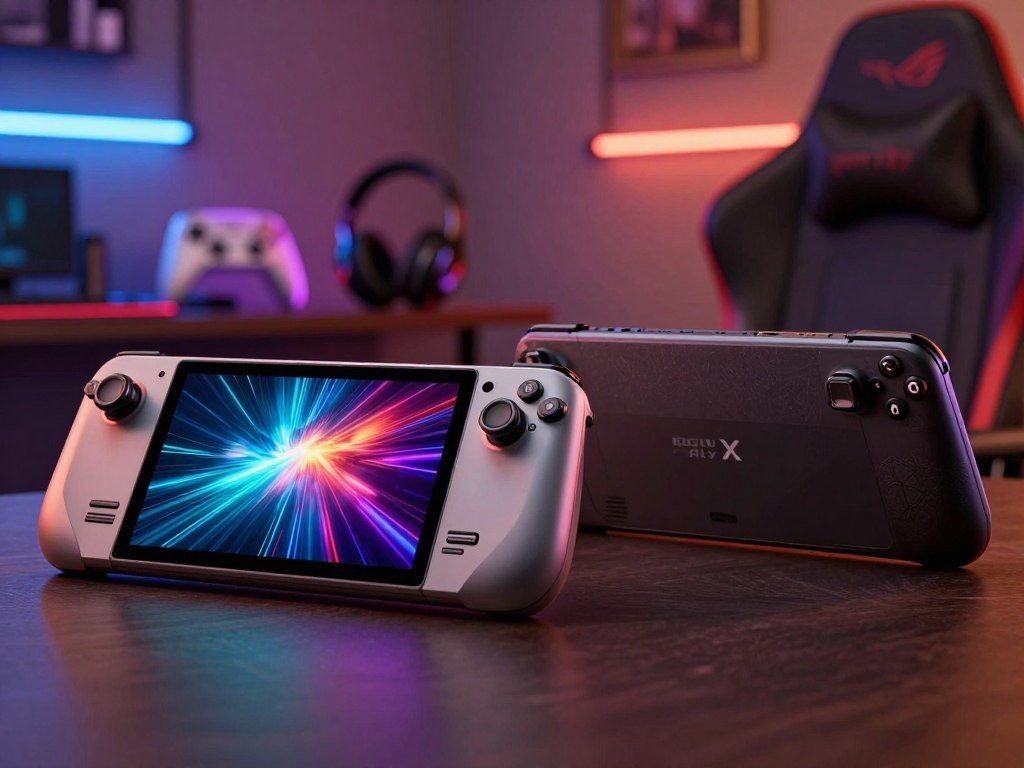
For most Steam-focused players who want a console-like routine, the Steam Deck OLED is the easier fit; the ROG Ally X suits players who prioritize performance or Windows access. Neither handheld is best for every library or play style. Frame pacing means how evenly frames arrive on screen, which affects perceived smoothness beyond average FPS.
The choice affects how your games run, how long you can play away from an outlet, and how much setup feels comfortable. The Deck favors an easy Steam routine, while the Ally gives you a Windows PC in handheld form. Those strengths matter more than a single performance score.
Price matters, too, but the cheapest option may not fit your library. A game that needs Windows or certain anti-cheat software can change the choice. So can a preference for an OLED screen or higher frame rates.
Key Takeaways
- Choose the Steam Deck OLED for a Steam-first, console-like routine.
- Choose the ROG Ally X for Windows access or higher performance.
- The Deck has an OLED display; the Ally X has higher resolution and refresh rate.
- Check must-play game support before choosing an operating system.
- The better match is the one that runs your must-play games with the fewest compromises you notice.
How Do Price and Storage Compare?
At June 2025 prices, the 512GB Steam Deck OLED was the least expensive option at $549. The price gap matters if you want more room for games, since the larger listed configurations cost more.
The listed prices are a June 2025 snapshot, not a promise about current checkout prices. The Deck comes in 512GB and 1TB versions, while the Ally X has one 1TB configuration. The Deck’s launch pricing and display details also appear in Mashable’s Steam Deck OLED announcement.

| Model/configuration | Storage | June 2025 price |
|---|---|---|
| Steam Deck OLED 512GB | 512GB | $549 |
| Steam Deck OLED 1TB | 1TB | $649 |
| ROG Ally X 1TB | 1TB | $799 |
Both devices use removable SSDs, but their sizes differ. The Deck uses an M.2 2230 SSD, while the Ally X has an owner-upgradeable M.2 2280 SSD. That upgrade option may matter if you want to add storage later.
The Steam Deck OLED includes a carry case. Ally X buyers source accessories separately, so the checkout total can include more than the handheld itself.
Match storage to your library before paying extra for space you may not use.
- Match storage to the size of your game library.
- Decide whether an owner-upgradeable Ally X SSD matters to you.
- Check the exact configuration and included accessories at checkout.
Compare the exact configuration and included accessories, not just the headline price.
ROG Ally X vs Steam Deck OLED: Which Runs Games Faster?
In the five matched 720p, 15W tests, the ROG Ally X produced a higher average FPS in every game. Its lead changes by title, so the game-by-game results give a clearer picture than one broad performance claim.
Every test used 720p and a matched 15W total power draw. That keeps the comparison closer than results from different power modes or resolutions.

Matched 15W game results
These June 2025 tests show how each handheld handled five games under the same stated conditions. Average FPS is the average number of frames shown each second.
| Game and settings | ROG Ally X average FPS | Steam Deck OLED average FPS |
|---|---|---|
| Shadow of the Tomb Raider | 57fps | 45fps |
| Horizon Zero Dawn, FSR Balance | 79fps | About 60fps |
| Clair Obscur: Expedition 33 | 38fps | Below 30fps |
| Red Dead Redemption 2, low, FSR Balance | 53fps | 51fps |
| Cyberpunk 2077, Steam Deck preset | 46fps | About 41fps |
What the hardware gap means
The Steam Deck OLED uses a custom AMD Ryzen four-core, eight-thread Zen 2 CPU and RDNA 2 graphics with eight compute units. The ROG Ally X uses a Ryzen Z1 Extreme with eight CPU cores, 16 threads, and RDNA 3 graphics with 12 compute units.
The memory also differs: 16GB LPDDR5 at 6400MHz in the Deck, compared with 24GB LPDDR5X at 7500MHz in the Ally X. Those specs help explain why the Ally X leads in these tests, but they do not predict every game’s results.
Red Dead Redemption 2 is close, and the Deck showed smoother frame pacing in that test. The numbers also show why “faster” is not the same as a fixed gain across all games.
Match resolution and power draw when comparing benchmark claims, since results from uncapped high-power modes are not like-for-like.
Which Handheld Lasts Longer Away From an Outlet?
The larger 80Wh battery gives the ROG Ally X more capacity, but the test results show why runtime also depends on the game and power draw. In both tests, the Ally X lasted longer, though its measured power use differed by game.
The Ally X ran longer in the tested lighter and demanding games. A battery’s capacity helps, but the handheld’s power draw also shapes how long a charge lasts.

Lighter games at low power
In a June 2025 Hades 2 test, both devices ran at 720p, high settings, 50% brightness, with Wi-Fi and Bluetooth on, and 60Hz. The Steam Deck OLED used about 7.3W and ran roughly 6 hours and 50 minutes.
The ROG Ally X used 8.2W on average and ran nearly 9 hours and 45 minutes. It lasted longer in this test despite using more average power, showing that battery capacity and power draw work together.
Demanding games on battery
In a June 2025 Cyberpunk 2077 test using the Steam Deck preset, the Deck used an average 23W and ran about 2 hours and 10 minutes. The Ally X used 22.1W and lasted approximately 3 hours and 35 minutes.
The Ally X has an 80Wh battery, compared with 50Wh in the Deck. That larger capacity helped in these tests, but it does not guarantee longer play in every setting or game.
A demanding title can drain either handheld faster than a lighter game. Screen brightness, power limits, and frame caps also affect how long you can play between charges.
Set a per-game power limit and frame cap before travel to make runtime more predictable.
Which Screen Looks Better at 800p or 1080p?
The Steam Deck OLED favors contrast and HDR, while the ROG Ally X favors a higher-resolution, faster-refresh IPS screen. Each display suits a different priority, so the better fit depends on what you notice most during play.
The Ally X’s 120Hz refresh rate does not mean every game will run at 120fps. A screen can refresh that often, but a game still needs to produce enough frames to use the full rate.

The Deck has a 7.4-inch, 1280×800 HDR OLED display with a 90Hz refresh rate. OLED pixels can switch off to show deep blacks, which creates strong contrast in dark scenes.
The Ally X has a 7-inch, 1920×1080 IPS display with a 120Hz refresh rate and variable refresh rate. Its higher resolution gives it a sharper specification on paper, while variable refresh rate can help the screen follow changing frame rates.
The Deck’s lower resolution does not cancel out its HDR and OLED qualities. Those are distinct strengths, especially if you value rich contrast over a sharper image. For a broader look at panel and resolution trade-offs, see this UHD monitor guide.
Screen size is a separate point: the Ally X is 7 inches, slightly smaller than the Deck’s 7.4-inch display. You may prefer the Ally’s refresh ceiling for games that can use it, but many games will not reach 120fps.
Check the frame rate your usual games can sustain before treating the Ally X’s 120Hz ceiling as an everyday advantage.
SteamOS or Windows: Which Fits Your Game Library?
SteamOS is the simpler fit for a Steam-first, controller-led routine, while Windows gives the ROG Ally X broader native storefront access. Your library can make one system much easier to live with than the other.
Check compatibility for must-play games before choosing an operating system. Some multiplayer games that need anti-cheat software do not work with SteamOS, while Windows supports a wider range of launchers.
SteamOS for a console-like routine
The Steam Deck OLED runs SteamOS, which is based on Linux. Its controller-first interface puts your Steam library and handheld settings at the center of the experience.
Steam Deck Verified labels help you spot games tested for the system, and Proton lets many Windows games run through SteamOS. Anti-cheat support varies by game, since developers need to enable or configure support. Valve explains these limits in its Proton anti-cheat documentation.
For games with uncertain support, a quick compatibility check can save you from buying a title you cannot play as expected. A guide to games for modest PCs can also help you find lighter options, though system support still matters.
Windows for more storefronts
The ROG Ally X runs Windows, which gives you native access to Xbox Game Pass, Epic Games Store, and GOG. Native access means you install the PC games and launchers directly on the device.
Windows menus, updates, and launcher management can take more effort on a small handheld screen. SteamOS supports Game Pass cloud streaming, but installing PC Game Pass games locally requires Windows.
- Check whether a must-play game depends on anti-cheat software.
- List any launchers you use outside Steam.
- Decide whether native Game Pass installation matters to you.
A comparison of other Windows gaming handhelds can help if you are weighing the wider Windows experience.
Verify compatibility for any must-play multiplayer title before committing to a SteamOS-first setup.
What Do the Controls and Connections Change?
A mouse-driven strategy game or desktop task can make the Steam Deck OLED’s trackpads more useful than another increment of raw power. Pointer control can make small menus and cursor-based games less awkward on a handheld.
The Deck has two trackpads, while the Ally X has none. The Ally X’s conventional controls suit players who rarely need pointer input and prefer gamepad-style play.
The trackpads help with desktop navigation and games built around a mouse. You can move a cursor without reaching for a separate mouse, which is handy when adjusting settings or launching a game.
Connection options also differ. The Deck has one USB-C port, while the Ally X has two USB-C ports, including a USB 4 port with 40Gbps bandwidth.
Two ports can help when you want to connect more than one accessory, such as a charger and another USB device. A dock can add more connections, but the handheld’s built-in port count still affects how many items you can attach directly.
Grip comfort is personal, and hand size can change how each design feels during a long session. Try both handhelds in person when possible, especially if you plan to play for hours at a time.
Count the USB-C accessories you plan to connect before choosing a one-port setup.
Which One Should You Buy for Your Play Style?
For a Steam-focused buyer who values a console-like routine, the Steam Deck OLED is the better default; choose the ROG Ally X when Windows access or higher game performance is essential. Your daily habits matter as much as the hardware.
The Deck is the lower-priced choice among the listed June 2025 configurations, while the Ally X led all five matched game tests. The Deck runs SteamOS, and the Ally X runs Windows.
- Choose the Steam Deck OLED for a Steam-centered library and a low-friction handheld routine.
- Choose the ROG Ally X for native Windows storefronts or higher FPS in demanding games.
- Prioritize the Deck for OLED contrast, or the Ally X for higher resolution and refresh rate.
For this exact ROG Ally X comparison, the Deck is the stronger default for a Steam-first player. The Ally X makes more sense when you need Windows access or want its higher performance in demanding games.
If your library includes games that need more modest hardware, this handheld alternatives guide compares other ways to play. Still, the software routine can decide whether a powerful device feels easy to use.
Treat tolerance for setup and software friction as a buying requirement, not something to assume you will fix later.
Conclusion
Choose the device that removes the biggest obstacle between you and the games you already want to play. The Steam Deck OLED favors a simpler Steam-centered experience, while the ROG Ally X favors Windows flexibility and higher performance.
Check the compatibility of the games at the top of your own play list, then choose the handheld whose trade-offs fit those games. A few minutes spent checking your actual library can prevent a purchase that depends on an unwanted workaround.
Check your must-play list before placing an order, and choose the handheld that fits it without relying on a workaround you do not want.
FAQ
Can the Steam Deck OLED play Xbox Game Pass games?
Yes, the Steam Deck OLED can play Xbox Game Pass games through cloud streaming on SteamOS. You need a supported browser or streaming setup and a reliable internet connection. SteamOS does not install PC Game Pass games locally. For local installation, use Windows, which the ROG Ally X runs.
Does the ROG Ally X run every PC game?
No, the ROG Ally X does not run every PC game without limits. Windows supports many launchers and PC games, but a title may have its own anti-cheat needs or hardware requirements. Check compatibility for games you care about, especially online multiplayer titles, since support can differ by game and change over time.
Can I upgrade the ROG Ally X storage?
Yes, the ROG Ally X has an owner-upgradeable 1TB M.2 2280 SSD. Replacing it can add room for a larger game library, but the replacement drive must fit and work with the device. Check the drive’s compatibility before buying one, and plan how you will move or reinstall your games.
Is the Steam Deck OLED 120Hz?
No, the Steam Deck OLED has a 90Hz display. The ROG Ally X has a 120Hz screen, which can refresh more often when a game produces enough frames. Neither screen’s maximum refresh rate guarantees that every game will reach the same frame rate. The display’s refresh rate and the game’s FPS are related, but they are not identical.
Does the ROG Ally X have a larger screen than the Steam Deck OLED?
No, the ROG Ally X screen is smaller. It measures 7 inches, compared with the Steam Deck OLED’s 7.4-inch display. The Ally X has the higher resolution, but that does not make its physical screen larger. If screen size matters to you, compare both handhelds in person and consider how their shape feels in your hands.
Which handheld is better for games that need anti-cheat?
Windows on the ROG Ally X supports a wider range of games that require anti-cheat software. SteamOS can run some titles through Proton when developers enable or configure support, but compatibility varies by game. Check each specific multiplayer title before choosing, since anti-cheat rules can block play even when the game itself launches.



