Starting your own podcast takes less equipment and money than most people expect. With a decent microphone, a quiet room, free editing software, and a hosting service, anyone can record a show and put it on the apps where millions of listeners already spend their time. You do not need a studio or any broadcasting experience.
A podcast works because it fits into parts of the day when people cannot watch a screen: the commute, the gym, cooking, or walking the dog. Listeners return to shows they trust week after week, which makes a podcast one of the most loyal audiences a creator can build.
This guide covers the whole journey for a beginner, from choosing a topic and format to recording, editing, publishing, and finding your first listeners.
Key takeaways
- Pick a narrow topic you can talk about for at least 20 episodes without running out of ideas.
- Good audio matters more than fancy equipment: a quiet room and a decent microphone beat an expensive setup in a noisy space.
- Record three episodes before you launch, so listeners who like the first one have more to hear.
- Publish on a schedule you can keep, even if that means one episode every two weeks.
- Promote each episode where your audience already spends time, and ask listeners to subscribe.
At a glance: starting a podcast
| Detail | What is known |
|---|---|
| What it is | An audio show published as episodes that listeners play on podcast apps |
| Time to launch | About two to four weeks from idea to first published episode |
| Typical cost | About $50 to $150 to start; hosting usually $10 to $20 a month |
| Essential gear | A USB microphone, headphones, and a quiet room |
| Editing software | Free tools such as Audacity or GarageBand are enough to begin |
| Where listeners find it | Apple Podcasts, Spotify, YouTube, and other podcast apps via an RSS feed |
| Main risk | Quitting after a few episodes before an audience has time to find the show |
| Key quality check | A full listen on headphones before each episode goes live |
Step 1: Pick a topic and an audience you can serve
A good podcast topic is narrow enough to be recognisable and broad enough to fill many episodes. “Business” is too wide, while “how small bakeries price their cakes” offers dozens of episode ideas. Ask what you know well, what you enjoy talking about, and what questions people already ask you.
Then define the listener: who they are, what problem they want solved, and what they will get from each episode. Write one sentence describing the show for that listener, and use it to test every future episode idea.
Step 2: Choose a format, a name, and a schedule
Pick a format that fits your topic and your time: a solo show is simplest to produce, an interview show brings new voices and audiences, and a co-hosted show shares the workload. Most beginner shows run 20 to 40 minutes, long enough to cover a topic and short enough to finish on a commute.
Choose a name that says what the show is about and is easy to spell when heard aloud, then check that no other podcast already uses it. Decide your schedule before you record anything: one episode every two weeks, kept for a year, beats a weekly show that stops after a month.
Step 3: Get the basic equipment and set up a recording space
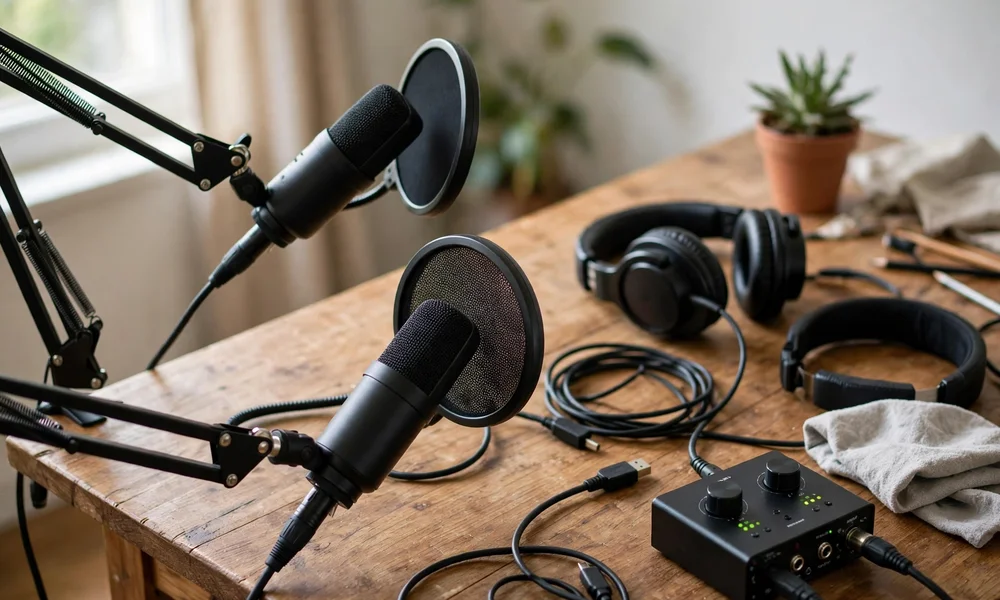
You need three things to start: a microphone, headphones, and a quiet room. A USB microphone costing $50 to $100 is enough for a first show, because it plugs straight into a laptop. Closed-back headphones let you hear yourself clearly, and our guide to the best headphones for podcasting explains what to look for.
Your recording space matters more than the microphone: a small room with soft furnishings sounds far better than a large empty room, because hard surfaces create echo. Close the windows, switch off fans and noisy appliances, and put your phone on silent. Record a 30-second test and listen back.
Step 4: Plan and record your first episode
Plan each episode with a simple outline rather than a full script: the opening, the three or four main points in order, and the ending, including what you want the listener to do next. An outline keeps you on track while letting you sound like a person talking, not someone reading aloud.
When you record, speak a little slower than feels natural and leave short pauses between points, because pauses are easy to cut and rushed speech is hard to fix. If you make a mistake, pause, clap once, and repeat the sentence, so you can find the spot while editing.
Step 5: Edit the audio into a finished episode
Editing turns a raw recording into an episode people enjoy hearing. Remove long pauses, repeated words, and the mistakes you marked while recording, then cut any section that does not serve the listener. Most beginners cut about 10 to 20 percent of a raw recording, and the episode is better for it.
Next, level the volume so quiet and loud parts play evenly, and apply light noise reduction if you can hear background hiss. Add short intro and outro music at a low volume, plus a spoken introduction that tells the listener what the episode covers. Export as an MP3 at 128 kbps or higher, and listen to the whole file on headphones before you publish it. AI tools can speed up parts of this work, and our roundup of the best AI tools for podcasting covers options for transcription, editing, and show notes.
Step 6: Choose a hosting platform and publish your show
A podcast host stores your audio files and creates the RSS feed that apps like Apple Podcasts and Spotify use to list your show. You upload the episode, write a title and description, add cover art, and the host sends it to the apps. Compare the options in our guide to the best podcast hosting platforms before you pay for a plan, since storage limits, analytics, and pricing vary.
Before you publish, prepare your cover art: a square image, 3000 by 3000 pixels, with the show name readable at thumbnail size. Write a clear show description that says who the show is for and what each episode delivers. Then publish three episodes at launch, not one, so a listener who likes the first episode can keep listening.
Step 7: Promote each episode and grow your audience
New podcasts do not grow by themselves, so promote every episode where your audience already spends time. Share a short clip or a quote on social media, mention the episode in a relevant online community, and tell your email list or friends directly. A 60-second captioned audio clip usually travels further than a plain link.
Ask listeners to subscribe, rate, and review the show, and say so in the episode itself, near the end. Ratings help the apps recommend your show to new listeners. Appear as a guest on a similar podcast when you can: it puts your show in front of listeners who already enjoy the format.
Step 8: Keep a routine, measure, and improve
The hardest part of podcasting is continuing after the excitement of the launch fades: most shows stop within the first ten episodes. Batch your work to make it sustainable: record two episodes in one session, edit them over the next few days, and keep a running list of future topics.
Check your hosting analytics once a month, not every day: downloads per episode over the first 30 days, which episodes keep listeners to the end, and where listeners come from. Use that to make more of what works, but do not change the whole show because of one slow week.
Troubleshooting common podcast problems
If your audio sounds echoey or hollow, the room is usually the cause, not the microphone: record in a smaller space, add soft furnishings, and sit closer to it. If listeners complain about background noise, find the source before you buy new gear.
If downloads stay low after several episodes, check the basics: is the cover art readable at thumbnail size, does the description say who the show is for, and are you telling people about each episode? If an episode loses listeners halfway through, start with the most interesting point instead of a long introduction.
Checklist: before you launch your podcast
- The topic is narrow enough to describe in one sentence, with at least 20 episode ideas.
- The name is easy to spell aloud, and no other podcast already uses it.
- Three episodes are recorded, edited, and listened to in full on headphones.
- Cover art is square, 3000 by 3000 pixels, with the show name readable at thumbnail size.
- A hosting platform is set up, and the show is submitted to Apple Podcasts and Spotify.
- A realistic publishing schedule is written down, with the next four episode topics planned.
Frequently asked questions
How much does it cost to start a podcast?
Most beginners spend about $50 to $150 on a microphone and headphones, plus $10 to $20 a month for hosting. Free editing software and a quiet room are enough to begin.
Do I need a professional microphone to start?
No. A decent USB microphone in a quiet, soft-furnished room sounds good enough for a first show. Upgrade only after you have published several episodes and know you will keep going.
How long should a podcast episode be?
Most beginner shows work well at 20 to 40 minutes, which fits a commute and is long enough to cover a topic properly. The right length is whatever your topic needs: a focused interview may need 45 minutes, while a short tips show may need only 15. Whatever length you choose, keep it consistent, so listeners know what to expect each time they press play.
Where do people listen to my podcast?
Listeners find your show on apps such as Apple Podcasts, Spotify, and YouTube, all of which read the RSS feed your host creates. You submit the show to each app once, and new episodes appear automatically whenever you publish them. Approval usually takes a few days, so submit your show before your planned launch date.
How do podcasts make money?
Most shows earn money later, through sponsorships, listener support, or selling a product or service. A new show should focus on publishing regularly and growing listeners first, because sponsors look for a steady audience.
How often should I publish new episodes?
Publish as often as you can sustain for a year: weekly is ideal, but every two weeks is fine if that is what you can keep. A steady schedule matters more than a fast one, because listeners subscribe to shows they can rely on. If life gets in the way, tell your audience and return on the date you promised.
The bottom line
Starting your own podcast is mostly a matter of beginning simply and continuing steadily: pick a clear topic, record in a quiet room with a decent microphone, edit lightly, publish three episodes at launch, and promote each one.
Your first episodes will not be perfect, and that is normal. The creators with large audiences started with rough audio and small download numbers too. Record your first episode this week, and let the habit of publishing do the rest.