Start by checking whether the password is saved on a device you use for the account. If not, use the website’s official reset process.
A session cookie is a small browser token that lets a website recognize an active sign-in without storing the account password. It can keep you signed in, but it does not show you the password.
For a forgotten password, the goal is usually to regain account access, not discover the original password. A reset creates a replacement, which can solve the problem when your email or another recovery option still works.
Keep any device that is still signed in available while you work through recovery. That access may help you reach account settings or confirm your identity.
Key Takeaways
- Check for a saved login before resetting.
- Use the website’s official recovery page.
- A reset creates a new password.
- Keep a signed-in device nearby.
- Use a current recovery email or phone.
Can a Password Manager Find the Login?
Check any password manager you use first, because a saved entry can be viewed after authentication without changing the account password. Start there before requesting a reset.
A forgotten website password can be checked in Google Password Manager, Chrome, or passwords.google.com when your device uses the relevant Google Account. A password manager may ask for your device passcode, Face ID, or another identity check before showing an entry.
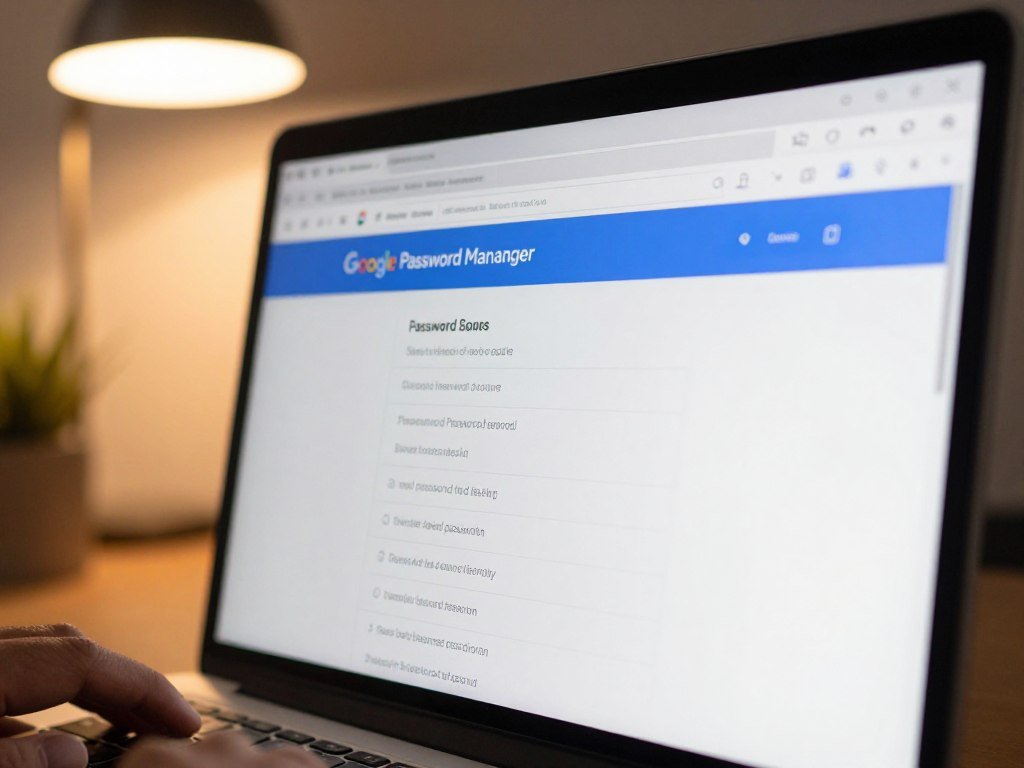
Check Google Password Manager
On Android, open Google Password Manager in settings or Chrome, or visit passwords.google.com. Your saved passwords and passkeys can work across devices signed in to the same Google Account.
Google turns on “Offer to save passwords and passkeys” by default, though you can change it in Android settings. After a sign-in with a saved password, Google Password Manager can also create a passkey automatically. You can turn that feature on or off in Android settings.
Google Password Manager lets you view and manage saved logins. Its Password Checkup feature checks password strength and security, and can flag compromised passwords.
Check the browser or device you used
On an iPhone or iPad, open Settings, tap Passwords, then authenticate with Face ID, Touch ID, or your passcode. Chrome may also hold an entry saved to your Google Account.
A session cookie can keep a browser signed in, but it cannot reveal the account password.
That can explain why a website still opens even when no password appears in your password manager. For another option, compare password managers for security and check which devices can reach your saved logins.
The CISA password manager guidance recommends using a manager to create and store long, unique passwords. Avoid exporting saved passwords to an unencrypted file on a shared computer.
How to Recover a Forgotten Website Password Through the Site’s Reset Process
If no saved copy is available, use the website’s own “Forgot password?” or “Reset password” flow to create a replacement. Use the official page rather than a link from an unexpected message.
Reset instructions go to the account’s registered email or another contact the service can verify. A reset flow may ask for a username before it sends instructions.
Reset the website account
Follow these steps to reset a password:
- Open the official sign-in page for the website.
- Choose “Forgot password?” or “Reset password.”
- Enter the username or registered email address.
- Choose and complete an offered verification method.
- Create a new, unique password for the account.
Use the same official route for a Microsoft password reset online. Microsoft checks your identity and sends a code to the selected recovery email or phone after confirming the requested details.
For a forgotten Google password, recovery may ask for a previous password or security answers based on account-creation details. Google may also send a code to your recovery email or phone. A forgotten Gmail password uses Google Account recovery.
Google reset emails can land in spam, junk, or bulk folders. Check those folders and other email addresses you use for the account if a message does not arrive.
Google advises choosing a password not already used with that Google Account. A reset signs out most sessions, with exceptions for identity-check devices, some third-party apps, and helpful home devices.
Recover the email account behind the login
If you cannot open the email account needed for a website reset, recover that email account through its provider first. Apple starts with “Forgot password?” or “Forgot password or don’t have an Apple Account?”
Apple may confirm ownership through a trusted-device prompt, a two-factor code to a trusted phone number, or other recovery factors. OWASP’s reset guidance calls for single-use codes that expire. Google recovery may ask for a previous password or security answers tied to account setup.
Enter verification codes only on the official sign-in or recovery page you opened yourself.
What If You Can’t Verify the Account or Find Its Username?
If the username is missing or none of the verification options are usable, start with the service’s official username lookup or account recovery flow. Find the right account before trying another reset.
If you forgot both your password and username, use the service’s username lookup first. Google can find usernames linked to a recovery email, while its “Find your email” page asks for the associated phone number or recovery email.
A forgotten email password must be recovered through that email provider. For Gmail, use Google Account recovery instead of a separate Gmail password process.
Microsoft’s username lookup can send a code to a security phone or email, then show a masked hint such as j********@outlook.com. The same security contact can serve as sign-in information for more than one Microsoft account.
Microsoft support agents cannot send password-reset links or access or change account details.
If Microsoft does not offer a usable recovery method, use its Sign-in helper. A support agent cannot bypass the account’s verification steps.
Apple account recovery without a trusted device or working recovery factor can take several days or more. Activity on an Apple device already signed in to the account can cancel a recovery request.
Apple’s account recovery instructions explain that waiting may help when you expect to regain trusted-device or phone access soon. The Apple recovery process can restore sign-in faster through that device or number.
If you expect to regain access to a trusted Apple device or phone number soon, wait to start Apple account recovery because that access can restore sign-in faster.
Conclusion
The safest route is the one that restores access through a saved credential or the account’s official recovery process. A new password should be unique, so a leak from another site cannot open this account too.
Once you regain access, take a moment to update your account details. After signing in, save the new login in a password manager and confirm that the account’s recovery email or phone is current.
FAQ
Can I reset a website password without access to the recovery email?
Yes, if the site offers another way to verify your identity, such as a recovery phone or trusted device. Choose that option on the site’s official recovery page. If no listed method works, use the site’s account-recovery process. You may need to prove account ownership before the site restores access or lets you change the email.
Does a saved login mean my password is stored?
No, a browser can keep you signed in with a session cookie even when no password is saved. The cookie helps the site recognize an active sign-in, but it does not reveal your password. A password manager entry is different: after you authenticate, the manager can show the saved password or passkey for that account.
Can I use a passkey if I forgot my password?
Yes, if you already created a passkey for that account and can use it on your device. A passkey can sign you in without entering the account password. Look for the passkey option on the official sign-in page. If the passkey is not available, use the site’s recovery flow to restore access.
Why can’t a support agent just send me a password-reset link?
Microsoft support agents cannot send password-reset links or access or change account details. Those limits help protect accounts from someone who cannot prove ownership. Use Microsoft’s official recovery options or Sign-in helper instead. Enter any code only on the official page, and do not share it with someone who contacts you unexpectedly.
What should I do if a reset message never arrives?
Check your spam, junk, and bulk folders first. Then check other email addresses you may have registered with the account. Make sure you entered the correct username or email address on the official recovery page. If the message still does not appear, request another one through that page rather than following a link in an unexpected email.
Does changing a password sign out every device?
No, a Google password reset signs out most sessions, but not every device or app. Google keeps some devices used to verify your identity signed in, along with some third-party apps and helpful home devices. Other websites may handle sessions differently, so check their account settings if you need to review active sign-ins.



