

A business website press page is the page a journalist opens when a story about a small business is on the desk. It holds the facts, photos, logos, and contact details a reporter needs to write accurately without waiting for an email reply. A press page that is built well can turn a single mention into a proper feature, because the reporter has everything in one place.
Most small businesses do not have a press page at all. The result shows up quietly: a reporter uses an old logo from a search result, quotes a price from two years ago, or drops the story because no one answers the phone. None of that is bad luck. It is what happens when the material a journalist needs is missing.
This guide walks through the setup of the page itself, from the first decisions about structure to the final check before it goes live: what each section must contain, how the press kit, logos, coverage, and contact details fit together, and how to keep the page honest and current. A simple version can go live in a few days.
Key takeaways
- A press page serves journalists, not customers. Every section should answer a question a reporter would ask.
- The page needs five parts: a short company summary, a press kit with logos and photos, a list of coverage, a contact route, and a news archive.
- Decide the structure before writing, and put the most useful facts at the top of the page.
- Real photos and current facts beat polished claims. An out of date logo or an old price will be quoted as fact.
- Review the page every three months, because a stale press page does more harm than no press page at all.
What the setup covers before a single section is built
A press page has one job, and it is not to sell. The job is to make accurate coverage easy. A journalist on a deadline will not read a long brand story or dig through five pages to find a founder photo. The page succeeds when a reporter can confirm the facts, download the assets, and reach a real person within a few minutes.
Before building, settle three decisions: the audience, the owner, and the address. The audience is working journalists, bloggers, podcast hosts, and event organisers. The owner is one named person inside the business who keeps the page current and answers press email. The address is a short, stable URL, usually the site domain followed by press or media.
The page also needs a clear boundary with the rest of the site. The press page is not the about page, which tells customers who runs the business, and it is not the blog, which publishes news for readers. The press page borrows facts from both, but it organises them for a different reader. A useful test is to read each sentence and ask whether a journalist would need it to file a story.
How the page is built, step by step
Start with the structure, not the writing. Sketch the page on paper or in a document: a short summary at the top, then the press kit, then coverage, then contact details, then the news archive. This order follows the order a journalist works in. The summary confirms the business is the right one. The press kit supplies the assets. Coverage shows that others have written about the business before.
Write the company summary next, in about 100 words. It should state what the business does, who it serves, where it is based, and when it started. Keep every claim checkable. A bakery that opened in 2019 and sells bread to local cafes is a complete summary. A line about being the best bakery in the region is not, because no reporter can verify it.
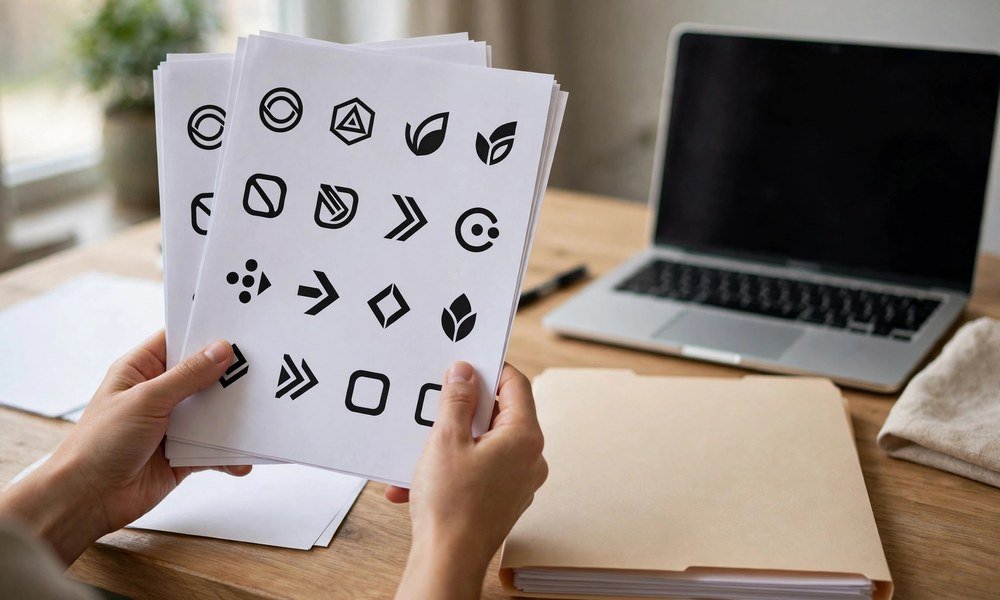
Build the press kit as a set of downloads, not as a wall of text. Include the logo in colour and in black and white, at least two photos of the founders or the team, two photos of the product or the premises, and a one page fact sheet with the founding date, the number of staff, the locations, and the main products or services. Name the files clearly, so a downloaded file is usable without renaming.
Add the coverage section with links to real articles, each with the publication name, the date, and a short line about the story. Do not copy whole articles onto the page. A link and a line are enough, and they respect the copyright of the publication. If coverage is thin, list two or three items and leave room to grow.
Put the contact section where it cannot be missed. It needs a named press contact, a direct email address, and a phone number that is answered during working hours. A generic contact form is not enough, because a journalist on deadline needs a reply the same day. Add a note about response times, and keep the promise.
Finish with the news archive: a simple list of announcements, newest first, each with a date and a short summary. Press releases belong here, not on the home page. When the page is built, test it by asking a friend to find the logo, the founding date, and the press email within two minutes. If any of the three takes longer, the structure needs work.
The parts every press page needs
The summary, the press kit, the coverage list, the contact route, and the archive are the five parts that matter. Each one answers a different question, and a page missing one of them sends the reporter elsewhere. The summary answers what the business is. The press kit answers what it looks like. Coverage answers whether others have taken it seriously.
The press kit deserves the most care, because it is where mistakes are most visible. Logos should be supplied in the formats a designer actually uses, and in versions that work on light and dark backgrounds. Photos should show real people and real places, not stock images of strangers. A photo of the actual workshop or the actual team tells a reporter the business is real in a way that a polished stock photo never will.
The coverage list also needs discipline. Include the strongest stories, not every mention. A feature in a local paper and a short review in a trade magazine are worth more than ten directory listings. Date every entry, and remove dead links at each review. A coverage list full of broken links tells a reporter the page is not maintained.
The contact section should name a person, not a department. Journalists build relationships with people, and a named contact with a direct email address gets faster replies than a shared inbox. If the business is too small for a dedicated press contact, the owner can take the role.
The caveats that matter
A press page can go wrong in ways that are hard to notice from inside the business. The most common failure is stale facts: a headcount from three years ago, a product that no longer exists, or a founder who has left. Reporters quote the page, so a stale fact becomes a published error.
Another failure is overclaiming. A press page that calls a business the market leader or the fastest growing in the country invites a fact check the business will lose. Keep every claim modest and provable. The page is a source of facts, not an advertisement, and editors can tell the difference within seconds.
| Detail | What is known |
|---|---|
| Page address | Short and stable, usually the domain followed by press or media |
| Owner | One named person who keeps the page current and answers press email |
| Summary length | About 100 words, with only checkable facts |
| Press kit contents | Logos, team photos, product photos, and a one page fact sheet |
| Coverage entries | Publication name, date, and a short line, linked to the original |
| Contact details | Named person, direct email, and a phone number answered in working hours |
| Review cycle | Every three months, plus a check after any major change |
| What to avoid | Stale facts, unverified claims, stock photos, and broken links |
Privacy is a third caveat. A press page is public, so anything on it will be used. Do not publish personal phone numbers, home addresses, or photos of staff who have not agreed to be featured. Get written agreement from every person in a photo, and check that agreement again when the photo is still in use a year later.
Checklist: reviewing the page before it goes live
- The company summary fits in about 100 words and every fact in it is current and checkable.
- The press kit has logos in colour and black and white, plus real photos of the team, the product, and the premises.
- Every coverage entry links to a live article with the publication name and the date shown.
- The contact section names a real person with a direct email address and a working phone number.
- The news archive lists announcements newest first, each with a date and a short summary.
- A first-time visitor can find the logo, the founding date, and the press email within two minutes.
Frequently asked questions
Does a small business with no press coverage need a press page?
Yes. The first reporter to ask will need the same facts and files as the fiftieth. A press page with an empty coverage section is still useful, because the summary, the press kit, and the contact details do the work. Coverage grows over time.
Where should the press page live on the site?
Use a short address such as the domain followed by press or media, and link to it from the footer and from the about page. Journalists look in the footer first, so the link must be visible there.
What goes in the press kit?
Logos in colour and black and white, at least two photos of the founders or team, two photos of the product or premises, and a one page fact sheet with the founding date, staff numbers, locations, and main products or services. Name the files clearly and keep them small enough to download quickly.
Should the page include prices?
Include prices only if they are stable and public. A price that changes often will be quoted out of date, so link to the pricing page instead and keep the press page free of figures that go stale fast.
How often should the page be updated?
Review it every three months and after any major change, such as a new product, a new location, or a change of owner. Update the fact sheet first, then the photos, then the coverage list. A page that is checked on a schedule stays trustworthy.
Can one person run the whole press page?
Yes, and for most small businesses one person should. A single named owner keeps the facts consistent and the replies fast. The owner needs authority to approve facts and photos, and a direct email address that is checked every working day.
The bottom line
A press page is a small build with an outsized return. It takes a few days to set up, costs almost nothing, and changes how journalists treat the business. A reporter who finds facts, photos, and a named contact in one place is far more likely to write the story accurately.
The work is mostly maintenance. Build the five parts, keep the facts current, answer press email fast, and review the page every three months. That routine is the whole job, and it is what separates a press page that earns coverage from one that sits unread.
Note: Keep every claim on a press page checkable and current, because reporters quote the page as fact. When a detail changes, update the page the same day.



