
A business website support page is the place where a customer goes when something goes wrong, or when a simple question stands between the customer and a purchase.
Most small businesses build this page last, after the home page, the product pages, and the checkout. That order shows. The page ends up as a single email address buried in the footer, or a form with no guidance about what happens next.
This guide walks through the setup of the page itself.
Key takeaways
- Start with the questions customers already ask, and build the page around those questions first.
- Put the search box, the top six questions, and the ticket form where a visitor can see them without scrolling far.
- Publish honest response times, and keep them, even if the honest time is one working day.
- Ask for only the details you need to solve the problem, and tell the visitor what happens after the form is sent.
- Give every ticket a clear path to a person, with a named owner and a time limit for escalation.
What the page needs before you build it
A signed in area for returning customers is a different kind of page, and the customer portal setup guide covers that separate setup. A support page fails when it is built from guesswork about what visitors want. The fix is simple, and it takes an afternoon. Read the last thirty messages the business received by email, through the contact form, and on social channels.
Those groups decide the structure of the page. Each group becomes a help centre section, and the most common question in each group becomes a frequently asked question at the top of the page. A page built this way answers real questions, while a page built from a template answers questions nobody asked.
Decide who answers tickets before the page goes live. One named person should own the inbox each working day, even in a team of two. A shared inbox with no owner means every message waits for someone else to pick it up. Set the working hours for replies, and write them down.
Check the rest of the website for the facts the page will repeat. Delivery times, return windows, opening hours, and prices must match the product pages and the checkout.
How to lay out the page so visitors find answers fast
The layout of a support page has one job: shorten the path from a question to an answer. Put a short heading at the top that says what the page does, in plain words.
Below the search box, show the top six questions as links, each written the way a customer would ask it. Use the exact words from real messages where possible. A visitor looking for help with a late delivery will click on a link that says when will my order arrive, and will scroll past a link that says fulfilment and logistics policy.
Group the remaining help articles into four to six sections, each with a short name and three to five article links.
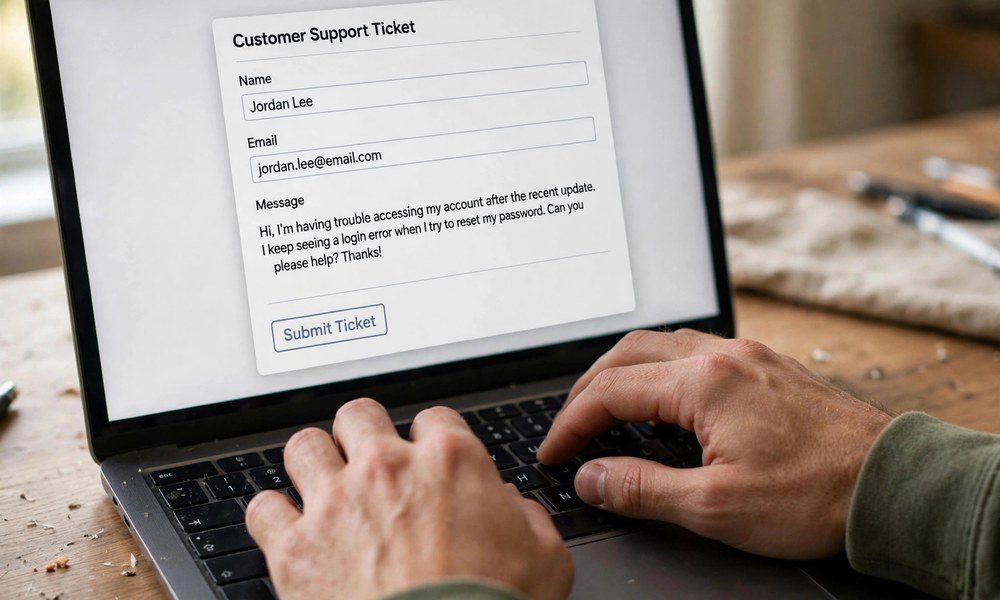
Put the ticket form near the bottom of the page, after the self service options, with a short line above it that says when a person will reply. This order matters.
Keep the page light.
Writing the help centre and the frequently asked questions
Real time help is a different channel, and the live chat explainer explains when it fits and when it does not. Each help article should answer one question, and it should answer it in the first two sentences. A visitor does not want the history of a policy. A visitor wants to know whether a return is possible, how long a refund takes, or what to do when a password reset email never arrives.
Write the steps as a short numbered list, with one action per step. Test every step yourself, on a phone, while pretending you are a customer with no inside knowledge.
Keep each article under three hundred words where possible. Longer articles are fine for complex topics, such as a return that involves a courier collection, but the first paragraph must still carry the answer.
The frequently asked questions at the top of the page are not a repeat of the whole help centre. They are the six questions with the highest volume, written as questions and answered in two or three sentences each.
Use the same words across the page, the help articles, and the ticket form.
Building the ticket form and setting response expectations
Trust is built across the whole site, and the about page guide shows how the story of the business supports the help a visitor receives. The ticket form is the point where self service ends and a person takes over, so it should ask for the facts that let a person solve the problem without a second round of questions.
Do not make every field required. A visitor with a question about opening hours has no order number, and a form that demands one will be abandoned. Make the message box required, and the email address required, and let the rest be optional unless the topic needs it.
After the visitor sends the form, show a confirmation page, not a small line of text that is easy to miss. The confirmation should repeat the reference number for the ticket, state the expected response time, and say what the visitor should do if no reply arrives by that time.
Publish the response time on the support page, in the same words as the confirmation. If the team replies within one working day, say so. If replies take two working days at busy times, say so, and say when the busy period ends.
Track the numbers every week. Count how many tickets arrived, how many were answered within the published time, and which topic appeared most often. The topic with the most tickets is the next help article to write, or the next product page to fix.
Escalation: when a ticket needs a person
Some tickets cannot be solved by the person who first reads them.
Set a simple rule for each type of ticket. The first reader handles the routine questions.
Tell the visitor what is happening. A short message that says the ticket has been passed to a senior member of the team, with a new expected time, will hold most customers.
Keep the escalation path short. A ticket that passes through three people will take three times as long, and each handover loses detail.
Review escalated tickets once a month. If the same problem is escalated every week, the underlying process is broken, and the fix belongs on the product page, in the help centre, or in the way orders are packed.
The mistakes that matter
| Detail | What is known |
|---|---|
| No search, or search that covers the whole site | Visitors scroll and give up, or land on product pages. Fix: Search only the help articles, and show the top six questions below it. |
| Help articles written as policy text | Visitors cannot find the answer in the first paragraph. Fix: Answer first, then steps, then exceptions, in plain words. |
| Ticket form with too many required fields | Visitors abandon the form and call instead. Fix: Five fields, only name, email, and message required. |
| No response time published | Visitors expect minutes and complain by noon. Fix: Publish an honest time and keep it every working day. |
| No confirmation or reference number | Visitors send the same ticket twice. Fix: Show a reference number on screen and send it by email. |
| Every ticket handled by whoever is free | Urgent problems wait behind routine questions. Fix: One owner per day, with a written escalation rule. |
| Page never updated from ticket data | The same questions keep arriving as tickets. Fix: Review topics weekly and write the missing article. |
| Facts that disagree with product pages | Visitors quote one page against another. Fix: Fix the source page first, then copy the correct fact. |
Most support pages fail in the same ways, and each failure is easy to spot once you know what to look for.
Checklist: launch checks before the page goes live
- Every link on the page opens the article it promises, and every article answers its question in the first two sentences.
- The top six questions match the last thirty messages in the inbox, not a template.
- The ticket form can be completed in under two minutes, and the confirmation shows a reference number and a response time.
- The published response time matches what the team can actually keep, every working day.
- One named person owns the inbox each working day, and the escalation path is written down with amounts and time limits.
- The page loads fast on a phone, and the search box, the questions, and the form are all usable without a mouse.
Test the page with five real visitors before launch, and watch where each one pauses. Ask each visitor to find the answer to a delivery question and to send a test ticket, then note every point where the visitor hesitates or clicks the wrong link. Those five short tests will reveal more than a week of internal review, because the team already knows where everything lives and a visitor does not.
Keep the writing style of the page steady across every article, with short sentences, the same terms for the same things, and no jargon. A visitor who reads three articles should feel that one person wrote them, and should never need to learn a new word for a booking, a return, or a refund. Consistency is what makes a help centre feel reliable, even when the team behind it is small.
Frequently asked questions
How long should a support page take to set up?
A simple page takes one to two weeks for a small business, including writing six help articles and testing the ticket form.
Should the support page replace the contact page?
No. The contact page is for general messages, directions, and phone numbers.
How many help articles does a small business need at launch?
Six to ten articles cover most of the volume at launch.
What should the ticket form ask for?
Name, email address, a topic list, an order or booking reference where one exists, and a message box.
How fast should a small business reply to tickets?
Within one working day is a realistic promise for most small teams, and it is better than a fast promise that is often broken. Publish the time you can keep on a busy week, not the time you can keep on a quiet week, and tell visitors when the reply will arrive.
When should a ticket be escalated?
Escalate when money above a set amount is involved, when a safety concern is raised, or when a customer writes a second time about the same problem. The ticket should move to the decision maker within one working day, and the customer should be told that it has moved, with a new expected time.
The bottom line
A support page is not a project that ends at launch. It is a living part of the website, and it earns its value from the tickets it prevents and the trust it builds when a problem is handled well.
Build the page around real questions, keep the facts consistent with the rest of the website, publish a response time you can keep, and give every ticket a path to a person.
Note: response times and escalation limits in this guide are starting points for a small team. Adjust them to the hours and staff the business actually has, and publish only the times the team can keep.