
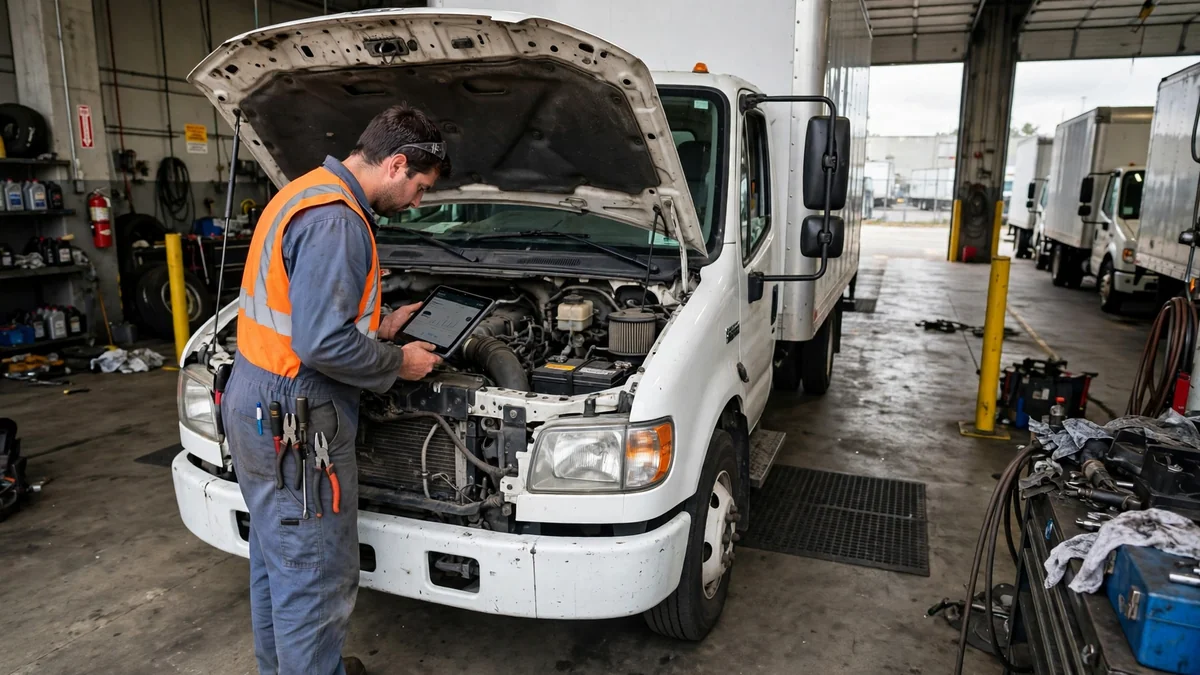
Learning how to use AI for fleet maintenance scheduling starts with a simple shift: instead of servicing every vehicle on the same fixed calendar, you let each vehicle’s data decide when it needs attention. A delivery van covering 300 miles a day wears out brakes and tyres far faster than a pool car making short city trips, yet most fleets service both the same way.
The payoff is practical. Unplanned breakdowns are the most expensive kind of maintenance, because they strand a driver, miss a delivery window, and usually cost more to repair than the same fault would have cost a week earlier. A system that spots a weakening battery or a worn brake pad lets a manager book the work at a quiet time and order the part in advance. In 2027, that kind of prediction is no longer limited to large fleets with a dedicated data team.
This guide walks through the process in order, from gathering the data you already have to running your first AI-generated schedule. It is written for fleet managers and owner-operators running five vans or five hundred trucks. You do not need to build a model or hire a data scientist: you need clean records, a sensible pilot, and a willingness to let the schedule change when the evidence changes.
Key takeaways
- AI fleet maintenance scheduling replaces fixed service intervals with a service date per vehicle, based on its actual use and condition.
- The system is only as good as its inputs: mileage, fault codes, and service history must be accurate.
- Start with a pilot of 10 to 20 vehicles, measure breakdowns and downtime, and expand only when the results beat your old schedule.
- Human judgement stays in charge: AI suggests the timing, but a manager approves the work and overrides the model when it is wrong.
- The biggest savings come from fewer roadside breakdowns and better parts planning, not from stretching service intervals further.
Step 1: Take stock of your fleet and your current schedule
Before any software is involved, write down what you actually run. List every vehicle with its make, model, year, mileage, engine hours, route type, and last three service dates. Note which vehicles break down most often and which ones sit idle. This inventory becomes the baseline you will compare everything against, and it often reveals a van that has missed two services.
Next, work out what your current schedule really costs. Add up twelve months of unscheduled repairs, including towing, missed deliveries, and overtime for the mechanic who fixed a breakdown. That figure is the number your AI pilot has to beat. A realistic target is a 15 to 25 percent fall in unscheduled breakdowns over three to six months. For a sense of what AI can already do in a workshop, our report on AI tools for manufacturing shows how predictive alerts are used on factory equipment.
Step 2: Gather the data the system will learn from
An AI scheduling tool needs several kinds of data, and most fleets already hold most of them. The first is usage data: mileage, engine hours, and fuel use, usually from a telematics device. The second is condition data: fault codes, oil analysis, tyre pressure, and brake wear. The third is history: every service, repair, and breakdown, with dates and costs.

Check each source before you connect anything: odometer readings should rise steadily, fault codes should carry a date and vehicle identifier, and service history should record what was actually replaced. Where records live on paper, digitise the last twelve months at minimum. Do not collect everything at once: delivery vans need mileage, brake wear, and battery health most, while heavy trucks need engine hours, oil condition, and tyre wear.
Step 3: Choose a scheduling tool that fits your fleet
There are three broad options. The simplest is a fleet management platform with AI scheduling built in: connect your telematics and service history, and it produces a schedule with a reason attached to each date. The second is a predictive maintenance add-on that sits on top of the system you already use. The third is a custom setup built around your own data, which suits large fleets but is far more work than most operators need.
When you compare tools, ask the same questions of each one: does it explain why it picked a date in words a mechanic can understand, can it handle older vehicles with limited sensors, does it let a manager override a suggestion, and what does it cost per vehicle per month after the pilot discount? Ask for a trial on your own data, not a demonstration on the vendor’s sample fleet. Our guide to using AI for farm crop planning follows the same pilot-first approach.
Step 4: Set the rules the AI must follow
AI scheduling works best inside clear rules that you set. The first rule is safety: any safety-critical item, such as brakes, steering, tyres, and lights, gets a fixed maximum interval the model can shorten but never extend. The second rule is a minimum notice period: the system should propose work at least a week ahead where possible, so parts can be ordered and a replacement vehicle arranged. The third rule is a workload limit: the workshop can only handle so many vehicles per day.
Set a confidence threshold as well. A prediction that a battery will fail in the next 500 miles with high confidence is worth acting on; a vague suggestion that a vehicle might need attention sometime in the next two months is not. Decide in advance what happens at each level: high-confidence predictions become booked work, medium-confidence ones become an inspection at the next visit, and low-confidence ones are logged and watched.
Step 5: Run a pilot on a small group of vehicles
Pick 10 to 20 vehicles that represent your fleet: a mix of ages, types, and routes, including one with a history of trouble. Run the AI schedule alongside your old schedule for the first month, so you can compare them without risking the whole fleet on an untested system. Mechanics should see both schedules and note where they differ. Their feedback is the most valuable data the pilot will produce.
During the pilot, track four numbers weekly: unscheduled breakdowns, days lost, parts ordered at short notice, and manager overrides of the AI suggestion. If overrides are frequent, find out why: sometimes the model is wrong, and sometimes the manager knows something it does not, such as a vehicle about to be sold. Hold a short review at the end of each month. The range of AI tools for small business in 2027 includes fleet options priced per vehicle.
Step 6: Roll out, measure, and keep improving the schedule
Once the pilot has beaten your old schedule on the numbers you set in step one, roll it out in waves rather than all at once. Add a group of vehicles each week, starting with the ones most like the pilot group, and keep the old schedule running in parallel for the first two weeks. Train everyone who touches the schedule: drivers should know why their vehicle is being called in, and mechanics should record what they actually found.
After three months, compare the new numbers with your baseline: maintenance cost per mile, breakdowns per vehicle, and days lost. A healthy system should show fewer breakdowns, fewer emergency part orders, and parts replaced nearer the end of their useful life. Review the predictions too: for every breakdown that still happened, did the model give any warning, and if not, what signal was missing?
Troubleshooting common problems with AI fleet scheduling
If the system flags too many vehicles at once, the cause is usually a threshold set too low, or a batch of vehicles reaching a mileage milestone together. Raise the threshold for non-safety items and spread the work across the week. If the system flags almost nothing, check that the data is actually arriving: a disconnected telematics unit or a fault code feed that stopped updating will make every vehicle look healthy.
If mechanics say the predictions are wrong, check the specific cases. A model that predicts brake wear from mileage alone will be wrong for a vehicle that spends its life on motorways and right for one that stops and starts all day; adding route type or braking data usually fixes this. If costs rise in the first months, look at the parts bill: a system that replaces parts too early shows up as more scheduled work with no matching fall in breakdowns.
Checklist: getting AI fleet maintenance scheduling right
Use these checks before expanding a pilot.
- Every vehicle has a complete record: mileage, engine hours, service history, and the last three breakdowns.
- Safety-critical items have a fixed maximum interval that AI can shorten but never extend.
- The tool explains each suggested date in words a mechanic can understand.
- A pilot of 10 to 20 vehicles has run for three months with results measured against a written baseline.
- One person owns data quality, and service records are entered on the day the work is done.
- The schedule respects workshop capacity, peak seasons, and a minimum notice period for bookings.
Frequently asked questions
How much does AI fleet maintenance scheduling cost?
Most fleet platforms charge per vehicle per month: in 2027, a typical range for a small to mid-size fleet is a few pounds or dollars per vehicle on top of telematics. One avoided roadside breakdown usually covers the software for several vehicles for a month.
Can AI scheduling work for a small fleet?
Yes, and small fleets often see the clearest benefit because one breakdown can take out a large share of their capacity. A fleet of five to ten vehicles can run a pilot with basic telematics and a per-vehicle plan, as long as its service records are clean.
Does AI replace the mechanic’s judgement?
No. AI scheduling suggests when a vehicle should be inspected or serviced, but a mechanic still inspects the vehicle, decides what work is actually needed, and signs off safety items.
What data does the system need to start?
At minimum, it needs mileage or engine hours, the service history for each vehicle, and fault codes from the onboard diagnostics system. Tyre, brake, and battery readings improve predictions, but a pilot can start without them.
How long does it take to see results?
Most fleets see the first useful predictions within a month, because the system can flag vehicles already overdue or showing fault codes. A fair judgement on cost and breakdowns needs three to six months of data, since breakdowns are rare and one quiet month proves little.
What happens when the AI gets a prediction wrong?
A wrong prediction is recorded, reviewed, and fed back into the system. If the model suggested work that was not needed, the threshold for that item is tightened. If it missed a failure, the missing signal is added where possible. A manager can override any suggestion.
The bottom line
Using AI for fleet maintenance scheduling is not about handing your fleet over to a machine. It is about replacing a calendar that treats every vehicle the same with a schedule that treats each vehicle according to its own condition and use. The steps are straightforward: get your records straight, gather the signals that matter, pick a tool that explains itself, set safety rules, pilot it, and measure the result honestly.
Fleets that do this well in 2027 will spend less time reacting to breakdowns and more time planning work when it suits them. Vehicles stay on the road longer, the workshop orders parts with notice instead of in a panic, and drivers get a vehicle they can trust. That is the real test of any scheduling system: fewer surprises, lower costs, and a fleet ready for the work it has to do.


