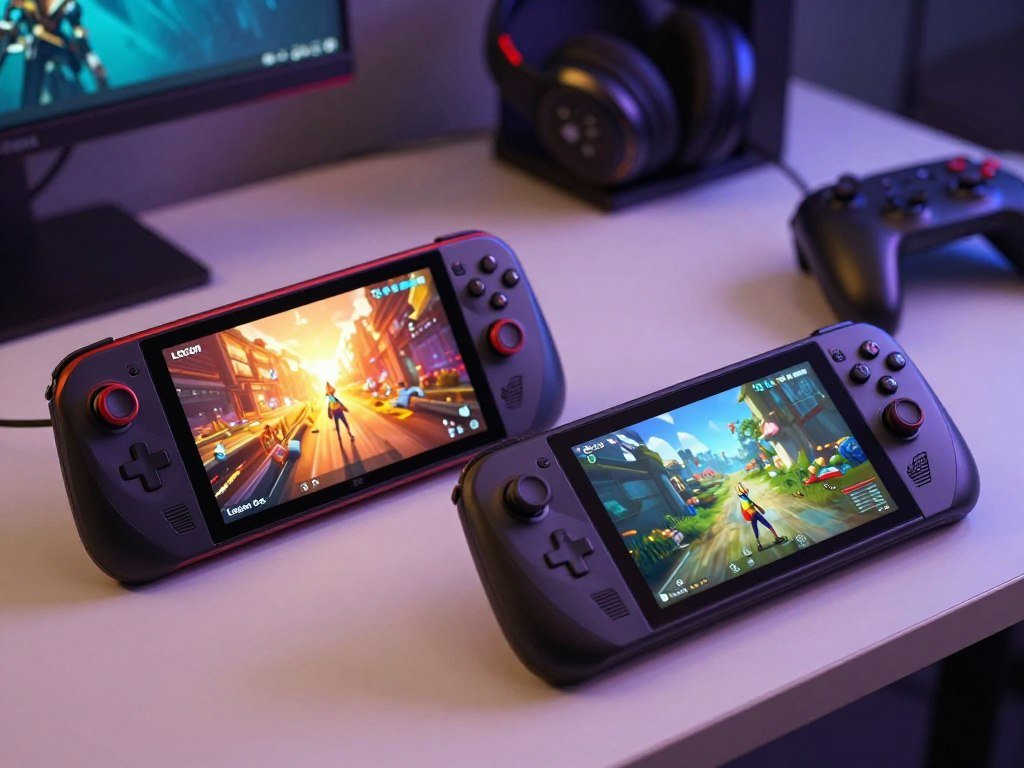
At the October 2026 prices, the Legion Go S is the lower-cost entry point, while the Steam Deck OLED is the lighter handheld with the OLED screen. If you are choosing a gaming handheld, the right option depends on your budget and the games you play. One offers a larger screen with a faster refresh rate. The other puts OLED contrast and dual trackpads into a lighter design. That can shape your experience as much as raw power does, especially during long sessions or games built around mouse input. Both models in this comparison run SteamOS, so you can start from the same game store and software base. They still differ in price, comfort, and the kinds of controls that feel natural. The right choice comes down to whether you value the Legion Go S’s screen and price or the Steam Deck OLED’s portability and controls.
Key Takeaways
- Legion Go S offers the lower entry price.
- Steam Deck OLED weighs less and has an OLED screen.
- Legion Go S has a larger display with a higher refresh rate.
- Steam Deck OLED has two trackpads for mouse-style input.
- Your best pick depends on budget and play style.
Legion Go S vs Steam Deck: What Do They Cost in 2026?
In October 2026, the entry Legion Go S cost $599.99, while the Steam Deck OLED 512GB cost $789. The entry-level price favors Lenovo, but the premium comparison changes direction. Each model has more than one storage and memory version, so compare the exact configuration you want.
The lower-priced entry comparison does not carry over to the premium Legion Go S configuration. The table shows launch prices beside October 2026 prices, so you can see how each version changed.
| Model and configuration | Launch timing and price | October 2026 price |
|---|---|---|
| Legion Go S Z2 Go, 16GB/512GB | May 2025, $549.99 | $599.99 |
| Legion Go S Z1 Extreme, 32GB/1TB | May 2025, $749.99 | $999.99 |
| Steam Deck OLED, 512GB | November 2023, $549 | $789 |
| Steam Deck OLED, 1TB | November 2023, $649 | $949 |
A launch price is not a guide to what a configuration costs in October 2026.
The 512GB Legion Go S Z2 Go is the lower-cost new entry in this comparison. Its price is still higher than its May 2025 launch price. At the premium end, the 32GB/1TB Legion Go S costs more than the 1TB Steam Deck OLED.
If you are setting a budget around a handheld or a full gaming setup, compare the whole purchase, not one device price alone. A desktop can make sense for a different play space, as this guide to gaming PCs under $1,000 explains. Compare the exact configuration and October 2026 price, since the Legion Go S premium tier costs more than the Steam Deck OLED 1TB.
Which Processor and Configuration Fits Your Needs?
The Legion Go S comes in two processor tiers, while the Steam Deck OLED uses one custom AMD APU. The Z2 Go is the entry Legion Go S chip, and the Z1 Extreme is the higher-performance upgrade. The Steam Deck OLED has 16GB of RAM.
The Z2 Go Legion Go S is the closest Legion Go S comparison for a buyer considering the Steam Deck. The Z1 Extreme is a step-up choice, not another name for the entry processor.
| Model | Processor | Practical distinction |
|---|---|---|
| Legion Go S entry | AMD Ryzen Z2 Go | Lower-tier option |
| Legion Go S premium | AMD Ryzen Z1 Extreme | Higher-performance option |
| Steam Deck OLED | Custom AMD APU | One processor option in this comparison |
The Ryzen Z2 Go entry configuration
The Legion Go S vs Steam Deck specs comparison starts with processor options and memory. The entry Legion Go S pairs the Ryzen Z2 Go with 16GB of RAM. That makes it the closest match for a Steam Deck buyer weighing the standard configurations.
A Steam Deck vs Legion Go S Z2 choice is not a contest between identical chips. The Steam Deck OLED has its own custom AMD APU, while Lenovo offers two distinct processor tiers.
The Ryzen Z1 Extreme upgrade
The Ryzen Z1 Extreme is the Legion Go S upgrade for buyers who want more performance headroom. It comes with 32GB of RAM and 1TB of storage in the premium configuration listed above. That hardware costs more, so the higher tier makes sense when performance matters more than entry price.
Legion steamos buyers should treat processor, memory, and storage as separate parts of the configuration. Choose the Z2 Go for the entry configuration and consider the Z1 Extreme only if its extra performance is a priority.
Which Screen Looks Better for Handheld Gaming?
Choose the Legion Go S for a larger, sharper screen and the Steam Deck OLED for OLED contrast and deeper blacks. Screen quality is more than pixel count, since panel type affects the look of dark scenes and bright colors.
The Legion Go S has the larger, higher-resolution display, while the Steam Deck OLED has the OLED panel. Its higher maximum refresh rate is a display capability, not a promise that every game will reach that frame rate.
| Display attribute | Legion Go S | Steam Deck OLED |
|---|---|---|
| Panel and size | 8-inch LCD | 7.4-inch OLED |
| Resolution | 1920 x 1200 | 1280 x 800 |
| Maximum refresh rate | 120Hz | 90Hz |
| Image strength | Larger, sharper screen | OLED contrast and black levels |
The Legion Go S gives you more size and sharpness
The 8-inch LCD gives games more screen space, and its 1920 x 1200 resolution puts more pixels on the display. That can make small text and fine details clearer. The 120Hz refresh rate can also make supported games look smoother when the hardware can keep up.
Still, a refresh rate is not the same as a game’s frame rate. A demanding game may run below the display’s maximum, depending on its graphics settings and workload.
Steam Deck OLED delivers contrast and deep blacks
The 7.4-inch OLED panel has a lower resolution and a 90Hz maximum refresh rate. Its pixels can switch off for black, which gives dark scenes deeper blacks and strong contrast. That difference can stand out in games with night scenes or shadowy interiors.
Think about the games you play and whether you value screen size, sharpness, or dark-scene detail most. Match the display to the games and images you care about, rather than treating resolution or refresh rate as a complete measure of screen quality.
How Much Faster Is the Legion Go S in Games?
At a matched power setting of about 15W, these handhelds trade leads rather than showing a consistent Legion Go S win. At higher power, the Lenovo can reach a higher performance ceiling, especially with the Z1 Extreme configuration.
TDP is the power limit set for the processor and graphics hardware, measured in watts. Raising the TDP can lift frame rates, but it also draws more battery power.
At matched power, performance is close
At approximately 15W, the Legion Go S and Steam Deck OLED trade performance leads across games. The result depends on the game and its settings, so one test cannot describe every gaming session.
That matched-power comparison helps show how the devices perform when they have a similar power limit. It does not erase the difference between the two Legion Go S processor options. The Z1 Extreme is the higher-performance Legion Go S tier.
Higher power opens the Legion Go S performance ceiling
The Legion Go S can use a higher power limit than the Steam Deck OLED in the stated test. In Red Dead Redemption 2 at 25W, the Legion Go S reached 64 fps, while the Steam Deck reached 41.5 fps.
Those figures apply to that game and 25W condition. They do not predict frame rates at about 15W or in another title. Running at higher power can improve performance, but it can also shorten a session away from an outlet.
Choose the power setting with your play situation in mind. A wall outlet may suit a demanding game, while a lower TDP may be more useful during travel. Treat the 25W result as evidence of the Legion Go S’s higher performance ceiling, not a guarantee of the same gap in every game.
Do SteamOS and Game Compatibility Work the Same on Both?
Both the Legion Go S SteamOS version and Steam Deck OLED use SteamOS, but that does not guarantee identical compatibility for every game. The shared system makes this closer than comparing SteamOS with Windows, though the Lenovo setup is newer.
Some games with kernel-level anti-cheat that blocks Linux or Proton will not work on either SteamOS handheld. Proton is a tool that helps Windows games run on Linux, but game support still varies.
SteamOS gives both devices a shared starting point
Both handhelds use a Linux-based operating system and provide a Steam-focused software experience. This means the Legion Go S and Steam Deck OLED share more of a starting point than a SteamOS and Windows 11 comparison.
Some non-Steam games and launchers may need extra setup on Linux. The Legion Go S is also newer to this SteamOS setup, so game support and software details can differ by title. A Windows 11 Legion Go S is a separate version, not the model compared here.
Check Linux anti-cheat compatibility before buying
Check compatibility for the specific games you play, especially online games. ProtonDB and Valve’s Deck Verified program can help you review status and player reports. For more on choosing a Steam Deck alternative, weigh game support alongside hardware and battery needs.
- Check the specific game on ProtonDB.
- Check its Deck Verified status.
- Verify multiplayer and anti-cheat requirements.
- Consider a Windows handheld if native Windows game support is essential.
Confirm support for the exact games you play, especially competitive multiplayer titles, before choosing either SteamOS device.
Which Controls Work Better for Your Games?
The biggest control difference is simple: Steam Deck OLED has two trackpads, and Legion Go S has none. That pair of pads can help with games that expect mouse input, while Lenovo favors a familiar gamepad layout.
Legion Go S uses Hall-effect thumbsticks but has no trackpads. Its controls suit conventional controller play, while the Steam Deck OLED gives you another way to move a cursor or aim.
Steam Deck OLED has two trackpads
The dual trackpads can help with strategy, simulation, and point-and-click games. You can use them to move a cursor or control menus when a game does not feel right with thumbsticks alone. They can also make desktop navigation easier.
That extra control method matters most if your library includes games designed around a mouse. It may be less important if you mostly play action games built for a controller.
Legion Go S favors conventional controller play
The Legion Go S has a gamepad-focused design, with Hall-effect thumbsticks in place of trackpads. Hall-effect sticks sense movement without the same contact-based parts used in traditional stick designs. For you, the key point is that the layout stays centered on familiar controller input.
There is no smaller pad hiding on the Lenovo handheld. If mouse-style input is central to your library, weigh the missing Legion Go S trackpads heavily.
Which Handheld Lasts Longer on Battery?
In the June 2026 PCMark 10 comparison, Steam Deck OLED lasted 8 hours 8 minutes and Legion Go S lasted 6 hours 25 minutes. In that test, the Steam Deck OLED ran longer despite its smaller battery capacity.
Battery capacity alone did not decide the PCMark 10 result. Legion Go S has a 55.5Wh battery, while Steam Deck OLED has a 50Wh battery.
Battery results depend on the test and workload
PCMark 10 is a test workload, not a measure of hours spent playing a specific game. Actual playtime changes with game load, screen brightness, frame rate, and power settings. A demanding title can use more power than a lighter game.
The test gives you a direct comparison under one workload. It does not promise the same battery life during your own gaming sessions or at different settings.
Adjust power settings when you play away from an outlet
Small changes can help stretch a charge when you are away from a plug. Try these practical settings when peak performance is not your main goal:
- Lower the Legion Go S resolution for demanding games.
- Cap TDP when peak performance is unnecessary.
- Reduce screen brightness.
- Set a frame-rate limit.
Use the test as a relative efficiency comparison, then judge your own runtime by the games and settings you actually use.
Which Device Is Lighter and More Comfortable to Hold?
Steam Deck OLED is the lighter handheld at 640 grams, compared with roughly 738 grams for Legion Go S. The weight gap may matter if you hold the device for a long session rather than resting it on a table.
Steam Deck OLED weighs about 98 grams less. That makes it the lighter device to carry, while the Lenovo’s contoured grips may feel comfortable for some players.
Comfort is personal because hand size and balance change how a handheld feels. A heavier device can still feel secure in your hands, while a lighter one may feel awkward if its shape does not suit your grip.
If you can try both models in person, hold each in a normal playing position for several minutes. Check whether your thumbs reach the controls without strain, and notice whether your wrists tire as you hold the screen in place.
A few minutes of testing can reveal an awkward reach that a spec sheet cannot show. If you expect long sessions away from a table, try the grip and reach of both devices before choosing.
How Do Ports and Expandable Storage Compare?
Legion Go S offers two USB4 ports, while Steam Deck OLED has one USB-C port. For connecting gear, that gives Lenovo more port options, while both handhelds can expand storage with a microSD card.
Both devices have microSD card slots. Their ports can support different connection setups, but the accessory or dock must match the device’s power and display needs.
These are common ways to use the connections:
- Connect power while using a USB accessory.
- Connect to a dock.
- Use a microSD card to expand available storage.
A USB-C port does not always support every display feature, and docks can have different power needs. Check the display and power details of any dock you plan to use. A guide to portable monitor connections also explains why USB-C video support can vary.
The two USB4 ports give the Legion Go S more ways to connect accessories at once. A microSD card offers a simple way to add room for more games on either device. Check the port and power requirements of your intended dock or accessory before relying on it.
Which Handheld Should You Choose for Your Play Style?
Choose the Legion Go S Z2 Go if screen size and lower entry cost matter most, and choose Steam Deck OLED if portability, OLED contrast, or trackpads matter more. Your play style should guide the choice, since each handheld suits a different kind of gaming.
Steam Deck OLED is the better fit for mouse-driven games, while Legion Go S suits conventional controller play. The Z1 Extreme makes sense when you specifically want the higher performance tier.
Choose Legion Go S for screen size or performance headroom
The Legion Go S Z2 Go is a good fit if you want a lower-cost new entry and a larger, sharper screen. It gives you the core Legion Go S design without paying for the premium processor tier.
Choose the Legion Go S Z1 Extreme only if you value its extra performance headroom. It is not the automatic upgrade for every buyer, especially if your games run well on the entry configuration.
Choose Steam Deck OLED for portability or trackpads
The Steam Deck OLED suits you if lower weight, OLED image quality, or dual trackpads matter most. It also makes more sense if you value its efficiency in the stated battery test. Those strengths can matter more than the Legion Go S screen size.
If you are still weighing other portable options, this guide to affordable tablets for casual gaming covers a different kind of screen and price choice. Reserve the Legion Go S Z1 Extreme recommendation for buyers who will use its extra performance headroom.
Will Your Existing Accessories Fit Both Devices?
Do not assume an accessory made for Steam Deck will physically fit Legion Go S. Fit matters for shaped cases and screen protectors, even when a product is made for another handheld.
Form-fitting hard-shell cases are not interchangeable between Steam Deck and Legion Go S. Steam Deck has a larger third-party accessory ecosystem, but that does not make every item a match.
A case that fits one handheld may not fit the other.
- Confirm the exact handheld model.
- Check that a case is made for that model.
- Verify screen-protector dimensions.
- Confirm that a dock or cable suits the device’s port.
Accessory listings can use broad names that cover several handheld versions. Look for the exact model name, not just a brand or product family. Verify model fit before buying any case or screen protector.
Conclusion
For most buyers choosing on entry price and screen size, Legion Go S Z2 Go is the stronger fit; Steam Deck OLED is the better fit when portability and trackpads come first. The best option depends on whether a larger, sharper screen or OLED contrast and lower weight matter more to you.
Legion Go S also offers more performance headroom in its premium tier, while Steam Deck OLED brings dual trackpads and an efficient test result. Before ordering, check that your must-play games work on the operating system you chose. Check your must-play games and the exact configuration price, then choose the handheld that matches the way you play.
FAQ
Does a 120Hz Legion Go S screen mean every game runs at 120 fps?
No, 120Hz is the screen’s refresh-rate ceiling, not a promise of 120 fps in every game. The game’s graphics load and your settings affect its frame rate. Available power also matters. A demanding game may run below 120 fps, even though the display can refresh up to 120 times each second.
Can the Legion Go S run Windows?
Yes, a Windows 11 Legion Go S version exists, but it is separate from the SteamOS model in this comparison. The operating system can affect game support, launchers, and setup steps. Check the exact model name before buying, since the Windows version is not the Legion Go S SteamOS configuration discussed here.
Can SteamOS handhelds run non-Steam games?
Yes, some non-Steam games and launchers can run on SteamOS handhelds, but they may need extra setup on Linux. Support depends on the specific title and launcher. If a game needs native Windows support, a Windows handheld may be a better fit than trying to make a Linux setup work.
Can either handheld play every game in a Steam library?
No, neither SteamOS device can play every game in a Steam library. Some games use anti-cheat systems that block Linux or Proton, which can prevent them from working. Check the individual title’s support status, especially for competitive multiplayer games where the anti-cheat system can affect whether you can join a match.
Will a USB-C dock work with both handhelds?
Both handhelds have a USB-C connection, but dock support depends on its power, display, and accessory needs. Legion Go S has two USB4 ports, while Steam Deck OLED has one USB-C port. Check the dock’s listed requirements before connecting it, since USB-C does not guarantee support for every video or power feature.
Is the Legion Go S Z1 Extreme a better choice for unplugged gaming?
Not necessarily. The Z1 Extreme offers a higher performance tier, but using more power can reduce runtime away from an outlet. Choose it for its extra performance, not because it will last longer on battery. Your playtime will also depend on the game and settings you use during a session.
Is Steam Deck OLED still worth considering at its October 2026 price?
Yes, Steam Deck OLED can still suit you if OLED contrast, lower weight, efficiency, or dual trackpads matter most. The lower entry price of the Legion Go S does not erase those strengths. Consider how you play and which controls feel right, then compare the exact configuration prices before choosing.



