
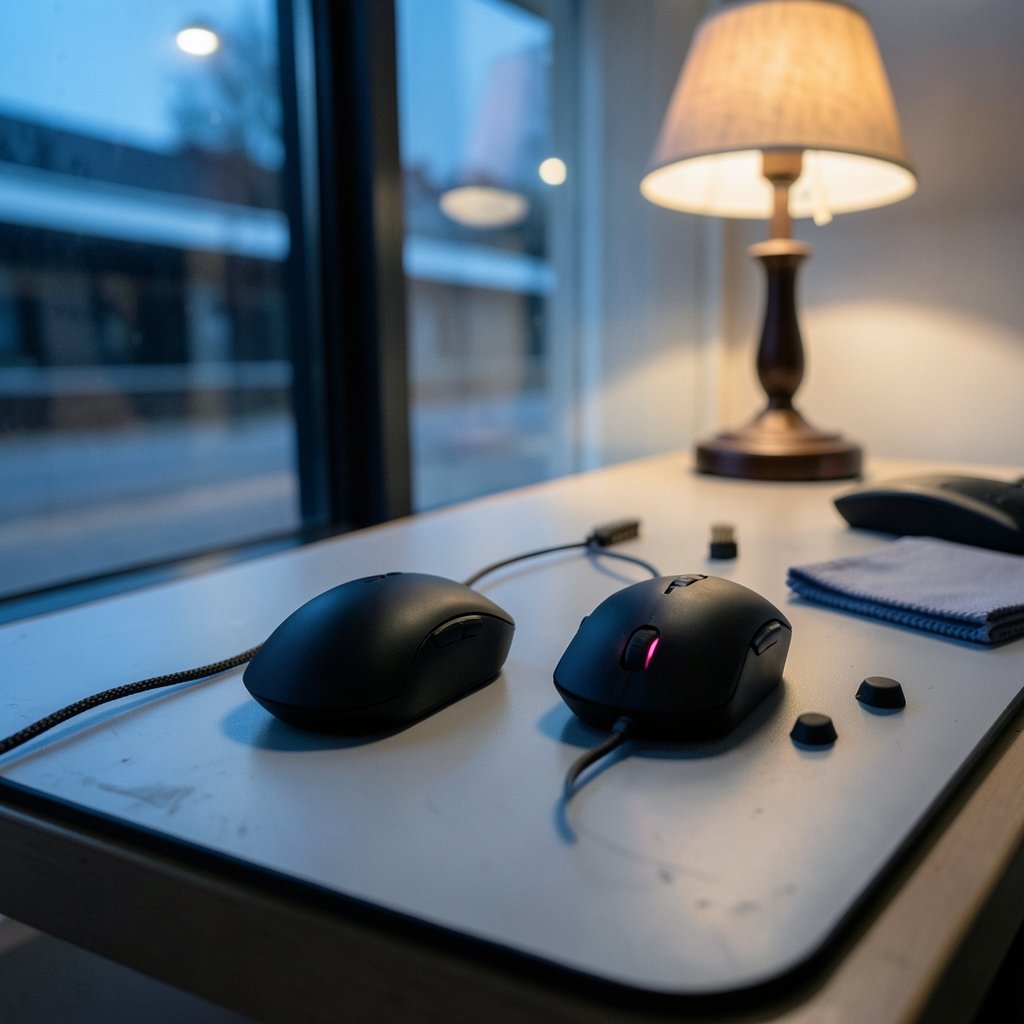
What actually separates two flagship gaming mice once the spec sheet stops being interesting? That is the question worth asking about the Logitech Pro X3 Superstrike and the Razer Viper V3 Pro. Both sit at the top of the market. Both are light, fast, and expensive. Yet they push players toward very different daily habits, and those habits compound over months of use.
This comparison is not about declaring a winner. It is about mapping the workflow differences: how each mouse handles setup, tuning, maintenance, and long-term reliability. If you are choosing between them, or planning a purchase that you want to still feel right in 2027, the workflow is the part that decides whether you stay happy.
Why workflow beats specs in a flagship mouse
Flagship mice have converged. Sensors are excellent across the board. Wireless latency is a non-issue for almost everyone. Weight differences of a few grams rarely change outcomes. What still varies wildly is everything around the hardware: the software ecosystem, how settings persist, how firmware updates land, and how much friction sits between you and a consistent feel.
That friction is what people actually notice six months in. A mouse that needs its companion app running to keep your custom button layout is a different product from one that stores everything onboard. A mouse that resets after a firmware update is a different product from one that carries your profile forward. These are workflow traits, and they are sticky.
The same logic shows up across the tools people use every day. Teams comparing development environments run into the same pattern, which is why breakdowns like Cline vs Cursor workflow differences understand 2027 focus on daily habits rather than feature checklists. Peripherals deserve the same treatment.
The two design philosophies in plain terms

Logitech’s approach with the Pro X3 Superstrike leans toward a self-contained device. The company’s Pro line has historically emphasized onboard memory, a clean driver, and settings that travel with the mouse. The pitch is simple: configure once, then forget the software exists.
Razer’s approach with the Viper V3 Pro leans toward an ecosystem. The mouse is the anchor point for a broader software platform that manages profiles, macros, lighting, and firmware across multiple devices. The pitch is integration: one hub for everything.
Neither philosophy is wrong. They simply reward different kinds of users. Someone with a single mouse and a single keyboard will find Logitech’s minimalism refreshing. Someone already deep in a multi-device setup may find Razer’s centralization genuinely convenient.
| Workflow area | Pro X3 Superstrike | Viper V3 Pro |
|---|---|---|
| Settings storage | Onboard profile emphasis | Software-centric profile management |
| Software dependency | Low for core settings | Higher for full feature access |
| Ecosystem scope | Focused on the mouse | Broad, multi-device platform |
| Setup time | Short | Longer, more options to tune |
| Portability of feel | Strong | Depends on software availability |
| Best fit | Minimalists, tournament players | Tinkerers, multi-device users |
Setup workflow: minimal versus modular
The first hour with each mouse tells you a lot. With the Logitech, the typical path is plug in, install the driver, set DPI and polling rate, assign buttons, save to the device, and close the app. Many users never open it again unless they change something.
The Razer path is more modular. You install the platform, create a profile, tune sensitivity stages, adjust lift-off distance, set up macros if you want them, and decide whether profiles should be stored onboard or in software. There are more decisions, and more of them are optional. That is either empowering or exhausting depending on your temperament.
A practical tip that saves headaches: decide your DPI and polling rate before you start tuning anything else. Changing sensitivity later invalidates every micro-adjustment you made to in-game settings. Lock the fundamentals first.
Firmware and update cadence
Firmware updates are where workflow differences get real. Both companies ship updates that improve sensor behavior, fix wireless stability issues, and occasionally change default behavior. The difference is how much attention the process demands.
Logitech’s update flow tends to be occasional and low-drama. You get a notification, you run the update, your onboard profile usually survives. Razer’s updates arrive more frequently because the software platform serves many devices at once, which means more surface area for change.
The common mistake here is updating right before a competitive session. Never do that. Update, then play a few casual matches, then trust it. A firmware change that alters lift-off behavior mid-tournament is a avoidable disaster.
Onboard memory versus software profiles
This is the single biggest workflow divider. Onboard memory means the mouse carries your configuration. Plug it into a different machine and it behaves identically. No install, no login, no sync.
Software-managed profiles mean your configuration lives in an application. That is fine at home. It becomes friction at a LAN event, on a friend’s PC, or on a work laptop where you cannot install anything.
If you travel with your mouse or compete on unfamiliar hardware, onboard storage is not a luxury. It is the feature that keeps your muscle memory intact. If your mouse never leaves your desk, the distinction matters far less.
Sensor behavior and in-game consistency
Both mice use top-tier optical sensors, and both are more accurate than the vast majority of players can exploit. The workflow question is not which sensor is better. It is which one behaves more predictably across the settings you actually use.
Higher polling rates sound like a free win. In practice they increase CPU load and can introduce inconsistency on older systems. A stable 1000 Hz setting often feels better than an unstable higher rate. Test both, but judge by consistency across ten matches, not by one good round.
Lift-off distance is the other setting people neglect. A low lift-off distance suits low-sensitivity players who reposition often. A slightly higher one suits players who lift the mouse rarely. Set it deliberately rather than accepting the default.
Ergonomics and grip as workflow
Shape dictates how you hold the mouse, and how you hold the mouse dictates how you aim. This is workflow in the physical sense. A shape that fights your grip creates fatigue, and fatigue changes your decisions late in a session.
The Viper V3 Pro’s symmetrical, low-profile shape suits claw and fingertip grips. The Pro X3 Superstrike’s design language follows Logitech’s established ergonomic priorities, which tend to reward players who want a familiar, settled feel. Neither is universally comfortable.
The practical rule: buy shape first, features second. A feature-rich mouse that hurts your hand after two hours is a worse purchase than a simpler mouse that disappears under your palm. If you can try before buying, do it. If not, buy from a retailer with a generous return window and actually use it for a week.
Software bloat and system overhead
Companion software is a real workflow cost. Background services consume memory, occasionally conflict with anti-cheat systems, and add startup time. Minimal drivers reduce that surface area. Feature-rich platforms increase it but deliver more control.
A sensible middle path works for most people: install the software, configure the mouse fully, save profiles onboard where possible, then set the app to not launch at startup. You keep the configuration and lose the overhead. Reopen the app only when you need to change something.
This pattern mirrors what people do with other tooling. Anyone who has compared database workflows knows the same trade-off between convenience and control, which is exactly the tension covered in SQL vs NoSQL workflow differences understand 2027. Convenience layers are wonderful until they become the thing you are managing.
Battery, charging, and daily rhythm
Wireless mice introduced a new daily habit: charging. Both of these mice are designed to run for long stretches, but habits differ. Some players dock the mouse every night. Others charge once a week and forget.
The workflow difference is in how charging fits your routine. A mouse that charges over USB-C while remaining usable lets you keep playing during a top-up. A mouse that requires a dock forces a pause unless you have a spare.
Pick the rhythm you will actually follow. A charging routine you skip is worse than a shorter battery life you plan around. Set a recurring reminder for the first month, then let habit take over.
Maintenance and long-term reliability
Switches wear. Skates wear. Grip surfaces degrade. The workflow question is how easily each mouse accommodates replacement and cleaning.
Look for PTFE skates that are widely available, switches that are serviceable or at least well documented, and a shell that tolerates routine cleaning without finish wear. Keep the original packaging if you might resell or RMA the mouse. Register the warranty immediately, because proof of purchase requests always arrive at the worst moment.
A simple monthly routine extends life significantly: wipe the sensor lens, clean the skates, and check for debris around the buttons. Five minutes a month prevents most double-click complaints.
Which workflow fits which player
Match the mouse to your habits rather than your aspirations.
Choose the Pro X3 Superstrike if you want a set-and-forget device, you value onboard profiles, you travel or compete on other machines, and you prefer minimal background software.
Choose the Viper V3 Pro if you enjoy tuning, you already run a multi-device setup, you want deep profile control, and you do not mind a more involved software layer.
If you are genuinely torn, the tiebreaker is shape. Buy the one that fits your hand, then adapt your workflow to it. The reverse rarely works.
This principle appears everywhere in tooling decisions. Teams weighing messaging infrastructure face the same fork between simplicity and configurability, as explored in RabbitMQ vs Kafka workflow differences understand 2027. The right answer depends on the operating context, not the spec sheet.
Looking ahead to 2027
Forward-looking purchases should account for how long you keep hardware. Most players keep a flagship mouse for two to four years, which means a 2026 purchase will still be in service well into 2027 and beyond.
The workflow traits that age well are the boring ones: onboard storage, durable switches, widely available replacement parts, and software that does not demand constant attention. The traits that age poorly are proprietary accessories, software that requires an account, and configurations locked to a single machine.
When evaluating either mouse for longevity, ask three questions. Can I configure it without the cloud? Can I replace the skates and cable? Will the software still run on my next operating system? If the answer to all three is yes, you are probably fine.
Conclusion
The Logitech Pro X3 Superstrike and the Razer Viper V3 Pro are both excellent mice that solve the same problem in different ways. Logitech’s workflow rewards people who want to configure once and stop thinking about it. Razer’s workflow rewards people who enjoy tuning and want one platform for everything.
The honest answer is that neither is better in the abstract. The right choice depends on whether your daily routine values minimalism or control, portability or integration, onboard memory or ecosystem depth. Decide which of those you will actually use in 2027, and the purchase becomes straightforward.
Frequently Asked Questions
Which mouse is better for competitive play?
Neither is objectively better. Both use top-tier sensors and reliable wireless. Competitive players should prioritize shape, weight, and onboard profile storage, because those determine consistency on unfamiliar hardware. Try both if possible and pick the one that fits your grip.
Do I need the companion software installed to use these mice?
No. Both mice work as plug-and-play devices with default settings. The software is required only for custom button mapping, detailed sensitivity tuning, and firmware updates. You can configure once, save settings, and then disable the app at startup.
How often should I update mouse firmware?
Update when a release addresses an issue you have noticed or adds a feature you want. Avoid updating immediately before a tournament or ranked session. A good habit is to update, then test in casual play before relying on the new firmware.
Is onboard memory really important?
It matters if you move your mouse between machines, attend LAN events, or use a computer where you cannot install software. If the mouse stays on one desk, software profiles are perfectly adequate. For travelers, onboard storage is close to essential.
How long should a flagship gaming mouse last?
With reasonable care, two to four years is typical. Skates and cables wear first and are usually replaceable. Switch failures are the most common hardware issue. Cleaning the sensor lens and skates monthly noticeably extends usable life.
Can I use a high polling rate on an older PC?
You can, but you may not want to. Higher polling rates increase CPU load and can cause inconsistent behavior on older systems. Test a stable 1000 Hz setting against a higher rate across several sessions, and choose whichever feels more consistent rather than whichever number is larger.



